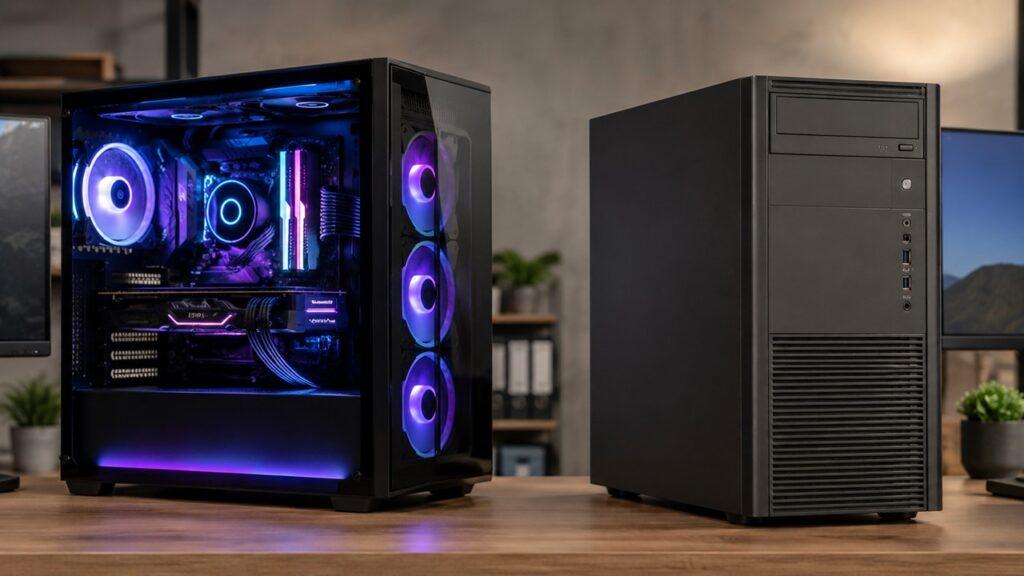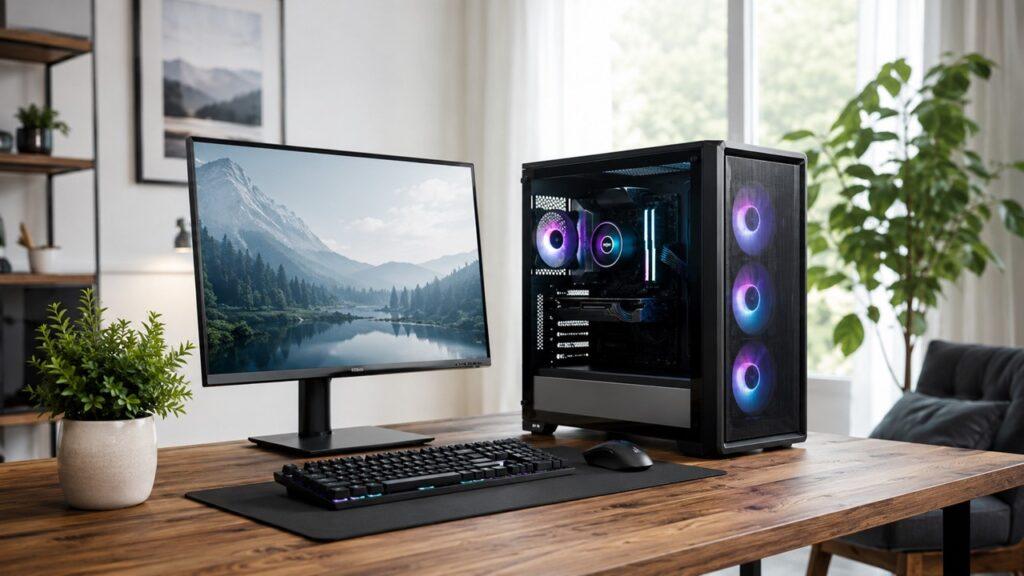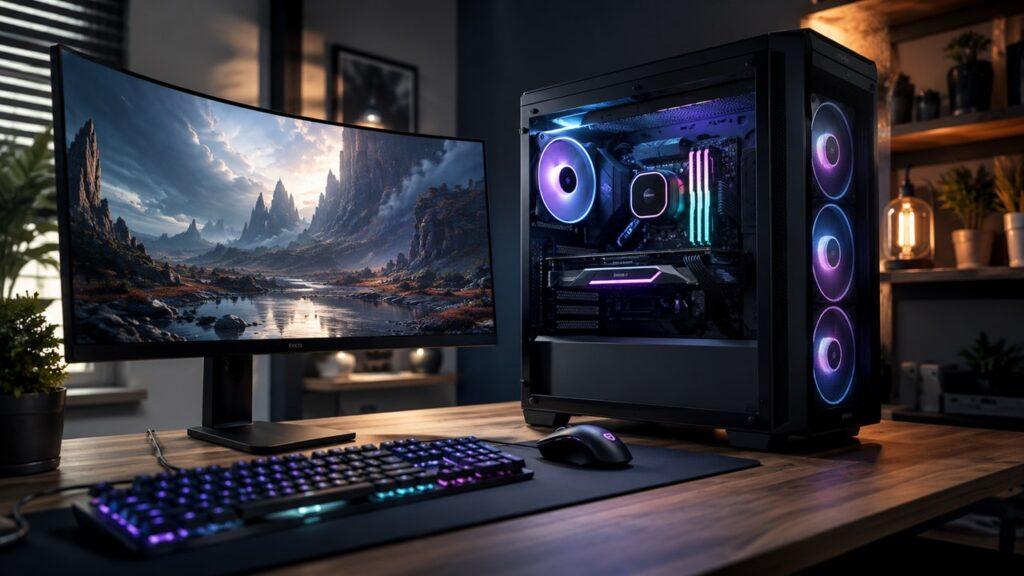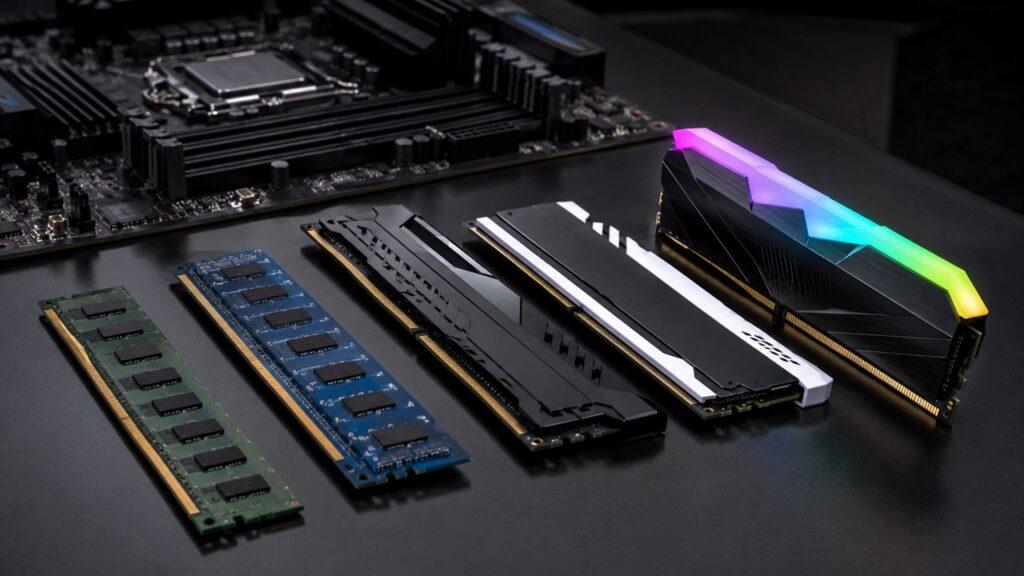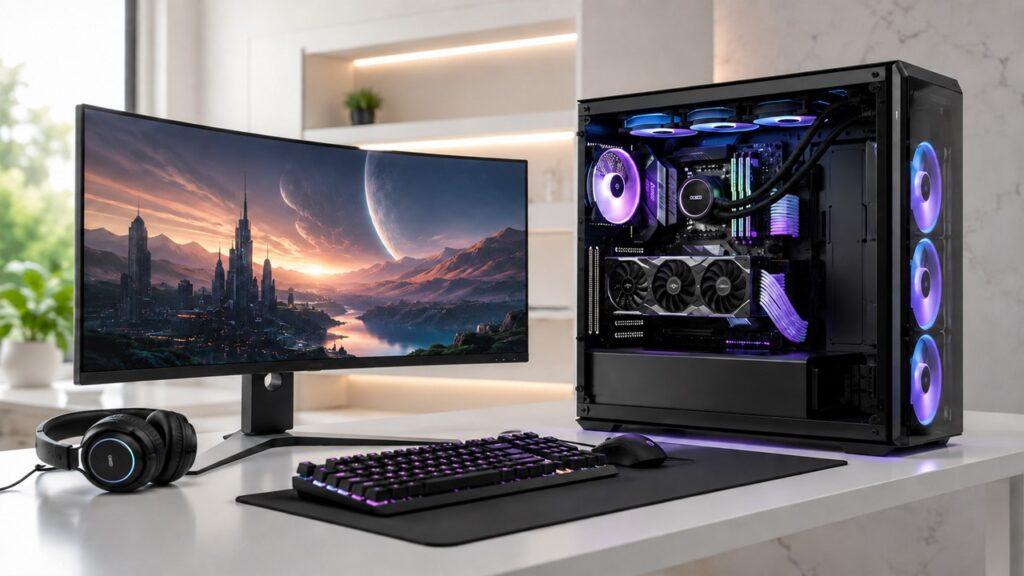
Gaming PCs are expensive because they use powerful, upgradeable hardware like dedicated GPUs, fast CPUs, high-speed RAM, SSDs, and strong cooling. Costs also rise due to factors like AI demand, memory shortages, inflation, and premium features such as RGB lighting and custom designs.
This article explains what drives gaming PC prices, how they compare to consoles and office PCs, and how to build or buy one without overspending.
Key Takeaways
- Gaming PCs cost more due to high-performance components, especially the GPU
- External factors like AI demand and memory shortages can increase prices
- Premium features and customization add extra cost without always improving performance
- Prebuilt PCs include labor, warranty, and brand markup
- A balanced build helps avoid overspending while maintaining good performance
Quick Answer: Why Are Gaming PCs So Expensive?
Gaming PCs are expensive because they need powerful graphics cards, fast processors, high-speed memory, reliable power supplies, advanced cooling, and strong cases. They also cost more because PC parts are sold separately, upgraded often, and affected by supply shortages, AI demand, inflation, and brand markups.
The biggest cost usually comes from the graphics card, because modern games rely heavily on GPU power. However, the GPU is not the only reason. A gaming PC also needs supporting parts that can handle heat, power, speed, and future upgrades.
The main reasons gaming PCs are expensive include:
- GPUs are expensive because modern games need high-resolution graphics and real-time rendering.
- CPUs cost more because gaming PCs need strong gaming and multitasking performance.
- RAM and SSD prices change because they depend on global memory supply.
- Cooling adds cost because powerful components produce more heat.
- Motherboards and power supplies cost more when they support high-end hardware.
- Prebuilt PCs include labor, warranty, Windows, testing, and profit margins.
- Customization adds extra cost through RGB, glass panels, premium cases, and branded parts.
A gaming PC does not cost more for one simple reason. It costs more because many expensive parts must work together.
Gaming PC Cost Breakdown: Where Does the Money Go?
A gaming PC is expensive because every major part has a performance role. In a basic office PC, many parts can be simple and low-power. In a gaming PC, the parts must handle demanding games, heat, airflow, power draw, and upgrades.
| Component | Why It Costs Money | How Important It Is |
| Graphics card | Handles game visuals, resolution, ray tracing, and frame rates | Very high |
| Processor | Runs game logic, background tasks, and CPU-heavy games | High |
| RAM | Helps with multitasking and modern game performance | Medium to high |
| SSD | Improves boot speed, game loading, and file transfers | Medium |
| Motherboard | Connects all parts and supports upgrades | Medium |
| Power supply | Safely powers the whole PC | High |
| Cooling | Keeps powerful parts from overheating | High |
| Case | Affects airflow, looks, size, and build quality | Medium |
| Windows license | Often included in prebuilt gaming PCs | Medium |
| Labor and warranty | Included in prebuilt gaming PCs | Medium |
The graphics card usually takes the largest share of the budget. A better GPU allows higher frame rates, better graphics settings, higher resolutions, and smoother gameplay.
However, the total price rises because every part needs to support the system’s performance level. A powerful GPU needs a good CPU, enough RAM, proper cooling, a safe power supply, and a motherboard that can connect everything properly.
That is why gaming PCs often feel expensive even before you add extras like RGB lighting, liquid cooling, custom cables, or a premium case.
The Graphics Card Is Usually the Biggest Reason Gaming PCs Cost So Much
The graphics card is usually the most expensive part of a gaming PC. It directly affects how well games look and how smoothly they run.
A GPU renders images, lighting, shadows, textures, reflections, and effects. The stronger the GPU, the easier it is for the PC to play demanding games at higher settings.
Modern Games Need Powerful GPUs
Modern games need powerful GPUs because they use detailed textures, realistic shadows, advanced lighting, large maps, and complex visual effects. A simple office desktop does not need to render these things in real time.
A gaming PC needs a dedicated graphics card because integrated graphics are usually not enough for demanding modern games. Integrated graphics can work for light games, older titles, or esports games at lower settings. However, they are not ideal for high-quality AAA gaming.
A GPU also becomes more important when you want smoother gameplay. For example, playing at 60 FPS is easier than playing at 144 FPS. Playing at 1080p is easier than playing at 1440p or 4K.
This is why gaming PCs with stronger graphics cards cost much more than basic desktops.
Ray Tracing and High Refresh Rates Increase GPU Demand
Ray tracing makes lighting, shadows, and reflections look more realistic. However, ray tracing also makes the graphics card work much harder.
Higher refresh rates also increase GPU demand. A 60Hz monitor needs fewer frames than a 144Hz, 165Hz, or 240Hz monitor. If you want smoother movement in competitive games, your PC must generate more frames every second.
Here is how resolution and refresh rate affect GPU demand:
- 1080p gaming needs less GPU power.
- 1440p gaming needs stronger graphics performance.
- 4K gaming needs much more GPU memory and processing power.
- Ray tracing increases the graphics workload even more.
- Competitive gaming may require 144Hz, 165Hz, or 240Hz performance.
This is also why the same game can run well on a cheaper PC at 1080p but need a much more expensive PC at 1440p or 4K.
GPU Prices Are Affected by More Than Gaming
GPU prices are affected by more than gaming because graphics cards are useful in many industries. GPUs are used for AI, video editing, 3D rendering, machine learning, game development, and professional workloads.
This matters because gamers are not the only buyers. When demand rises in AI, data centers, and professional computing, the broader GPU and semiconductor market can become more expensive.
High-end GPUs also show how expensive the top of the market can be. Nvidia lists the GeForce RTX 4090 with a starting price of $1,599, which shows why premium gaming builds can become very costly before adding the rest of the system.
Not every gamer needs a flagship GPU. However, even mid-range graphics cards can make up a large part of a gaming PC budget.
AI Data Centers Are Making Some PC Parts More Expensive
AI data centers are making some PC parts more expensive because they create huge demand for chips, memory, storage, and manufacturing capacity. Gaming PCs do not always use the same exact hardware as AI servers, but they depend on the same broader supply chain.
That supply chain includes semiconductors, DRAM, NAND flash, SSDs, GPUs, packaging, factory capacity, and logistics. When enterprise buyers purchase parts in massive volumes, consumer PC parts can become more expensive or harder to source.
This affects gaming PCs because RAM and SSDs are now essential parts of almost every build.
AI demand can affect PC pricing in several ways:
- AI companies need huge amounts of memory and storage.
- Data centers buy components in massive volumes.
- Enterprise buyers can often pay higher prices.
- Manufacturers may prioritize higher-margin server products.
- Consumer RAM and SSD pricing can rise when supply becomes tight.
Gartner estimates that combined DRAM and SSD prices could rise 130% by the end of 2026, which could increase PC prices by 17% compared with 2025 levels. IDC also reports that the DRAM and NAND shortage is pushing up average selling prices and reshaping the PC market through 2027.
This does not mean AI is the only reason gaming PCs are expensive. It is one major pressure point among many others, including gaming demand, inflation, manufacturing costs, shipping, retailer margins, and supply chain limits.
RAM and SSD Prices Can Raise the Total Build Cost
RAM and SSDs can raise gaming PC prices because modern systems need more memory and faster storage than older computers. A gaming PC today is expected to feel fast, load games quickly, and handle several apps at once.
In the past, many gaming PCs used hard drives for storage. Today, SSDs are the standard choice for gaming systems. RAM expectations have also increased as games, launchers, browsers, and background apps have become heavier.
Why RAM Matters in a Gaming PC
RAM matters because it gives your PC short-term memory for active tasks. Games, browsers, launchers, Discord, streaming tools, and recording software all use RAM.
Modern gaming PCs commonly need at least 16GB of RAM. The Steam Hardware Survey for May 2026 shows 16GB as the largest system RAM category at 41.14%, which reflects how common 16GB remains among PC gamers.
Heavier gaming, streaming, content creation, and multitasking may benefit from 32GB. More RAM does not always increase FPS directly. However, too little RAM can cause stuttering, slow loading, background app slowdowns, and poor multitasking.
Why SSD Storage Costs Add Up
SSD storage costs add up because modern games are large, and gamers often want several games installed at the same time. A 500GB SSD can fill quickly once Windows, apps, and large games are installed.
SSDs improve the daily experience of a gaming PC. They make the system feel faster even when they do not directly increase FPS.
SSD storage helps with:
- Faster Windows boot times
- Shorter game loading screens
- Better file transfer speed
- Smoother use with large game libraries
- Better experience in some open-world games
A gaming PC with a larger SSD costs more, but it also feels more practical. Many buyers now prefer 1TB as a starting point because large game files can quickly consume storage.
Why Memory Shortages Affect Gaming PC Prices
Memory shortages affect gaming PC prices because RAM and SSDs depend on DRAM and NAND flash supply. These prices are not fixed. They move with factory output, enterprise demand, consumer demand, and global supply conditions.
When memory supply gets tight, gaming PC builders often pay more for the same amount of RAM or storage. That cost can affect both DIY builds and prebuilt gaming PCs.
This is one reason a gaming PC can become more expensive even when the CPU or GPU price stays the same.
Gaming PCs Need Stronger CPUs Than Basic Office Computers
Gaming PCs need stronger CPUs than basic office computers because games are not only about graphics. A CPU handles game logic, physics, background tasks, AI behavior inside games, and communication between components.
A basic office PC can run documents, email, web browsing, spreadsheets, and video calls with a modest CPU. A gaming PC needs more performance because it may run a game, launcher, browser, voice chat, recording software, and background services at the same time.
A stronger CPU is useful for:
- Open-world games
- Strategy games
- Simulation games
- Esports titles at high FPS
- Streaming while gaming
- Recording gameplay
- Multitasking with browser tabs and chat apps
The CPU may not always be the most expensive part of a gaming PC. However, a weak CPU can limit a strong GPU. This is called a bottleneck.
A bottleneck happens when one part prevents another part from performing well. For example, a powerful graphics card may not reach its full potential if the CPU cannot feed it data fast enough.
That is why gaming PCs often use mid-range or high-end CPUs instead of basic office processors.
Cooling Makes Gaming PCs More Expensive
Cooling makes gaming PCs more expensive because powerful parts produce heat. A gaming PC must control that heat to maintain stable performance.
A basic desktop may only need simple cooling because it does not run heavy workloads for long periods. A gaming PC may run demanding games for hours. That creates sustained heat from the CPU, GPU, motherboard, SSD, and power supply.
Powerful Parts Produce More Heat
Powerful gaming CPUs and GPUs produce more heat because they use more electrical power under load. When you play a demanding game, the CPU and GPU work harder than they do during simple tasks like browsing or writing documents.
If the system cannot cool them properly, performance can drop. This drop is called thermal throttling.
Thermal throttling happens when a component slows down to protect itself from overheating. The PC may still work, but frame rates can drop, fans may get loud, and the system may feel unstable.
Better Cooling Costs More
Better cooling costs more because it requires better parts, better airflow, and sometimes more careful installation.
Common cooling costs include:
- Larger air coolers
- Liquid AIO coolers
- Better case fans
- Mesh airflow cases
- Thermal paste
- Fan hubs and controllers
- Quiet cooling designs
A good cooling setup does not always need to be expensive. A quality air cooler and airflow-focused case can be enough for many gaming PCs.
However, high-end CPUs and GPUs may need stronger cooling, especially in hot rooms or compact cases.
Cooling Is Not Just for Looks
Cooling is not just for looks because it protects performance, stability, and component lifespan. Many beginners see RGB fans and liquid coolers and think cooling is mostly about appearance.
In reality, cooling has a practical job. It helps the PC maintain performance during long gaming sessions. It also helps reduce crashes, sudden shutdowns, and loud fan noise.
A good gaming PC should have cooling that matches its hardware. A flashy case with poor airflow can perform worse than a simple case with proper ventilation.
Motherboards, Power Supplies, and Cases Add Hidden Costs
Motherboards, power supplies, and cases add hidden costs because they support the main performance parts. Many beginners focus only on the CPU and GPU, but the supporting parts also matter.
A gaming PC needs a motherboard that supports the CPU, RAM, SSD, GPU, and upgrade path. It needs a power supply that can safely deliver enough power. It also needs a case that supports airflow and proper installation.
Motherboards Cost More When They Support Better Features
Motherboards cost more when they support better features, newer standards, and stronger power delivery. A basic motherboard can work for simple use, but gaming systems often need more stable performance and better upgrade options.
Motherboard features that can increase cost include:
- Newer CPU sockets
- Faster RAM support
- PCIe support
- More M.2 SSD slots
- Better power delivery
- Wi-Fi and Bluetooth
- More USB ports
- Better audio and networking
Not every gamer needs a premium motherboard. However, buying the cheapest motherboard can limit upgrades or reduce system quality.
The best choice is usually a balanced motherboard that supports your CPU, RAM, SSD, and future upgrade needs without wasting money on unused features.
A Cheap Power Supply Can Be Risky
A cheap power supply can be risky because it powers every part in the PC. The power supply, also called the PSU, sends electricity to the CPU, GPU, motherboard, storage, fans, and other components.
A poor-quality PSU can cause crashes, instability, random shutdowns, or even component damage. This is why the power supply is not a good place to cut corners.
A reliable PSU does not make games look better directly. However, it helps the whole system run safely and consistently.
For gaming PCs, buyers should look for a PSU with enough wattage, good build quality, and proper protection features. A safe power supply is part of a balanced gaming PC.
Cases Cost More Because Airflow and Build Quality Matter
Cases cost more because a gaming PC case affects airflow, noise, size, cable management, and appearance. A basic office PC case can be simple. A gaming PC case must usually handle more heat and larger components.
Gaming PC case features can include:
- Tempered glass panels
- Steel or aluminum construction
- Mesh airflow panels
- Dust filters
- Cable management space
- Fan and radiator support
- Better front-panel ports
A premium case is not always necessary. However, a poor case can make cooling harder, increase dust buildup, and make the system difficult to upgrade.
A good case should support airflow first and appearance second.
Gaming PCs Cost More Than Consoles Because the Business Model Is Different
Gaming PCs cost more than consoles because the business model is different. A console is a fixed platform. A gaming PC is a flexible and upgradeable system built from many separate parts.
Console makers can produce fewer configurations at huge scale. PC builders must deal with many CPUs, GPUs, motherboards, RAM kits, SSDs, cases, coolers, and power supplies.
| Factor | Gaming PC | Console |
| Hardware variety | Thousands of part combinations | Few fixed models |
| Manufacturing | More complex and fragmented | Highly standardized |
| Game marketplace | Open stores and competition | Controlled platform store |
| Upgrade path | Parts can be upgraded | Usually not upgradeable |
| Use case | Gaming, work, editing, streaming, browsing | Mainly gaming and media |
| Profit model | Profit usually comes from hardware sale | Platform can earn from games and subscriptions |
Consoles can sometimes be sold with lower hardware margins because the platform owner can earn money later from games, subscriptions, accessories, and store fees. Microsoft Gaming CEO Phil Spencer said Microsoft subsidized Xbox hardware by about $100 to $200 per console, which shows how console pricing can work differently from PC hardware pricing.
Sony’s corporate reporting also highlights the importance of platform business, including network services and sales of non-first-party game software, for PlayStation performance.
A gaming PC company usually cannot rely on one closed store to recover hardware losses later. A prebuilt PC seller, GPU maker, motherboard brand, or case manufacturer usually needs to make profit from the part or system itself.
That is a major reason gaming PCs cost more upfront.
Prebuilt Gaming PCs Are More Expensive Than DIY Builds
Prebuilt gaming PCs are often more expensive than DIY builds because someone else builds, tests, ships, supports, and warranties the system. You are not only paying for parts. You are also paying for service and convenience.
A DIY build can save money in some cases. However, DIY building also requires research, time, confidence, and troubleshooting skills.
What You Pay for in a Prebuilt Gaming PC
A prebuilt gaming PC includes more than the cost of parts. The company must cover labor, software, support, packaging, warranty claims, and profit.
You may pay for:
- Assembly labor
- Cable management
- Compatibility checking
- Windows installation
- Stress testing
- Warranty support
- Customer service
- Packaging and shipping
- Brand profit margin
These costs can make a prebuilt PC more expensive than buying the same parts separately. However, they can also make the buying process easier for beginners.
When a Prebuilt Gaming PC Is Worth the Extra Cost
A prebuilt gaming PC can be worth the extra cost if you want a ready-to-use system and do not want to build it yourself.
A prebuilt may make sense if:
- You do not want to build the PC yourself.
- You want one warranty contact.
- You need the PC ready to use.
- You are not comfortable troubleshooting hardware.
- You want professional cable management and testing.
For many beginners, the extra cost buys peace of mind. Instead of diagnosing problems alone, they can contact one company for support.
When Building Your Own PC Makes More Sense
Building your own PC makes more sense when you want full control over every part. DIY building can help you choose a better power supply, better case, better motherboard, or better GPU for the same budget.
DIY building can also reduce wasted spending on flashy parts. For example, you can skip expensive RGB and spend more on the graphics card.
However, DIY is not always cheaper after shipping, local pricing, warranty differences, and time are included. It is cheaper only when the parts are priced well and you are comfortable building the system correctly.
Premium Gaming PC Design Also Increases the Price
Premium gaming PC design increases the price because not every expensive feature improves FPS. Some features are about appearance, comfort, noise, size, and brand experience.
A gaming PC has become more than a box under the desk. Many people want their PC to look clean, colorful, and modern. This demand has made premium cases, RGB lighting, matching fans, and custom cables more common.
Design-focused gaming PC features include:
- RGB lighting
- Tempered glass panels
- White-themed parts
- Custom cables
- Premium cases
- LCD coolers
- Matching fans
- Branded motherboards
- Quiet fans
- Small-form-factor designs
These features can make a gaming PC look better, but they do not always improve performance.
Beginners should prioritize GPU, CPU, RAM, SSD, power supply, and cooling before spending heavily on looks. A simple gaming PC with balanced parts is usually better than a beautiful PC with weak performance.
Are Gaming PCs Overpriced or Actually Worth the Money?
Some gaming PCs are overpriced, but gaming PCs as a category are not always a bad value. The answer depends on the parts, price, use case, and build balance.
A gaming PC is overpriced when it uses a weak GPU, poor cooling, cheap power supply, or vague part descriptions. Some prebuilts also charge too much for RGB lighting, branding, or unnecessary upgrades.
However, a well-balanced gaming PC can be worth the money because it is powerful, flexible, upgradeable, and useful beyond gaming.
Gaming PCs can be worth it if you:
- Play games often
- Want high FPS
- Want better graphics settings
- Need a PC for work or study too
- Edit videos or create content
- Stream or record gameplay
- Want long-term upgrade options
Gaming PCs may not be worth it if you:
- Only play casual games
- Already have a console
- Do not need high graphics settings
- Have a very limited budget
- Do not want to maintain or upgrade hardware
If you only want simple gaming, a console may be a better value. If you want gaming, work, streaming, editing, mods, and upgrades in one machine, a gaming PC can justify the higher cost.
Why Budget Gaming PCs Still Feel Expensive
Budget gaming PCs still feel expensive because even an entry-level gaming system needs parts that a normal desktop does not need. The biggest difference is the dedicated graphics card.
A basic office PC can use integrated graphics, a modest CPU, simple cooling, and a lower-wattage power supply. A gaming PC needs more power because it must run games smoothly.
Even a budget gaming PC usually needs:
- Entry-level GPUs that still cost real money
- Enough VRAM and RAM for modern games
- A motherboard that does not block upgrades
- A safe power supply
- SSD storage for faster loading
- A case with proper airflow
- Cooling that can handle gaming loads
Storage also adds pressure. Modern games can take up a large amount of space, so a small SSD may feel limiting very quickly.
Older used parts can reduce the price, but they may also reduce future lifespan. A cheap gaming PC can still be useful, but it should not be built with unsafe or poorly matched parts.
Why Gaming PCs Became More Expensive Over Time
Gaming PCs became more expensive over time because games, hardware expectations, and market conditions changed. Older gaming PCs could often deliver a good experience with simpler parts. Modern gaming PCs are expected to handle higher resolutions, larger games, faster storage, better cooling, and smoother frame rates.
Prices also depend on the broader technology market. Component pricing can change because of inflation, shortages, manufacturing costs, shipping, tariffs, and demand from industries outside gaming.
Modern Games Became More Demanding
Modern games became more demanding because they use bigger textures, larger worlds, more complex lighting, higher FPS targets, and larger installation sizes.
A modern AAA game may include detailed environments, advanced shadows, realistic reflections, large maps, and heavy post-processing effects. These features need more GPU power, more VRAM, more RAM, and faster storage.
This is why a PC that was excellent several years ago may now need lower settings in newer games.
Component Expectations Increased
Component expectations increased because gamers now expect faster and smoother systems. SSDs, 16GB RAM, high-refresh monitors, and stronger GPUs have become common in modern builds.
Current gaming expectations often include:
- SSDs instead of hard drives
- 16GB RAM as a practical starting point
- 32GB RAM for heavier multitasking
- 1080p high FPS gaming
- 1440p gaming for sharper visuals
- Better cooling for stronger hardware
- More airflow-focused cases
- Larger power supplies for stronger GPUs
The Steam Hardware Survey for May 2026 shows 1920 x 1080 as the most common primary display resolution at 51.89%, while 16GB remains the largest RAM category. This shows that many gamers still use practical mainstream specs, even while higher-end builds get more attention online.
Inflation and Supply Chains Also Matter
Inflation and supply chains also matter because PC parts depend on global manufacturing. A graphics card, motherboard, SSD, RAM kit, cooler, and power supply may involve different companies, factories, countries, shipping routes, and retailers.
When shipping costs rise, factory output tightens, currencies shift, or retailers increase margins, gaming PC prices can rise.
This is why gaming PC prices are not only about performance. They are also affected by the real cost of making, moving, and selling hardware.
How to Make a Gaming PC Cheaper Without Making a Bad Build
You can make a gaming PC cheaper by spending money on the parts that matter most and avoiding upgrades that do not improve your actual gaming experience.
The goal is not to buy the cheapest PC possible. The goal is to build or buy a balanced system that fits your games, monitor, and budget.
Use these tips to reduce the cost:
- Choose 1080p gaming instead of 4K gaming.
- Spend more on the GPU than RGB.
- Buy a good mid-range CPU instead of an extreme one.
- Start with 16GB RAM if your budget is tight.
- Choose a 1TB SSD first, then upgrade later.
- Avoid overpaying for premium motherboards.
- Buy a reliable power supply, not the cheapest one.
- Use a good air cooler instead of expensive liquid cooling.
- Choose a case with airflow, not just looks.
- Compare prebuilt and DIY pricing before buying.
- Upgrade over time instead of buying everything at once.
- Consider used parts carefully, especially GPUs.
The best way to save money is to match the PC to your real needs. A person playing esports games at 1080p does not need the same system as someone playing AAA games at 4K with ray tracing.
A balanced budget gaming PC should have a clear priority: GPU first, then CPU, RAM, SSD, power supply, cooling, and case.
Gaming PC vs Office PC: Why the Price Difference Is So Big
Gaming PCs cost more than office PCs because they are built for heavier workloads. An office PC is designed for productivity. A gaming PC is designed for real-time performance.
The biggest difference is the graphics card. Most office PCs use integrated graphics. Most gaming PCs use dedicated graphics cards.
| Feature | Office PC | Gaming PC |
| Graphics | Usually integrated graphics | Dedicated GPU |
| CPU | Basic to mid-range | Mid-range to high-end |
| RAM | 8GB to 16GB often enough | 16GB to 32GB common |
| Storage | Basic SSD | Faster or larger SSD |
| Cooling | Simple cooling | Stronger cooling |
| Power supply | Lower wattage | Higher wattage |
| Case | Simple design | Better airflow and build |
| Main purpose | Productivity | Gaming, streaming, creation, multitasking |
Office PCs are optimized for email, documents, spreadsheets, browsing, video calls, and basic business software. These tasks do not usually need a powerful graphics card.
Gaming PCs are built for games, streaming, editing, multitasking, and other demanding tasks. They must perform under heavier load for longer periods.
That is why a gaming PC can cost much more than a basic desktop, even if both are technically computers.
Gaming PC vs Console: Which One Gives Better Value?
A console usually gives better value for simple gaming. A gaming PC usually gives better value for flexibility, performance, mods, multitasking, and long-term upgrades.
There is no single winner for everyone. The better choice depends on how you play and what else you need the device to do.
A console may be better value if:
- You only want to play games.
- You want a simple setup.
- You have a limited budget.
- You do not care about upgrades.
- You prefer couch gaming.
A gaming PC may be better value if:
- You also need a computer for work.
- You want higher FPS.
- You want mods and custom settings.
- You play esports games.
- You want to upgrade parts later.
- You use the same PC for editing, streaming, or school.
A console is easier to buy and use. A gaming PC is more flexible and powerful, but it costs more upfront.
If you only want casual gaming, a console may make more sense. If you want one machine for gaming, work, content creation, browsing, and upgrades, a gaming PC can offer better long-term value.
Common Mistakes That Make Gaming PCs More Expensive Than Necessary
Many gaming PCs become expensive because buyers spend money in the wrong places. A gaming PC should be balanced around the games you play, the monitor you use, and the performance you actually need.
Common mistakes include:
- Buying too much CPU and too little GPU
- Buying an expensive motherboard without using its features
- Choosing liquid cooling when air cooling is enough
- Paying too much for RGB
- Buying more RAM than needed
- Choosing a weak power supply to save money
- Ignoring airflow
- Buying a 4K monitor before the PC can handle 4K gaming
- Buying a prebuilt without checking the exact GPU, PSU, and motherboard
- Upgrading too often without a real need
A balanced gaming PC usually gives better value than a flashy but poorly planned build.
For most beginners, the best approach is simple: choose the target resolution first, choose the GPU second, then build the rest of the system around that performance level.
So, How Much Should a Gaming PC Cost?
A gaming PC should cost enough to match your target games, resolution, and frame rate. There is no single correct price because gaming needs vary.
Someone playing lightweight esports games at 1080p does not need the same PC as someone playing AAA games at 4K with ray tracing.
| Gaming Level | Expected Experience | Typical Build Focus |
| Entry-level | 1080p gaming, medium settings | Budget GPU, 16GB RAM, SSD |
| Mid-range | 1080p high or 1440p gaming | Stronger GPU, better CPU, 16GB to 32GB RAM |
| High-end | 1440p high FPS or 4K gaming | Premium GPU, strong CPU, better cooling |
| Enthusiast | 4K, ray tracing, streaming, creation | Top GPU, high-end CPU, premium cooling |
The right cost depends on your monitor resolution, target FPS, game library, and whether the PC is also used for work, editing, or streaming.
A good rule is to avoid paying for performance you will not use. If your monitor is 1080p, you do not need to build like a 4K gamer. If you only play casual games, you do not need a high-end GPU.
Final Verdict: Why Are Gaming PCs So Expensive?
Gaming PCs are expensive because they combine powerful graphics, fast processing, high-speed memory, large SSDs, reliable power delivery, advanced cooling, and upgradeable hardware. They are not built only for basic use. They are designed to run demanding games smoothly while also supporting work, streaming, editing, and multitasking.
Prices also rise because of AI demand, memory shortages, inflation, supply chains, prebuilt labor, warranties, and premium design choices. These factors make gaming PCs more expensive than basic desktops and consoles.
However, a gaming PC does not need to be extremely expensive. It needs to be balanced. Spending money on the right parts matters more than buying the flashiest build.
If you want better value, focus on the graphics card, CPU, RAM, SSD, power supply, and cooling first. After that, spend on design and extras only if they fit your budget.
Related FAQs
Why Are Gaming PCs More Expensive Than Consoles?
Gaming PCs are more expensive than consoles because they use more customizable and upgradeable hardware. Consoles are mass-produced in fewer configurations and can earn money later through game sales, subscriptions, and platform fees.
What Is the Most Expensive Part of a Gaming PC?
The graphics card is usually the most expensive part of a gaming PC. It has the biggest impact on gaming performance, especially at 1440p, 4K, high FPS, and ray tracing settings.
Are Prebuilt Gaming PCs Overpriced?
Some prebuilt gaming PCs are overpriced, but not all of them. A good prebuilt includes proper parts, assembly, testing, Windows installation, warranty support, and customer service.
Is It Cheaper to Build a Gaming PC Yourself?
Building a gaming PC yourself can be cheaper, but not always. It depends on part prices, shipping, warranty value, local availability, and whether you are comfortable troubleshooting hardware problems.
Why Are GPUs So Expensive?
GPUs are expensive because they are complex, powerful chips used for gaming, AI, rendering, video editing, and professional workloads. Demand from several industries can affect GPU pricing.
Can a Cheap Gaming PC Still Run Modern Games?
Yes, a cheap gaming PC can run modern games, but usually at 1080p with adjusted settings. It should still have a decent GPU, enough RAM, SSD storage, a safe power supply, and proper cooling.
Is a Gaming PC Worth It for Office Work Too?
Yes, a gaming PC can easily handle office work, browsing, video calls, multitasking, editing, and other productivity tasks. However, it may cost more than needed if you only do basic office work.
Why Do Gaming PCs Need Better Cooling?
Gaming PCs need better cooling because gaming CPUs and GPUs produce more heat under load. Good cooling helps prevent thermal throttling, crashes, loud fan noise, and performance drops.
Should I Buy a Gaming PC or a Console?
Buy a console if you want simple and affordable gaming. Buy a gaming PC if you want better performance, upgrades, mods, multitasking, streaming, editing, or one machine for both work and play.
How Can I Avoid Overspending on a Gaming PC?
You can avoid overspending by choosing your target resolution first, spending more on the GPU than RGB, buying a reliable power supply, avoiding unnecessary premium motherboards, and upgrading gradually.

Justin has spent years learning how blogs, websites, hosting, and online income work in the real world. Along with blogging and SEO, he also covers desktops, laptops, PC parts, and everyday tech, sharing easy-to-understand advice for readers who want to build better websites and choose better tools.