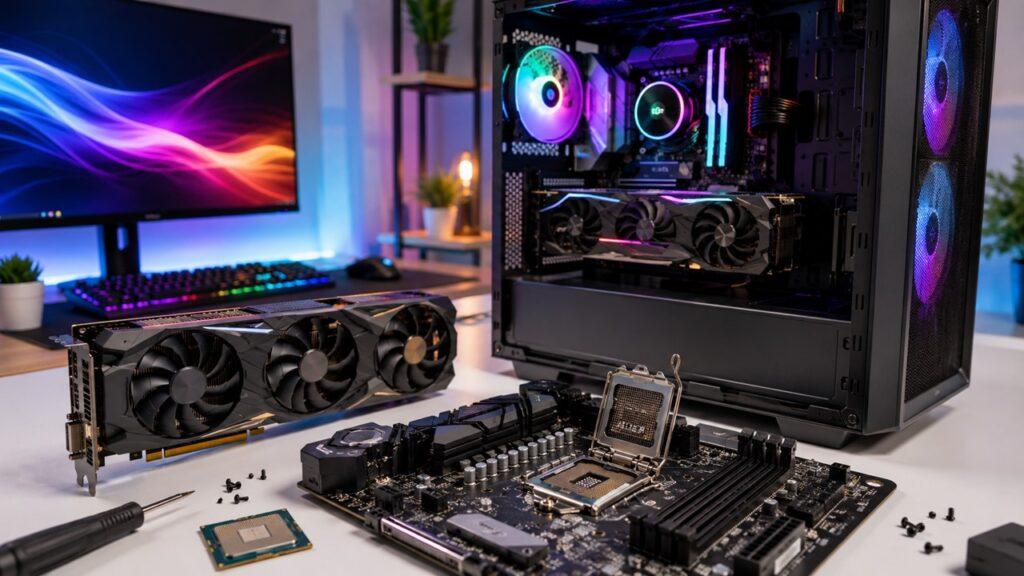
A CPU is the main processor that runs general computer tasks, system instructions, apps, and everyday operations. A GPU is a specialized processor built to handle many similar tasks at the same time, especially graphics, video, gaming, AI, and other parallel workloads.
In this article, we’ll break down the real difference between a CPU and GPU in simple words. You’ll learn what each one does, how they work together, which one matters more for different tasks, and how to choose the right balance for your PC.
Key Takeaways
- A CPU handles general-purpose processing, logic, and system control.
- A GPU handles graphics, visuals, video, AI, and parallel workloads.
- CPUs usually have fewer powerful cores designed for complex tasks.
- GPUs have many smaller cores designed for repetitive parallel work.
- A computer needs a CPU to run, but a dedicated GPU is optional.
- Integrated graphics are enough for office work, browsing, and streaming.
- Dedicated GPUs are better for gaming, editing, 3D work, and AI.
- The best PC performance usually comes from a balanced CPU and GPU.
CPU vs GPU: Quick Comparison
Before we go deeper, here is the simplest way to compare a CPU and GPU side by side. This table gives you the quick answer first, so the rest of the article becomes easier to follow.
| Feature | CPU | GPU |
| Full Name | Central Processing Unit | Graphics Processing Unit |
| Main Role | Runs general computer instructions | Handles graphics and parallel workloads |
| Processing Style | Sequential and low-latency | Parallel and high-throughput |
| Core Design | Fewer powerful cores | Many smaller specialized cores |
| Best At | Logic, apps, system tasks, multitasking | Gaming, rendering, video, AI, simulations |
| Needed to Run a Computer? | Yes | Some form of GPU is needed for display |
| Dedicated Version Required? | Yes, every PC needs a CPU | No, integrated graphics can be enough |
| Memory Used | CPU cache and system RAM | VRAM or shared system memory |
| Common Upgrade Reason | Slow apps, poor multitasking, stutters | Low FPS, slow rendering, weak graphics |
What Is a CPU?
A CPU, or Central Processing Unit, is the main processor inside a computer. You can think of it as the part that understands instructions, makes decisions, and keeps everything moving in the right order.
When you open a browser, launch a game, type in a document, install software, or run your operating system, the CPU is heavily involved. It receives instructions, processes them, and tells other parts of the computer what to do next.
The CPU is often called the “brain” of the computer, but I like to think of it more like the main manager. It does not do every job alone, but it decides what needs to happen, when it should happen, and which hardware should help.
A CPU is very good at handling complex tasks quickly. It can switch between different types of work, manage background processes, and deal with instructions where one step depends on the previous step.
That is why the CPU matters so much for everyday speed. A better CPU can make apps feel more responsive, improve multitasking, reduce stutters, and help your computer handle demanding software more smoothly.
What Does a CPU Do?
A CPU does more than simply “make the computer fast.” It handles the core instructions that allow your software and hardware to work together. Here are the main jobs a CPU performs inside a computer.
Runs the Operating System
Your operating system depends heavily on the CPU. Whether you use Windows, macOS, Linux, or another system, the CPU processes the instructions that make the interface, settings, files, and background services work.
When your computer boots up, the CPU helps load system files, start required services, and prepare the desktop environment. Without the CPU, the operating system cannot run normally.
Opens and Runs Applications
Every app you open sends instructions to the CPU. A browser, spreadsheet, photo editor, video player, game launcher, and writing app all need CPU processing to work.
The CPU reads instructions from memory, processes them, and sends results back to the system. This is why a weak or outdated CPU can make apps feel slow, even when your internet connection is fine.
Handles Logic and Decision-Making
The CPU is especially strong when tasks require decisions. For example, software often needs to check conditions, compare values, respond to user input, or follow a step-by-step process.
These jobs are not always easy to split into thousands of small pieces. So the CPU handles them better because it is designed for complex instructions and fast decision-making.
Manages Background Tasks
Even when you are not doing much, your computer is still busy. The CPU may be handling antivirus scans, software updates, file indexing, notifications, browser extensions, cloud syncing, and connected devices.
This is one reason multitasking depends so much on the CPU. If too many background tasks are active, your system can feel slower.
Communicates With Other Hardware
The CPU works closely with RAM, storage, the motherboard, network adapters, USB devices, and the GPU. It helps move data between these parts and keeps the system organized.
For example, in gaming, the CPU prepares game logic and sends instructions to the GPU. In video editing, the CPU manages the editing software while the GPU helps accelerate visual effects.
What Is a GPU?
A GPU, or Graphics Processing Unit, is a processor designed to handle visual and parallel workloads. It was originally built to draw images, animations, and 3D graphics faster than a CPU could.
Today, GPUs are not only used for gaming. They are also used for video editing, 3D rendering, AI, machine learning, scientific computing, design work, and other heavy workloads that involve repeated calculations.
The main strength of a GPU is parallel processing. Instead of focusing on one complex task at a time, a GPU breaks a large job into many smaller pieces and processes them at the same time.
That is why GPUs are so powerful for graphics. A screen contains millions of pixels, and each pixel may need color, lighting, texture, shadow, and movement calculations. A GPU can process many of those calculations together.
A GPU can be integrated or dedicated. Integrated graphics are built into the processor or processor package and share system memory. Dedicated GPUs are separate graphics cards or chips with their own memory, called VRAM.
What Does a GPU Do?
A GPU shines when a task can be divided into many smaller parts. That is why it is useful for graphics, video, games, AI, and other workloads that need large-scale parallel processing.
Renders Graphics and Images
The GPU creates the images you see on your screen. It helps process pixels, colors, textures, shadows, lighting, reflections, and motion.
In a simple desktop environment, this job may not be very demanding. But in a modern 3D game or professional design app, the GPU has to process huge amounts of visual data very quickly.
Improves Gaming Performance
In gaming, the GPU is responsible for rendering frames. It handles the visual side of the game, including resolution, textures, lighting, shadows, reflections, anti-aliasing, and ray tracing.
A stronger GPU usually allows higher frame rates, better graphics settings, smoother gameplay, and better performance at higher resolutions like 1440p or 4K.
Speeds Up Video Editing and 3D Work
Many video editing and 3D applications can use the GPU to speed up previews, effects, transitions, color grading, rendering, and encoding.
This does not mean the GPU does everything. The CPU still matters. But in supported software, a good GPU can save a lot of time and make creative work feel smoother.
Supports AI and Machine Learning
Modern AI workloads often involve repeated mathematical operations. GPUs are strong here because they can process large amounts of similar data at the same time.
For example, AI image generation, machine learning training, neural networks, and some local AI tools can benefit heavily from GPU power and VRAM.
Handles Parallel Calculations
A GPU is not limited to graphics. It can also help with simulations, scientific computing, data analysis, financial modeling, and other workloads that can be broken into parallel tasks.
This is why GPUs are used in data centers, research labs, creative studios, and AI systems, not just gaming PCs.
CPU vs GPU: The Main Difference
The main difference between a CPU and GPU is how they process work. A CPU is built for general-purpose processing and low-latency performance. A GPU is built for parallel processing and high-throughput performance.
In simple words, the CPU is better at handling complex tasks quickly, especially when the computer needs to follow instructions in order. The GPU is better at handling thousands of similar calculations at the same time.
Think of the CPU as a skilled manager. It can make decisions, switch between tasks, solve complex problems, and keep the whole system organized.
Now think of the GPU as a large team of workers. Each worker may not be as flexible as the manager, but together they can finish a huge amount of repeated work very quickly.
That is why the CPU is better for opening apps, running the operating system, handling logic, and managing system tasks. The GPU is better for rendering graphics, processing video, running AI workloads, and handling large parallel calculations.
So, it is not really about which one is “better.” It is about which one is better for the task you are doing.
CPU vs GPU Architecture: Why They Work Differently
The CPU and GPU are different because they are built differently inside. Their architecture decides what kind of work each processor can handle best.
CPU Cores Are Fewer but More Powerful
A CPU usually has fewer cores than a GPU, but each core is much more powerful and flexible. CPU cores are designed to handle complex instructions, branch decisions, and fast task switching.
This makes the CPU excellent for tasks that need strong single-core performance or instructions that must happen in a specific order.
GPU Cores Are Many but More Specialized
A GPU has many smaller cores designed to work together. These cores are not the same as CPU cores. They are usually simpler and more specialized, but they are excellent at repeated calculations.
This design allows a GPU to process many pieces of data at once. That is why GPUs are so useful for graphics, video, AI, and rendering.
CPU Focuses on Low Latency
Latency means delay. A CPU is designed to complete individual instructions quickly with minimal delay.
This matters when your computer needs fast responses. Opening an app, clicking a menu, running system processes, and handling game logic all benefit from low-latency CPU performance.
GPU Focuses on High Throughput
Throughput means how much work can be completed at once. A GPU is designed to push through a huge number of similar calculations together.
This is helpful when the workload is massive but repetitive, such as rendering millions of pixels or processing large AI datasets.
CPU Uses Cache for Fast Access
CPUs include very fast built-in memory called cache. Cache helps the CPU access frequently used data faster than pulling everything from RAM.
You may see CPU cache listed as L1, L2, and L3 cache. You do not need to memorize those names, but the idea is simple: cache helps the CPU work faster by keeping important data nearby.
GPU Uses VRAM for Large Visual Data
Dedicated GPUs use their own memory called VRAM. VRAM stores textures, frames, models, video data, and other graphics-related information.
More VRAM can help with higher resolutions, detailed textures, 3D projects, video editing, and AI workloads. However, VRAM alone does not make a GPU powerful. The GPU chip itself also matters.
Sequential Processing vs Parallel Processing
This is one of the easiest ways to understand CPU vs GPU differences. CPUs are better at step-by-step work, while GPUs are better at split-and-process work.
What Sequential Processing Means
Sequential processing means tasks happen in order. One step may depend on the step before it.
For example, when software needs to check a condition, make a decision, load a file, then run the next instruction, the CPU is usually the better processor for that job.
Examples of sequential or CPU-friendly tasks include:
- Opening a program
- Running operating system instructions
- Managing browser behavior
- Handling game logic
- Processing spreadsheet formulas
- Running many general apps
- Managing connected devices
The CPU is strong here because it can handle complex instructions and switch between tasks quickly.
What Parallel Processing Means
Parallel processing means a large task is divided into many smaller tasks that can happen at the same time.
For example, when a game renders a scene, the computer must calculate millions of pixels, textures, shadows, and lighting effects. Many of these calculations can be processed together.
Examples of parallel or GPU-friendly tasks include:
- Drawing millions of pixels
- Rendering video frames
- Applying visual effects
- Training AI models
- Processing 3D scenes
- Running simulations
- Accelerating image processing
The GPU is strong here because it has many cores working together on similar tasks.
Simple Example
Imagine you are editing a photo.
The CPU may handle the app interface, menus, file loading, tool selection, and general instructions. The GPU may help apply filters, process pixels, render previews, and show changes faster on screen.
So, both processors are involved. The CPU manages the work, while the GPU speeds up the parts that can be processed in parallel.
CPU vs GPU for Everyday Use
For basic computer use, the CPU usually affects your experience more than the GPU. However, the GPU still matters when your display, videos, or visual apps need graphics processing.
- Web browsing: Mostly depends on the CPU, RAM, storage, and internet speed.
- Office work: Mostly depends on the CPU, RAM, and SSD.
- Streaming video: Uses both CPU and GPU, but integrated graphics are usually enough.
- Video calls: Depend on CPU, GPU, camera, software, and internet quality.
- Basic photo editing: CPU matters, but GPU can help with effects and previews.
- Multitasking: CPU and RAM usually matter more than the GPU.
- Email and documents: A dedicated GPU is usually unnecessary.
- Online learning: A modern CPU with integrated graphics is usually fine.
- Business software: CPU, RAM, and SSD usually matter more than graphics power.
For most everyday users, a balanced computer with a modern CPU, enough RAM, and an SSD will feel much faster than a computer with a weak CPU and an expensive GPU.
CPU vs GPU for Gaming
Gaming depends on both the CPU and GPU, but they handle different parts of the game. A weak CPU can cause stutters, while a weak GPU can lower frame rates and visual quality.
What the CPU Does in Gaming
The CPU handles many behind-the-scenes parts of a game. It processes game logic, physics, character behavior, enemy AI, input commands, and background calculations.
For example, when you press a key, move the mouse, interact with objects, or play a game with many characters on screen, the CPU helps process those actions.
The CPU also prepares instructions for the GPU. If the CPU cannot prepare data fast enough, the GPU may sit waiting, which can reduce performance.
What the GPU Does in Gaming
The GPU handles the visual side of gaming. It renders frames, textures, lighting, shadows, reflections, resolution, anti-aliasing, and visual effects.
If you increase graphics settings, resolution, or ray tracing quality, the GPU usually works harder. That is why gaming PCs often spend a large part of the budget on the graphics card.
A stronger GPU can help you get higher FPS, sharper visuals, smoother gameplay, and better performance at 1440p or 4K.
Which Matters More for Gaming?
For most gaming builds, the GPU matters more for visual quality and higher resolutions. If you want to play modern games at high settings, the GPU is usually the most important part.
However, the CPU still matters a lot. It becomes especially important for high-FPS esports games, simulation-heavy games, open-world games, strategy games, and games with many background calculations.
A good gaming PC needs balance. A powerful GPU with a very weak CPU can cause stutters. A powerful CPU with a weak GPU can still struggle with high graphics settings.
CPU vs GPU for Video Editing and Content Creation
For creators, the CPU and GPU work together. The CPU keeps the software responsive, while the GPU speeds up supported visual effects, previews, rendering, and encoding.
- CPU helps with: timeline responsiveness, file handling, audio processing, software instructions, and some exports.
- GPU helps with: effects, color grading, transitions, playback acceleration, rendering, and encoding.
- RAM also matters: large projects need enough memory to avoid slowdowns.
- Storage matters too: fast SSDs help load large video files smoothly.
- VRAM matters: high-resolution footage and complex effects can need more graphics memory.
- Software support matters: some editing programs use GPU acceleration better than others.
For simple editing, a strong CPU and enough RAM may be more noticeable. For heavier editing, effects, 4K projects, motion graphics, and 3D work, the GPU becomes much more important.
CPU vs GPU for AI and Machine Learning
Modern AI tools often depend heavily on GPUs because AI workloads involve large amounts of repeated mathematical calculations. CPUs still matter, but GPUs usually handle the heavy parallel work.
Why GPUs Are Used for AI
AI and machine learning often involve huge amounts of matrix math and repeated calculations. These calculations can usually be split into many smaller operations.
That is exactly where a GPU performs well. Its parallel design allows it to process many calculations at the same time, which can speed up AI training, image generation, model inference, and other AI workloads.
What CPUs Do in AI Workloads
The CPU still plays an important role in AI work. It manages the operating system, software, data loading, preprocessing, file handling, and communication between components.
In many AI systems, the CPU prepares and organizes the work, while the GPU handles the heavy mathematical processing.
Do You Need a GPU for AI?
You do not always need a powerful local GPU for AI. Many casual users access AI tools through cloud services, where the heavy processing happens on remote servers.
However, if you want to run local AI models, train machine learning models, generate images locally, process video AI tools, or work with large datasets, a dedicated GPU can make a huge difference.
For AI work, GPU performance and VRAM are often very important. But you still need a capable CPU, enough RAM, fast storage, and proper cooling to support the system.
Integrated GPU vs Dedicated GPU
Not every GPU is a separate graphics card. Many computers use integrated graphics, while gaming PCs and workstation PCs often use dedicated GPUs.
What Is an Integrated GPU?
An integrated GPU is built into the processor or processor package. It shares system memory with the CPU instead of using its own separate VRAM.
Integrated graphics are usually best for:
- Office work
- Web browsing
- Streaming video
- Online classes
- Basic photo editing
- Light gaming
- Thin laptops
- Business desktops
- Everyday home computers
The main benefit of integrated graphics is efficiency. It uses less power, produces less heat, and keeps the system cheaper and simpler.
What Is a Dedicated GPU?
A dedicated GPU is a separate graphics processor. In desktops, it is often a graphics card. In laptops, it may be a separate graphics chip inside the laptop.
Dedicated GPUs usually have their own memory, called VRAM. This makes them much stronger for graphics-heavy and parallel workloads.
Dedicated GPUs are best for:
- Gaming
- 3D rendering
- Video editing
- AI workloads
- High-resolution monitors
- Animation
- Visual effects
- Professional design software
- Engineering and simulation work
A dedicated GPU costs more and uses more power, but it can deliver much better performance for demanding visual and compute tasks.
Which One Do You Need?
For everyday users, integrated graphics are usually enough. If you browse the web, write documents, watch videos, attend online meetings, and use office apps, you probably do not need a dedicated GPU.
For gamers, video editors, 3D artists, AI users, and professionals using graphics-heavy software, a dedicated GPU is usually worth it.
The simple rule is this: if your work is mostly general computing, focus more on the CPU, RAM, and SSD. If your work is visual, 3D, gaming, or AI-heavy, pay more attention to the GPU.
Can a Computer Run Without a CPU or GPU?
A computer cannot work normally without a CPU. The GPU situation is different because a PC may use integrated graphics instead of a separate graphics card.
Can a Computer Run Without a CPU?
No, a normal computer cannot run without a CPU. The CPU processes instructions, runs the operating system, manages software, and coordinates the rest of the hardware.
Without a CPU, the computer has no main processor to execute instructions. It may receive power, but it will not function as a usable computer.
Can a Computer Run Without a GPU?
A computer needs some form of graphics processing to show images on a display. However, that does not always mean it needs a dedicated graphics card.
The graphics processor may be integrated into the CPU, built into the processor package, or installed as a separate dedicated GPU.
So, a PC can run without a dedicated GPU if the CPU includes integrated graphics. But if the CPU has no integrated graphics and there is no separate GPU, you may not get display output.
Do All PCs Need a Dedicated GPU?
No, all PCs do not need a dedicated GPU. Many office desktops, home computers, school laptops, and business PCs work perfectly fine with integrated graphics.
A dedicated GPU becomes important when you need stronger visual performance, higher gaming FPS, faster rendering, 3D acceleration, or GPU-based AI processing.
CPU Bottleneck vs GPU Bottleneck
A bottleneck happens when one part of your computer limits the performance of another part. In CPU vs GPU discussions, bottlenecks usually come up in gaming and creative workloads.
What Is a CPU Bottleneck?
A CPU bottleneck happens when the CPU cannot prepare or process instructions fast enough for the GPU. As a result, the GPU may not reach its full performance.
Common signs of a CPU bottleneck include:
- Low GPU usage during games
- Stutters in busy scenes
- Poor performance in simulation-heavy games
- Frame rate does not improve much when lowering graphics settings
- Strong GPU performance on paper, but disappointing real-world FPS
- High CPU usage while the GPU is not fully loaded
This often happens when a powerful GPU is paired with an older or weaker CPU.
What Is a GPU Bottleneck?
A GPU bottleneck happens when the GPU is working as hard as it can and cannot render frames faster.
Common signs of a GPU bottleneck include:
- Very high GPU usage
- Lower FPS at high resolution
- Big FPS improvement when lowering graphics settings
- Slow rendering in GPU-heavy creative apps
- Poor performance with ray tracing or ultra textures
- Smooth CPU usage, but graphics performance feels limited
This is common in modern games at high settings, especially at 1440p or 4K.
How to Avoid Bottlenecks
- Pair the CPU and GPU based on your workload.
- Do not overspend on one part while ignoring the other.
- Choose a CPU that matches your target FPS and software needs.
- Choose a GPU that matches your resolution and graphics settings.
- Use enough RAM for your apps, games, and projects.
- Use an SSD for faster loading and smoother system response.
- Keep drivers updated for better stability and performance.
- Maintain good cooling so the CPU and GPU do not throttle.
- Avoid judging performance from specs alone.
- Think about your monitor resolution and refresh rate before upgrading.
A small bottleneck is normal. No PC is perfectly balanced in every task. The goal is to avoid a major mismatch that wastes money or hurts performance.
CPU vs GPU: Which One Should You Upgrade First?
The right upgrade depends on what feels slow. A faster CPU will not always fix poor gaming performance, and a stronger GPU will not always make office work faster.
- Upgrade the CPU first if apps open slowly, multitasking feels poor, or games stutter because of processor limits.
- Upgrade the GPU first if games run at low FPS, video rendering is slow, or graphics settings must be reduced.
- Upgrade RAM first if the system slows down with many tabs, apps, or editing projects open.
- Upgrade to an SSD first if boot time, file loading, and app launching feel very slow.
- For gaming, upgrade based on your target resolution, refresh rate, and game type.
- For video editing, check whether your editing software uses CPU, GPU, or both.
- For AI work, focus on GPU performance and VRAM, but keep the CPU strong enough.
- For business use, prioritize CPU, RAM, storage, reliability, and power efficiency.
- For laptops, consider cooling and power limits, not only CPU and GPU names.
Before upgrading, identify the actual weak point. Many people buy a new GPU when the real problem is low RAM, a slow hard drive, poor cooling, or an old CPU.
CPU vs GPU: Which Is More Important?
There is no single winner because CPUs and GPUs solve different problems. The CPU is more important for making the whole computer work, while the GPU becomes more important when graphics, rendering, AI, or parallel processing is involved.
In a basic office computer, the CPU matters more. You want a responsive processor, enough RAM, and a fast SSD. A dedicated GPU is usually unnecessary.
When building a gaming PC, the GPU often takes priority, especially at higher resolutions and visual settings. However, the CPU still plays a key role in smooth frame pacing, game logic, and high-FPS performance.
Within a creator workstation, both components are important. The CPU keeps the software responsive and handles general processing, while the GPU accelerates effects, previews, rendering, and visual workloads.
For AI and machine learning tasks, the GPU can become the most important performance component because many workloads are heavily parallel. Even so, the CPU, RAM, storage, and cooling must properly support the GPU.
So the better question is not, “Is CPU or GPU more important?” The better question is, “Which one matters more for what I actually do?”
Common Myths About CPUs and GPUs
CPU and GPU performance can be confusing because marketing often focuses on big numbers. These common myths will help you understand the difference more clearly.
Myth 1: A GPU Makes Every Computer Faster
A GPU does not speed up every task. It only helps when the software or workload can use GPU acceleration.
For example, a powerful GPU can improve gaming, rendering, and AI tasks. But it may not make basic email, document writing, or simple browsing feel much faster.
Myth 2: More CPU Cores Always Mean Better Performance
More CPU cores can help, but they are not the only thing that matters. Clock speed, architecture, cache, software optimization, power limits, and cooling also affect performance.
Some tasks benefit from many cores. Other tasks depend more on strong single-core performance.
Myth 3: Integrated Graphics Are Always Bad
Integrated graphics are not automatically bad. For everyday use, streaming, office work, and light gaming, modern integrated graphics can be enough.
They are not designed to replace high-end dedicated GPUs, but they are practical, efficient, and cost-effective for many users.
Myth 4: A Gaming GPU Is Only for Gaming
A gaming GPU can also be useful for video editing, 3D rendering, animation, AI tools, simulations, and other accelerated workloads.
Many people buy dedicated GPUs for work, not only entertainment.
Myth 5: CPU and GPU Cores Can Be Compared Directly
CPU cores and GPU cores are not the same. A CPU core is usually more powerful and flexible. A GPU core is usually smaller and designed for parallel work.
So, you cannot simply say a GPU is better because it has thousands of cores. They are built for different jobs.
CPU and GPU Working Together
In a modern computer, the CPU and GPU usually work as a team. The CPU manages the system, runs the software, and prepares instructions. The GPU handles graphics or parallel tasks when needed.
In gaming, the CPU handles game logic, physics, input, and instructions. The GPU renders frames, textures, lighting, shadows, and visual effects.
In video editing, the CPU manages the project, timeline, files, and software operations. The GPU may accelerate effects, color grading, previews, rendering, and encoding.
In AI workloads, the CPU handles system control, data management, and software coordination. The GPU performs large mathematical operations in parallel.
This is why “CPU vs GPU” can be a little misleading. In real use, it is usually not one against the other. It is CPU plus GPU, each doing the work it was designed to do.
A balanced system performs better than a system with one powerful part and one weak part. The right balance depends on whether you use your computer for office work, gaming, editing, programming, AI, or professional workloads.
CPU vs GPU: Real-World Examples
Sometimes the easiest way to understand CPU vs GPU is to look at real tasks. Here are common examples that show which part matters more.
- Opening Chrome: Mostly CPU, RAM, and storage.
- Running 30 browser tabs: CPU and RAM matter most.
- Writing documents: CPU, RAM, and SSD are enough.
- Watching Netflix or YouTube: Integrated graphics are usually fine.
- Playing a 4K game: GPU matters most, with CPU support.
- Playing esports at high FPS: CPU and GPU both matter.
- Editing a 4K video: CPU, GPU, RAM, and SSD all matter.
- Rendering a 3D animation: GPU matters heavily in supported render engines.
- Training an AI model: GPU matters most, with CPU support.
- Running office software: CPU, RAM, and SSD matter more than a dedicated GPU.
- Using design software: CPU matters, but GPU can help with previews and effects.
- Streaming while gaming: CPU, GPU, RAM, and internet all matter.
- Running virtual machines: CPU, RAM, and storage usually matter most.
- Using local AI tools: GPU and VRAM can become very important.
These examples show why the best part depends on the job. A business user, gamer, video editor, and AI developer do not need the exact same CPU and GPU balance.
CPU vs GPU for Different Users
Different users need different hardware. This table helps match CPU and GPU importance to common types of computer users.
| User Type | CPU Importance | GPU Importance | Practical Advice |
| Office User | High | Low | Focus on CPU, RAM, and SSD. |
| Student | Medium | Low to Medium | Integrated graphics are usually enough. |
| Casual User | Medium | Low | Do not overspend on a dedicated GPU. |
| Business PC Buyer | High | Low | Prioritize reliability, CPU, RAM, and storage. |
| Casual Gamer | Medium | Medium | A balanced CPU and entry-level GPU can work well. |
| Competitive Gamer | High | High | CPU matters for high FPS; GPU matters for visuals. |
| AAA Gamer | Medium | Very High | Spend more on GPU for higher resolution and settings. |
| Video Editor | High | High | Choose both carefully, plus enough RAM. |
| 3D Artist | Medium | Very High | GPU power and VRAM can matter a lot. |
| AI/ML User | Medium | Very High | GPU acceleration is usually the key factor. |
| Programmer | High | Low to Medium | CPU and RAM matter unless doing graphics or AI work. |
| Streamer | High | High | CPU, GPU, RAM, and internet all matter. |
How to Choose the Right CPU and GPU Balance
A good computer is not built by choosing the most expensive CPU or GPU. It is built by matching parts to the work you actually do.
For Office and Study
For office work, study, browsing, email, online classes, and documents, focus on a modern CPU, enough RAM, and an SSD.
A dedicated GPU is usually not needed. Integrated graphics can handle display output, video playback, and basic visual tasks without a problem.
For Gaming
For gaming, balance the CPU and GPU based on your target resolution and frame rate.
If you play at 1080p with high FPS, the CPU can matter a lot. If you play at 1440p or 4K with high graphics settings, the GPU usually becomes more important.
Do not pair a very powerful GPU with a very weak CPU. That can cause stutters and wasted graphics performance.
For Content Creation
For content creation, check your software requirements. Some programs depend more on CPU power, while others use GPU acceleration heavily.
Video editing, animation, color grading, 3D rendering, and visual effects often benefit from a strong GPU. Still, the CPU, RAM, and storage must also be strong enough to support the workflow.
For AI and Machine Learning
For AI and machine learning, the GPU often matters the most. GPU performance and VRAM can heavily affect local AI models, training tasks, and image generation.
However, do not ignore the CPU. The CPU manages the system, handles data preparation, and supports the overall workflow.
For Budget Builds
For budget builds, avoid spending too much on a part you do not need.
If you only do office work, do not waste money on a dedicated GPU. If you are building a gaming PC, do not buy a very expensive CPU and leave too little budget for the GPU.
A smart budget build is balanced around real usage, not marketing numbers.
CPU vs GPU: Simple Buying Rule
- For everyday use, prioritize a good CPU, enough RAM, and an SSD.
- For office desktops, integrated graphics are usually enough.
- For students, a modern CPU and SSD matter more than a dedicated GPU.
- For gaming, prioritize the GPU, but do not ignore the CPU.
- For high-FPS esports, choose a strong CPU and capable GPU.
- For 1440p or 4K gaming, spend more of the budget on the GPU.
- For video editing, choose a strong CPU, capable GPU, enough RAM, and fast storage.
- For 3D rendering, check whether your software uses GPU rendering.
- For AI work, focus on GPU performance and VRAM.
- For programming, CPU and RAM usually matter more than GPU power.
- For business PCs, reliability and responsiveness matter more than graphics power.
- For laptops, check performance, cooling, battery life, and power limits.
Conclusion
A CPU and GPU are both processors, but they are built for different jobs. The CPU is the general-purpose processor that runs the computer, handles instructions, manages apps, and keeps the system organized. The GPU is the parallel processor that handles graphics, rendering, video, AI, and other workloads that can be split into many smaller calculations.
For normal office work, prioritize the CPU, RAM, and SSD. For gaming, video editing, 3D work, and AI, the GPU becomes much more important. But the best answer is not really CPU vs GPU as a competition.
The smartest choice is balance. A good computer uses the CPU and GPU together, with each part doing the job it was designed to do.
Related FAQs
Is a CPU Better Than a GPU?
A CPU is better for general tasks, logic, and fast single-threaded work. A GPU is better for graphics, rendering, AI, and parallel processing. One is not simply better than the other.
Do I Need Both a CPU and GPU?
Yes, a computer needs a CPU and some form of graphics processing. However, the GPU can be integrated into the CPU, so not every computer needs a dedicated graphics card.
Is GPU More Important Than CPU for Gaming?
Usually, the GPU matters more for gaming visuals, resolution, and graphics settings. However, the CPU still matters for game logic, physics, background tasks, and high-FPS gaming.
Can a GPU Replace a CPU?
No, a GPU cannot replace a CPU in a normal computer. The CPU runs the operating system and handles general instructions, while the GPU supports specialized parallel workloads.
Why Do GPUs Have More Cores Than CPUs?
GPUs have more cores because they are built for parallel processing. Their cores are smaller and simpler than CPU cores, but they can process many similar tasks at the same time.
Is Integrated Graphics a GPU?
Yes, integrated graphics is a type of GPU built into the processor or processor package. It shares system memory and is usually designed for display, streaming, and light graphics work.
What Is Better for Video Editing, CPU or GPU?
Both matter for video editing. The CPU helps with software responsiveness and processing, while the GPU speeds up effects, previews, rendering, and encoding in supported editing apps.
What Is Better for AI, CPU or GPU?
A GPU is usually better for AI training and heavy machine learning because it can process many calculations in parallel. The CPU still manages the system and supports the workflow.
Can I Use a PC Without a Dedicated GPU?
Yes, you can use a PC without a dedicated GPU if the processor has integrated graphics. This is enough for browsing, office work, streaming, and basic everyday use.
Does a Better GPU Make a Computer Faster?
A better GPU makes graphics-heavy and GPU-accelerated tasks faster. It will not always improve basic tasks like email, document writing, or simple web browsing.
Should I Upgrade My CPU or GPU First?
Upgrade the CPU first if apps, multitasking, or CPU-heavy games feel slow. Upgrade the GPU first if games run at low FPS, rendering is slow, or graphics settings must be reduced.
Is More VRAM Always Better?
More VRAM helps with high-resolution gaming, large textures, 3D work, video editing, and AI tasks. However, VRAM alone does not make a GPU powerful. The GPU chip also matters.

Justin has spent years learning how blogs, websites, hosting, and online income work in the real world. Along with blogging and SEO, he also covers desktops, laptops, PC parts, and everyday tech, sharing easy-to-understand advice for readers who want to build better websites and choose better tools.