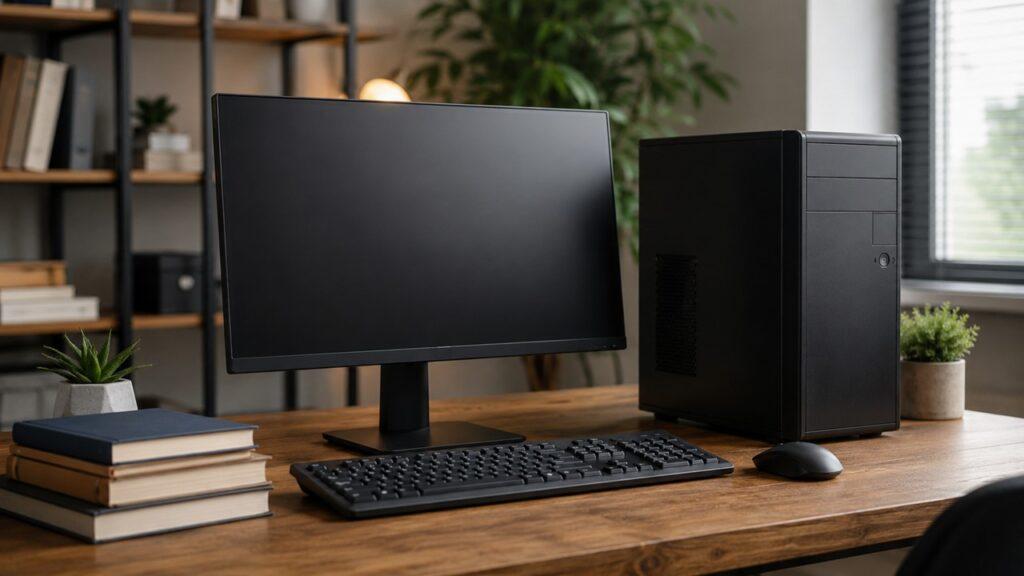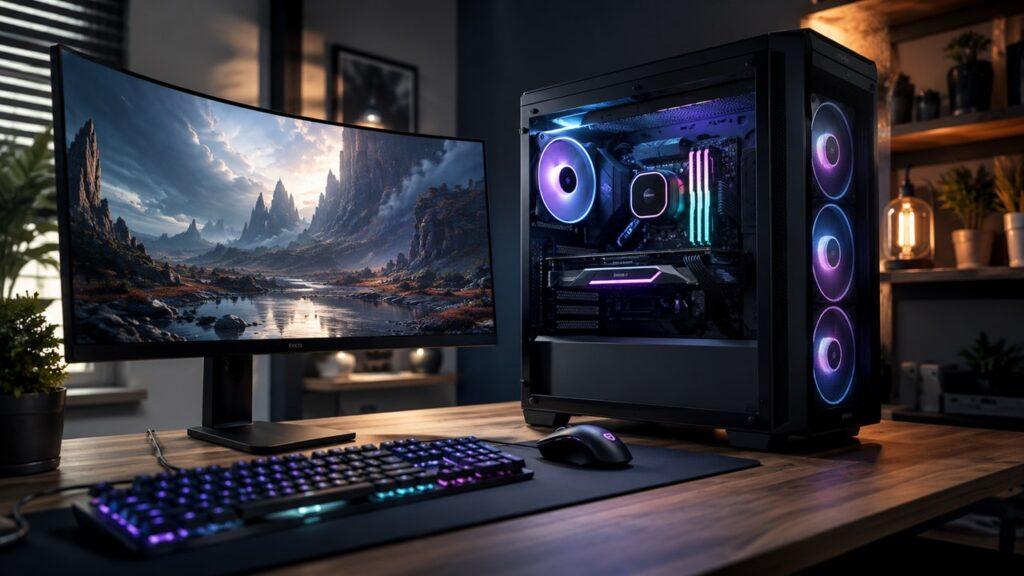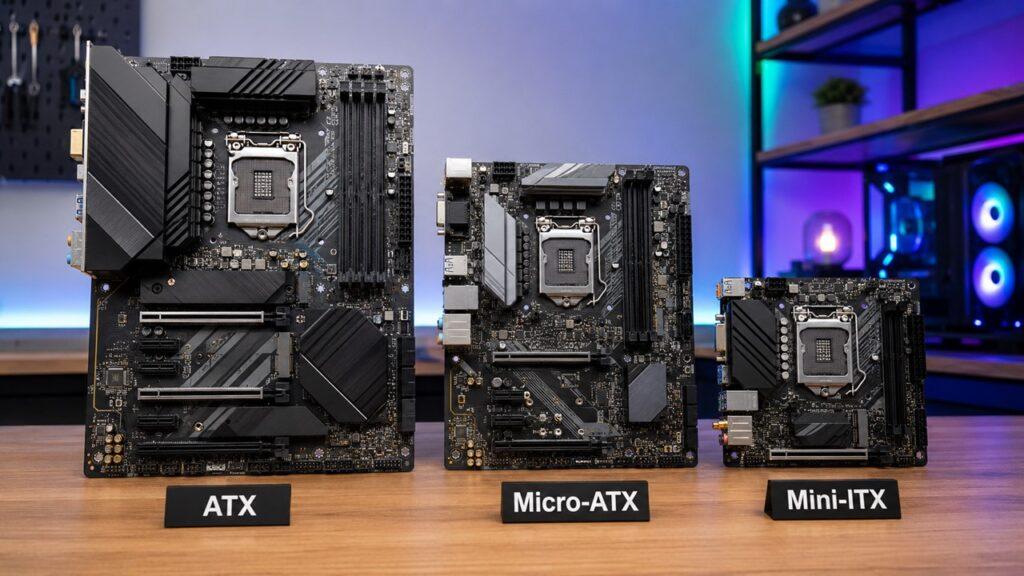
ATX, Micro-ATX, and Mini-ITX are motherboard sizes that decide how big your PC can be, what case you can use, and how much room you get for RAM, storage, graphics cards, cooling, and future upgrades. ATX is the largest mainstream option, Micro-ATX is the balanced middle choice, and Mini-ITX is the smallest standard option for compact builds.
In this guide, we’ll compare ATX vs Micro-ATX vs Mini-ITX in a simple way. You’ll learn the size differences, pros and cons, gaming performance impact, case compatibility, cooling limits, and which motherboard size makes the most sense for your build.
Key Takeaways
- ATX is best if you want more expansion, easier building, better cooling options, and long-term upgrade room.
- Micro-ATX is the best value for most gaming, office, school, and budget PC builds.
- Mini-ITX is best for compact, portable, living room, or minimalist desk setups.
- Motherboard size does not directly increase FPS if the CPU and GPU are the same.
- Smaller motherboards usually have fewer PCIe slots, fewer storage ports, and tighter cable space.
- ATX is easier for beginners, while Mini-ITX needs more careful planning.
- Always check your case, GPU length, CPU cooler height, PSU size, and motherboard support before buying.
ATX vs Micro-ATX vs Mini-ITX at a Glance
Before we go deeper, here’s the quick comparison. This table gives you the fastest way to understand how these three motherboard sizes differ in real PC builds.
| Feature | ATX | Micro-ATX | Mini-ITX |
| Standard Size | 305 × 244 mm / 12 × 9.6 in | 244 × 244 mm / 9.6 × 9.6 in | 170 × 170 mm / 6.7 × 6.7 in |
| Case Type | Mid-tower or full-tower | Micro-ATX or many ATX cases | Mini-ITX or small form factor cases |
| RAM Slots | Usually 4 | Usually 2–4 | Usually 2 |
| PCIe Slots | Most expansion slots | Moderate expansion | Usually 1 main PCIe slot |
| M.2 and SATA Support | Usually the most | Enough for most users | More limited |
| Cooling Space | Best | Good | Most challenging |
| Cable Management | Easiest | Moderate | Hardest |
| Upgrade Potential | Highest | Good | Limited |
| Typical Cost | Moderate to high | Usually best value | Often expensive for its size |
| Best For | High-end gaming, workstations, upgrades | Budget and balanced builds | Compact and portable PCs |
For most people, Micro-ATX gives the best balance. ATX is better if you want more freedom, and Mini-ITX is better if your main goal is building a small PC.
What Is a Motherboard Form Factor?
A motherboard form factor is the physical size, shape, and layout standard of a motherboard. It decides where the screw holes are, how the board fits inside a case, and how much space manufacturers have for slots, ports, heatsinks, and connectors.
This matters because your motherboard is the base of your PC. Your CPU, RAM, graphics card, SSDs, fans, front-panel cables, and power cables all connect to it. So, when you choose between ATX, Micro-ATX, and Mini-ITX, you are not just choosing a board size. You are choosing how flexible, compact, upgradeable, and easy your PC will be to build.
However, the form factor alone does not decide performance. A small Mini-ITX board can still run a powerful CPU and GPU if it supports them. The difference is that smaller boards and smaller cases usually make cooling, cable management, storage expansion, and future upgrades harder.
When I compare motherboard sizes, I don’t start with FPS. I start with practical questions: What case will it fit? How large is the GPU? How much storage is needed? Will the user upgrade later? Is airflow going to be easy or frustrating?
What Is an ATX Motherboard?
ATX is the full-size mainstream motherboard form factor. It is the standard choice for many gaming PCs, workstations, creator PCs, and high-end desktop builds because it gives you more space and more flexibility.
ATX Size and Layout
A standard ATX motherboard measures 305 × 244 mm, or 12 × 9.6 inches. It usually fits inside mid-tower and full-tower PC cases.
Because ATX boards are larger, they often have more room for important components and connectors, such as:
- Four RAM slots
- Multiple PCIe slots
- Multiple M.2 SSD slots
- More SATA ports
- More fan headers
- More USB headers
- Larger VRM heatsinks
- Better spacing around components
This extra space makes ATX easier to work with, especially if you are building a powerful PC with a large graphics card, several drives, or advanced cooling.
Advantages of ATX
ATX is popular because it gives you breathing room. You have more space to install components, manage cables, and upgrade later.
The main advantages of ATX include:
- More PCIe slots for add-in cards
- Better upgrade potential
- More storage connection options
- Easier cable management
- More room for large graphics cards
- Better support for large air coolers
- Better support for liquid cooling setups
- More motherboard models to choose from
- Usually better high-end options
- Easier building experience for beginners
If you want a PC that can grow over time, ATX is the safest choice. You may not use every slot today, but having extra room can help later when you add more storage, a capture card, a better cooler, or other expansion cards.
Disadvantages of ATX
The biggest downside of ATX is size. You need a larger case, and that means your PC will take up more room on your desk or floor.
The main disadvantages of ATX include:
- Requires a larger case
- Takes more physical space
- Can cost more than Micro-ATX
- Larger cases can be heavier
- Not ideal for compact setups
- Extra slots may go unused in simple builds
ATX is excellent, but it can be more than you need. If you only plan to use one graphics card, one or two SSDs, and basic cooling, a Micro-ATX board may give you nearly everything you need for less money.
Who Should Choose ATX?
You should choose ATX if you want a full-size PC with fewer limitations. It is especially useful when your build needs strong cooling, more storage, more expansion slots, or easier upgrading.
ATX is best for:
- High-end gaming PCs
- Streaming and gaming builds
- Video editing PCs
- 3D rendering workstations
- Heavy multitasking systems
- Overclocking-focused builds
- Multi-drive storage setups
- Users who upgrade often
- First-time builders who want more space to work
If you are unsure and you have enough desk space, ATX is the easiest and most flexible option.
What Is a Micro-ATX Motherboard?
Micro-ATX, often written as mATX, is the balanced middle option. It is smaller than ATX but still large enough for most gaming, office, school, and home PC builds.
Micro-ATX Size and Layout
A Micro-ATX motherboard usually measures up to 244 × 244 mm, or 9.6 × 9.6 inches. It has the same width as ATX but is shorter in height.
Micro-ATX boards commonly include:
- Two or four RAM slots
- One main PCIe x16 slot for a graphics card
- A few extra PCIe slots on some models
- One or more M.2 slots
- Several SATA ports
- Standard CPU and GPU support
- Standard 24-pin and CPU power connectors
The important thing to understand is that Micro-ATX does not automatically mean weak. Many Micro-ATX boards can use the same CPUs, GPUs, RAM, and SSDs as ATX boards. The difference is that you usually get fewer extra slots and headers.
Advantages of Micro-ATX
Micro-ATX is the sweet spot for many builders because it gives you strong performance without making the PC too large or expensive.
The main advantages of Micro-ATX include:
- Usually the best value
- Smaller than ATX
- Still supports powerful CPUs and GPUs
- Good for budget gaming PCs
- Good for home and office builds
- Easier to fit on or under a desk
- Often cheaper than ATX
- Usually easier than Mini-ITX to build
- Enough expansion for most single-GPU users
Most people do not use seven PCIe slots. Most gaming PCs only need one graphics card, two RAM sticks, one or two SSDs, and a few USB connections. For that kind of build, Micro-ATX makes a lot of sense.
Disadvantages of Micro-ATX
Micro-ATX does make some compromises. You still get a practical board, but you do not get as much space as ATX.
The main disadvantages of Micro-ATX include:
- Fewer PCIe slots than ATX
- Fewer premium motherboard options
- Less room for complex cooling
- Fewer onboard headers on some models
- Less upgrade space than ATX
- May look small inside a large ATX case
Micro-ATX is not the best choice if you want a high-end workstation with several expansion cards, multiple NVMe drives, and custom liquid cooling. But for normal gaming and daily use, it is often more than enough.
Who Should Choose Micro-ATX?
You should choose Micro-ATX if you want a practical PC without paying for features you may never use. It is one of the smartest choices for budget-conscious builders.
Micro-ATX is best for:
- Budget gaming PCs
- First-time PC builders
- School computers
- Home office computers
- Family desktop PCs
- Mainstream gaming systems
- Single-GPU builds
- Users who want a smaller case without going tiny
If you want the most sensible answer for most people, it is this: choose Micro-ATX when you want good performance, good value, and fewer unnecessary extras.
What Is a Mini-ITX Motherboard?
Mini-ITX is the smallest mainstream motherboard size. It is designed for compact PCs where saving space matters more than having lots of expansion options.
Mini-ITX Size and Layout
A Mini-ITX motherboard measures 170 × 170 mm, or 6.7 × 6.7 inches. It is much smaller than both ATX and Micro-ATX.
Mini-ITX boards usually include:
- Two RAM slots
- One PCIe x16 slot
- One or two M.2 slots, depending on the model
- Fewer SATA ports
- Fewer fan headers
- Fewer internal USB headers
- Built-in Wi-Fi on many models
- Very tight component spacing
Because the board is so small, every part of the build needs more planning. You have to think about the case, cooler height, GPU length, PSU type, cable routing, and airflow before buying parts.
Advantages of Mini-ITX
The biggest advantage of Mini-ITX is size. You can build a powerful PC that takes up very little room.
The main advantages of Mini-ITX include:
- Very compact design
- Great for small desks
- Good for living room PCs
- Good for portable gaming systems
- Clean and minimalist appearance
- Can still support powerful CPUs and GPUs
- Easier to move than larger tower PCs
- Great for small form factor enthusiasts
Mini-ITX is attractive because it feels efficient. Instead of a large tower with empty space, you get a small system that looks clean and intentional.
Disadvantages of Mini-ITX
Mini-ITX is small, but small does not always mean easy or cheap. In fact, Mini-ITX builds can be more difficult and sometimes more expensive than larger builds.
The main disadvantages of Mini-ITX include:
- Usually more expensive than expected
- Harder to build in
- Limited RAM slots
- Usually only one PCIe slot
- Less storage expansion
- Fewer fan and USB headers
- Harder cable management
- More difficult cooling
- Tighter GPU and cooler clearance
- SFF cases and small PSUs can cost more
A Mini-ITX PC can be powerful, but it is not forgiving. If your GPU is too long, your cooler is too tall, or your power supply cables are too stiff, the build can quickly become frustrating.
Who Should Choose Mini-ITX?
You should choose Mini-ITX if compact size is your top priority. It is not the best default choice for everyone, but it is excellent for the right person.
Mini-ITX is best for:
- Small form factor PC builds
- Minimalist desk setups
- Living room gaming PCs
- Home theater PCs
- Portable gaming systems
- Tiny workstation builds
- Experienced builders who enjoy planning
- People with very limited space
If you want a simple, budget-friendly, easy-to-build PC, Mini-ITX is probably not the best starting point. If you want a small, stylish, space-saving PC and you are willing to plan carefully, it can be a great choice.
ATX vs Micro-ATX vs Mini-ITX: Main Differences Explained
Now let’s break down the real-world differences. This is where the choice becomes clearer because motherboard size affects much more than just measurements.
Size and Case Compatibility
ATX is the largest of the three, so it needs a larger case. Most ATX boards go inside mid-tower or full-tower cases. These cases give you more space for airflow, drives, fans, radiators, and cable management.
Micro-ATX is smaller and can fit inside Micro-ATX cases. Many ATX cases also support Micro-ATX boards, although the motherboard may look a little small inside a larger case.
Mini-ITX is the smallest. It is usually used in Mini-ITX or small form factor cases. However, you can often install a Mini-ITX board inside a larger case if the case supports it.
The important rule is simple: a smaller motherboard can often fit in a larger case, but a larger motherboard cannot fit in a smaller case.
RAM Slots and Memory Upgrade Options
ATX motherboards usually have four RAM slots. This gives you more flexibility if you want to start with two RAM sticks and add more later.
Micro-ATX boards often have four RAM slots too, but cheaper models may only have two. So, you should always check the exact board before buying.
Mini-ITX boards usually have two RAM slots. That is still enough for many gaming and everyday builds, especially if you buy a good 2-stick memory kit from the beginning. But future upgrades can be less flexible.
For most gamers, two RAM slots are not a deal-breaker. But if you want easier upgrades or very high memory capacity, ATX or a four-slot Micro-ATX board is more comfortable.
PCIe Slots and Add-In Cards
PCIe slots are used for parts like graphics cards, capture cards, sound cards, Wi-Fi cards, network cards, and storage expansion cards.
ATX gives you the most PCIe expansion. This is useful if you want to add more than just a graphics card.
Micro-ATX gives you fewer PCIe slots, but it still usually gives enough for a normal gaming PC. Most people only need one main PCIe x16 slot for the GPU.
Mini-ITX usually gives you one PCIe x16 slot. In most builds, that slot will be used by the graphics card. So, if you need a capture card or another add-in card, Mini-ITX may not be ideal.
In simple terms:
- Choose ATX if you want the most expansion.
- Choose Micro-ATX if you only need normal expansion.
- Choose Mini-ITX if one GPU slot is enough.
M.2, SATA, and Storage Expansion
Storage is another important difference. ATX boards usually have more room for M.2 SSD slots and SATA ports. That makes them better for people who want multiple SSDs, hard drives, or a large storage setup.
Micro-ATX usually offers enough storage for most users. A typical gaming or office PC may only need one NVMe SSD and maybe one extra drive.
Mini-ITX has less space, so storage expansion is more limited. Some Mini-ITX boards include one M.2 slot, while others include two. Sometimes one M.2 slot is placed on the back of the motherboard, which can make installation or upgrades less convenient.
If your storage plan is simple, any form factor can work. But if you want several drives, ATX is the easiest choice.
Cooling and Airflow
Cooling depends on both the motherboard and the case. Still, motherboard size affects how much room you have around components.
ATX builds usually have the easiest cooling setup because the cases are larger. You get more space for fans, larger air coolers, bigger radiators, and cleaner airflow paths.
Micro-ATX builds can still cool modern hardware well, especially with a good case. But smaller cases may have fewer fan mounts or less radiator support.
Mini-ITX builds need the most attention. A compact case can trap heat if airflow is poor. Large GPUs and high-end CPUs can also run hotter in tight spaces.
Here’s the practical cooling difference:
- ATX is best for easy airflow and large cooling setups.
- Micro-ATX is good for most gaming builds with the right case.
- Mini-ITX can work well but needs careful airflow planning.
If you are building your first PC and you are nervous about temperatures, ATX or Micro-ATX will usually be easier.
Cable Management and Build Difficulty
ATX is usually the easiest to build because there is more room for your hands, cables, connectors, and tools. You can route cables behind the motherboard tray more easily in a larger case.
Micro-ATX is still manageable. It is smaller, but not extremely cramped. Most beginners can build a Micro-ATX PC without major problems.
Mini-ITX is the hardest. You may need to install parts in a specific order. You may also need shorter cables, flexible power supply cables, low-profile coolers, or careful GPU positioning.
If you want a low-stress first build, Mini-ITX is not the easiest option. It is better for people who enjoy planning and do not mind solving space problems.
Upgrade Potential
ATX gives you the best upgrade path. You have more slots, more headers, more space, and more case compatibility. This helps if you want to add more storage, more RAM, a larger GPU, or extra expansion cards later.
Micro-ATX has good upgrade potential for normal users. You can usually upgrade the CPU, GPU, RAM, and storage without much trouble. But you may run out of extra slots faster.
Mini-ITX has the least upgrade flexibility. You can still upgrade the CPU, GPU, RAM, or SSD, but space and slot limits make bigger changes harder.
If you like upgrading often, choose ATX. If you upgrade occasionally, Micro-ATX is fine. Furthermore, if you want a compact PC and can accept limits, Mini-ITX works.
Price and Overall Value
Micro-ATX often gives the best value. You can get strong features at a lower price, and you are not paying for extra slots you may never use.
ATX can cost more, especially if you choose a high-end board. But it may be worth it if you need better connectivity, stronger cooling options, and more upgrade room.
Mini-ITX can be surprisingly expensive. The motherboard is smaller, but the design is more compact and harder to engineer. On top of that, Mini-ITX cases, SFF power supplies, and cooling parts can also cost more.
So, the value ranking usually looks like this:
- Best value: Micro-ATX
- Best flexibility: ATX
- Best compact size: Mini-ITX
Does Motherboard Size Affect Gaming Performance?
No, motherboard size does not directly affect gaming performance. An ATX, Micro-ATX, and Mini-ITX motherboard can deliver similar FPS if they support the same CPU, GPU, RAM speed, and storage.
For gaming, your graphics card and processor matter much more than the physical size of the motherboard. If you install the same CPU and GPU on compatible ATX and Micro-ATX boards, the frame rate will usually be very similar.
The real difference appears in other areas. ATX may give you better cooling options, stronger power delivery on higher-end boards, and more room for upgrades. Micro-ATX gives you enough performance for most single-GPU gaming builds. Mini-ITX can also perform well, but temperatures may become harder to control in very small cases.
So, do not buy ATX just because you think it automatically gives more FPS. Buy ATX because you need more space, more expansion, easier cooling, or a better upgrade path.
Which Motherboard Size Is Best for Gaming?
Gaming builds usually depend on the graphics card, processor, cooling, and case. Motherboard size matters, but mostly because it affects compatibility, airflow, and upgrade options.
Best for High-End Gaming
ATX is the best choice for high-end gaming if you want fewer restrictions. It gives you more room for large graphics cards, more cooling options, and better long-term flexibility.
Choose ATX for high-end gaming if you want:
- A large graphics card
- A powerful CPU
- Better airflow
- Larger CPU coolers
- AIO or custom liquid cooling
- More SSD slots
- More upgrade room
- Easier cable management
If you are spending a lot on your CPU and GPU, ATX often makes the build process smoother.
Best for Budget Gaming
Micro-ATX is usually the best choice for budget gaming. It can support the same gaming CPUs and GPUs as ATX, but the motherboard and case are often cheaper.
Choose Micro-ATX for budget gaming if you want:
- Strong gaming performance
- Lower total build cost
- A smaller case
- Enough features for one GPU
- Good value without unnecessary extras
For most gamers using one graphics card and one or two SSDs, Micro-ATX is more than enough.
Best for Compact Gaming
Mini-ITX is the best choice for compact gaming when size matters most. You can build a powerful small PC, but you must check every part carefully.
Choose Mini-ITX for compact gaming if you want:
- A small desk footprint
- A living room gaming PC
- A portable system
- A clean minimalist setup
- A small form factor case
Just remember that compact gaming builds need careful airflow and compatibility checks. A powerful GPU in a tiny case can run hot if the case is not designed well.
Which Motherboard Size Should You Choose?
The best choice depends on what kind of PC you are building. Use this table as a simple buying guide before you choose your motherboard.
| User Type | Best Choice | Why |
| First-time PC builder | ATX or Micro-ATX | Easier compatibility and more room to work |
| Budget gamer | Micro-ATX | Best value with enough features |
| High-end gamer | ATX | Better cooling and upgrade flexibility |
| Content creator | ATX | More storage, RAM, and expansion options |
| Home office user | Micro-ATX | Practical, affordable, and compact |
| Student | Micro-ATX | Good balance of price and size |
| Minimalist desk user | Mini-ITX | Smallest clean-looking setup |
| Living room PC builder | Mini-ITX | Great for compact media and gaming systems |
| Frequent upgrader | ATX | Most flexible long-term option |
| Small apartment user | Micro-ATX or Mini-ITX | Saves space depending on case choice |
| Heavy storage user | ATX | More room for SSDs and hard drives |
| Casual everyday user | Micro-ATX | Enough performance without overspending |
If you still feel unsure, choose Micro-ATX for value or ATX for flexibility. Choose Mini-ITX only when small size is truly important.
Case Compatibility: Can You Mix ATX, Micro-ATX, and Mini-ITX?
Motherboard and case compatibility is one of the most important things to check before buying. A smaller board can often fit in a larger case, but a larger board cannot fit in a smaller case.
| Case Type | ATX Motherboard | Micro-ATX Motherboard | Mini-ITX Motherboard |
| ATX Case | Yes | Usually yes | Usually yes |
| Micro-ATX Case | No | Yes | Usually yes |
| Mini-ITX Case | No | No | Yes |
An ATX case often supports ATX, Micro-ATX, and Mini-ITX boards. A Micro-ATX case usually supports Micro-ATX and Mini-ITX boards. A Mini-ITX case usually supports only Mini-ITX boards.
But don’t rely only on the case size label. Always check the case specification page. Some cases have unique layouts, and compatibility can vary.
Also, remember that using a smaller motherboard in a larger case may work perfectly, but it may look a little empty. That is not a performance problem. It is mainly an appearance issue.
Common Mistakes When Choosing a Motherboard Size
Many beginner builders choose a motherboard size too quickly. The problem is that one wrong size decision can affect the case, GPU, cooler, power supply, storage, and upgrade path.
Avoid these common mistakes:
- Buying the case before checking motherboard support
- Assuming Mini-ITX is always cheaper because it is smaller
- Buying ATX when you only need one GPU and one SSD
- Forgetting to check GPU length and thickness
- Ignoring CPU cooler height clearance
- Not checking radiator support for liquid cooling
- Assuming all Micro-ATX boards have four RAM slots
- Forgetting how many M.2 SSD slots you need
- Not checking SATA ports for extra drives
- Ignoring front-panel USB header compatibility
- Choosing Mini-ITX without planning cable management
- Forgetting that SFF power supplies may cost more
- Assuming motherboard size directly increases gaming FPS
- Buying a small case without checking airflow design
The safest habit is simple: choose your motherboard, case, GPU, cooler, and PSU together. These parts need to fit as one complete system.
ATX vs Micro-ATX vs Mini-ITX: Pros and Cons Summary
If you want a final side-by-side feel before choosing, this section keeps things simple. Each motherboard size has a clear purpose, but each one also has trade-offs.
ATX Pros and Cons
Pros:
- Best expansion options
- Easiest to build in
- Best upgrade potential
- Better cooling support
- More motherboard choices
- More room for storage
- Better for high-end builds
Cons:
- Needs a larger case
- Takes more space
- Can cost more than Micro-ATX
- May be unnecessary for simple builds
- Less portable than smaller PCs
Micro-ATX Pros and Cons
Pros:
- Usually the best value
- Good for most gaming builds
- Smaller than ATX
- Often cheaper
- Still supports powerful hardware
- Easier than Mini-ITX
- Good for budget and mainstream users
Cons:
- Fewer expansion slots than ATX
- Fewer premium options
- Less cooling room than ATX
- Not as compact as Mini-ITX
- Some models have only two RAM slots
Mini-ITX Pros and Cons
Pros:
- Smallest mainstream motherboard size
- Great for compact PCs
- Clean minimalist appearance
- Good for living room setups
- Portable and space-saving
- Can still support strong hardware
Cons:
- Usually harder to build
- Limited expansion
- Usually only two RAM slots
- Often more expensive than expected
- Cooling is more challenging
- Cable management can be difficult
- Requires careful part compatibility
Final Verdict
Choose ATX if you want the easiest build, the most expansion, the best cooling options, and the strongest upgrade path. It is the best choice for high-end gaming PCs, workstations, content creation systems, and users who want long-term flexibility.
Choose Micro-ATX if you want the best balance of price, size, and performance. For most gamers, students, office users, and first-time builders, Micro-ATX is the smartest value choice. It gives you the performance you need without paying for extra space you may never use.
Choose Mini-ITX if you specifically want a compact PC. It is great for small desks, living rooms, portable setups, and minimalist builds. But you should only choose it if you are ready to plan around cooling, cable management, GPU clearance, and limited upgrade space.
If you are still unsure, here is the simplest answer: Micro-ATX is best for most people, ATX is best for flexibility, and Mini-ITX is best for compact builds.
Related FAQs
Is ATX Better Than Micro-ATX?
ATX is better if you need more expansion options, better cooling support, and easier upgrades, while Micro-ATX is a more affordable choice that still delivers strong performance for most gaming and everyday builds.
Is Micro-ATX Good for Gaming?
Yes, Micro-ATX is good for gaming since it supports the same CPUs and GPUs as ATX, meaning performance is nearly identical, with the main difference being fewer expansion slots.
Is Mini-ITX Good for Gaming?
Mini-ITX can be great for gaming if properly planned, offering powerful performance in a compact size, though it requires careful attention to cooling and component compatibility.
Does Micro-ATX Fit in an ATX Case?
Yes, Micro-ATX motherboards usually fit in ATX cases, though they may leave extra empty space inside the case.
Does Mini-ITX Fit in an ATX Case?
Yes, Mini-ITX boards typically fit in ATX cases, but it’s important to confirm compatibility with the case specifications.
Does Motherboard Size Affect FPS?
No, motherboard size does not directly affect FPS, as gaming performance depends mainly on the CPU, GPU, and other core components.
Which Motherboard Size Is Best for Beginners?
ATX and Micro-ATX are best for beginners due to easier installation and better space, while Mini-ITX is more challenging because of its compact design.
Why Are Mini-ITX Motherboards Expensive?
Mini-ITX boards are often more expensive due to their compact engineering and the need for specialized components in small builds.
Can I Use a Full-Size GPU With Mini-ITX?
Yes, but it depends on the case size and clearance, so always check compatibility before building.
Which Is Best Overall: ATX, Micro-ATX, or Mini-ITX?
Micro-ATX is the best overall for most users due to its balance of price and performance, while ATX offers more flexibility and Mini-ITX is ideal for compact builds.

Justin has spent years learning how blogs, websites, hosting, and online income work in the real world. Along with blogging and SEO, he also covers desktops, laptops, PC parts, and everyday tech, sharing easy-to-understand advice for readers who want to build better websites and choose better tools.