If you are looking for the best desktop computers for office work, you need something fast, reliable, and suitable for multitasking. Whether it’s spreadsheets, video meetings, or business software, the right office PC can improve daily productivity.
The Dell Desktop Tower Intel Core i7-12700K handles demanding office tasks, while the Lenovo ThinkStation P3 saves desk space. The Dell 27″ All-in-One Desktop offers a clean setup, the Dell 2026 Edition Desktop Computers Tower PC suits tighter budgets, and the Dell Tower Desktop Computer 2026 RTX 5060 handles graphics-intensive work.
After evaluating 12 desktop computers for office work, we’ve compared their performance, features, multitasking capabilities, and overall value. This guide will help you choose the right desktop for your office needs and budget.
We’re reader-supported. When you buy through links on our site, we may earn an affiliate commission. As an Amazon Associate, we earn from qualifying purchases at no extra cost to you.
Best Desktop Computers for Office Work: Our Top Picks
- Best Overall: Dell Desktop Tower Intel Core i7-12700K
- Best Compact Workstation: Lenovo ThinkStation P3 Intel Core i5-14500
- Best All-in-One Office Desktop: Dell 27″ All-in-One Desktop
- Best Affordable Office Tower: Dell 2026 Edition Desktop Computers Tower PC
- Best for Everyday Business Tasks: Dell Pro Tower Business Desktop 14th Gen
- Best for Heavy Multitasking: ASUS V500 AI Business Desktop Computer
- Best for Graphics-Intensive Office Work: Dell Tower Desktop Computer 2026 RTX 5060
- Best Mini Business Desktop: HP Elite Mini 800 G9
- Best for Content Creation: Dell Tower Desktop Computer NVIDIA RTX 5060
- Best for Basic Office Work: Lenovo IdeaCentre 24″ FHD All-in-One Desktop
- Best for Data Analysis: HP ProDesk 400 SFF Business Desktop
- Best for Memory-Heavy Office Tasks: Dell Tower Computers 14th Gen Intel Processor
1. Best Overall: Dell Desktop Tower Intel Core i7-12700K
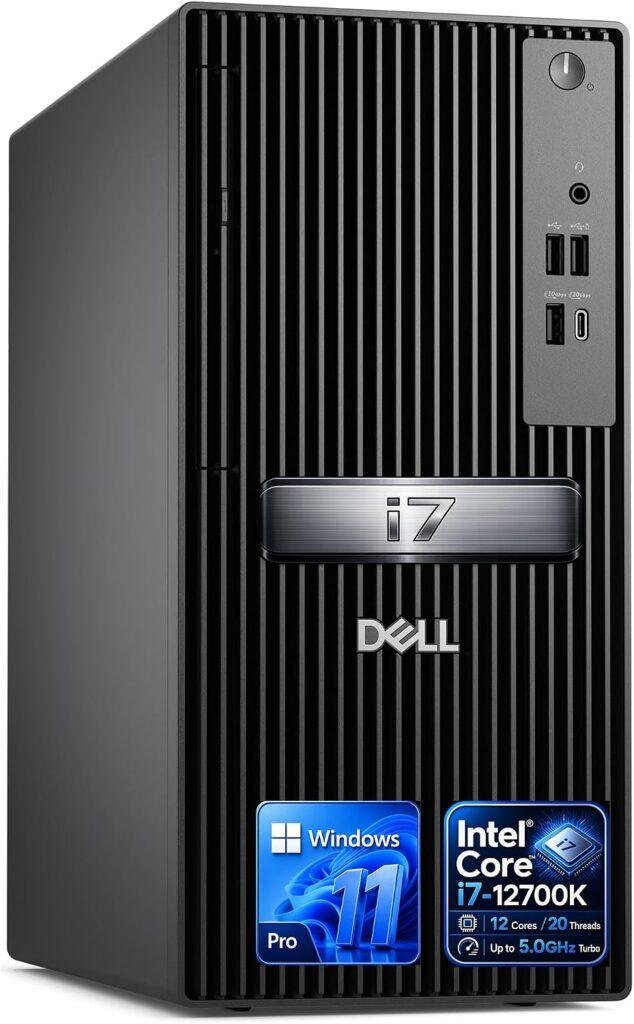
Key Details:
- Intel Core Ultra 7-265 processor with 20 cores and AI acceleration
- 32GB DDR5 5600MT/s RAM and 1TB M.2 SSD
- Intel UHD Graphics with 4K multi-monitor support
- Expandable tower chassis for maintenance and upgrades
- Wi-Fi 6, Bluetooth, USB-C, HDMI, and DisplayPort
- Windows 11 Home with TPM hardware security
If you’re looking for a powerful desktop for office work, the Dell Tower Desktop ECT1250 is worth considering. Its 20-core Intel Core Ultra 7-265 processor handles demanding business applications, large spreadsheets, and heavy multitasking. The built-in AI acceleration also adds value when using compatible productivity software.
What we like most about this office desktop computer is its 32GB DDR5 RAM and fast 1TB SSD. You can switch between Excel, accounting programs, video meetings, and multiple browser tabs without running short on memory. It’s a practical setup for professionals managing demanding daily workloads.
The Dell Tower Desktop ECT1250 also offers an accessible tower design with room for compatible upgrades. Its Intel UHD Graphics supports high-resolution displays, making it useful for dual-monitor office setups. You will also find modern USB ports, Wi-Fi, and Bluetooth for connecting essential office equipment.
In our opinion, this business desktop PC offers a good balance of processing power, storage, and future flexibility. Whether you’re handling financial reports, data analysis, or advanced productivity applications, it has the hardware to keep everyday office work responsive.
Pros:
- Powerful 20-core processor for demanding office tasks
- 32GB DDR5 RAM supports heavy multitasking
- Expandable tower design with modern connectivity
- AI acceleration and 4K multi-monitor support
Cons:
- Integrated graphics limit demanding 3D workloads
- Windows 11 Home lacks some business management features
2. Best Compact Workstation: Lenovo ThinkStation P3 Intel Core i5-14500
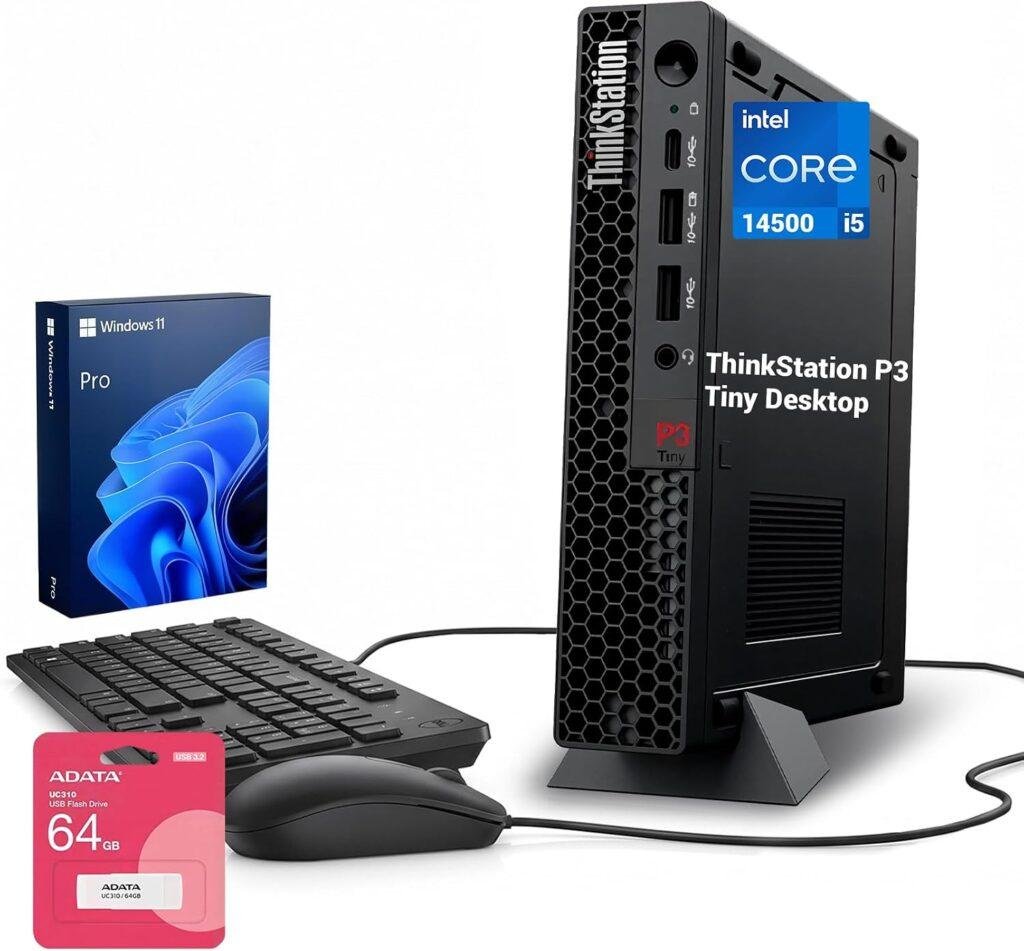
Key Details:
- Intel Core i5-14500 processor with 14 cores and 20 threads
- 16GB DDR5 4800MHz RAM, expandable up to 64GB
- Integrated Intel Graphics with multi-monitor support
- Ultra-compact 1-liter chassis weighing 3.01 pounds
- USB-A, USB-C, HDMI, DisplayPort, Wi-Fi 6, and Ethernet
- Windows 11 Pro with Lenovo ThinkShield security
When office space is limited, the Lenovo ThinkStation P3 Tiny offers an interesting alternative to traditional tower desktops. This compact desktop workstation features a 14-core Intel Core i5-14500 processor, giving it plenty of power for spreadsheets, accounting software, programming, and other professional office applications.
With 16GB DDR5 RAM, this mini desktop computer can handle typical business multitasking without taking up much desk space. We like that the Lenovo ThinkStation P3 Tiny also supports memory upgrades, which can help when working with larger datasets or more demanding software.
Another advantage is its flexible placement. You can position this small office PC beside your monitor or use compatible mounting hardware to keep the desk clear. Multiple USB ports, wireless connectivity, and display outputs make it convenient for connecting everyday office peripherals.
From our perspective, this compact business workstation makes sense for professionals who need strong performance in a smaller package. Lenovo’s ThinkShield security features and available software certifications also make it appealing for offices running specialized professional applications.
Pros:
- Powerful 14-core processor for professional multitasking
- Compact 1-liter design saves office desk space
- Supports RAM upgrades up to 64GB
- Business security and workstation certification options
Cons:
- Limited internal expansion compared with tower desktops
- Integrated graphics aren’t ideal for intensive 3D rendering
3. Best All-in-One Office Desktop: Dell 27″ All-in-One Desktop
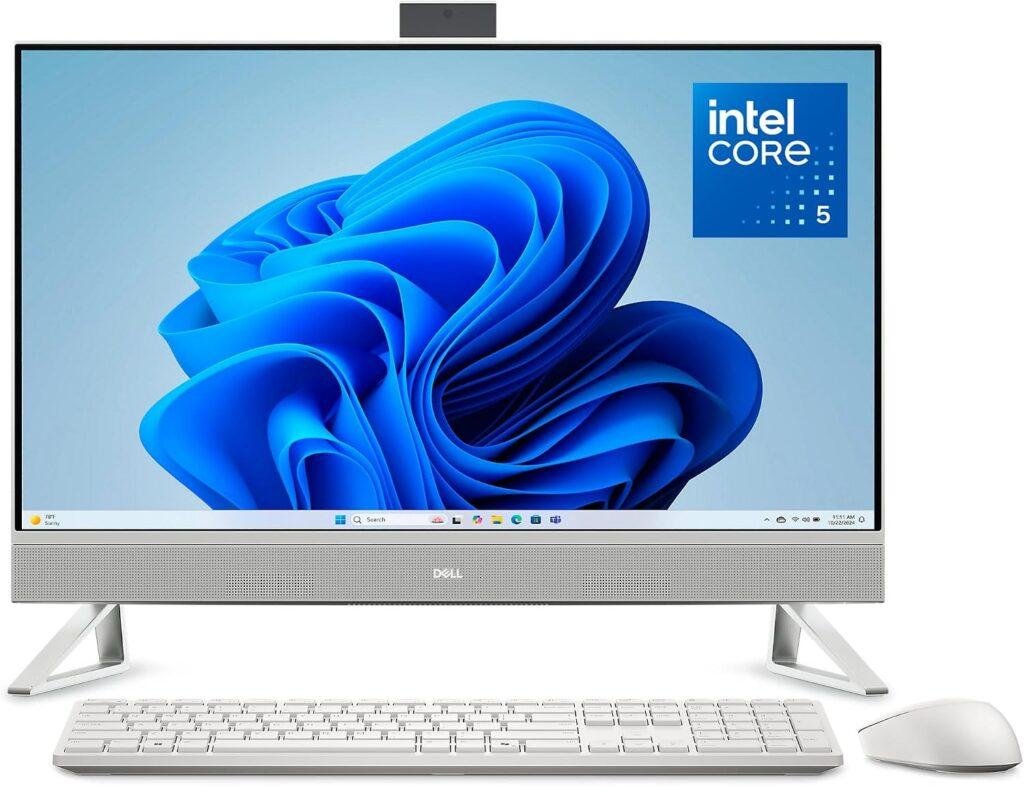
Key Details:
- Intel Core 5 120U processor with 10 cores and 12 threads
- 16GB DDR5 5200MHz RAM
- 27-inch Full HD IPS display, 1920 × 1080 resolution
- Integrated Intel Graphics for everyday productivity
- Built-in 5MP IR webcam and dual 5W speakers
- Wi-Fi, Bluetooth, HDMI, USB, and Windows 11 Home
A separate tower isn’t always necessary for everyday office productivity, and the Dell 27-inch All-in-One EC27250 makes that clear. This all-in-one desktop computer combines a 27-inch display with an Intel Core 5 120U processor and 16GB RAM, making it suitable for documents, spreadsheets, emails, and video meetings.
What we like about this office desktop PC is its spacious Full HD IPS screen. You can keep documents and browser windows open side by side without needing a separate monitor. Dell ComfortView Plus is another useful addition for people spending long hours working at their desks.
The Dell 27-inch All-in-One EC27250 also makes remote office work more convenient with its built-in 5MP IR webcam and stereo speakers. When attending Zoom or Microsoft Teams meetings, you won’t need a separate camera. Its streamlined design also keeps cables and desktop clutter to a minimum.
In our opinion, this is a practical desktop for office work if you prefer a complete, space-saving setup. It offers enough performance for administrative tasks, online collaboration, and everyday business applications, although its upgrade options are more limited than those of traditional towers.
Pros:
- Spacious 27-inch IPS display for office productivity
- 16GB DDR5 RAM handles everyday multitasking
- Built-in 5MP IR webcam and speakers for meetings
- Space-saving design reduces office desk clutter
Cons:
- Full HD resolution is less sharp on a 27-inch screen
- Limited hardware upgrades compared with tower desktops
4. Best Affordable Office Tower: Dell 2026 Edition Desktop Computers Tower PC
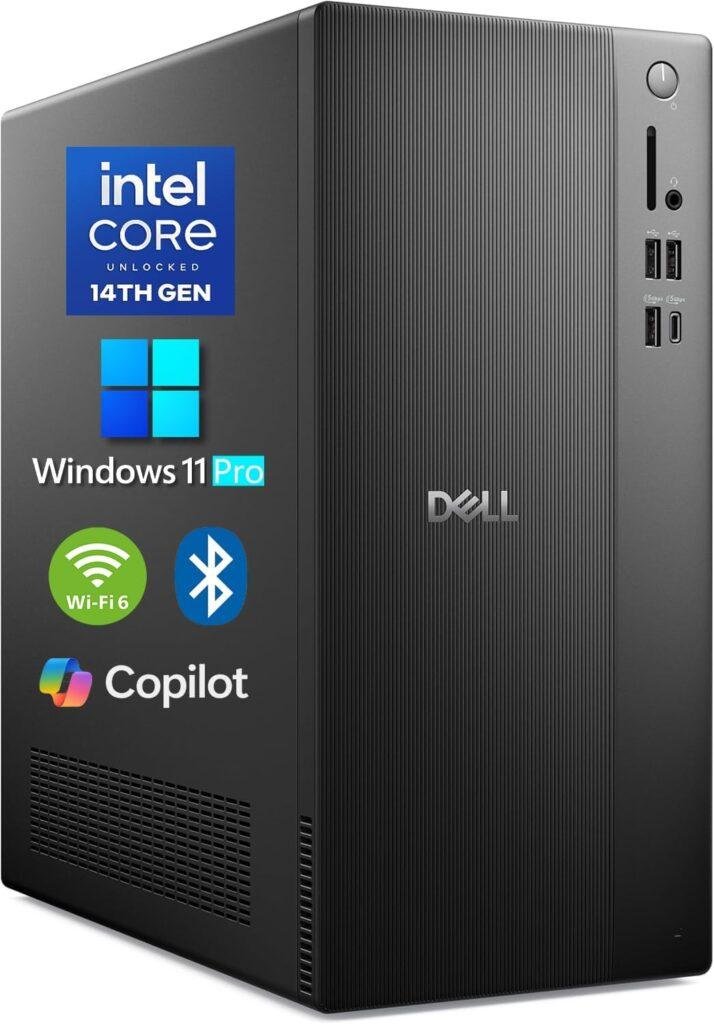
Key Details:
- 14th Gen Intel Core i3-14100 with 4 cores and 8 threads
- 8GB DDR5 RAM and 512GB PCIe SSD
- Integrated Intel UHD Graphics 730
- Dual 4K monitor support through HDMI and DisplayPort
- Wi-Fi 6, Bluetooth, USB-C, USB-A, and Ethernet
- Windows 11 Pro with business security features
If your daily office work involves emails, Word documents, spreadsheets, and web browsing, the Dell 2026 Desktop Tower Core i3-14100 is an affordable option. Its 14th Gen Intel processor delivers suitable performance for routine business applications, making it a sensible choice for basic office productivity.
The 8GB DDR5 RAM and 512GB PCIe SSD provide a practical starting point for an office desktop computer. You can handle everyday documents and browser-based tasks comfortably, although heavier multitasking may benefit from a RAM upgrade. We particularly like the inclusion of fast SSD storage at this price.
Another useful feature of the Dell 2026 Desktop Tower Core i3-14100 is its dual 4K monitor support. This makes it easier to work across spreadsheets, emails, and reports on separate screens. Wi-Fi 6, USB-C, Ethernet, and Windows 11 Pro also add value for everyday business computing.
From our standpoint, this budget-friendly desktop for office work is a good match for reception desks, administrative staff, and smaller offices. It covers essential productivity needs without expensive hardware, although professionals using resource-heavy software should consider a more powerful configuration.
Pros:
- Affordable 14th Gen Intel processor for daily office tasks
- 512GB PCIe SSD supports responsive application loading
- Dual 4K monitor support improves multitasking flexibility
- Windows 11 Pro includes useful business features
Cons:
- 8GB RAM may limit heavier multitasking
- Quad-core processor isn’t suited for intensive workloads
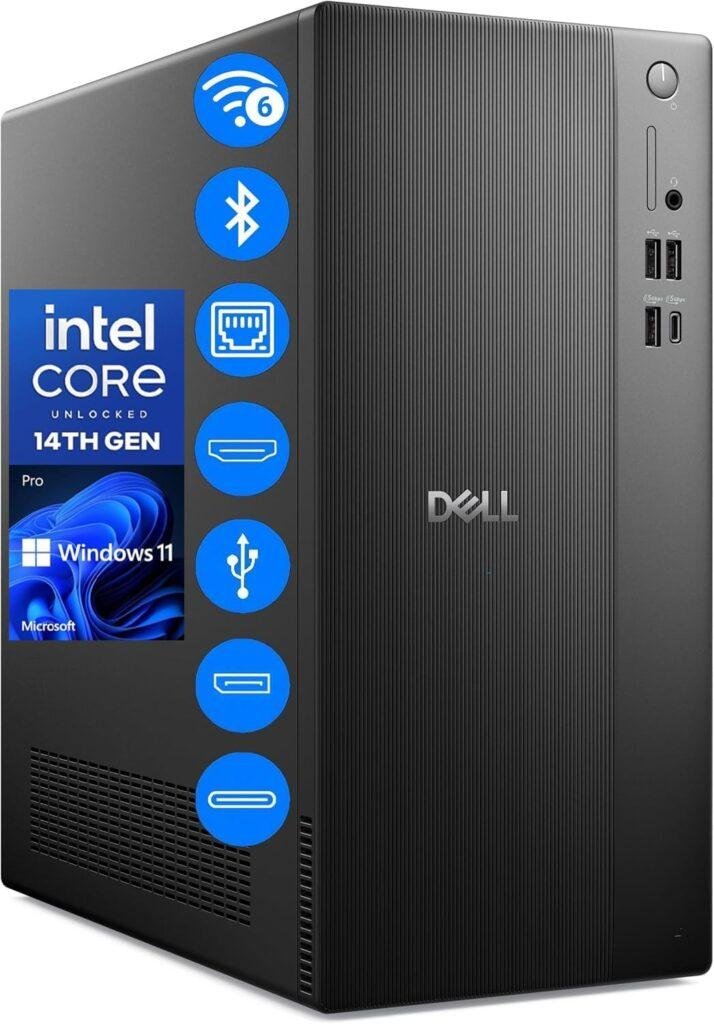
5. Best for Everyday Business Tasks: Dell Pro Tower Business Desktop 14th Gen
Key Details:
- 14th Gen Intel Core i3-14100T with 4 cores and 8 threads
- 16GB DDR5 RAM and 512GB PCIe NVMe SSD
- Intel UHD Graphics 730 with dual 4K display support
- Compact 14.6L tower chassis with efficient cooling
- Wi-Fi 6, Bluetooth, USB-C, HDMI, DisplayPort, and Ethernet
- Windows 11 Pro with BitLocker and Remote Desktop
For professionals handling everyday office tasks, the Dell Pro Tower Business Desktop offers a practical combination of speed and efficiency. Its 14th Gen Intel Core i3-14100T processor handles documents, spreadsheets, emails, and common business applications without requiring expensive hardware.
What we like about this business desktop computer is its 16GB DDR5 RAM and 512GB SSD. You can switch between Excel, accounting software, browser tabs, and video meetings comfortably. The Dell Pro Tower Business Desktop also has enough memory for regular multitasking, which makes a difference during busy office hours.
Another advantage is its compact tower design with dual 4K monitor support. When working across spreadsheets and reports, having two screens can improve productivity. Windows 11 Pro, Wi-Fi 6, and multiple USB connections also make this office PC convenient for professional workspaces.
In our opinion, this is a sensible desktop for office work if you need reliable everyday performance without spending too much. It’s particularly suitable for administrative employees, small businesses, and office workers who prioritize productivity over demanding graphics performance.
Pros:
- 16GB DDR5 RAM supports everyday office multitasking
- Fast 512GB SSD for applications and business files
- Compact tower design with dual 4K display support
- Windows 11 Pro offers useful business security features
Cons:
- Core i3 processor is limited for intensive workloads
- Integrated graphics aren’t suitable for demanding creative applications
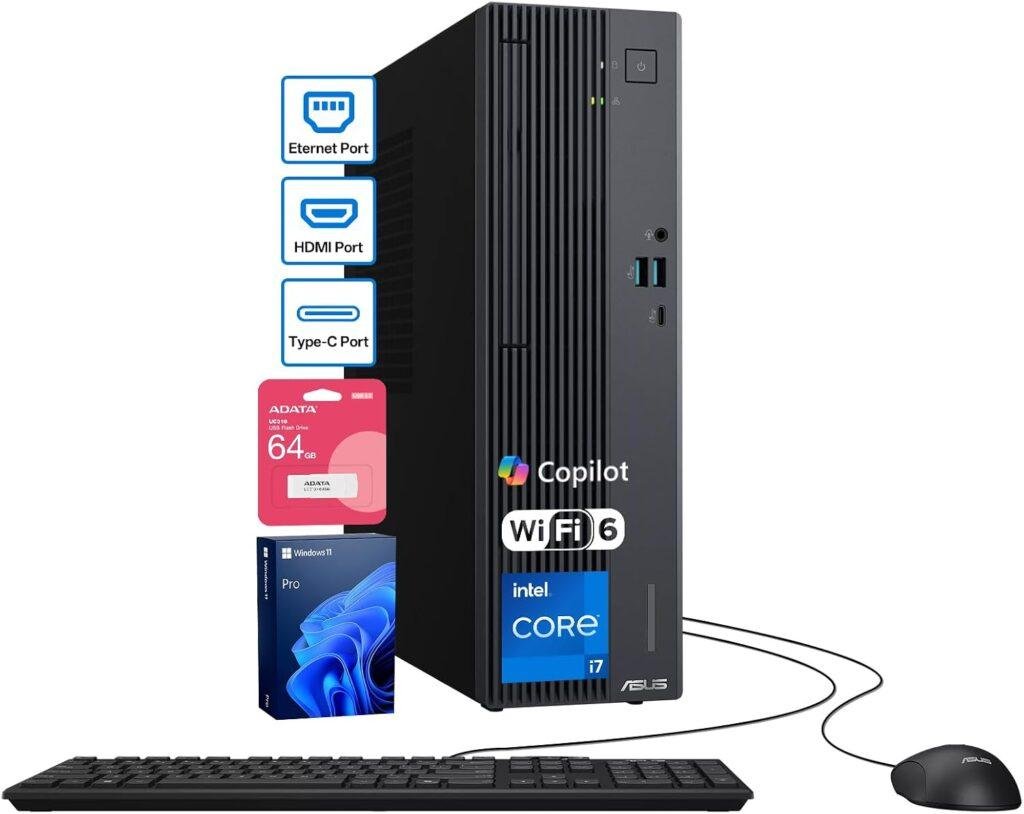
6. Best for Heavy Multitasking: ASUS V500 AI Business Desktop Computer
Key Details:
- 13th Gen Intel Core i7-13620H with 10 cores and 16 threads
- 16GB DDR5 RAM and 1TB PCIe M.2 SSD
- Integrated Intel UHD Graphics
- Compact 15L tower with 180W 80+ Bronze power supply
- Wi-Fi 6, Bluetooth 5.4, USB-C, HDMI, and DisplayPort
- Windows 11 Pro with wired keyboard and mouse
If your office workload involves several demanding applications running together, the ASUS V500 AI Business Desktop is worth a closer look. Its Intel Core i7-13620H processor features 10 cores and 16 threads, providing strong processing power for data analysis, spreadsheets, business software, and daily multitasking.
The combination of 16GB DDR5 RAM and a fast 1TB SSD makes this office desktop computer practical for managing larger files and applications. We like that the ASUS V500 AI Business Desktop offers plenty of storage while keeping everyday tasks responsive. Memory-heavy workloads may still benefit from an upgrade.
Another useful feature is its compact 15L tower design, which fits comfortably into smaller office setups. You will find USB-C, multiple USB-A ports, HDMI, and DisplayPort for connecting monitors and peripherals. Wi-Fi 6 and Bluetooth 5.4 also provide convenient wireless connectivity.
From our perspective, this business desktop PC makes sense for professionals who need more processing power than a basic office computer. Whether you’re handling complex spreadsheets, programming, or working across multiple applications, it offers a capable setup without taking up excessive desk space.
Pros:
- Powerful 10-core Intel Core i7 processor for multitasking
- 1TB PCIe SSD provides generous storage for office files
- Compact tower with modern wireless connectivity
- Windows 11 Pro supports professional business workflows
Cons:
- Integrated graphics limit graphics-intensive workloads
- 16GB RAM may need upgrading for heavier applications
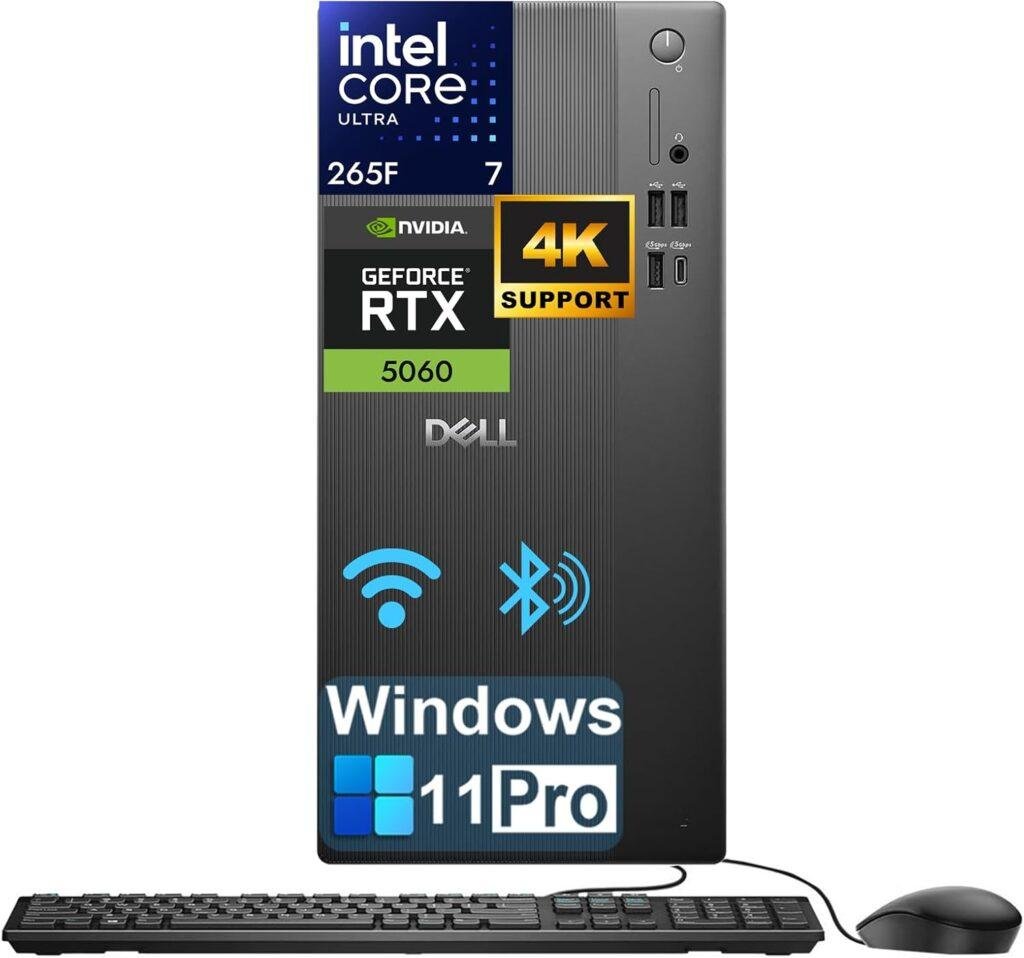
7. Best for Graphics-Intensive Office Work: Dell Tower Desktop Computer 2026 RTX 5060
Key Details:
- Intel Core Ultra 7 265F processor with 20 cores
- NVIDIA GeForce RTX 5060 with 8GB GDDR7 graphics
- 32GB DDR5 RAM and 1TB PCIe NVMe SSD
- Dedicated graphics for creative and visual workloads
- Wi-Fi 6, Bluetooth 5.4, HDMI, DisplayPort, and USB-C
- Expandable tower chassis with tool-less access
Some office workloads need more than basic integrated graphics, and the Dell Tower Desktop Core Ultra 7 RTX 5060 is built for those situations. Its 20-core Intel Core Ultra 7 265F processor and dedicated NVIDIA RTX 5060 graphics make it a capable desktop workstation for video editing, 3D visualization, design software, and demanding productivity applications.
What stands out is the combination of 32GB DDR5 RAM and a 1TB SSD. When working with large project files, multiple creative applications, or high-resolution content, this hardware provides useful processing and memory capacity. The Dell Tower Desktop Core Ultra 7 RTX 5060 also offers GPU acceleration for compatible professional software.
We also like its expandable tower design, which allows easier access to internal components. You will find multiple display connections, USB ports, Wi-Fi 6, and Bluetooth 5.4 for building a flexible workstation. The dedicated graphics card is particularly useful for professionals working with visual content across high-resolution monitors.
In our opinion, this powerful desktop for office work is better suited to creative professionals than regular administrative users. If your daily tasks include video production, graphic design, or 3D applications, the extra graphics performance makes sense. For basic spreadsheets and emails, however, it would be more power than necessary.
Pros:
- Powerful 20-core Intel processor handles demanding workloads
- RTX 5060 graphics supports creative and GPU-accelerated applications
- 32GB DDR5 RAM offers excellent multitasking capacity
- Expandable tower design with modern connectivity
Cons:
- More expensive than typical office desktop computers
- Dedicated GPU is unnecessary for basic office productivity
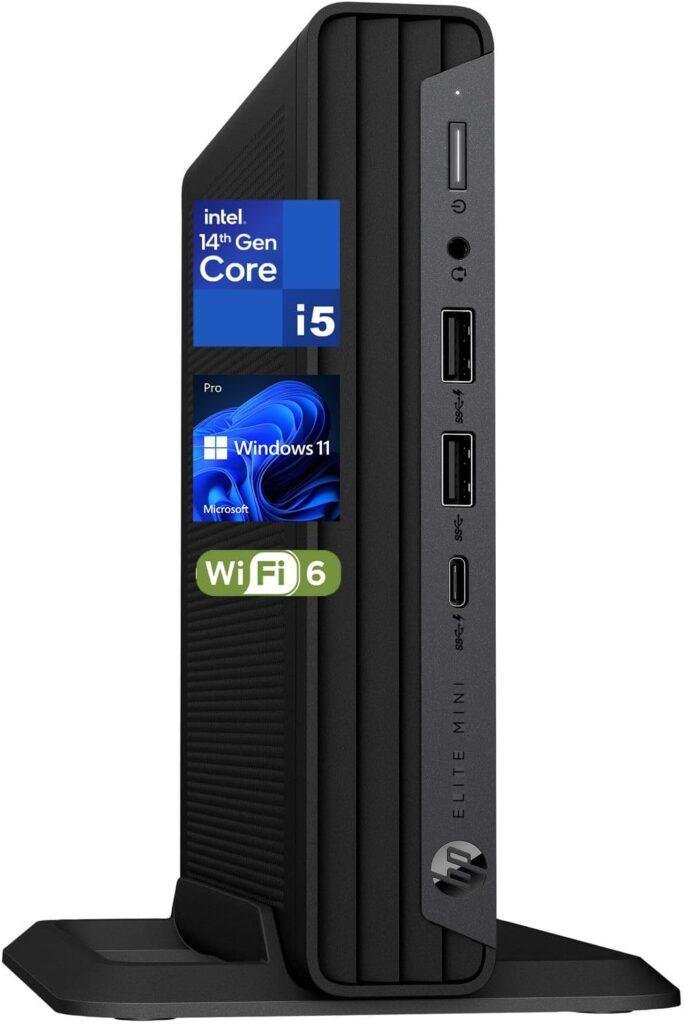
8. Best Mini Business Desktop: HP Elite Mini 800 G9
Key Details:
- 14th Gen Intel Core i5-14500 with 14 cores and 20 threads
- 32GB DDR5 RAM and 1TB PCIe NVMe SSD
- Integrated Intel UHD Graphics 770
- Ultra-compact chassis measuring 6.97 × 6.89 × 1.35 inches
- Wi-Fi 6, Bluetooth 5.2, USB-C, HDMI, and dual DisplayPort
- Windows 11 Pro with wired keyboard and mouse
A powerful office computer doesn’t necessarily need a large tower, and the HP Elite Mini 800 G9 is a good example. This mini business desktop combines a 14-core Intel Core i5-14500 processor with 32GB DDR5 RAM, offering plenty of performance for spreadsheets, financial applications, database work, and demanding office multitasking.
What we like most about this compact office PC is its generous memory and storage. With 32GB RAM and a 1TB PCIe SSD, you can comfortably work across several business applications and large documents. The HP Elite Mini 800 G9 also provides enough processing capacity for more demanding productivity tasks without occupying much desk space.
Its small chassis is another major advantage, especially for modern offices with limited workspace. You can position it beside a monitor or use compatible mounting accessories for a cleaner setup. Dual DisplayPort, HDMI, USB-C, Wi-Fi 6, and Ethernet connections also make it suitable for multi-monitor business workstations.
From our standpoint, this is one of the more practical mini desktop computers for office work if you want performance and space efficiency together. It’s particularly appealing for finance professionals, administrative teams, and business users who need strong multitasking capabilities without a bulky tower.
Pros:
- Powerful 14-core processor for demanding office applications
- 32GB DDR5 RAM supports extensive multitasking
- Ultra-compact design saves valuable office space
- 1TB SSD and multiple display connections improve productivity
Cons:
- Limited internal expansion compared with traditional towers
- Higher price than many similarly equipped full-sized desktops
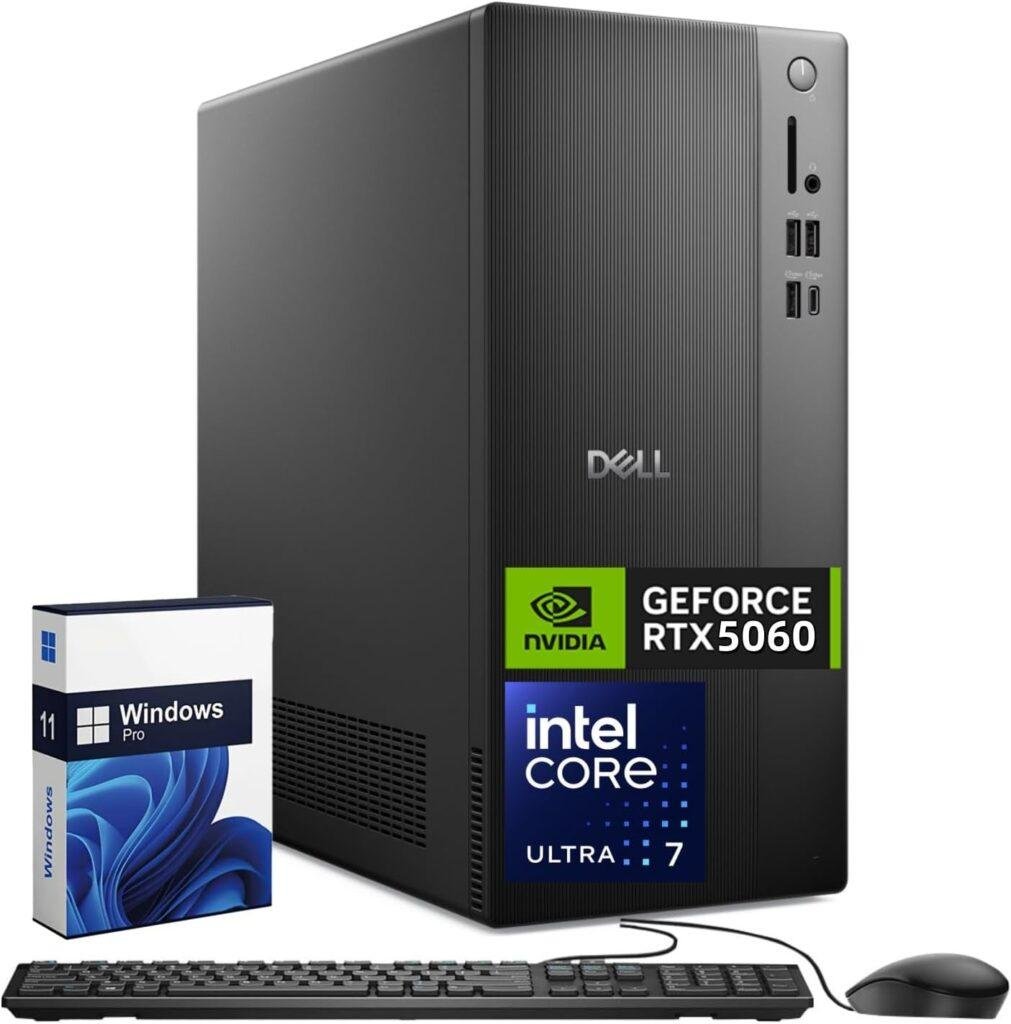
9. Best for Content Creation: Dell Tower Desktop Computer NVIDIA RTX 5060
Key Details:
- Intel Core Ultra 7 265F processor with 20 cores, up to 5.3GHz
- NVIDIA GeForce RTX 5060 with 8GB GDDR7 graphics
- 32GB DDR5 5600MT/s RAM and 2TB PCIe NVMe SSD
- Supports multiple 4K monitors through HDMI and DisplayPort
- Wi-Fi 6, Bluetooth 5.4, USB-A, USB-C, and Ethernet
- Windows 11 Pro with expandable tower design
For professionals working with video editing, graphics, and large creative projects, the Dell Tower Desktop Core Ultra 7 RTX 5060 offers serious processing power. Its 20-core Intel Core Ultra 7 265F processor and dedicated NVIDIA graphics make it a capable desktop workstation for content creation, demanding office software, and GPU-accelerated applications.
What we like about this powerful office desktop computer is its 32GB DDR5 RAM and spacious 2TB SSD. You can manage large media files, design projects, and multiple applications without quickly running out of memory or storage. The Dell Tower Desktop Core Ultra 7 RTX 5060 also supports high-resolution multi-monitor setups.
Another advantage is its expandable tower chassis with modern connectivity. When working with external storage, graphics tablets, or multiple displays, the USB ports, HDMI, DisplayPort, and wireless connections provide useful flexibility. The RTX 5060 also helps accelerate compatible video editing, rendering, and creative applications.
In our opinion, this desktop PC for professional office work makes the most sense for content creators, designers, and multimedia professionals. It offers more graphics performance and storage than typical business computers, although regular office users probably won’t need this much hardware.
Pros:
- Powerful 20-core processor for demanding professional workloads
- RTX 5060 graphics accelerates compatible creative applications
- 32GB DDR5 RAM and 2TB SSD support large projects
- Multiple 4K display connections and expandable tower design
Cons:
- Expensive for basic office productivity tasks
- Dedicated graphics increases power consumption
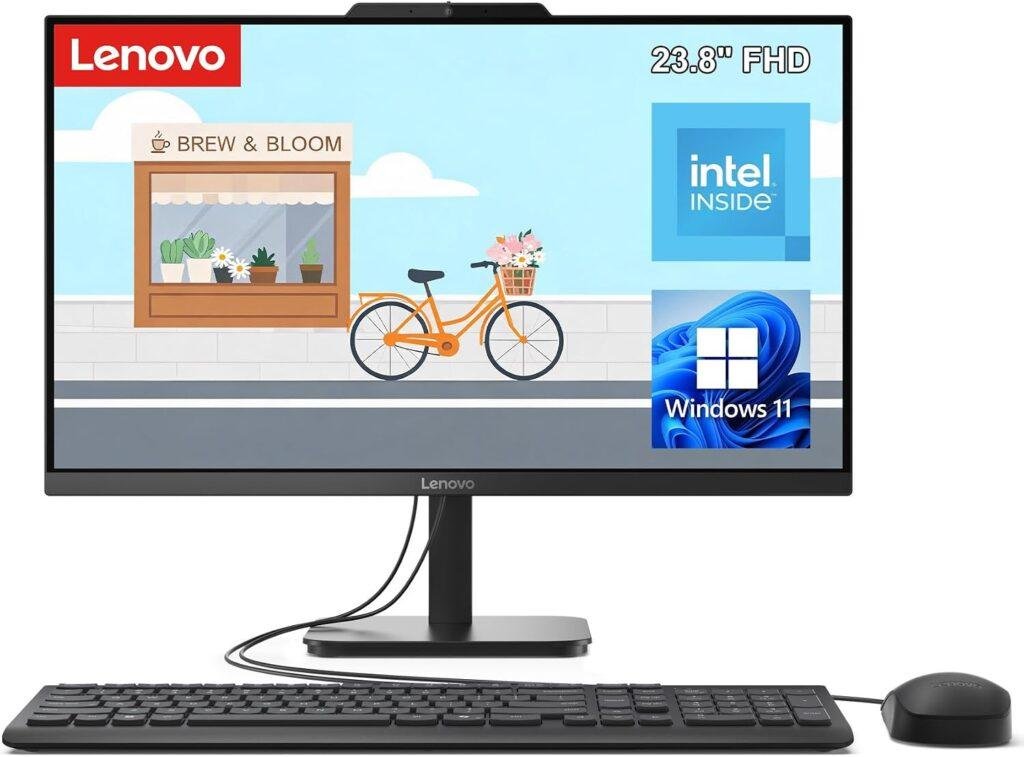
10. Best for Basic Office Work: Lenovo IdeaCentre 24″ FHD All-in-One Desktop
Key Details:
- Intel N100 processor with 4 cores, up to 3.4GHz
- 8GB DDR4 RAM and 512GB PCIe NVMe SSD
- 23.8-inch Full HD IPS anti-glare display
- Integrated Intel UHD Graphics
- Built-in HD webcam, microphone, and dual 2W speakers
- Wi-Fi 6, Bluetooth 5.2, HDMI, USB, and Windows 11 Home
Not every office needs a powerful processor or expensive workstation. If your daily tasks involve emails, Word documents, spreadsheets, and web browsing, the Lenovo IdeaCentre 24-inch All-in-One Desktop offers a simple solution. Its Intel N100 processor handles basic office applications while keeping the overall setup compact and energy-efficient.
The 8GB DDR4 RAM and 512GB SSD are suitable for light office productivity and everyday file storage. We like that this all-in-one office computer comes with a 23.8-inch Full HD IPS display, providing clear visuals for documents and web applications. Its anti-glare coating is also useful during longer work sessions.
Another practical feature of the Lenovo IdeaCentre 24-inch All-in-One Desktop is its built-in webcam, microphone, and speakers. You can attend video meetings without purchasing separate equipment. Wi-Fi 6, Bluetooth, USB ports, and HDMI output also provide convenient connectivity for everyday office accessories.
From our perspective, this desktop computer for office work is a sensible choice for reception desks, administrative tasks, and smaller workspaces. It covers essential productivity needs without unnecessary hardware, although heavier multitasking and demanding business applications may push its processor and memory limits.
Pros:
- Affordable all-in-one design for basic office productivity
- 23.8-inch Full HD IPS anti-glare display
- Built-in webcam, microphone, and speakers for meetings
- 512GB SSD provides responsive storage for everyday files
Cons:
- Intel N100 processor is limited for demanding applications
- 8GB RAM may struggle with extensive multitasking
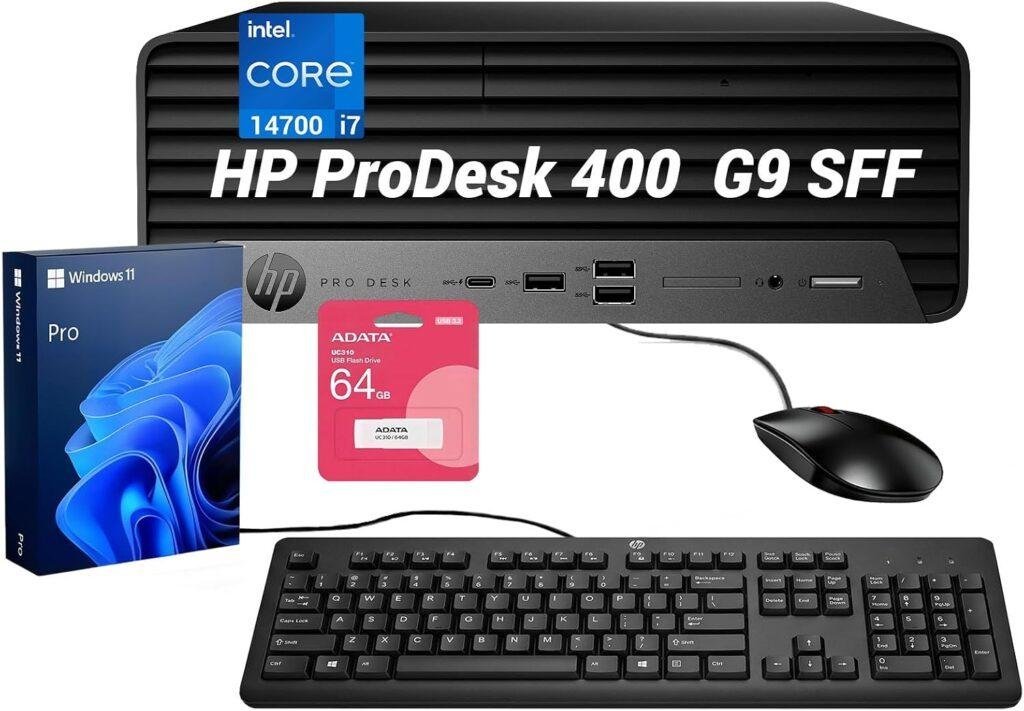
11. Best for Data Analysis: HP ProDesk 400 SFF Business Desktop
Key Details:
- 14th Gen Intel Core i7-14700 processor with 20 cores and 28 threads
- 32GB DDR5 RAM and 1TB PCIe SSD
- Integrated Intel UHD Graphics
- Small Form Factor chassis for compact office setups
- Wi-Fi, HDMI, DisplayPort, USB-C, and Ethernet
- Windows 11 Pro with wired keyboard and mouse
When office work involves large spreadsheets, financial reports, and data-heavy applications, the HP ProDesk 400 SFF Business Desktop has plenty to offer. Its 14th Gen Intel Core i7-14700 processor features 20 cores and 28 threads, providing strong computing performance for demanding business software, multitasking, and complex office workflows.
The combination of 32GB DDR5 RAM and a 1TB SSD is particularly useful for professionals managing large datasets. You can work across Excel, accounting programs, databases, and browser-based tools with generous memory available. We like that the HP ProDesk 400 SFF Business Desktop delivers this hardware in a smaller chassis.
Despite its compact design, this business desktop computer includes HDMI, DisplayPort, USB-C, and other essential connections. Dual-monitor setups are useful when comparing financial reports or working across multiple applications. Windows 11 Pro also provides security and remote access features suited to professional office environments.
In our opinion, this small form factor desktop PC is a strong option for accountants, financial analysts, and business professionals handling demanding workloads. It offers considerably more processing power than entry-level office computers while occupying less space than a traditional tower.
Pros:
- Powerful 20-core Intel Core i7 processor for data-heavy tasks
- 32GB DDR5 RAM supports demanding office multitasking
- Compact SFF design saves valuable workspace
- 1TB SSD and Windows 11 Pro suit professional workflows
Cons:
- Integrated graphics limit demanding GPU-based applications
- Compact chassis offers less expansion flexibility than towers
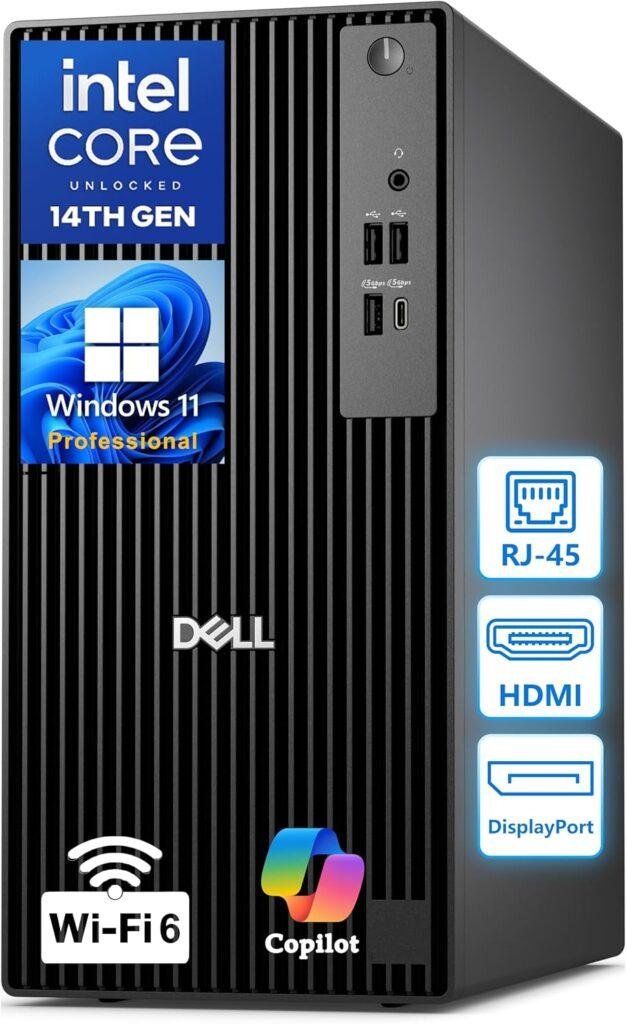
12. Best for Memory-Heavy Office Tasks: Dell Tower Computers 14th Gen Intel Processor
Key Details:
- 14th Gen Intel Core i3-14100 with 4 cores and 8 threads
- Advertised 32GB DDR5 RAM and 1TB PCIe SSD
- Intel UHD Graphics 730 with dual 4K display support
- Compact tower chassis with upgradeable hardware
- Wi-Fi 6, Bluetooth, USB-C, HDMI, DisplayPort, and Ethernet
- Windows 11 Pro with TPM security and Remote Desktop
If you regularly keep dozens of browser tabs, documents, and office applications open, the Dell Pro Tower Core i3-14100 offers an interesting configuration. It combines a 14th Gen Intel Core i3 processor with an advertised 32GB DDR5 RAM, making this office desktop computer suitable for memory-heavy everyday multitasking.
What stands out is its 1TB PCIe SSD and generous memory capacity. You can store business documents, spreadsheets, and applications while keeping several programs open. The Dell Pro Tower Core i3-14100 should handle routine productivity comfortably, although its quad-core processor won’t match higher-end CPUs in demanding calculations.
Another useful feature is its dual 4K monitor support through HDMI and DisplayPort. When working across spreadsheets, emails, and business software, additional screen space can make daily office tasks easier. Wi-Fi 6, USB-C, Ethernet, and Windows 11 Pro also provide practical connectivity and security features.
From our standpoint, this desktop for office work makes sense for administrative professionals and small businesses that prioritize memory capacity over raw processing power. It’s a practical choice for extensive browser-based workflows, document management, and everyday office productivity without paying for a high-end processor.
Pros:
- Advertised 32GB DDR5 RAM supports memory-heavy multitasking
- 1TB PCIe SSD provides generous business file storage
- Dual 4K monitor support improves office productivity
- Windows 11 Pro and modern connectivity suit business use
Cons:
- Quad-core processor limits demanding computational workloads
- Integrated graphics aren’t suitable for intensive creative applications
How We Selected and Evaluated These Office Desktop Computers
Choosing the best desktop computers for office work isn’t just about getting the fastest processor. We focused on practical office performance, multitasking, hardware specifications, connectivity, and overall value. The comparisons consider published specifications and expected performance for common business workloads, rather than unverified benchmark results.
- Office Productivity: Considered performance requirements for Microsoft 365, Google Workspace, accounting software, and everyday browsing.
- Multitasking Performance: Evaluated memory and processor configurations for running spreadsheets, browser tabs, and multiple applications.
- Processor and RAM: Compared processing power and memory capacity for everyday and demanding office workloads.
- Storage Performance: Prioritized PCIe SSDs for faster application loading, file transfers, and system responsiveness.
- Connectivity: Checked USB-C, USB-A, HDMI, DisplayPort, Wi-Fi, Bluetooth, and Ethernet options.
- Noise and Cooling: Considered chassis ventilation and cooling designs for extended office use, without assuming measured noise levels.
- Upgrade Potential: Looked at available RAM, storage expansion, and internal hardware accessibility.
- Overall Value: Compared hardware configurations, practical features, and additional setup costs.
How to Choose the Best Desktop Computer for Office Work
The right office desktop computer depends on your daily workload, available desk space, and budget. If you’re mainly working with documents and emails, a basic desktop may be enough. However, demanding business applications and heavy multitasking often require more processing power and memory.
Choose the Right Processor for Your Office Workload
For everyday office tasks, a modern Intel Core i3 or AMD Ryzen 3 processor can handle documents, emails, and web applications. If you regularly use large spreadsheets, accounting software, or multiple programs, consider a Core i5, Core i7, or comparable Ryzen processor. Processor generation and core count also matter.
Consider RAM and Multitasking Requirements
An office desktop with 8GB RAM works for basic productivity, but 16GB is a more comfortable choice for multitasking. If you regularly manage large datasets, numerous browser tabs, or demanding business applications, 32GB RAM offers additional flexibility.
Select SSD Storage for Faster Everyday Performance
A solid-state drive helps your office computer start quickly and load applications faster. We recommend at least 256GB SSD storage for basic office use, while 512GB or 1TB makes more sense for storing documents, software, and larger business files.
Check Monitor Compatibility and Display Outputs
If you work with spreadsheets, reports, or multiple applications, dual monitors can make office tasks easier. Look for HDMI, DisplayPort, or compatible USB-C video outputs. Also, confirm that your desktop supports the resolution and number of monitors you plan to use.
Consider Desktop Size and Available Office Space
Traditional tower desktops offer more internal expansion, but they occupy additional space. Mini PCs and small form factor desktops fit smaller office desks, while all-in-one computers combine the monitor and PC into one unit for a cleaner workspace.
Look for Essential Ports and Connectivity
A good business desktop computer should include enough USB ports for keyboards, mice, external drives, and office accessories. Wi-Fi 6, Bluetooth, and Gigabit Ethernet are also useful. If you frequently transfer large files, consider faster USB-C connections.
Check Operating System and Software Compatibility
Windows 11 Pro is useful for businesses that need BitLocker encryption, Remote Desktop hosting, and additional management features. Windows 11 Home handles everyday productivity, while macOS suits compatible Apple-based workflows. Always check whether your essential office software supports the operating system.
Consider Upgradeability and Long-Term Value
If you plan to use your desktop for several years, look for upgradeable RAM, additional SSD slots, and accessible internal components. Spending a little more on a flexible office PC can help reduce the need for early replacement.
What Desktop Specifications Do You Need for Office Work?
You don’t need expensive hardware for regular office productivity. However, choosing the right processor, RAM, and storage can make multitasking much smoother. Here’s a practical comparison of recommended desktop specifications for different office workloads.
| Component | Basic Office Work | Heavy Office Multitasking |
| Processor | Modern Core i3 / Ryzen 3 | Core i5/i7 or Ryzen 5/7 |
| RAM | 8GB | 16GB–32GB |
| Storage | 256GB SSD | 512GB–1TB SSD |
| Graphics | Integrated graphics | Integrated or dedicated GPU |
| Operating System | Windows 11 or macOS | Windows 11 Pro or macOS |
| Display Support | 1–2 monitors | 2 or more monitors |
These are general recommendations. Actual requirements depend on your software, workload, and individual desktop configuration.
Types of Desktop Computers for Office Work
Office desktop computers come in different sizes and designs. Some prioritize processing power and upgrades, while others save desk space. Here are the four main types worth considering.
Traditional Tower Desktop Computers
Tower desktops offer larger chassis, better expansion flexibility, and more room for compatible hardware upgrades. They’re suitable for demanding office applications, multitasking, and businesses planning to upgrade components later.
Small Form Factor (SFF) Desktop Computers
SFF desktops provide everyday office performance in a smaller chassis. They’re ideal for corporate desks, shared offices, and workspaces where you need a balance of performance and space efficiency.
Mini Desktop Computers
Mini PCs are compact office computers that take up very little desk space. Many can be mounted behind monitors and still handle spreadsheets, documents, web applications, and regular business multitasking.
All-in-One Desktop Computers
All-in-one desktops combine the computer and display into one unit. They’re useful for office workers who prefer fewer cables and a cleaner setup. However, internal upgrades and repairs can be more limited.
Desktop vs. Laptop: Which Is Better for Office Work?
Both desktops and laptops can handle everyday business applications, but they suit different working styles. If you spend most of your day at a fixed desk, a desktop often offers better upgrade flexibility and value. Laptops make more sense when portability matters.
| Feature | Desktop Computer | Laptop |
| Performance | Often better sustained performance for the price | Depends on cooling and power limits |
| Portability | Designed for fixed workspaces | Easy to carry between locations |
| Upgradeability | Generally more flexible | Usually limited |
| Desk Space | Requires dedicated setup space | Compact and self-contained |
| Monitor Setup | Convenient for multiple displays | May need adapters or a dock |
| Overall Value | Often more hardware for the price | Includes screen, battery, and keyboard |
In our opinion, a desktop computer is a practical choice for full-time office workers who rarely move between locations. However, if you regularly work from home, travel, or attend meetings outside the office, a laptop offers greater flexibility.
Windows vs. Mac: Which Is Better for Office Productivity?
Both Windows and macOS are capable operating systems for everyday office work. Microsoft 365, Google Workspace, Zoom, and most popular collaboration tools work on both platforms, making either suitable for general productivity.
Windows desktop computers offer a wider range of hardware configurations and strong compatibility with business applications. Windows 11 Pro also provides additional security and management features, which can be helpful for corporate offices and IT teams.
Mac desktops are appealing if you already use Apple devices or prefer macOS. They work well for document editing, presentations, creative applications, and everyday multitasking. However, certain Windows-specific accounting programs, Excel features, and legacy business tools may not work natively.
From our perspective, Windows is often the more flexible choice for traditional office environments, while Mac suits users who prefer Apple’s ecosystem. Your software requirements should ultimately guide the decision.
How Much Should You Spend on a Desktop for Office Work?
You don’t need to spend thousands of dollars on a desktop for everyday productivity. The ideal budget depends on your workload, software requirements, and how long you plan to use the computer.
- Under $500: Suitable for emails, document editing, web browsing, and basic administrative tasks.
- 500–800: A practical range for everyday office productivity, spreadsheets, and regular multitasking.
- 800–1,200: Better suited for demanding business applications, larger files, and stronger multitasking performance.
- Above $1,200: Worth considering for advanced professional workloads, content creation, and high-performance configurations.
Also, remember that tower and mini desktop computers may require separate monitors, keyboards, mice, webcams, and speakers. These additional costs can affect your overall office computer budget.
Common Mistakes to Avoid When Buying an Office Desktop
Even a powerful desktop computer can be disappointing if it doesn’t match your office needs. Before buying, consider these common mistakes that can affect performance, usability, and long-term value.
- Choosing the wrong processor: Match CPU performance to your actual office workload rather than relying on processor names alone.
- Buying insufficient RAM: Consider 16GB for comfortable everyday multitasking instead of automatically choosing 8GB.
- Ignoring monitor compatibility: Check HDMI, DisplayPort, and supported resolutions before planning a multi-monitor setup.
- Overlooking future upgrades: Make sure the desktop supports additional RAM or storage if needed.
- Overspending on dedicated graphics: Integrated graphics are usually enough for documents, spreadsheets, and office meetings.
- Forgetting setup costs: Include monitors, peripherals, software, and accessories in your budget.
- Ignoring software compatibility: Confirm that your essential business applications work with the operating system.
How to Maintain Your Office Desktop for Long-Term Performance
A good office desktop computer can remain productive for years with proper maintenance. Regular cleaning, software updates, and basic hardware care help prevent overheating, slowdowns, and unexpected downtime.
- Clean dust regularly: Remove dust from fans, vents, and accessible internal areas to maintain airflow.
- Keep software updated: Install operating system, security, and driver updates to improve stability and compatibility.
- Maintain free SSD space: Avoid filling your storage completely so applications and updates have room to operate.
- Back up business files: Use cloud storage or external drives to protect important office documents.
- Use surge protection: A suitable surge protector or UPS helps reduce electrical risks and unexpected shutdowns.
- Monitor cooling performance: Check unusual fan noise, excessive heat, or sudden slowdowns during extended office use.
- Manage startup applications: Disable unnecessary background programs to improve boot times and responsiveness.
Final Words
Finding the best desktop computer for office work comes down to your daily tasks, available space, and budget. If you need strong all-around performance, the Dell Desktop Tower Intel Core i7-12700K offers 32GB DDR5 RAM, fast SSD storage, and enough processing power for demanding office multitasking.
For professionals working with limited desk space, the Lenovo ThinkStation P3 is a practical choice. Its compact design, 14-core processor, and business-focused features make it suitable for professional applications without a bulky tower.
If you prefer a complete workspace, the Dell 27″ All-in-One Desktop is worth considering. It combines a spacious display, capable processor, and built-in webcam, making everyday office productivity and video meetings more convenient.
Ultimately, the right desktop for office work should balance performance, memory, connectivity, and long-term value. Whether you choose a tower, mini PC, or all-in-one computer, prioritize the features that genuinely support your daily workflow.
Related FAQs
What Is the Best Desktop Computer for Office Work?
The best desktop computer for office work should have a capable processor, at least 16GB RAM, and SSD storage. The Dell Desktop Tower Intel Core i7-12700K is a strong option for demanding office productivity and multitasking.
Is 8GB or 16GB RAM Better for Office Work?
16GB RAM is generally better for office work because it handles multiple applications, browser tabs, and spreadsheets more comfortably. However, 8GB is sufficient for basic documents, emails, and light browsing.
Is an Intel Core i5 Good Enough for Office Work?
Yes, a modern Intel Core i5 processor is powerful enough for most office applications, including Microsoft 365, accounting software, and video conferencing. It also handles regular multitasking comfortably when paired with sufficient RAM.
Is a Desktop or Laptop Better for Office Work?
Desktop computers generally offer better upgrade flexibility and value for fixed office setups. Laptops are more suitable for professionals who travel frequently or work from multiple locations.
How Much SSD Storage Do I Need for Office Work?
A 256GB SSD can handle basic office applications and documents. However, 512GB or 1TB provides more flexibility for business software, larger files, and long-term storage needs.
Are Mini PCs Good for Office Work?
Yes, mini desktop computers are suitable for spreadsheets, web applications, and everyday business tasks. They save desk space while offering capable processing power, although hardware upgrades are generally more limited.
Do You Need a Graphics Card for Office Work?
Most office desktops don’t need a dedicated graphics card. Integrated graphics can handle spreadsheets, presentations, video meetings, and multiple monitors, while dedicated GPUs are more useful for 3D design and video editing.

Justin has spent years learning how blogs, websites, hosting, and online income work in the real world. Along with blogging and SEO, he also covers desktops, laptops, PC parts, and everyday tech, sharing easy-to-understand advice for readers who want to build better websites and choose better tools.