If you are looking for the best all-in-one desktops for work, home, or daily use, these space-saving PCs are worth considering. They combine the monitor and computer into one clean setup, making them practical for anyone who wants solid performance without a bulky tower.
The Dell 27″ All-in-One Desktop FHD Intel Core 5 120U is a strong fit for overall productivity, while the Lenovo IdeaCentre 24“ FHD All-in-One 16GB RAM works well for budget buyers. The HP OmniStudio 27 inch suits users who want AI features, the ASUS VM670 27″ All-in-One Desktop fits power users, and the Lenovo ThinkCentre is a smart pick for office-focused work.
After evaluating the top all-in-one desktop computers, 12 models were selected based on performance, display quality, RAM, storage, connectivity, and value. In this guide, you’ll find a clear breakdown of their features, strengths, and limitations to help you choose the right AIO desktop.
We’re reader-supported. When you buy through links on our site, we may earn an affiliate commission. As an Amazon Associate, we earn from qualifying purchases at no extra cost to you.
Best All-in-One Desktop Computers: Our Top Picks
- Best Overall: Dell 27″ All-in-One Desktop FHD Intel Core 5 120U
- Best Budget-Friendly Option: Lenovo IdeaCentre 24“ FHD All-in-One 16GB RAM
- Best for Everyday Home Use: HP 22″ FHD All-in-One Desktop Computer
- Best AI-Powered Option: HP OmniStudio 27 inch All-in-One Desktop Next Gen AI PC
- Best Compact Dell Option: Dell 23.8″ All-in-One Desktop FHD Intel Core 3 100U
- Best for Power Users: ASUS VM670 27″ All-in-One Desktop Computer
- Best for Touchscreen Productivity: HP 27″ FHD Touchscreen Intel Ultra 7 AI All-in-One Desktop
- Best for Business Offices: Lenovo ThinkCentre All-in-One Desktop Computer 27″ FHD
- Best Premium Touchscreen: Dell 27″ FHD Touchscreen All-in-One Desktop Intel Core Ultra 7
- Best for Professional Collaboration: Lenovo ThinkCentre Intel Core i7-13620H
- Best for Office Multitasking: Lenovo IdeaCentre 27″ All-in-One Desktop Computer
- Best for Students: Lenovo IdeaCentre 24″ Business All-in-One Desktop 16GB
1. Best Overall: Dell 27″ All-in-One Desktop FHD Intel Core 5 120U
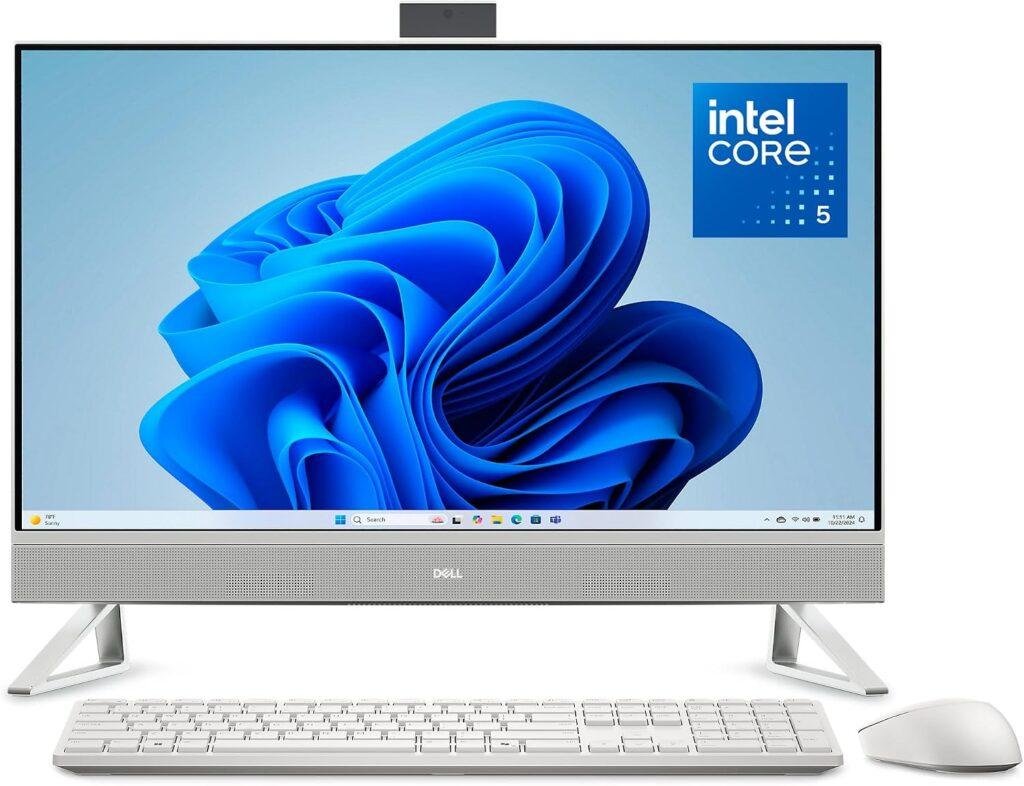
Key Details:
- Intel Core 5 120U processor for everyday multitasking
- 16GB RAM with integrated Intel Graphics
- 27-inch FHD IPS display with 99% sRGB color coverage
- Dell ComfortView Plus for improved eye comfort
- 5MP IR pop-up camera with HDR and privacy protection
- Windows 11 Home with Dolby Atmos audio support
If you’re looking for the best all-in-one desktop for work and home, the Dell 27-inch All-in-One Desktop is a well-rounded choice. Its Intel Core 5 120U processor and 16GB RAM can comfortably handle office applications, web browsing, spreadsheets, and everyday multitasking.
What we like most is the spacious 27-inch FHD IPS display with 99% sRGB color coverage. This all-in-one PC provides plenty of room for documents and multiple windows. Plus, ComfortView Plus helps reduce blue light exposure during longer working sessions.
For video meetings, the Dell 27-inch All-in-One Desktop features a 5MP IR camera with HDR for clearer visuals. You also get Dolby Atmos audio and a practical stand that lets you tuck the keyboard underneath, keeping your home office desk organized.
In our opinion, this Dell all-in-one desktop computer offers a nice balance of performance, display quality, and convenience. It’s particularly suitable for remote workers, business professionals, and everyday users who prefer a clean setup without a separate tower.
Pros:
- Capable Intel Core 5 processor for multitasking
- Spacious 27-inch IPS display with accurate colors
- High-quality 5MP IR camera for video meetings
- Space-saving design with enhanced audio
Cons:
- FHD resolution is modest for a 27-inch screen
- Integrated graphics limit demanding gaming
2. Best Budget-Friendly Option: Lenovo IdeaCentre 24“ FHD All-in-One 16GB RAM
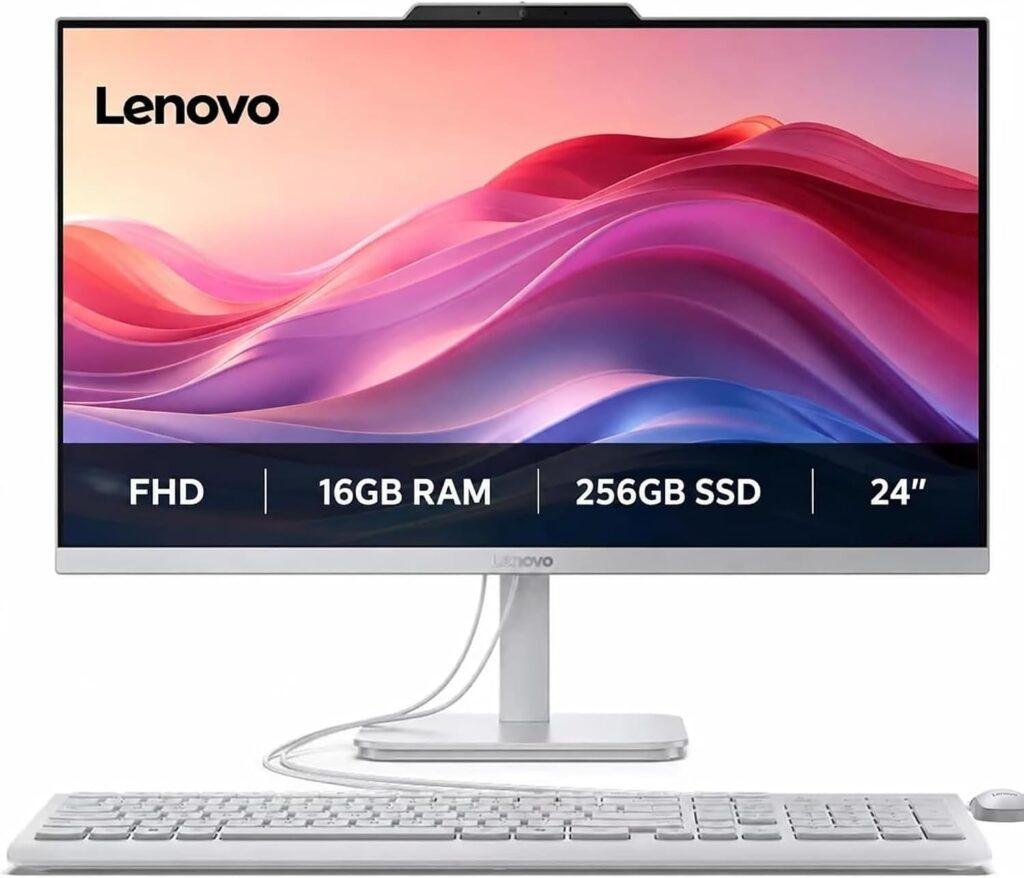
Key Details:
- Intel N100 quad-core processor with up to 3.4 GHz speed
- 16GB RAM for everyday multitasking
- 256GB SSD for system and file storage
- 23.8-inch FHD display with Intel UHD Graphics
- Compact all-in-one design for smaller workspaces
- Windows 11 with Microsoft 365 web application support
Not everyone needs an expensive computer for everyday work. The Lenovo IdeaCentre 24-inch All-in-One Desktop is an affordable option for students, home office users, and families. Its Intel N100 processor and 16GB RAM provide enough power for browsing, document editing, and basic office productivity.
We particularly like the compact 23.8-inch Full HD display. This budget all-in-one PC fits nicely on smaller desks while offering enough screen space for emails, spreadsheets, and online classes. The integrated design also keeps your workspace free from extra cables and bulky hardware.
When running several lightweight applications, the 16GB RAM should help keep things responsive. The Lenovo IdeaCentre 24-inch All-in-One Desktop also includes a 256GB SSD for faster startup and file access. However, storage may feel limited if you regularly install larger applications.
From our perspective, this Lenovo all-in-one computer makes sense for buyers who prioritize affordability and everyday usability. It isn’t designed for intensive editing or gaming, but for basic home office tasks and regular computing, it’s a practical choice.
Pros:
- Affordable option for home and office use
- 16GB RAM supports everyday multitasking
- Compact Full HD display saves desk space
- SSD storage for responsive daily operation
Cons:
- Intel N100 is limited for demanding workloads
- 256GB SSD offers relatively limited storage
3. Best for Everyday Home Use: HP 22″ FHD All-in-One Desktop Computer
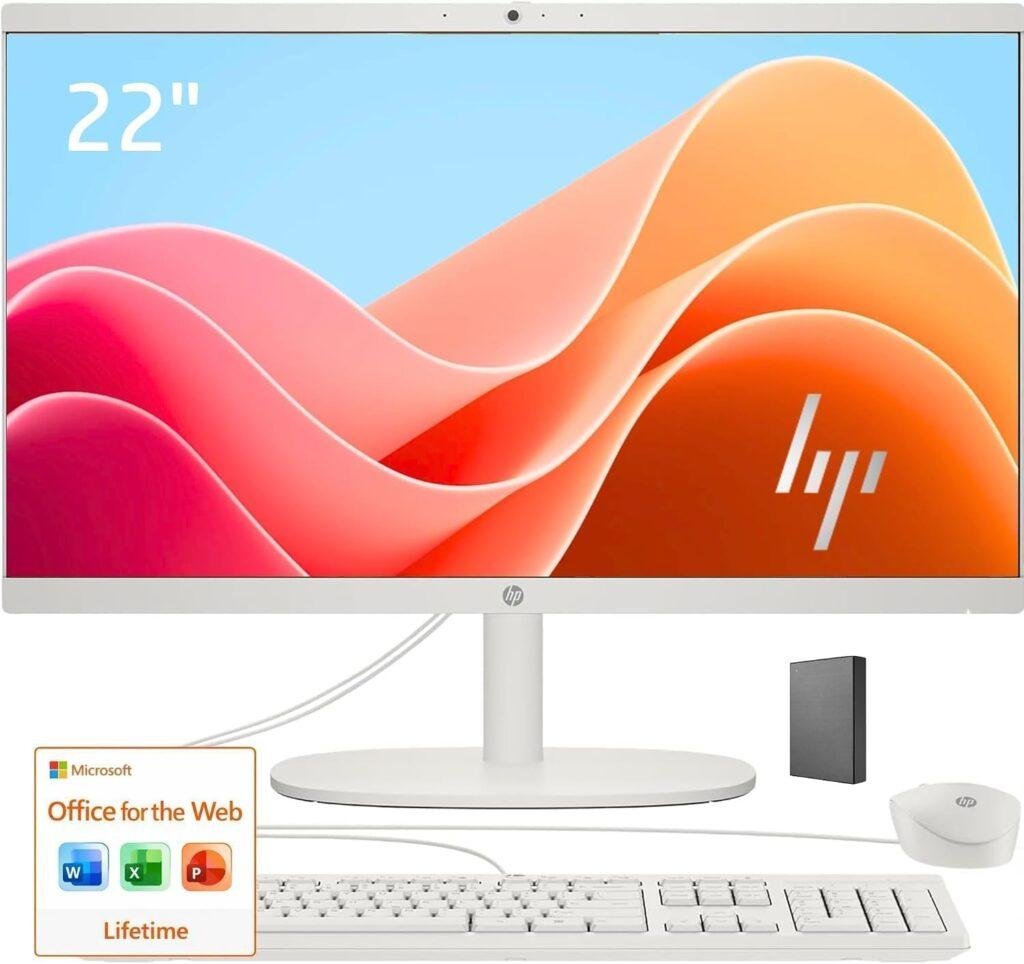
Key Details:
- Intel N100 quad-core processor with up to 3.4 GHz speed
- 16GB DDR5 RAM with Intel UHD Graphics
- 21.5-inch FHD anti-glare display
- 128GB internal UFS and 512GB external storage
- Wi-Fi 6, Bluetooth 5.3, USB-C, and HDMI
- Windows 11 Home with HD webcam and privacy shutter
The HP 22-inch All-in-One Desktop is a sensible choice if you need a simple computer for everyday home use. Its Intel N100 processor and 16GB DDR5 RAM handle basic tasks like web browsing, online classes, Microsoft Office applications, and video streaming without requiring expensive hardware.
What makes this HP all-in-one PC appealing is its compact 21.5-inch Full HD anti-glare display. You get a comfortable screen for everyday computing without occupying much desk space. The built-in HD webcam and privacy shutter are also useful for video calls and online meetings.
For storage, the HP 22-inch All-in-One Desktop includes 128GB of internal UFS storage and an additional 512GB external device. While this provides extra space for files, the limited internal capacity may become restrictive when installing larger applications or saving extensive data.
In our opinion, this compact all-in-one desktop computer is ideal for students, families, and casual home users. Wi-Fi 6, USB-C, and HDMI connectivity add everyday convenience, although the entry-level processor is better suited to lighter workloads.
Pros:
- Compact design for smaller home office desks
- 16GB DDR5 RAM supports everyday productivity
- Built-in webcam with a privacy shutter
- Modern connectivity with Wi-Fi 6 and USB-C
Cons:
- Only 128GB of internal system storage
- Entry-level processor limits heavier applications
4. Best AI-Powered Option: HP OmniStudio 27 inch All-in-One Desktop Next Gen AI PC
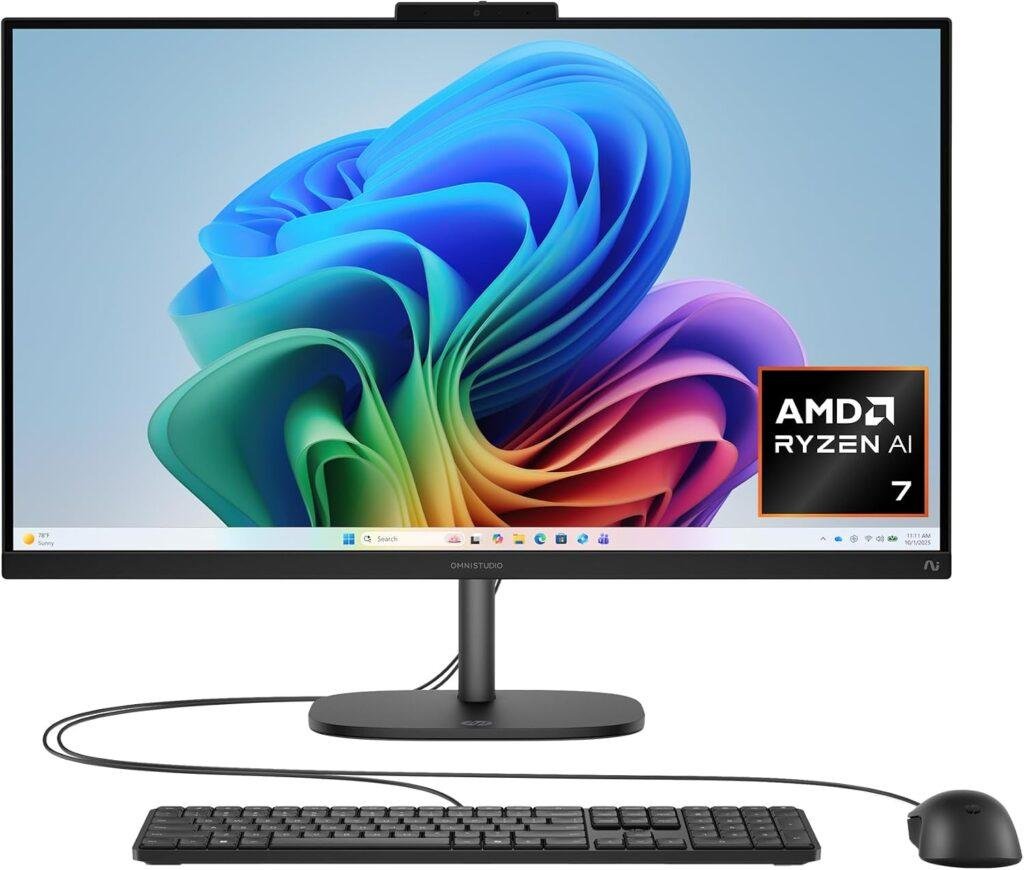
Key Details:
- AMD Ryzen AI 7 445 processor with up to 4.6 GHz speed
- Dedicated NPU for compatible AI-powered applications
- 16GB DDR5 RAM and 512GB PCIe NVMe SSD
- 27-inch FHD display with adjustable stand
- Integrated AMD Radeon 840M graphics
- Windows 11 Home with Copilot and FHD IR camera
If you’re interested in AI-assisted productivity, the HP OmniStudio 27-inch All-in-One Desktop is worth considering. Its AMD Ryzen AI 7 445 processor combines capable everyday performance with dedicated AI acceleration, making it suitable for office applications, multitasking, and compatible AI-powered tools.
What we like about this AI-powered all-in-one PC is its 16GB DDR5 RAM and fast 512GB NVMe SSD. This configuration should feel responsive when switching between spreadsheets, presentations, browser tabs, and video meetings. The Radeon 840M graphics also support multimedia and lighter creative tasks.
The HP OmniStudio 27-inch All-in-One Desktop features a spacious FHD display with an adjustable stand. You also get an FHD IR camera, HDR auto-switching, and AI noise reduction, which are particularly useful for remote work and frequent video conferences.
From our standpoint, this 27-inch all-in-one desktop computer is a capable option for professionals wanting modern AI features and a clutter-free workspace. However, a higher-resolution display would make it more appealing for detailed creative work at this price.
Pros:
- Modern Ryzen AI processor with dedicated AI acceleration
- 16GB DDR5 RAM and fast NVMe SSD
- Spacious 27-inch display with adjustable stand
- AI-enhanced camera and noise reduction features
Cons:
- FHD resolution is modest for a premium 27-inch PC
- Integrated graphics limit demanding rendering
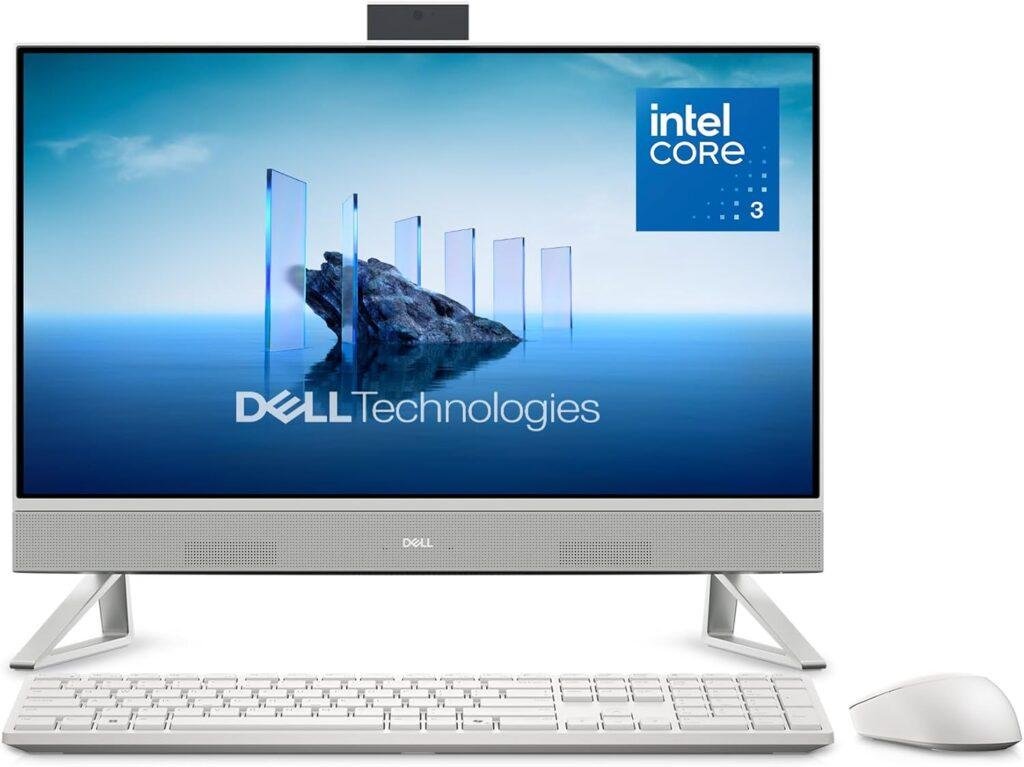
5. Best Compact Dell Option: Dell 23.8″ All-in-One Desktop FHD Intel Core 3 100U
Key Details:
- Intel Core 3 100U processor for everyday productivity
- 8GB RAM with integrated Intel Graphics
- 23.8-inch FHD IPS display with 99% sRGB color coverage
- Dell ComfortView Plus technology for eye comfort
- 5MP IR camera with HDR and adjustable tilt
- Windows 11 Home with Dolby Atmos audio support
The Dell 23.8-inch All-in-One Desktop is a practical choice if you want a compact computer for home office work or everyday productivity. Its Intel Core 3 100U processor and 8GB RAM can handle web browsing, document editing, emails, and basic business applications without requiring a bulky desktop tower.
What we like about this Dell all-in-one PC is its 23.8-inch FHD IPS display with 99% sRGB color coverage. You get sharp visuals for spreadsheets, presentations, and streaming, while ComfortView Plus helps reduce blue light exposure during longer working hours.
For remote workers, the Dell 23.8-inch All-in-One Desktop also offers a 5MP IR camera with HDR for clearer video calls. The adjustable camera angle and Dolby Atmos audio make online meetings more convenient. Its compact design also leaves more space for other desk accessories.
In our opinion, this Dell all-in-one desktop computer is suitable for students, small business owners, and home office users who prefer a simple setup. However, the 8GB RAM may feel restrictive when running several demanding applications simultaneously.
Pros:
- Compact 23.8-inch design saves desk space
- FHD IPS display with 99% sRGB color coverage
- 5MP IR camera for clearer video meetings
- ComfortView Plus and Dolby Atmos audio
Cons:
- 8GB RAM limits heavier multitasking
- Integrated graphics aren’t suited for demanding workloads
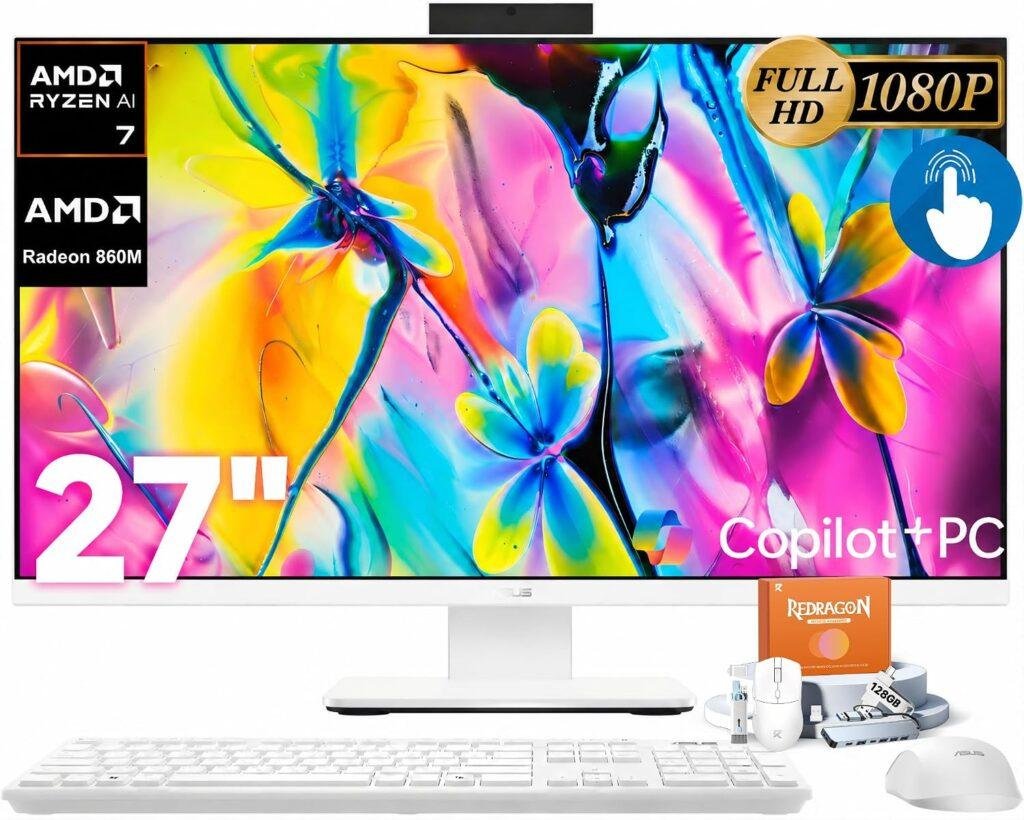
6. Best for Power Users: ASUS VM670 27″ All-in-One Desktop Computer
Key Details:
- AMD Ryzen AI 7 350 processor with 8 cores and 16 threads
- 32GB DDR5-5600 RAM and 1TB PCIe 4.0 NVMe SSD
- 27-inch FHD IPS touchscreen with 100% sRGB coverage
- AMD Radeon 860M graphics with 50-TOPS AI NPU
- Wi-Fi 6, Bluetooth 5.4, USB-C, HDMI-in and HDMI-out
- Windows 11 Pro with 1080p IR camera and AI noise cancellation
For professionals who need more processing power, the ASUS VM670 27-inch All-in-One Desktop offers an impressive configuration. Its AMD Ryzen AI 7 350 processor, 32GB DDR5 RAM, and 1TB SSD make it suitable for demanding multitasking, business applications, and creative productivity without needing a separate desktop tower.
What stands out is its 27-inch FHD touchscreen with 100% sRGB color coverage. This touchscreen all-in-one PC lets you navigate applications, presentations, and documents directly from the display. The integrated Radeon 860M graphics also provide additional capability for multimedia editing and lighter graphics-intensive tasks.
When working across multiple applications, the ASUS VM670 27-inch All-in-One Desktop has another advantage with its 32GB RAM and fast PCIe 4.0 SSD. You also get HDMI input and output, making it easier to connect external devices or another monitor. The 1080p IR camera and AI noise cancellation are useful for professional video meetings.
From our standpoint, this ASUS all-in-one desktop computer is a strong choice for power users, creative professionals, and business environments. The dedicated AI processor and Windows 11 Pro add further flexibility, although the FHD resolution feels somewhat limited for a premium 27-inch touchscreen.
Pros:
- Powerful Ryzen AI 7 processor with dedicated AI acceleration
- 32GB DDR5 RAM and spacious 1TB SSD
- Responsive touchscreen with 100% sRGB coverage
- Versatile connectivity with HDMI input and output
Cons:
- Premium pricing compared to basic all-in-one PCs
- FHD resolution could be sharper at 27 inches
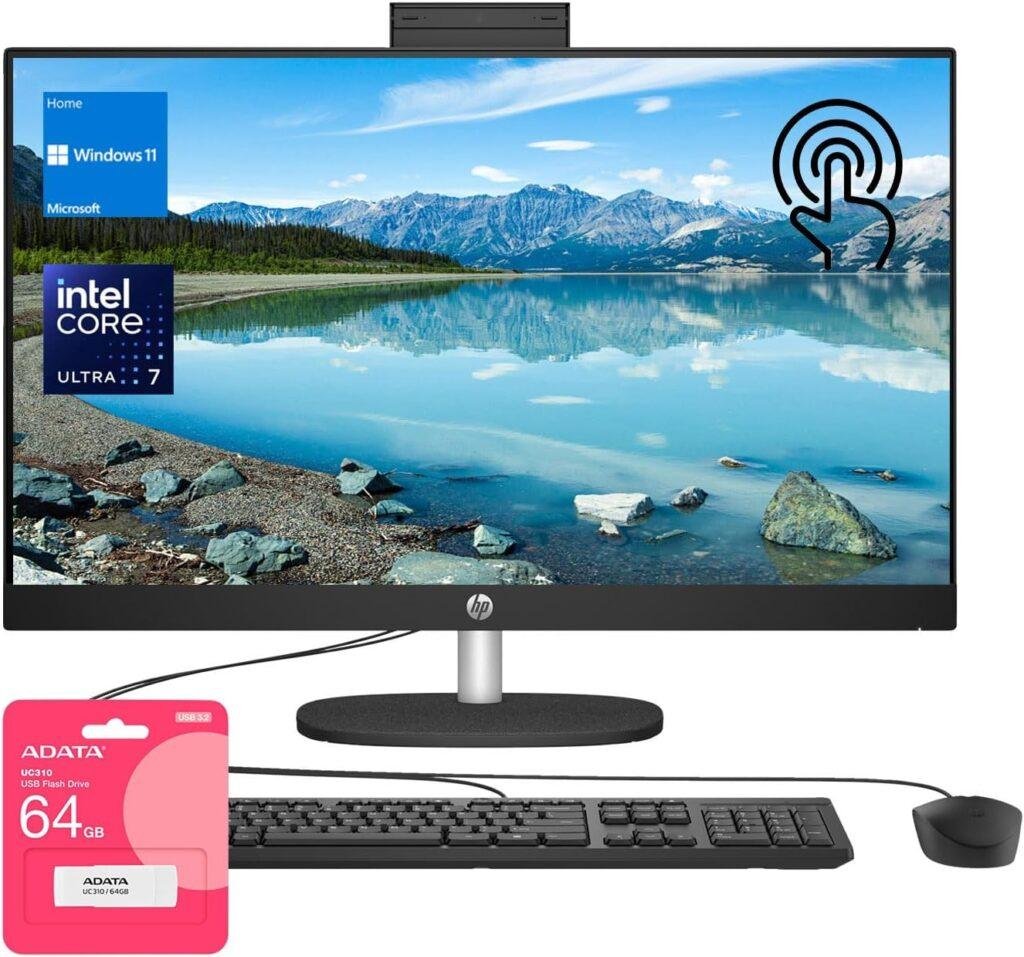
7. Best for Touchscreen Productivity: HP 27″ FHD Touchscreen Intel Ultra 7 AI All-in-One Desktop
Key Details:
- Intel Core Ultra 7 255U processor with 12 cores and 14 threads
- 16GB DDR5 RAM and 1TB PCIe NVMe SSD
- 27-inch FHD IPS touchscreen with 300-nit brightness
- Integrated Intel Graphics for everyday visual tasks
- Wi-Fi 6, Bluetooth 5.3, USB-C, HDMI, and Ethernet
- Windows 11 Home with IR camera and keyboard/mouse bundle
The HP 27-inch FHD Touchscreen All-in-One Desktop is worth considering if you prefer touch controls alongside traditional keyboard and mouse input. Its Intel Core Ultra 7 255U processor and 16GB DDR5 RAM provide capable performance for spreadsheets, presentations, video conferencing, and everyday office multitasking.
We particularly like the spacious 27-inch Full HD IPS touchscreen. This HP all-in-one PC makes navigating documents, scrolling through websites, and interacting with applications more intuitive. The anti-glare coating and 300-nit brightness also make the display practical for regular home office environments.
For storage and connectivity, the HP 27-inch FHD Touchscreen All-in-One Desktop includes a 1TB NVMe SSD, Wi-Fi 6, USB-C, and HDMI connectivity. You also get an IR camera for facial recognition, plus a wired keyboard and mouse. The additional 64GB flash drive is a convenient extra for transferring files.
In our opinion, this touchscreen all-in-one desktop computer is a good match for remote workers, office professionals, and users who enjoy a more interactive desktop experience. However, the integrated graphics and Full HD resolution may be less appealing for demanding design work or high-resolution content creation.
Pros:
- Capable Intel Core Ultra 7 processor
- Large 27-inch IPS touchscreen for easy navigation
- 16GB DDR5 RAM and generous 1TB SSD
- Good connectivity with useful bundled accessories
Cons:
- FHD display lacks the sharpness of QHD alternatives
- Integrated graphics limit intensive creative workloads
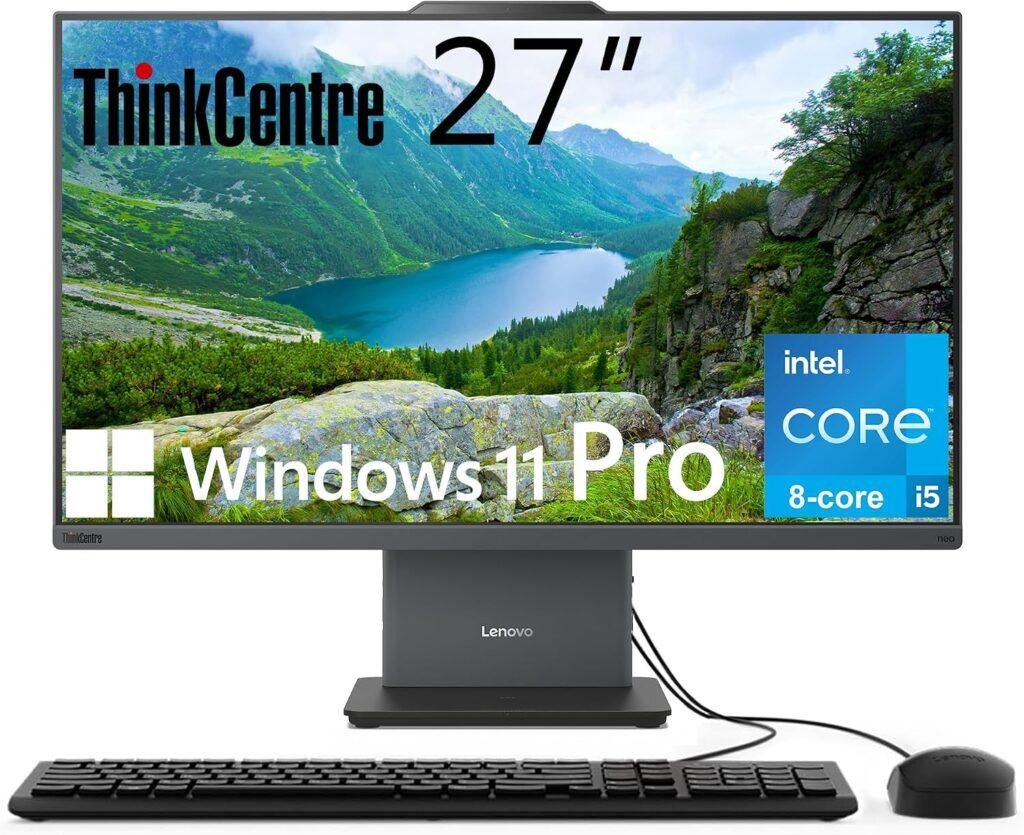
8. Best for Business Offices: Lenovo ThinkCentre All-in-One Desktop Computer 27″ FHD
Key Details:
- Intel Core i5-13420H processor with 8 cores and 12 threads
- 16GB DDR5 RAM and 512GB PCIe M.2 SSD
- 27-inch FHD IPS display with 100Hz refresh rate
- 99% sRGB color coverage and 300-nit brightness
- USB-C, HDMI input/output, Ethernet, and Wi-Fi 6
- Windows 11 Pro with wired keyboard and mouse
If you’re setting up a professional workspace, the Lenovo ThinkCentre 27-inch All-in-One Desktop offers a good balance of performance and business features. Its Intel Core i5-13420H processor and 16GB DDR5 RAM can handle Microsoft 365, accounting software, spreadsheets, web-based applications, and regular office multitasking.
One feature we like is its 27-inch FHD IPS display with a 100Hz refresh rate and 99% sRGB color coverage. This business all-in-one PC provides plenty of working space, while the anti-glare screen and low blue light technology make longer office sessions more comfortable.
The Lenovo ThinkCentre 27-inch All-in-One Desktop also includes a 512GB SSD for responsive file access and application loading. Its HDMI input and output are particularly useful, allowing more flexibility with external displays and compatible devices. Wi-Fi 6, Ethernet, and USB-C further improve connectivity in business environments.
From our perspective, this Lenovo all-in-one desktop computer is well-suited to small businesses, corporate offices, and remote professionals. Windows 11 Pro adds useful business management and security features. However, the non-touch FHD display may not appeal to users looking for interactive controls or higher-resolution visuals.
Pros:
- Capable Intel Core i5 processor for office multitasking
- Spacious 27-inch IPS display with 100Hz refresh rate
- Windows 11 Pro for business productivity
- Flexible connectivity with HDMI input and output
Cons:
- Non-touch display limits interactive controls
- FHD resolution is modest for a 27-inch screen
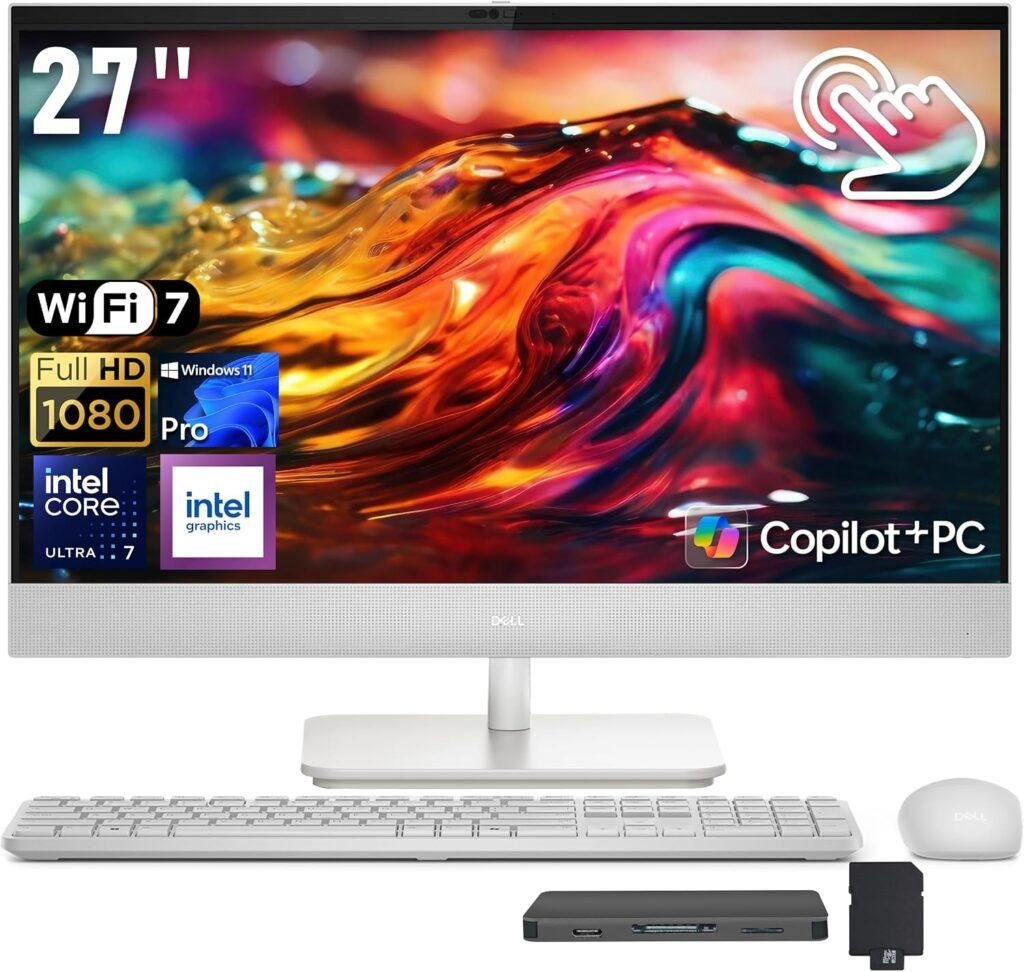
9. Best Premium Touchscreen: Dell 27″ FHD Touchscreen All-in-One Desktop Intel Core Ultra 7
Key Details:
- Intel Core Ultra 7 355 processor with up to 4.7 GHz speed
- 16GB DDR5 RAM and 1TB SSD with additional 1TB docking station storage
- 27-inch FHD IPS touchscreen with 99% sRGB color coverage
- 60–100Hz adaptive refresh rate with Intel integrated graphics
- Wi-Fi 7, USB-C, HDMI input/output, and Ethernet connectivity
- Windows 11 Pro with Copilot+ PC features and wireless accessories
If you’re looking for a premium all-in-one desktop with modern AI capabilities, the Dell 27-inch FHD Touchscreen All-in-One Desktop is worth considering. Its Intel Core Ultra 7 355 processor and 16GB DDR5 RAM provide a capable setup for business applications, office multitasking, and everyday productivity.
What we particularly like is its 27-inch FHD IPS touchscreen with 99% sRGB color coverage. This Dell all-in-one PC makes navigating spreadsheets, presentations, and creative applications more convenient. The adaptive 60–100Hz refresh rate also helps deliver smoother scrolling and screen transitions.
For storage, the Dell 27-inch FHD Touchscreen All-in-One Desktop includes a 1TB SSD alongside another 1TB through the bundled docking station. You also get Wi-Fi 7, HDMI input and output, and multiple USB ports. These features make connecting external monitors, peripherals, and additional storage much easier.
In our opinion, this premium all-in-one desktop computer is a good match for business professionals and users who value touchscreen controls and modern connectivity. Windows 11 Pro adds useful business features, although the Full HD resolution and relatively high price may give some buyers second thoughts.
Pros:
- Modern Core Ultra 7 processor for productivity
- Large 27-inch touchscreen with 99% sRGB coverage
- Generous storage with bundled docking station
- Wi-Fi 7 and versatile HDMI connectivity
Cons:
- Expensive compared to similarly equipped AIO desktops
- FHD resolution and 250-nit brightness are modest for the price
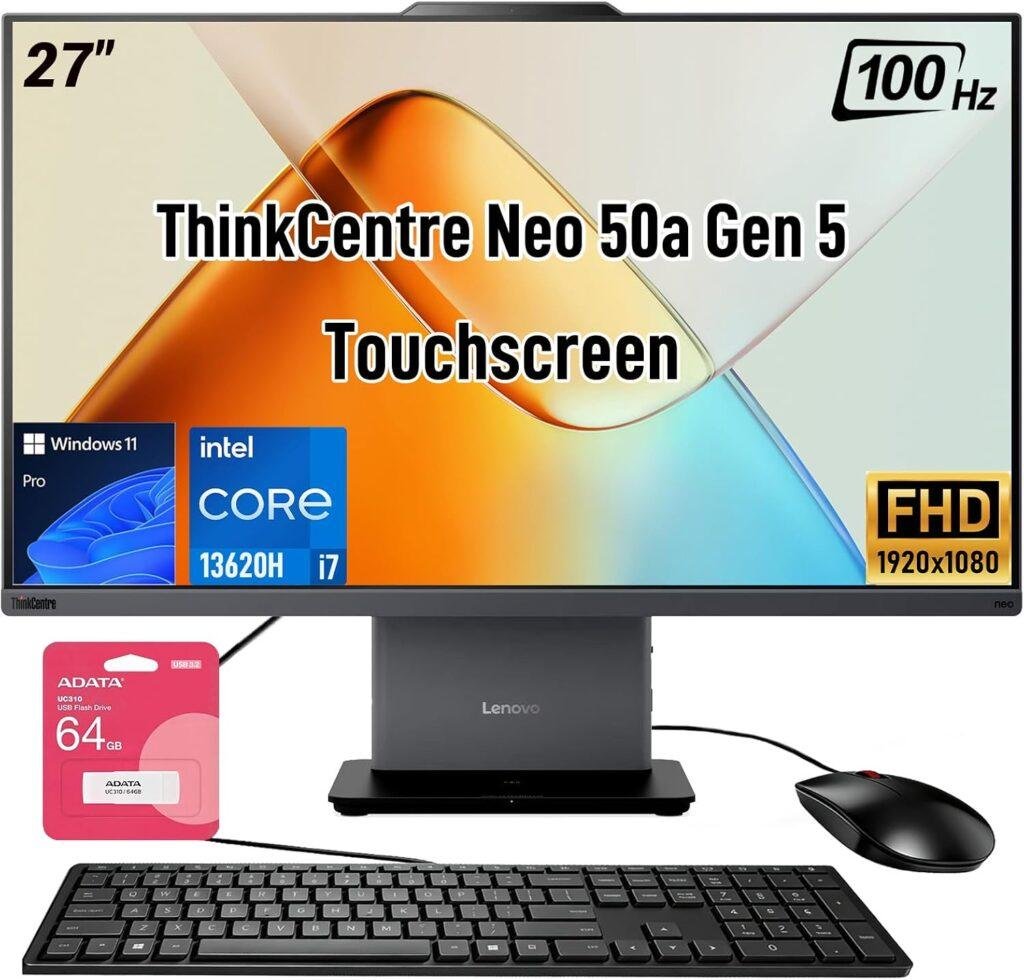
10. Best for Professional Collaboration: Lenovo ThinkCentre Intel Core i7-13620H
Key Details:
- Intel Core i7-13620H processor with 10 cores and 16 threads
- 16GB RAM and 512GB SSD storage
- 27-inch FHD IPS touchscreen with 100Hz refresh rate
- 99% sRGB color coverage and 300-nit brightness
- 5MP IR camera, AI noise suppression, and Dolby Audio
- Windows 11 Pro with ThinkShield security and Wi-Fi 6
The Lenovo ThinkCentre All-in-One Desktop is a practical option for professionals who spend much of their day working with business software and attending online meetings. Its Intel Core i7-13620H processor and 16GB RAM provide capable performance for office multitasking, spreadsheets, presentations, and other productivity applications.
One feature we like is the 27-inch FHD IPS touchscreen with a 100Hz refresh rate. This business all-in-one desktop offers plenty of screen space for working with multiple documents, while touch controls make navigating applications more convenient. The anti-glare coating also helps when working under bright office lighting.
When it comes to remote collaboration, the Lenovo ThinkCentre All-in-One Desktop has several useful features. Its 5MP IR camera, AI noise suppression, and Dolby Audio speakers make video meetings more convenient. You also get ThinkShield security, an electronic camera shutter, and Windows 11 Pro for additional business protection.
From our perspective, this Lenovo all-in-one PC makes sense for corporate offices, small businesses, and remote professionals. It combines capable processing power with useful communication and security features, although the integrated Intel UHD Graphics limit demanding design and rendering work.
Pros:
- Powerful Core i7 processor for business multitasking
- Spacious 27-inch touchscreen with 100Hz refresh rate
- 5MP IR camera and AI-enhanced meeting features
- Windows 11 Pro with business security features
Cons:
- Integrated graphics limit demanding creative applications
- FHD resolution could be sharper on a 27-inch display
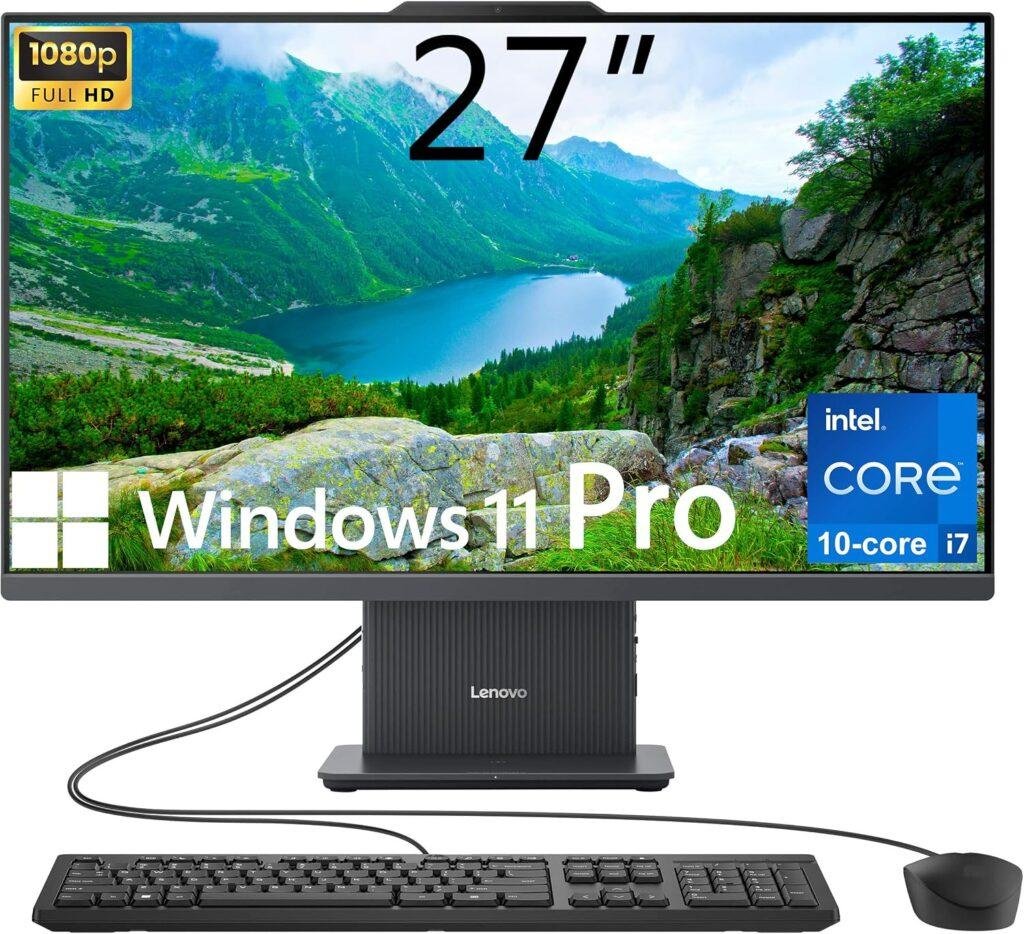
11. Best for Office Multitasking: Lenovo IdeaCentre 27″ All-in-One Desktop Computer
Key Details:
- Intel Core i7-13620H processor with 10 cores and 16 threads
- 16GB DDR5 RAM and 512GB PCIe M.2 SSD
- 27-inch FHD IPS display with 100Hz refresh rate
- 99% sRGB color coverage and 300-nit brightness
- Wi-Fi 6, USB connectivity, HDMI input/output, and Ethernet
- Windows 11 Pro with wired keyboard and mouse
For anyone who regularly works with multiple applications, the Lenovo IdeaCentre 27-inch All-in-One Desktop offers a capable setup. Its Intel Core i7-13620H processor and 16GB DDR5 RAM make it suitable for spreadsheets, accounting software, browser-based tools, and demanding office productivity tasks.
What stands out is the 27-inch FHD IPS display with a 100Hz refresh rate and 99% sRGB color coverage. This Lenovo all-in-one PC provides a comfortable workspace for documents, presentations, and video content. The anti-glare finish and low blue light features are also helpful during extended working sessions.
When switching between files and applications, the 512GB PCIe SSD should provide responsive storage performance. The Lenovo IdeaCentre 27-inch All-in-One Desktop also includes HDMI input and output, allowing connections to compatible external devices and another monitor. Wi-Fi 6 and Ethernet provide flexible networking options.
In our opinion, this all-in-one desktop computer is particularly suitable for remote workers, business professionals, and anyone needing reliable everyday multitasking. Windows 11 Pro adds useful business features, although the non-touch FHD display may feel basic compared to higher-resolution touchscreen alternatives.
Pros:
- Capable 10-core Intel i7 processor for multitasking
- 16GB DDR5 RAM and responsive SSD storage
- Large 27-inch IPS display with 100Hz refresh rate
- Windows 11 Pro and flexible HDMI connectivity
Cons:
- Non-touch display limits interactive navigation
- Integrated graphics aren’t ideal for demanding graphics work
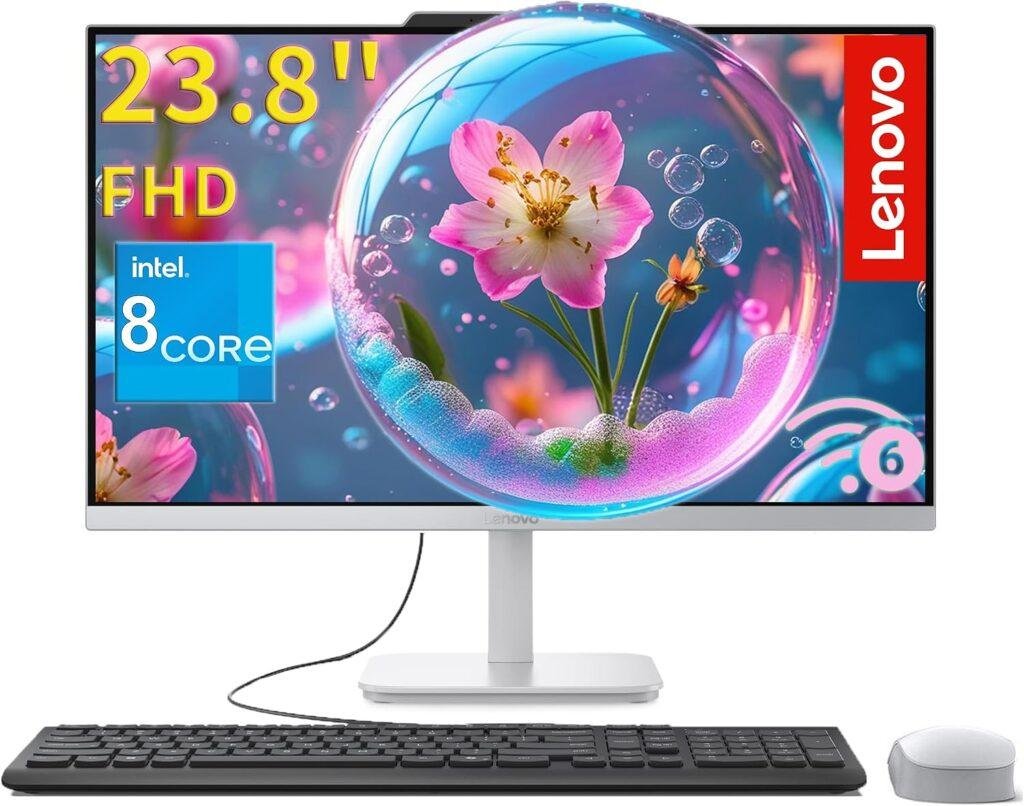
12. Best for Students: Lenovo IdeaCentre 24″ Business All-in-One Desktop 16GB
Key Details:
- Intel Core i3-N305 processor with 8 cores and up to 3.8 GHz speed
- 16GB DDR4 RAM and 512GB PCIe NVMe SSD
- 23.8-inch FHD IPS anti-glare display with 99% sRGB coverage
- Intel UHD Graphics for everyday computing
- Wi-Fi 6, Bluetooth 5.2, HDMI output, and Ethernet
- Windows 11 Home with HD webcam and keyboard/mouse bundle
The Lenovo IdeaCentre 24-inch Business All-in-One Desktop is a sensible choice for students and home users who need an affordable computer for everyday tasks. Its Intel Core i3-N305 processor and 16GB RAM can handle online classes, document editing, web browsing, and regular office applications without requiring expensive hardware.
We particularly like its 23.8-inch Full HD IPS display with 99% sRGB color coverage. This compact all-in-one desktop provides sharp visuals for studying, streaming, and everyday productivity. The anti-glare screen and adjustable tilt also make it comfortable for smaller study desks and home office setups.
For storage and connectivity, the Lenovo IdeaCentre 24-inch Business All-in-One Desktop includes a 512GB NVMe SSD, Wi-Fi 6, Bluetooth 5.2, and HDMI output. You also get a built-in HD webcam, dual speakers, and bundled keyboard and mouse, making it easier to set up a complete workstation.
From our standpoint, this Lenovo all-in-one PC offers good everyday value for students, families, and casual office users. Its compact design and practical features make it suitable for limited desk space, although the entry-level processor isn’t intended for intensive video editing or demanding professional applications.
Pros:
- Efficient 8-core processor for everyday computing
- Compact 23.8-inch IPS display with 99% sRGB
- 16GB RAM and spacious 512GB SSD
- Wi-Fi 6 and useful bundled accessories
Cons:
- Core i3-N305 is limited for heavier workloads
- Integrated graphics aren’t suited to demanding gaming
What Is an All-in-One Desktop Computer?
An all-in-one desktop computer is a space-saving PC that combines the monitor and computer components into one unit. Instead of having a separate tower, the processor, RAM, storage, and other essential hardware are built directly behind or inside the display.
This integrated design reduces cable clutter and makes setup easier. Most all-in-one PCs also include built-in speakers, webcams, and wireless connectivity. Unlike traditional tower desktops, however, they usually offer fewer hardware upgrade options and less flexibility for replacing individual components.
Who Should Buy an All-in-One Desktop Computer?
All-in-one desktop computers are ideal for anyone who wants reliable computing performance without a bulky setup. Whether you’re working from home, managing a business, or studying online, these desktops offer convenience while saving valuable desk space.
- Home Office Users and Remote Workers: Great for video meetings, spreadsheets, Microsoft 365, and everyday multitasking without extra cables.
- Small Businesses and Corporate Offices: Suitable for reception desks, administrative work, accounting software, and general business productivity.
- Students and Online Learners: Provide a complete computing setup for assignments, research, virtual classes, and educational applications.
- Families and Everyday Users: Convenient for web browsing, entertainment, online shopping, and regular household computing.
- Graphic Designers and Content Creators: Higher-performance models with accurate displays can handle photo editing, graphic design, and lighter creative projects.
- People With Limited Desk Space: Perfect for apartments, dorm rooms, compact offices, and anyone wanting a cleaner workspace.
How to Choose the Best All-in-One Desktop Computer
Choosing the best all-in-one desktop depends on how you plan to use it. Some models are built for basic home computing, while others offer faster processors, larger displays, and additional features for professional work. Here are the main things worth checking before buying.
Processor and Everyday Performance
The processor determines how efficiently an all-in-one PC handles applications and multitasking. Intel N-series and Core 3 processors are suitable for basic computing, while Intel Core 5, Core Ultra 7, and AMD Ryzen AI processors offer more performance for demanding workflows.
If you regularly use large spreadsheets, business applications, or creative software, consider a modern multi-core processor.
RAM and Multitasking Requirements
RAM affects how smoothly your desktop runs multiple applications simultaneously. While 8GB works for lighter tasks, 16GB RAM is a practical starting point for most home office and business users.
For heavier multitasking, creative applications, and larger workloads, an all-in-one desktop with 32GB RAM offers additional flexibility.
SSD Storage Capacity
An SSD helps your all-in-one computer start faster, open applications quickly, and access files more efficiently. A 256GB SSD can handle basic office needs, but 512GB is generally more practical for everyday users.
If you frequently store large documents, videos, photos, or creative projects, consider a 1TB SSD. Also, check whether advertised storage capacity includes external devices rather than internal storage.
Display Size and Resolution
Display quality matters because you cannot easily replace the built-in screen. A 23.8-inch or 24-inch Full HD display works well for smaller desks, while a 27-inch screen provides more physical viewing space.
For sharper text and detailed creative work, QHD or 4K resolution is preferable on larger screens. An IPS panel, anti-glare coating, and adjustable stand can also improve everyday comfort.
Integrated vs. Dedicated Graphics
Most all-in-one desktop computers use integrated Intel or AMD graphics. These are suitable for office applications, web browsing, video streaming, and basic photo editing.
However, dedicated graphics are preferable for demanding gaming, professional 3D rendering, and intensive video production. If graphics performance matters, check the exact GPU rather than relying only on the processor name.
Windows vs. macOS
Windows all-in-one PCs offer a wide selection of models, price ranges, touchscreen options, and business software compatibility. They’re often a practical choice for corporate offices and everyday home computing.
Apple’s iMac uses macOS, which may appeal to users already working with MacBooks, iPhones, and other Apple devices. Your preferred applications and operating system should guide the decision.
USB Ports, Connectivity, and Wireless Features
A good all-in-one desktop should offer enough connections for keyboards, external drives, printers, and additional displays. Look for USB-A, USB-C, HDMI, Ethernet, Wi-Fi 6 or newer, and Bluetooth.
If you plan to connect another monitor, check for HDMI output. HDMI input is a separate feature that allows certain all-in-one displays to accept video from external devices.
Webcam, Speakers, and Microphone Quality
For remote workers, built-in communication features can make everyday meetings easier. A Full HD or 5MP webcam generally offers more detail than a basic HD camera, although actual image quality varies.
Features like noise-canceling microphones, privacy shutters, IR facial recognition, and quality speakers are worth considering if you regularly use Zoom, Microsoft Teams, or Google Meet.
Upgradeability and Repair Options
Unlike traditional desktops, all-in-one PCs often have limited internal upgrade options. Some models allow RAM and SSD replacement, while others have soldered components or difficult-to-access hardware.
Before purchasing, check the manufacturer’s specifications and service documentation. This is particularly important if you plan to keep your desktop for several years.
Price and Long-Term Value
An expensive all-in-one desktop isn’t always the right option for everyone. If you mainly use Microsoft 365, browse websites, and attend video meetings, a mid-range model may provide everything you need.
However, spending more on sufficient RAM, a faster processor, quality display, and adequate storage can make sense for heavier workloads. Consider performance, repairability, and practical features rather than price alone.
All-in-One Desktop vs. Traditional Desktop PC
Both all-in-one desktops and traditional tower computers can handle everyday computing, but they offer different advantages. An all-in-one PC focuses on convenience and a cleaner setup, while a tower desktop generally provides greater flexibility for upgrades and high-performance hardware.
| Features | All-in-One Desktop | Traditional Tower Desktop |
| Performance | Good for everyday work and productivity | Wider range of high-performance configurations |
| Desk Space | Compact design with built-in display | Requires separate monitor and tower |
| Upgradability | Usually limited to certain components | Generally easier to upgrade |
| Display Flexibility | Built-in display with limited replacement options | Easy to change monitor size or resolution |
| Cable Management | Fewer cables and cleaner setup | More cables and separate components |
| Repairability | Often more complicated and model-dependent | Usually easier to access and replace parts |
| Overall Cost | Includes display and computer in one purchase | Cost depends on tower and monitor selection |
From our perspective, an all-in-one desktop is a practical choice for home offices, students, and everyday business use. However, if you prioritize gaming performance, hardware customization, or long-term upgrades, a traditional tower PC may offer better flexibility.
Advantages and Disadvantages of All-in-One Desktop Computers
All-in-one desktop computers are popular because they combine practical performance with a compact design. However, their integrated construction also creates some limitations worth considering before you buy.
Advantages
- Space-Saving Design: Combines the display and computer into one unit, reducing desk clutter.
- Easy Setup: Usually requires fewer cables and comes ready for everyday computing.
- Built-In Features: Most models include speakers, webcams, microphones, and wireless connectivity.
- Modern Appearance: Clean, minimal designs work well in home offices and professional environments.
- Convenient Productivity: Suitable for office applications, video meetings, web browsing, and general multitasking.
- Touchscreen Options: Some models offer touch controls for more interactive navigation.
Disadvantages
- Limited Upgradability: Processors, graphics, and certain internal components may not be replaceable.
- More Complicated Repairs: Replacing a failed display or internal component can be expensive.
- Restricted Graphics Performance: Most models rely on integrated graphics rather than dedicated GPUs.
- Display Limitations: You’re generally tied to the built-in screen unless you connect another monitor.
- Potentially Higher Replacement Costs: A major hardware or screen failure may make replacing the entire system more practical.
How We Selected and Evaluated These All-in-One Desktops
Selecting the right all-in-one desktop involves more than comparing processor names or screen sizes. For this guide, we evaluated the listed specifications of 12 models, focusing on practical computing needs, hardware configurations, and features that matter to everyday buyers.
Our assessment considered the following factors:
- Processor and Multitasking Performance: Compared CPU specifications, core counts, memory configurations, and expected suitability for everyday or demanding applications.
- Display Quality: Considered screen size, resolution, IPS technology, refresh rates, brightness, and stated color coverage.
- Office Productivity: Evaluated hardware suitability for Microsoft 365, Google Workspace, spreadsheets, accounting software, and web-based applications.
- Video Conferencing: Reviewed webcam resolution, microphone features, privacy controls, and available audio technologies.
- Build Quality and Ergonomics: Considered compact designs, adjustable stands, screen positioning, and desk space requirements.
- Connectivity: Compared USB ports, HDMI input/output, Wi-Fi, Bluetooth, and wired networking options.
- Upgradeability: Considered available RAM and storage configurations while recognizing model-specific upgrade limitations.
- Price-to-Performance Value: Compared listed prices against processor capabilities, display features, memory, storage, and practical use cases.
These recommendations are based on the supplied product specifications and feature comparisons. Independent hands-on benchmark results, measured noise levels, and physical durability tests were not available for these configurations. Therefore, performance assessments describe expected capabilities rather than verified laboratory results.
Can You Upgrade an All-in-One Desktop Computer?
Yes, some all-in-one desktop computers allow hardware upgrades, but the options depend on the specific model. RAM and SSD storage are the most commonly serviceable components, although some systems use soldered memory or have restricted internal access.
Unlike a traditional tower PC, replacing the processor or graphics hardware is often impractical or impossible. The built-in display and compact cooling design also make major modifications difficult.
If you’re planning to keep an all-in-one PC for several years, choose a configuration with enough RAM and storage from the beginning. Also, check the manufacturer’s service manual and upgrade policies before purchasing additional components.
How to Maintain an All-in-One Desktop Computer
A little regular maintenance can help your all-in-one desktop remain responsive and reliable over time. Since the hardware sits behind the display, keeping the system clean and properly ventilated is particularly important.
- Clean the Screen and Vents: Use a microfiber cloth for the display and carefully remove dust from accessible vents.
- Update the Operating System: Install Windows or macOS updates and appropriate drivers to improve security and stability.
- Maintain Free SSD Space: Avoid filling the system drive completely so applications and updates have room to operate.
- Keep Cooling Vents Clear: Leave enough space around the computer for proper airflow and heat dissipation.
- Check Peripheral Connections: Inspect USB devices, Bluetooth accessories, Wi-Fi connectivity, and external displays periodically.
- Back Up Important Files: Use cloud storage or an external drive to protect business documents, personal files, and other important data.
Final Words
Choosing the best all-in-one desktop comes down to finding the right balance between performance, screen size, connectivity, and price. Whether you’re setting up a home office or replacing an older PC, the right configuration can make everyday computing much more convenient.
For overall productivity, the Dell 27″ All-in-One Desktop FHD Intel Core 5 120U is a well-rounded choice. Its spacious display, capable processor, and useful video conferencing features make it suitable for both home and office environments.
If you need more processing power and advanced features, the ASUS VM670 27″ All-in-One Desktop Computer is worth considering. With Ryzen AI 7 processing, 32GB DDR5 RAM, a 1TB SSD, and touchscreen functionality, it’s better suited to demanding multitasking and professional productivity.
For a more affordable option, the Lenovo IdeaCentre 24“ FHD All-in-One 16GB RAM offers a practical setup for students, families, and casual office users. Its Intel N100 processor and 16GB RAM are suitable for regular computing without requiring a premium budget.
Ultimately, the right all-in-one desktop computer should match your actual workload. Consider how much processing power, RAM, storage, and screen space you need, then choose a model that fits your workspace and long-term budget.
Related FAQs
Are All-in-One Desktop Computers Worth Buying?
Yes, all-in-one desktop computers are worth buying if you want a compact, convenient setup for home or office work. They combine the monitor and PC into one unit, although upgrade options are generally more limited than traditional towers.
Which Is Better, an All-in-One PC or a Desktop?
An all-in-one PC is better for saving desk space and reducing cable clutter. A traditional tower desktop is usually better for hardware upgrades, demanding gaming, and greater customization flexibility.
How Long Do All-in-One Desktop Computers Last?
A quality all-in-one desktop computer can typically remain useful for around 4–6 years or longer, depending on its hardware, workload, and maintenance. Models with sufficient RAM and SSD storage may stay practical for longer.
Are All-in-One Computers Good for Working From Home?
Yes, all-in-one computers are well-suited to remote work, video meetings, spreadsheets, and office applications. A model with 16GB RAM, SSD storage, and a quality webcam is a practical starting point for most home office users.
Is 16GB RAM Enough for an All-in-One Desktop?
Yes, 16GB RAM is enough for most everyday computing, office applications, web browsing, and moderate multitasking. However, 32GB may be more suitable for demanding creative software, large datasets, and intensive multitasking.
Can You Use an All-in-One Computer as a Monitor?
Some all-in-one computers can function as external monitors if they include an HDMI input or another supported video input feature. However, many models only have HDMI output, so compatibility should be checked before purchasing.
Are All-in-One Desktop Computers Good for Gaming?
Most all-in-one desktops are suitable for casual games and some lighter titles, depending on their graphics hardware. However, demanding modern games generally perform better on desktops with dedicated graphics cards and stronger cooling systems.
What Is the Best Screen Size for an All-in-One PC?
A 24-inch all-in-one desktop is practical for compact desks and everyday productivity. A 27-inch display offers more physical screen space for multitasking, while QHD or 4K resolution provides sharper visuals for detailed work.

Justin has spent years learning how blogs, websites, hosting, and online income work in the real world. Along with blogging and SEO, he also covers desktops, laptops, PC parts, and everyday tech, sharing easy-to-understand advice for readers who want to build better websites and choose better tools.