If you are looking for the best gaming PC under $1000, you don’t have to spend a fortune to enjoy smooth gameplay. Whether you’re into competitive esports or AAA games, the right processor and graphics card can make a big difference.
The YAWYORE Gaming PC Desktop Computer AMD R5 5600GT is a practical choice for casual gaming, while the STGAubron Gaming PC Desktop Core i7 RX 580 8G offers affordable dedicated graphics. The GMKtec M6 Ultra suits compact setups, the WIWB Gaming PC Desktop brings NVIDIA gaming features, and the STGAubron Gaming PC Desktop Core I7-8700 RTX 3060 is better suited to demanding AAA titles.
After comparing the top gaming PCs under $1000, we’ve narrowed down 12 options for different gaming needs and budgets. In this guide, we’ll cover gaming performance, key specifications, strengths, drawbacks, and buying considerations to help you choose a desktop worth your money.
We’re reader-supported. When you buy through links on our site, we may earn an affiliate commission. As an Amazon Associate, we earn from qualifying purchases at no extra cost to you.
Best Gaming PC Under $1000: Our Top Picks
- Best Overall: YAWYORE Gaming PC Desktop Computer AMD R5 5600GT
- Best Value for Dedicated Graphics: STGAubron Gaming PC Desktop Core i7 RX 580 8G
- Best Compact Gaming PC: GMKtec M6 Ultra Gaming Mini PC Ryzen 7640HS
- Best for Gaming and Multitasking: Olialia Gaming PC, Ryzen 5 5600GT
- Best for 1080p Gaming: STGAubron Gaming PC Desktop Core I7 RX 590 8G
- Best Mini PC for Light Gaming: BOSGAME P6 Ryzen 9 6900HX Mini PC
- Best NVIDIA RTX Gaming PC: WIWB Gaming PC Desktop Computer GeForce RTX 3050
- Best for AAA Gaming: STGAubron Gaming PC Desktop Core I7-8700 RTX 3060
- Best for Cooling and Airflow: Skytech Gaming PC Desktop Ryzen 5 5500 RTX 3050
- Best Entry-Level Gaming PC: LXZ Gaming PC Desktop Ryzen 5 4500
- Best White Gaming PC: suevery Ryzen7 Prebuilt Gaming PC Bundle
- Best for Classic 1080p Gaming: Volt X3 V1.2 Gaming PC Desktop Computer
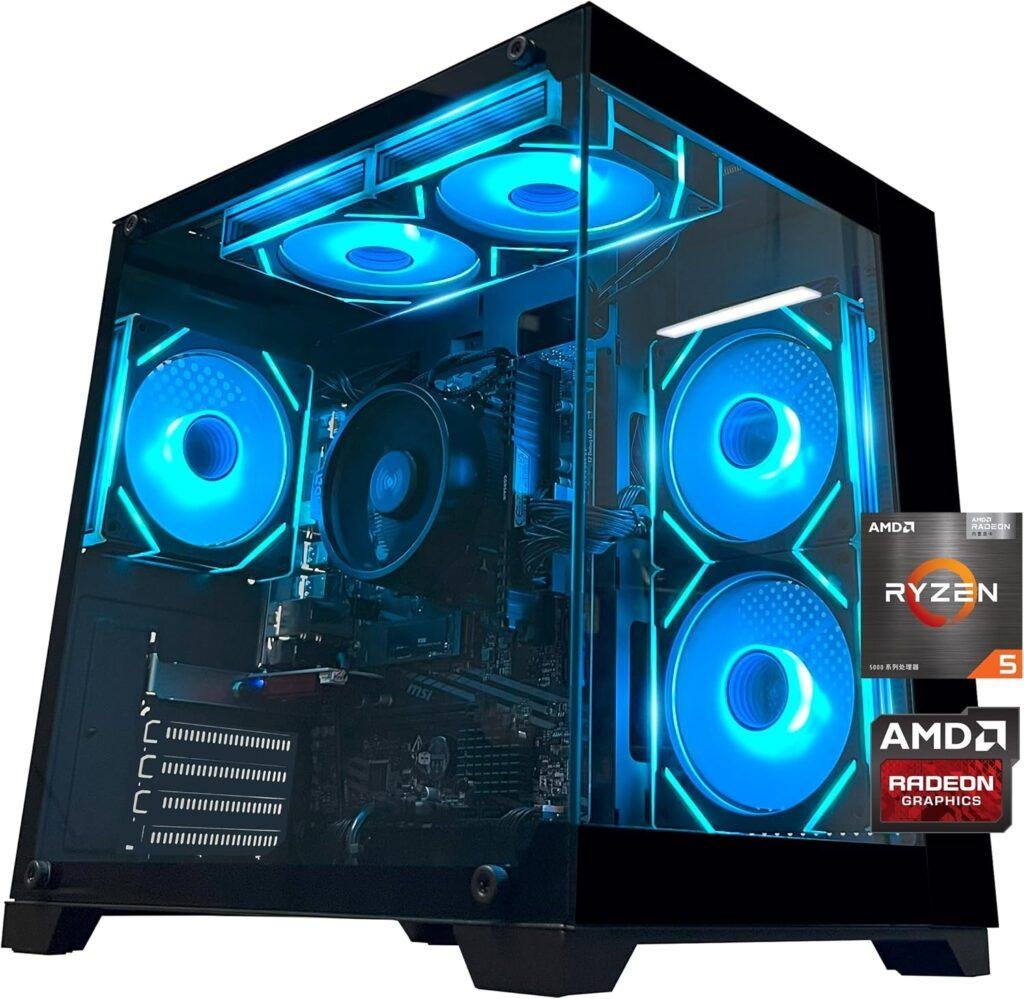
1. Best Overall: YAWYORE Gaming PC Desktop Computer AMD R5 5600GT
Key Details:
- AMD Ryzen 5 5600GT processor with 6 cores and 12 threads, up to 4.6GHz
- Integrated AMD Radeon Vega Graphics for casual gaming
- 16GB DDR4 3200MHz RAM and 1TB M.2 NVMe SSD
- MSI A520M-A PRO motherboard for future upgrades
- 550W 80 PLUS Bronze power supply
- Five 120mm ARGB cooling fans and Windows 11 Home
If you’re looking for an affordable gaming PC under $1000, the YAWYORE Gaming PC Desktop Computer is worth considering. Its Ryzen 5 5600GT processor handles everyday computing, multitasking, and lighter PC games without needing a separate graphics card. With six cores and twelve threads, there’s enough processing power for most casual users.
What we like about this gaming desktop is its balanced memory and storage setup. The 16GB DDR4 RAM keeps background applications responsive, while the 1TB NVMe SSD provides plenty of room for games and files. However, integrated Radeon Vega graphics are better suited to esports and less demanding 1080p games than modern AAA titles.
Cooling is another area where the YAWYORE Gaming PC Desktop Computer looks promising. Five ARGB fans help move air through the case, while the 550W Bronze-rated power supply supports the current configuration. The MSI motherboard also provides some upgrade flexibility, although compatibility matters when adding new components.
In our opinion, this prebuilt gaming PC makes sense for beginners who want a gaming-capable desktop for school, entertainment, and casual play. You get useful storage, colorful lighting, and a capable Ryzen processor at a reasonable price. Just don’t expect high-end graphics performance without upgrading the GPU.
Pros:
- Six-core Ryzen processor handles everyday gaming and multitasking
- 16GB RAM and 1TB SSD offer practical everyday performance
- Five ARGB fans provide plenty of case ventilation
- Standard tower design allows potential hardware upgrades
Cons:
- Integrated graphics limit demanding AAA gaming
- Dedicated GPU upgrade needed for better gaming performance
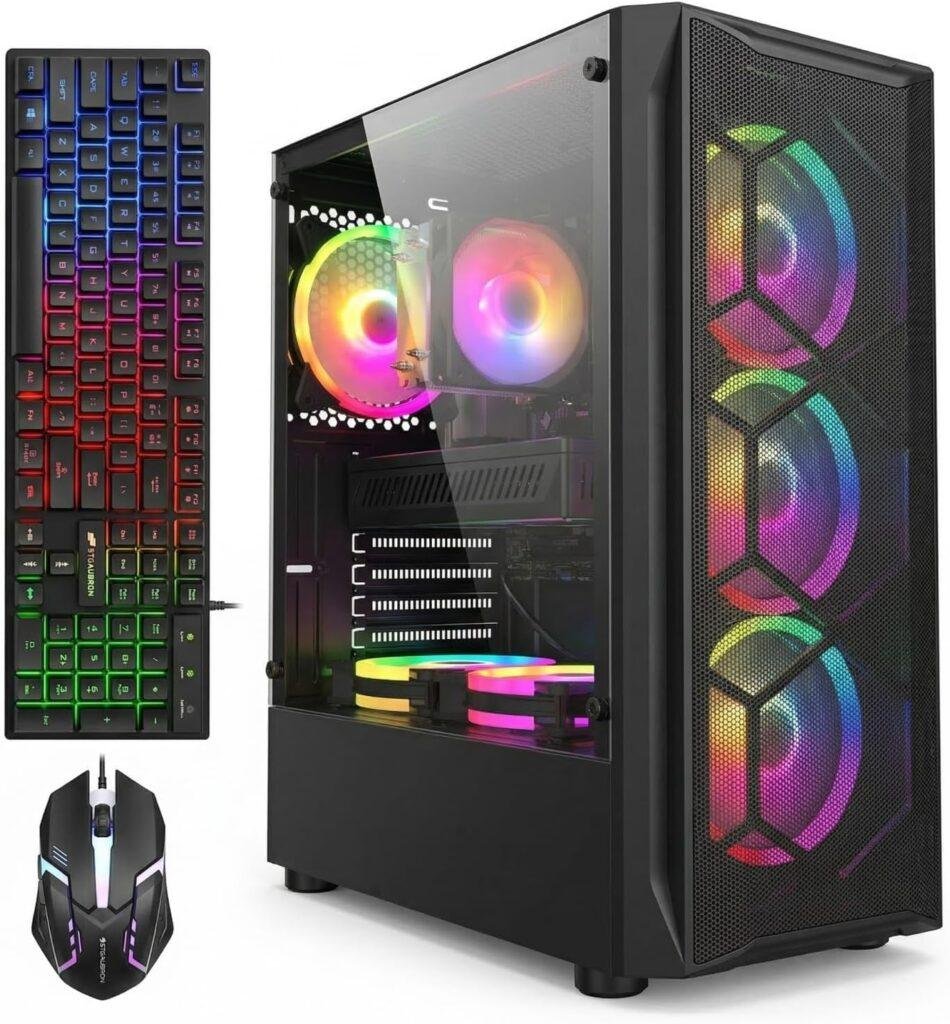
2. Best Value for Dedicated Graphics: STGAubron Gaming PC Desktop Core i7 RX 580 8G
Key Details:
- Intel Core i7 processor running at 3.4GHz, up to 3.9GHz
- AMD Radeon RX 580 graphics card with 8GB GDDR5 VRAM
- 16GB RAM and 1TB SSD for gaming and multitasking
- Six RGB cooling fans with a gaming-style tower design
- Wi-Fi 6, Bluetooth 5.0, Ethernet, HDMI, and DisplayPort
- Windows 11 Home with RGB keyboard and mouse included
The STGAubron Gaming PC Desktop with RX 580 is a reasonable choice if you want dedicated graphics without spending your entire budget. Unlike desktops relying on integrated graphics, this one includes an AMD Radeon RX 580 with 8GB video memory. That’s useful for playing older AAA games and popular esports titles at 1080p.
When it comes to performance, the Intel Core i7 processor and 16GB RAM provide a workable combination for gaming, browsing, and everyday tasks. The 1TB SSD is also a welcome addition for storing games. However, the exact Core i7 generation isn’t specified, which makes its overall CPU performance harder to judge.
We also like the practical extras included with the STGAubron Gaming PC Desktop. Six RGB fans give the tower a traditional gaming appearance, while Wi-Fi 6 and Bluetooth 5.0 simplify wireless connections. You also get a gaming keyboard and mouse, so there’s less to purchase separately when setting up your desktop.
From our perspective, this budget gaming PC is most appealing for casual gamers who enjoy competitive esports, action-adventure games, and older AAA titles. The RX 580 is an older graphics card, so demanding modern games will require compromises in visual settings. Still, it’s a practical option if dedicated graphics matter more than newer hardware.
Pros:
- Dedicated Radeon RX 580 with 8GB graphics memory
- Suitable for older AAA games and competitive esports
- 1TB SSD provides generous game storage
- Includes RGB keyboard, mouse, and wireless connectivity
Cons:
- Older graphics card struggles with demanding modern titles
- Intel Core i7 generation isn’t clearly identified
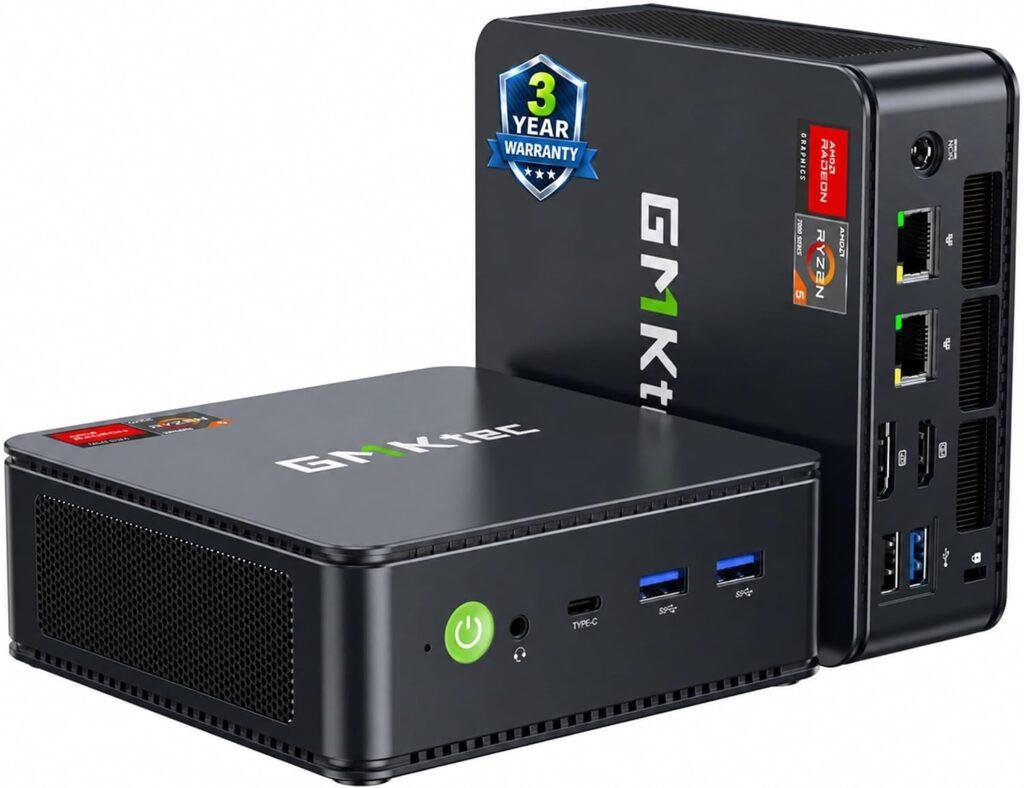
3. Best Compact Gaming PC: GMKtec M6 Ultra Gaming Mini PC Ryzen 7640HS
Key Details:
- AMD Ryzen 5 7640HS processor with 6 cores and 12 threads, up to 5.0GHz
- AMD Radeon 760M integrated graphics
- 32GB DDR5 dual-channel RAM, expandable up to 128GB
- 1TB M.2 NVMe SSD with additional storage expansion
- Triple-display support through USB4, HDMI, and DisplayPort
- Wi-Fi 6, Bluetooth 5.2, dual 2.5Gb Ethernet, and Windows 11 Pro
Not every gaming setup needs a large desktop tower. The GMKtec M6 Ultra Gaming Mini PC offers a compact alternative with surprisingly capable hardware. Its Ryzen 5 7640HS processor reaches 5.0GHz and handles multitasking, everyday productivity, and casual gaming comfortably. You also get Radeon 760M integrated graphics for lighter PC games.
One thing we particularly like is the combination of 32GB DDR5 RAM and a 1TB SSD. That’s a generous configuration for a mini gaming computer at this price. When running multiple browser tabs, productivity software, and lighter games, the additional memory helps keep the system responsive without constantly closing background applications.
The GMKtec M6 Ultra Gaming Mini PC also stands out for connectivity. It supports three monitors through USB4, HDMI, and DisplayPort, making it useful for gaming and work. Dual 2.5Gb Ethernet ports provide fast wired networking, while Wi-Fi 6 and Bluetooth 5.2 make connecting wireless peripherals straightforward.
If you’re building a small gaming desk or need a computer for both gaming and productivity, this model is an interesting option. In our opinion, its compact size, modern processor, and generous RAM are its biggest strengths. Just keep in mind that demanding AAA games won’t perform like they would on a desktop with dedicated graphics.
Pros:
- Space-saving mini PC design fits smaller gaming desks
- Ryzen 5 processor handles gaming and productivity tasks
- 32GB DDR5 RAM and expandable storage support multitasking
- Excellent connectivity with USB4 and dual 2.5Gb Ethernet
Cons:
- Integrated Radeon graphics limit demanding AAA gaming
- Limited graphics upgrade options compared with tower PCs
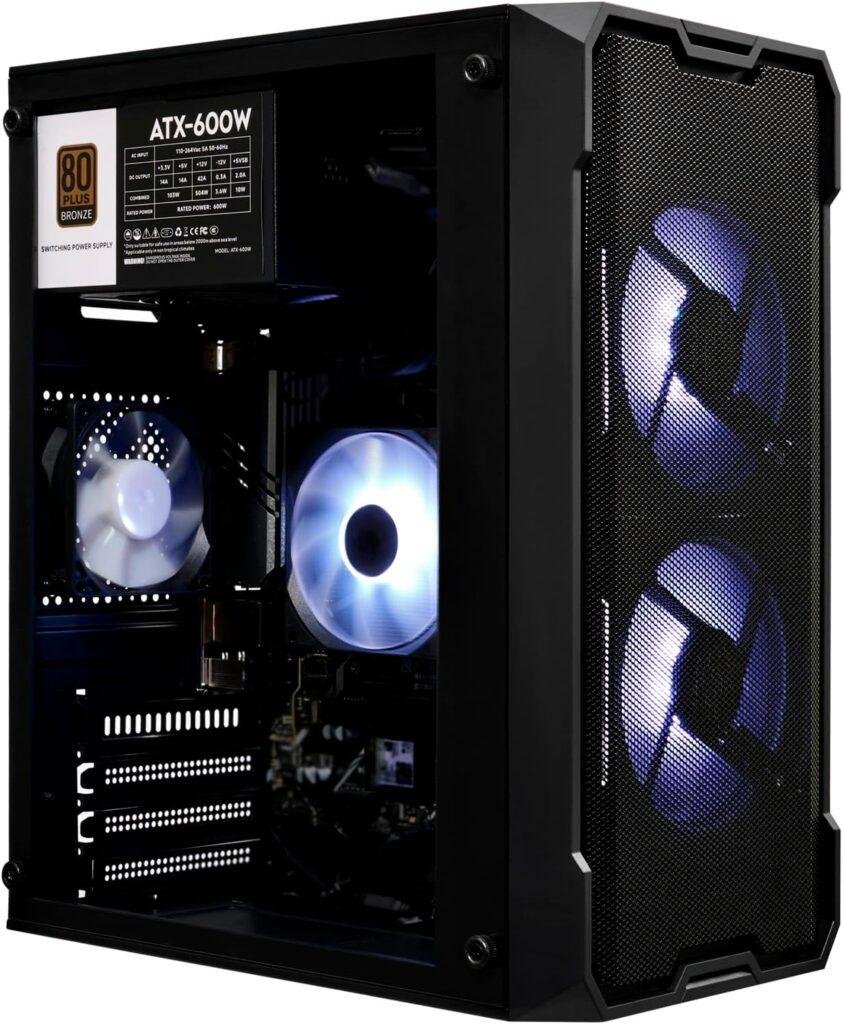
4. Best for Gaming and Multitasking: Olialia Gaming PC Ryzen 5 5600GT
Key Details:
- AMD Ryzen 5 5600GT six-core processor with integrated graphics
- 32GB DDR4 RAM for multitasking and everyday computing
- 1TB SSD for operating system, applications, and games
- AMD B350 motherboard platform with 600W ATX power supply
- ARGB cooling fans with black gaming tower design
- Wi-Fi 6, Bluetooth, Ethernet, HDMI, VGA, and Windows 11 Home
The Olialia Gaming PC Ryzen 5 5600GT is worth considering if you need a desktop for more than gaming alone. Its six-core Ryzen processor handles everyday productivity, web browsing, streaming, and lighter gaming tasks. While it doesn’t include a dedicated graphics card, the integrated Radeon graphics can handle less demanding games with suitable settings.
What stands out most is the 32GB DDR4 RAM. That’s quite generous for an affordable gaming desktop, especially if you regularly switch between applications. Combined with the 1TB SSD, there’s enough memory and storage for everyday workloads, multiple browser windows, and a collection of games without feeling overly restricted.
We also like the upgrade potential of the Olialia Gaming PC Ryzen 5 5600GT. Its standard tower design, B350 motherboard platform, and 600W power supply provide a starting point for future improvements. The ARGB fans add some gaming character, while Wi-Fi 6, Bluetooth, and Ethernet offer flexible connectivity for home use.
From a gaming standpoint, though, its integrated graphics remain the biggest compromise. When playing modern demanding titles, lower graphics settings may be necessary, and some games will remain beyond its comfortable performance range. In our opinion, this gaming desktop is better suited to users who prioritize multitasking and plan to add a dedicated GPU later.
Pros:
- 32GB RAM provides generous memory for multitasking
- Six-core Ryzen processor handles everyday computing smoothly
- 1TB SSD offers useful storage for games and applications
- Tower configuration provides potential hardware upgrade options
Cons:
- Integrated graphics limit modern AAA gaming performance
- Relatively expensive without a dedicated graphics card
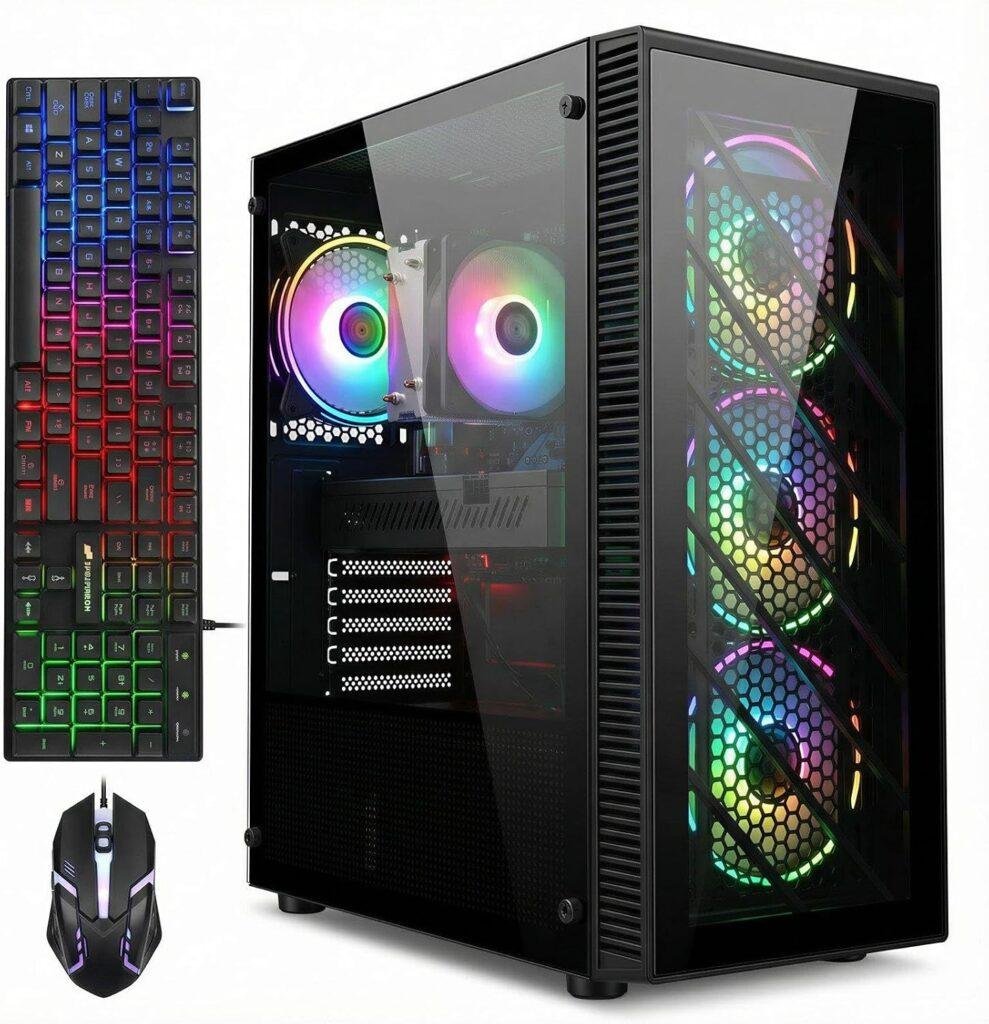
5. Best for 1080p Gaming: STGAubron Gaming PC Desktop Core I7 RX 590 8G
Key Details:
- Intel Core i7 processor running at 3.4GHz, up to 3.9GHz
- AMD Radeon RX 590 graphics card with 8GB GDDR5 VRAM
- 32GB RAM for gaming, streaming, and multitasking
- 1TB SSD for fast game loading and file storage
- Four RGB cooling fans with gaming-style tower design
- Wi-Fi 6, Bluetooth 5.0, Windows 11 Home, and gaming accessories
The STGAubron Gaming PC Desktop with RX 590 is a practical option if you enjoy playing popular games at 1080p without spending too much. Its Radeon RX 590 graphics card includes 8GB dedicated video memory, making it suitable for older AAA games, competitive esports, and less demanding multiplayer titles.
What we like most is the generous 32GB RAM paired with a 1TB SSD. You can comfortably switch between gaming, browsing, and everyday applications without worrying too much about memory limitations. The Intel Core i7 processor also handles general multitasking, although its unspecified generation makes performance harder to evaluate.
When it comes to connectivity, the STGAubron Gaming PC Desktop offers Wi-Fi 6, Bluetooth 5.0, and standard display connections. Four RGB fans give the tower a familiar gaming appearance, while the included keyboard and mouse help simplify the initial setup.
In our opinion, this prebuilt gaming PC makes sense for casual gamers who prefer dedicated graphics and plenty of memory. However, the RX 590 is an older GPU, so newer demanding games may require lower settings to maintain playable frame rates.
Pros:
- Radeon RX 590 with 8GB VRAM supports older 1080p games
- 32GB RAM provides excellent multitasking capacity
- 1TB SSD offers generous storage for games
- Includes Wi-Fi 6, Bluetooth, keyboard, and mouse
Cons:
- Older graphics card limits modern AAA gaming performance
- Exact Intel Core i7 generation isn’t specified
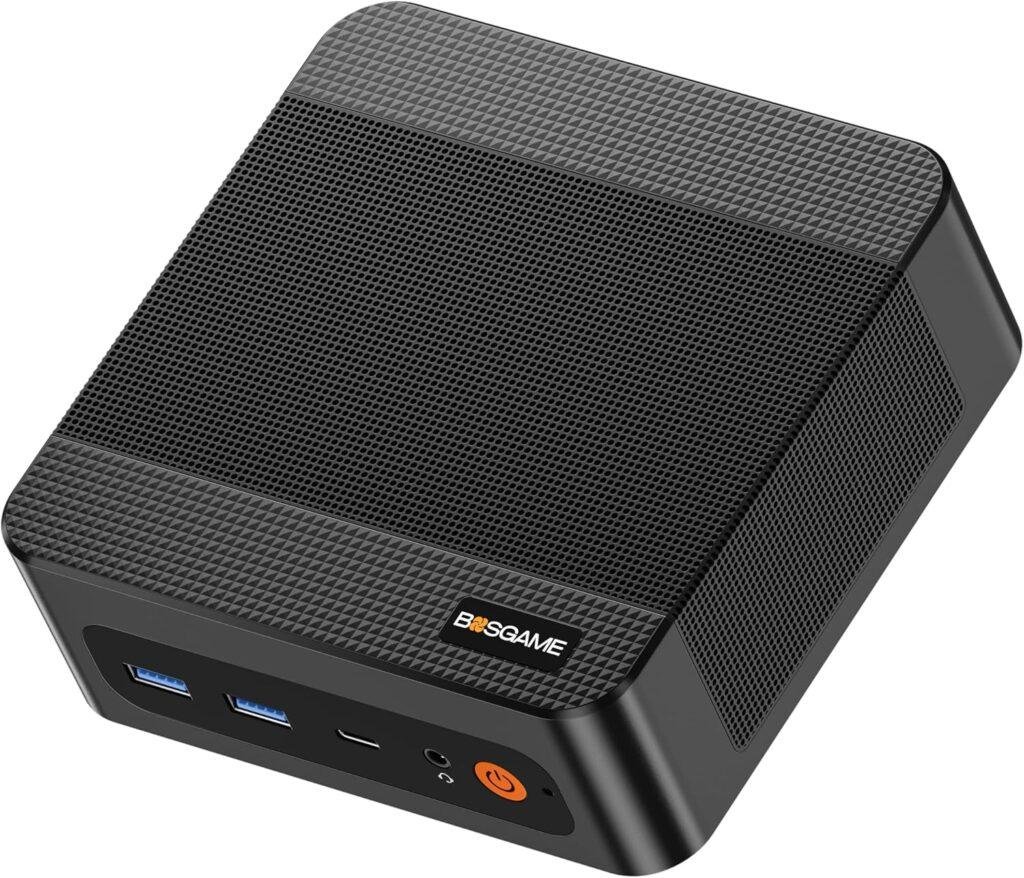
6. Best Mini PC for Light Gaming: BOSGAME P6 Ryzen 9 6900HX Mini PC
Key Details:
- AMD Ryzen 9 6900HX processor with 8 cores and 16 threads, up to 4.9GHz
- Integrated AMD Radeon 680M graphics for light gaming
- 24GB 4800MT/s memory and 1TB PCIe 4.0 NVMe SSD
- Triple 4K monitor support through HDMI, DisplayPort, and USB-C
- Wi-Fi 6E, Bluetooth 5.3 support, and dual Gigabit Ethernet
- Compact cooling system and Windows 11 Pro preinstalled
If you’re looking for a compact gaming PC under $1000, the BOSGAME P6 Ryzen 9 6900HX Mini PC deserves attention. Its eight-core Ryzen 9 processor delivers plenty of computing power for multitasking, productivity, and casual gaming. The integrated Radeon 680M graphics also handle lighter esports titles and older games with suitable graphics settings.
One thing we particularly like is the combination of 24GB memory and a 1TB PCIe 4.0 SSD. You will find this configuration useful when switching between games, browser tabs, and productivity applications. The fast SSD also helps with system responsiveness and loading times, making this mini desktop practical for everyday use.
The BOSGAME P6 Ryzen 9 6900HX Mini PC also offers impressive connectivity for its size. It supports three 4K monitors and includes Wi-Fi 6E, Bluetooth, USB-C, and dual Ethernet ports. Its compact cooling design is intended to keep noise manageable, although actual fan noise depends on workload and operating conditions.
From our perspective, this mini gaming computer is especially useful for small desks, dorm rooms, and mixed gaming-work setups. The Ryzen 9 processor is capable, but its integrated GPU isn’t designed for high-settings AAA gaming. It’s a better match for lighter games, emulation, and multitasking.
Pros:
- Eight-core Ryzen 9 processor provides strong multitasking performance
- Radeon 680M graphics handle casual and lighter games
- Compact design saves valuable desk space
- 24GB memory, 1TB SSD, and triple-monitor support
Cons:
- Integrated graphics limit demanding gaming performance
- Limited internal graphics upgrade options
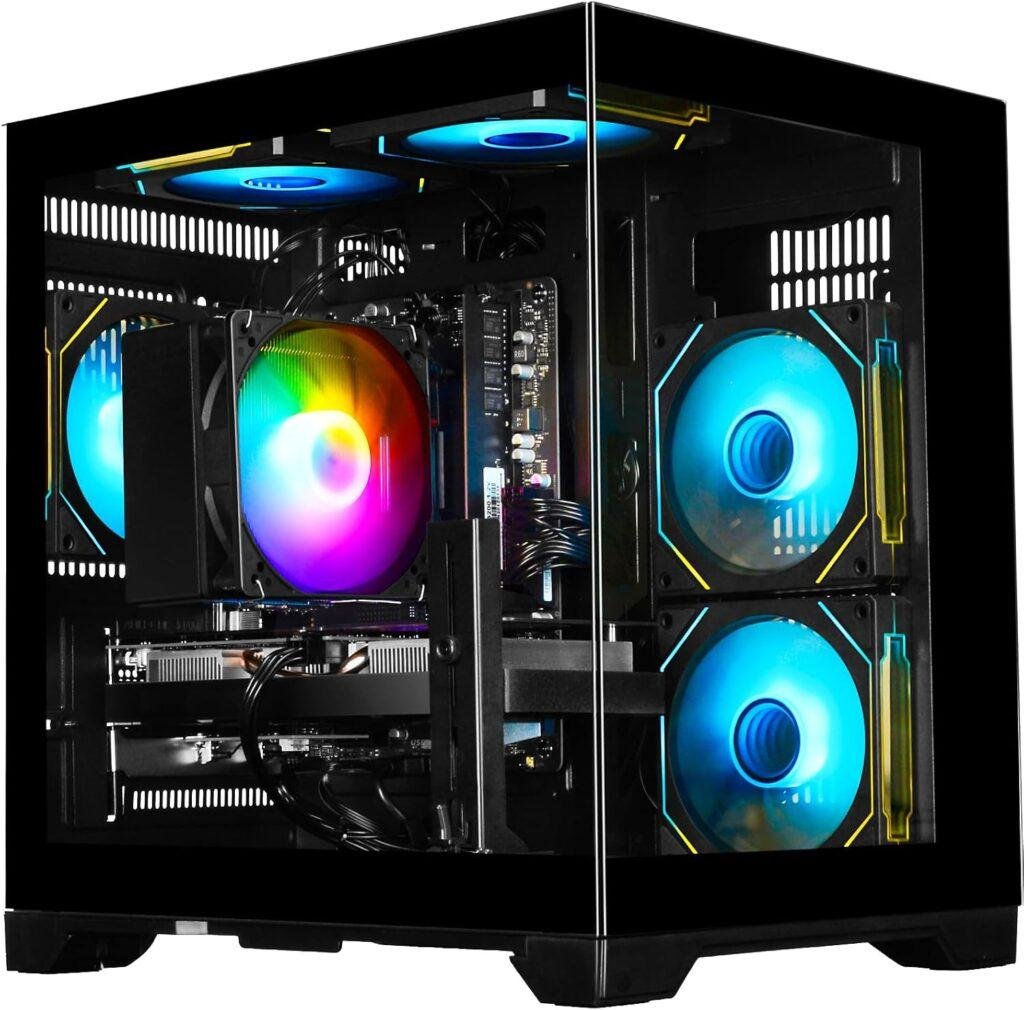
7. Best NVIDIA RTX Gaming PC: WIWB Gaming PC Desktop Computer GeForce RTX 3050
Key Details:
- AMD Ryzen 7 4700LE eight-core processor, up to 4.2GHz
- NVIDIA GeForce RTX 3050 with 8GB GDDR6 dedicated VRAM
- 16GB DDR4 3200MHz dual-channel RAM
- 512GB M.2 NVMe SSD for games and applications
- NVIDIA DLSS and hardware ray tracing support
- Wi-Fi 6 connectivity and prebuilt tower design
The WIWB Gaming PC Desktop with RTX 3050 is worth considering if you want an affordable gaming desktop with NVIDIA graphics. Its GeForce RTX 3050 comes with 8GB dedicated video memory, making it suitable for 1080p gaming across many popular titles. You also get access to DLSS upscaling and ray tracing in supported games.
When it comes to processing power, the Ryzen 7 4700LE provides eight cores for gaming, multitasking, and everyday productivity. The 16GB DDR4 RAM is sufficient for many modern games, while the NVMe SSD keeps Windows and applications responsive. However, its 512GB storage capacity may fill quickly if you install several large AAA titles.
We also like the practical combination of NVIDIA graphics and Wi-Fi 6 connectivity. The WIWB Gaming PC Desktop offers a straightforward prebuilt setup for users who don’t want to assemble components themselves. Its standard tower configuration may also make future RAM and storage upgrades easier, depending on the installed hardware.
In our opinion, this gaming PC is a reasonable match for 1080p gamers who want NVIDIA features without entering a higher price range. Modern AAA games and competitive esports can benefit from adjusted graphics settings and supported upscaling. Just keep expectations realistic, particularly when enabling demanding ray tracing effects.
Pros:
- RTX 3050 8GB supports 1080p gaming and NVIDIA DLSS
- Eight-core Ryzen processor handles multitasking
- 16GB dual-channel RAM provides a practical gaming configuration
- Wi-Fi 6 and tower design offer everyday convenience
Cons:
- 512GB SSD provides limited storage for large game libraries
- RTX 3050 struggles with demanding ray tracing workloads
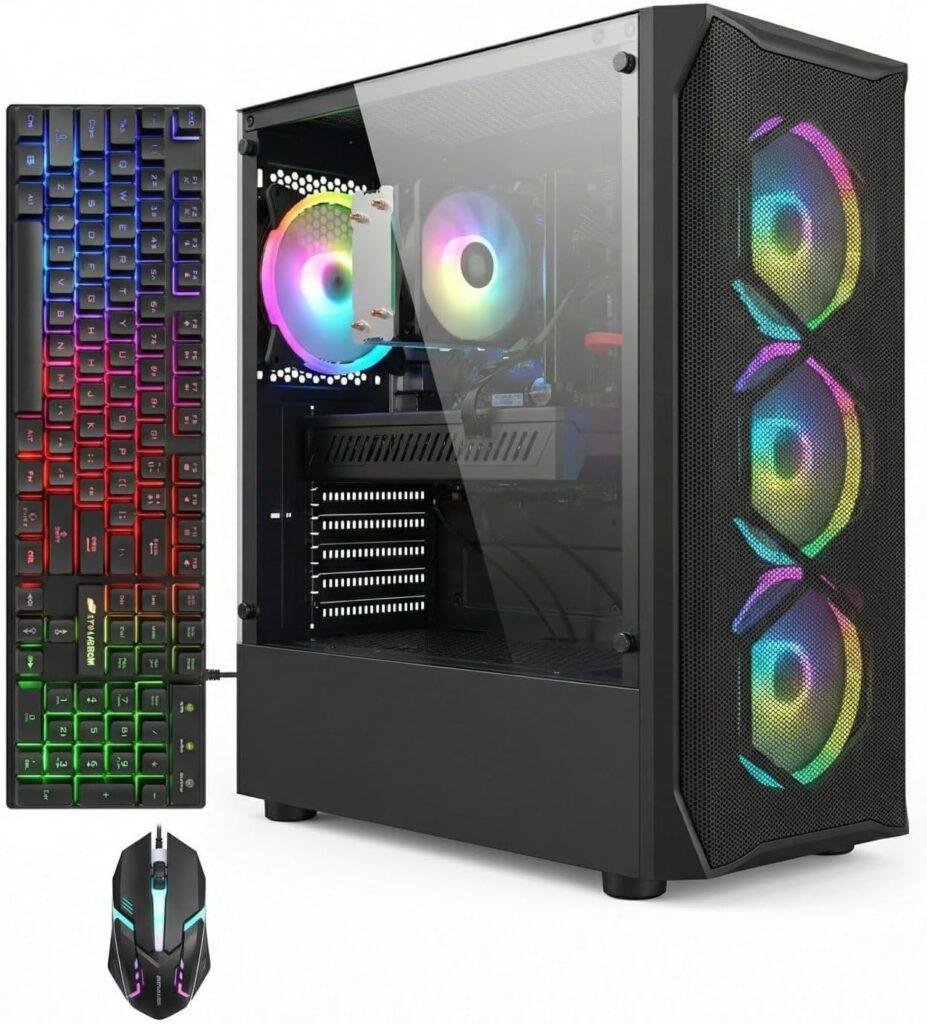
8. Best for AAA Gaming: STGAubron Gaming PC Desktop Core I7-8700 RTX 3060
Key Details:
- Intel Core i7-8700 processor with 6 cores and 12 threads, up to 4.6GHz
- NVIDIA GeForce RTX 3060 graphics card with 12GB GDDR6 VRAM
- 16GB DDR4 RAM and 512GB SSD
- Four RGB cooling fans with gaming-style tower design
- Wi-Fi 6, Bluetooth 5.2, HDMI, and DisplayPort
- Windows 11 Home with RGB gaming keyboard and mouse
For gamers who enjoy graphically demanding titles, the STGAubron Gaming PC Desktop with RTX 3060 offers a more capable graphics configuration. Its NVIDIA GeForce RTX 3060 includes 12GB dedicated VRAM, providing useful headroom for modern game textures. It’s particularly appealing for 1080p AAA gaming and some 1440p gaming with adjusted settings.
The Intel Core i7-8700 processor brings six cores and twelve threads, which remain useful for gaming and everyday multitasking. Alongside 16GB DDR4 RAM, it can handle many popular games reasonably well. However, this is an older processor, and the 512GB SSD may feel restrictive once several large games are installed.
What we like about the STGAubron Gaming PC Desktop is its combination of RTX graphics, wireless connectivity, and included gaming accessories. You get Wi-Fi 6, Bluetooth 5.2, four RGB fans, and a keyboard and mouse. NVIDIA DLSS support also helps improve performance in compatible games without relying entirely on lower resolutions.
From our standpoint, this is one of the more appealing options on the list for gamers who prioritize graphics performance. The RTX 3060 provides a stronger foundation for demanding games than entry-level integrated GPUs. Still, the older Intel platform and relatively small SSD are worth considering before purchasing.
Pros:
- RTX 3060 with 12GB VRAM suits demanding 1080p games
- NVIDIA DLSS helps improve performance in supported titles
- Six-core Intel Core i7 handles gaming and multitasking
- Includes Wi-Fi 6, Bluetooth, RGB keyboard, and mouse
Cons:
- Older Intel processor limits long-term upgrade flexibility
- 512GB SSD fills quickly with modern AAA games
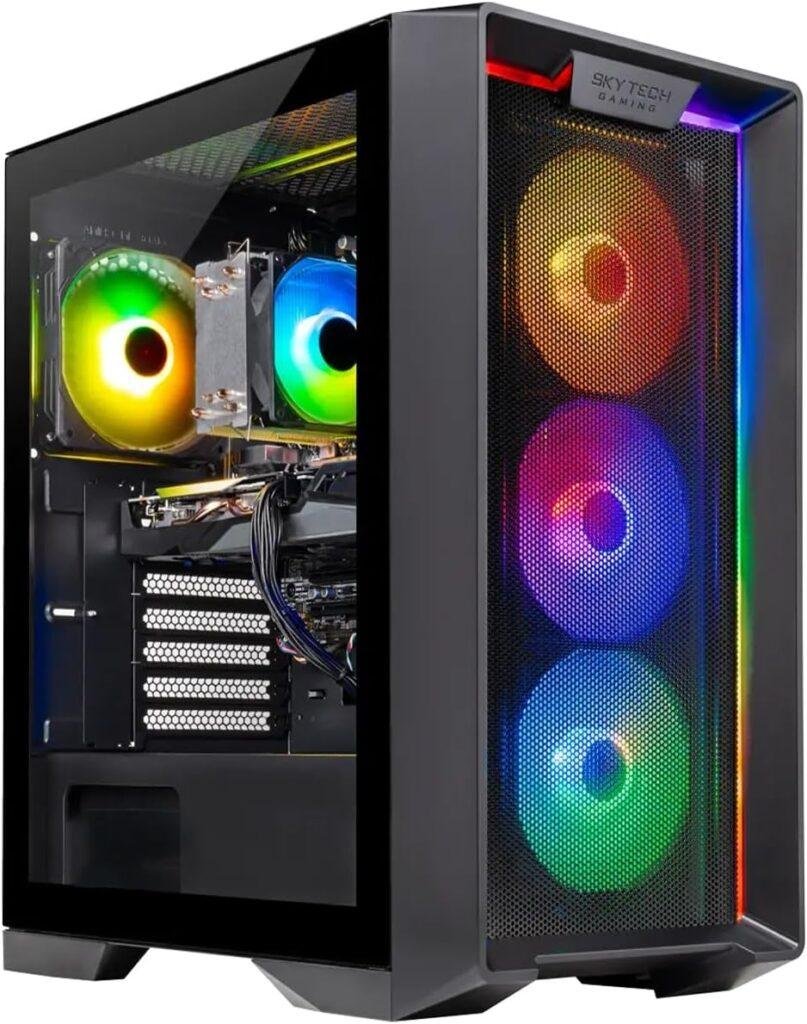
9. Best for Cooling and Airflow: Skytech Gaming PC Desktop Ryzen 5 5500 RTX 3050
Key Details:
- AMD Ryzen 5 5500 processor with 6 cores and 12 threads, up to 4.2GHz
- NVIDIA GeForce RTX 3050 graphics card with 6GB GDDR6 VRAM
- 16GB DDR4 3200MHz RAM and 1TB NVMe M.2 SSD
- High-performance air cooler with ARGB fans and mesh-front case
- Wi-Fi 5, HDMI, DisplayPort, and multiple USB connections
- Windows 11 Home with gaming keyboard and mouse included
The Skytech Gaming PC Desktop is a solid option if you want a prebuilt gaming computer with decent cooling and dedicated NVIDIA graphics. Its Ryzen 5 5500 processor works alongside an RTX 3050 6GB graphics card to handle popular 1080p games. You can enjoy competitive esports, older AAA games, and casual multiplayer titles with suitable graphics settings.
What we like about this gaming desktop is its 16GB DDR4 RAM and spacious 1TB NVMe SSD. This combination gives you enough memory for gaming and background applications, while the SSD offers plenty of room for your favorite games. NVIDIA DLSS support also helps improve frame rates in compatible titles.
Cooling is another advantage of the Skytech Gaming PC Desktop. Its front mesh panel allows better airflow, while the dedicated CPU air cooler and ARGB fans help manage internal temperatures. The tower also comes with Windows 11 Home, Wi-Fi connectivity, and a gaming keyboard and mouse for convenient setup.
In our opinion, this affordable gaming PC is suitable for gamers who want a recognizable desktop brand and a straightforward setup. However, its RTX 3050 6GB isn’t particularly powerful for demanding AAA games at high settings. At this price, stronger graphics alternatives are also worth comparing.
Pros:
- Ryzen 5 processor and RTX 3050 support mainstream 1080p gaming
- 1TB NVMe SSD provides generous game storage
- Mesh-front case and ARGB fans support better airflow
- Includes Windows 11, gaming keyboard, and mouse
Cons:
- RTX 3050 6GB has limited performance in demanding AAA games
- Relatively expensive compared with some stronger GPU configurations
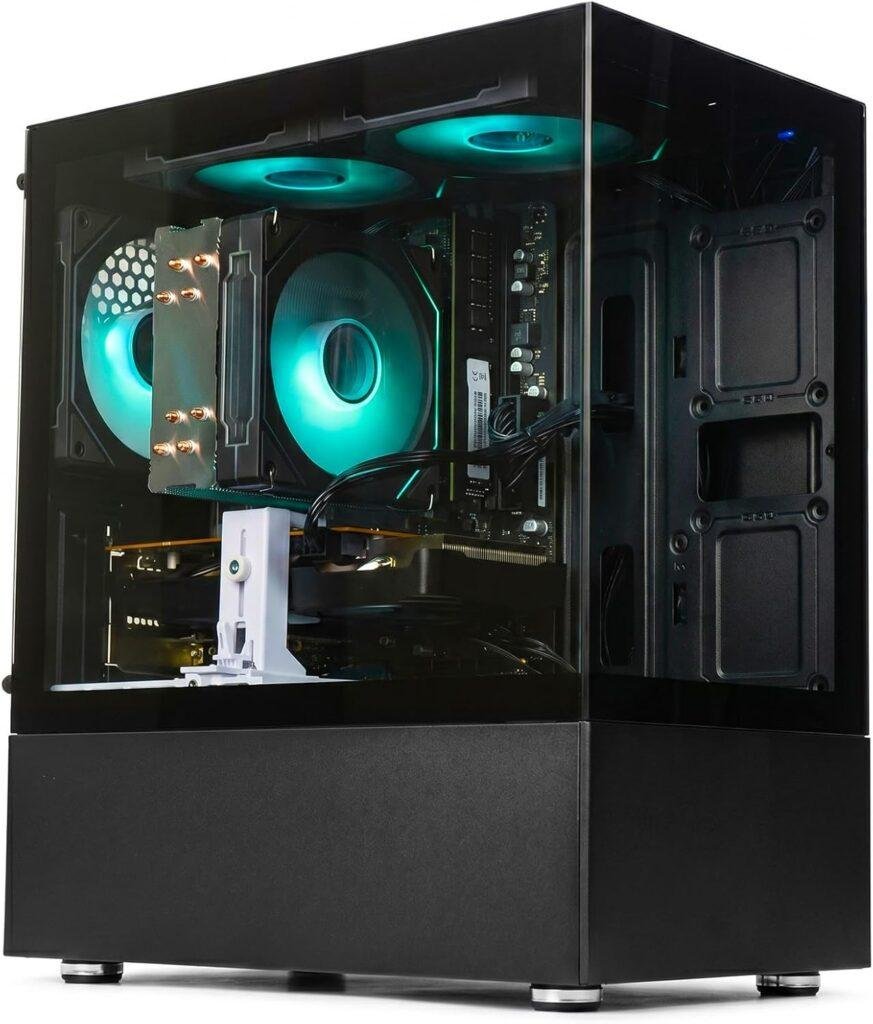
10. Best Entry-Level Gaming PC: LXZ Gaming PC Desktop Ryzen 5 4500
Key Details:
- AMD Ryzen 5 4500 processor with 6 cores and 12 threads, up to 4.1GHz
- AMD Radeon RX 560 dedicated graphics card with 4GB VRAM
- 16GB DDR4 dual-channel RAM for gaming and multitasking
- 512GB NVMe SSD for operating system and game storage
- Prebuilt tower design with wired Ethernet connectivity
- Suitable for casual gaming, everyday computing, and productivity
If you’re getting into PC gaming for the first time, the LXZ Gaming PC Desktop Ryzen 5 4500 provides a basic starting point. Its six-core Ryzen processor handles everyday applications and lighter games reasonably well. The dedicated Radeon RX 560 graphics card also offers an alternative to integrated graphics, although its performance is quite limited by modern standards.
When it comes to memory and storage, the 16GB DDR4 RAM is useful for browsing, multitasking, and running popular esports titles. The 512GB NVMe SSD helps applications load quickly, but it may feel restrictive if you install several large games. Fortunately, storage expansion may be possible depending on the motherboard configuration.
We also like the straightforward approach of the LXZ Gaming PC Desktop. It comes preassembled with a dedicated GPU, wired networking, and standard desktop connectivity. Casual games, older esports titles, and less demanding multiplayer games are more realistic targets, while modern AAA games may need very low graphics settings.
From our perspective, this budget gaming computer works best for beginners who mainly play less demanding games. The Ryzen 5 processor is capable enough for general computing, but the RX 560 is an aging entry-level graphics card. If gaming performance is your main priority, comparing other dedicated GPU options makes sense.
Pros:
- Six-core Ryzen 5 processor handles everyday multitasking
- Dedicated Radeon RX 560 graphics for basic PC gaming
- 16GB dual-channel RAM supports everyday responsiveness
- 512GB NVMe SSD provides fast system and game loading
Cons:
- RX 560 4GB struggles with modern demanding games
- Limited storage capacity for large game libraries
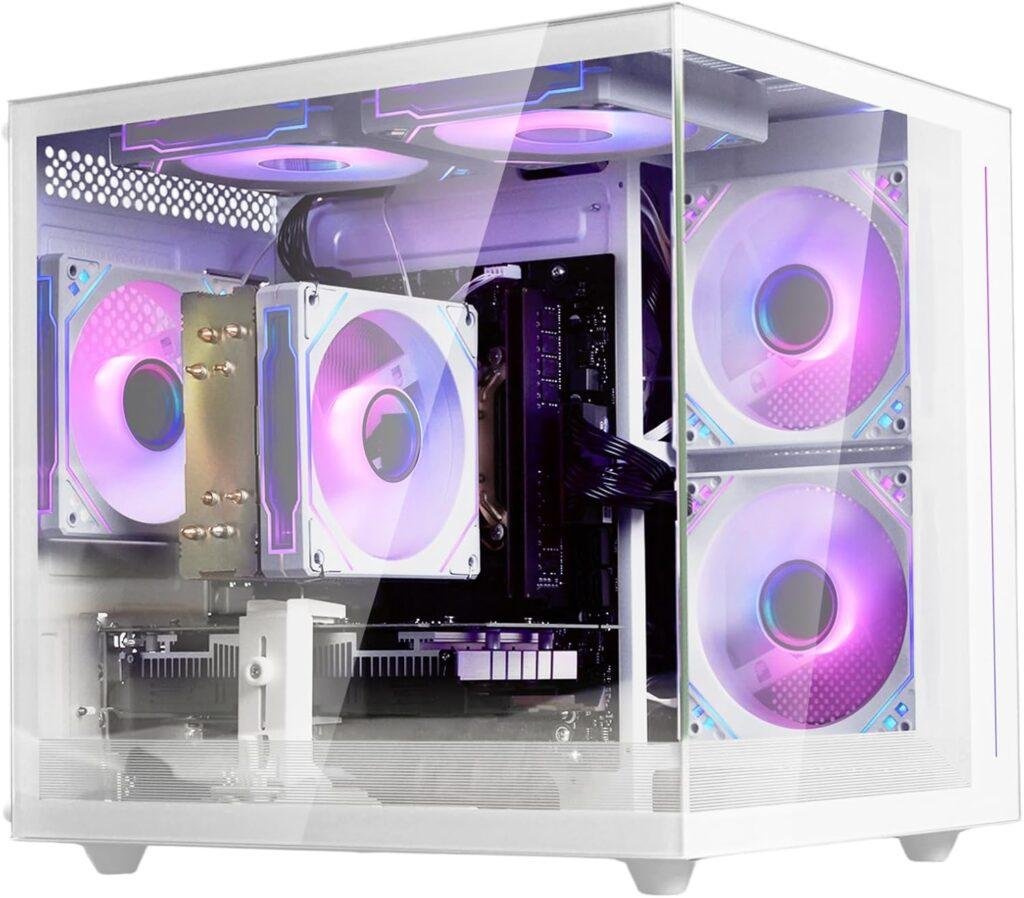
11. Best White Gaming PC: suevery Ryzen7 Prebuilt Gaming PC Bundle
Key Details:
- AMD Ryzen 7 processor with 8 cores and 16 threads, up to 4.2GHz
- NVIDIA GeForce RTX 3050 graphics card with 6GB GDDR6 VRAM
- 16GB DDR4 dual-channel RAM and 512GB NVMe M.2 SSD
- NVIDIA DLSS and ray tracing support in compatible games
- White gaming tower with RGB cooling fans
- DOS operating system listed, with Windows installation status requiring verification
The Suevery Ryzen 7 Prebuilt Gaming PC is worth considering if you prefer a clean white gaming setup without spending over $1000. Its eight-core Ryzen 7 processor is paired with an NVIDIA RTX 3050 6GB graphics card, providing a workable combination for mainstream 1080p gaming, multitasking, and everyday productivity.
What we like about this white gaming desktop is its balance of processing power and dedicated graphics. The 16GB DDR4 RAM handles typical gaming workloads, while the 512GB NVMe SSD helps reduce loading times. You also get NVIDIA DLSS support, which can improve performance in compatible games when graphics settings become demanding.
The Suevery Ryzen 7 Prebuilt Gaming PC also features a white tower with RGB cooling fans, giving it a clean gaming appearance. Its dedicated GPU is suitable for competitive esports, casual multiplayer gaming, and selected AAA titles at adjusted settings. However, the exact Ryzen 7 model isn’t specified, making direct CPU performance comparisons difficult.
In our opinion, this prebuilt gaming PC is most appealing for gamers who value appearance alongside everyday performance. The biggest concern is its listed DOS operating system, so Windows installation and licensing should be confirmed before purchasing. The RTX 3050 also makes this better suited to moderate 1080p settings than demanding high-end gaming.
Pros:
- Clean white tower design with RGB cooling fans
- Eight-core Ryzen 7 processor supports multitasking
- RTX 3050 6GB provides dedicated 1080p gaming graphics
- 16GB RAM and NVMe storage offer responsive everyday performance
Cons:
- Windows installation isn’t confirmed in the specifications
- Exact Ryzen 7 processor model isn’t clearly identified
12. Best for Classic 1080p Gaming: Volt X3 V1.2 Gaming PC Desktop Computer
Key Details:
- AMD Ryzen 5 2600 processor with 6 cores and 12 threads, up to 3.9GHz
- NVIDIA GeForce GTX 1070 graphics card with 8GB GDDR5 VRAM
- 16GB DDR4 3200MHz dual-channel RAM
- 512GB NVMe SSD for fast system and game loading
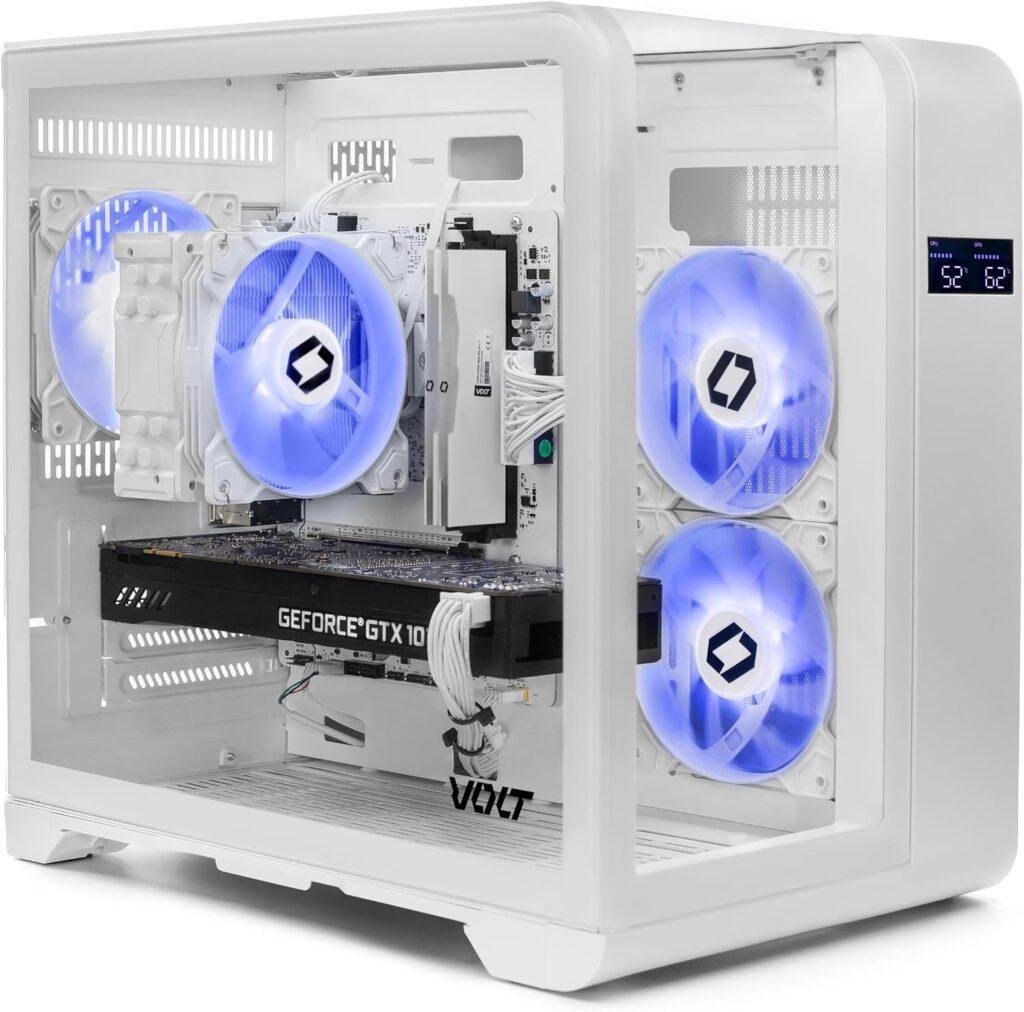
- Four synchronized ARGB fans, 120mm CPU cooler, and LCD monitoring display
- Wi-Fi, Bluetooth, USB-C, and Windows 11 Pro preinstalled
The Volt X3 V1.2 Gaming PC Desktop is an interesting option if you enjoy classic PC games and competitive 1080p gaming. It combines an AMD Ryzen 5 2600 processor with an NVIDIA GTX 1070 8GB graphics card. Although both components are older, they can still handle many popular esports titles and previous-generation AAA games with appropriate settings.
One thing we like is the 16GB dual-channel DDR4 RAM paired with a 512GB NVMe SSD. This setup provides enough memory for everyday gaming and multitasking, while the SSD improves system responsiveness. The GTX 1070 also offers 8GB dedicated video memory, although it lacks modern RTX features like hardware-accelerated ray tracing and DLSS.
The Volt X3 V1.2 Gaming PC Desktop stands out for its white case, curved glass design, and built-in LCD monitoring screen. You can check CPU and GPU temperatures without opening additional software. Four synchronized ARGB fans and a 120mm CPU cooler also help with airflow, while Wi-Fi, Bluetooth, and front USB-C add everyday convenience.
From our standpoint, this gaming desktop makes sense for players who enjoy classic AAA releases, competitive esports, and less demanding multiplayer games. The included Windows 11 Pro installation is another practical feature. However, the aging GTX 1070 and Ryzen 5 2600 limit its long-term appeal for demanding modern titles.
Pros:
- GTX 1070 with 8GB VRAM supports classic 1080p gaming
- 16GB dual-channel RAM provides practical multitasking performance
- White case with LCD temperature monitoring and ARGB fans
- Windows 11 Pro, Wi-Fi, Bluetooth, and USB-C included
Cons:
- Older GTX 1070 lacks modern NVIDIA RTX gaming features
- Aging CPU and GPU limit demanding AAA gaming performance
How We Selected the Best Gaming PCs Under $1000
Choosing the best gaming PC under $1000 involves more than comparing processor names or RAM capacity. We evaluated the listed hardware configurations, gaming capabilities, upgrade options, and overall value. Published GPU benchmarks help provide context for graphics performance, although the complete PCs themselves weren’t independently tested.
Here are the main factors considered:
- Graphics Performance: Compared dedicated and integrated GPUs based on their capabilities for 1080p and entry-level 1440p gaming.
- Processor Performance: Considered CPU architecture, core count, clock speeds, and potential gaming bottlenecks.
- RAM Configuration: Prioritized systems with at least 16GB RAM, while considering the benefits of 24GB and 32GB configurations.
- SSD Storage: Evaluated storage capacity and NVMe configurations for game installations and everyday responsiveness.
- Cooling Performance: Reviewed advertised case ventilation, CPU cooling designs, and fan arrangements.
- Build Quality and Upgrades: Considered motherboard compatibility, power supply specifications, case design, and hardware accessibility.
- Price-to-Performance Value: Compared the supplied prices with the included gaming hardware and practical capabilities.
- Manufacturer Specifications: Used available product details and published component benchmarks to identify strengths, limitations, and unclear specifications.
One important consideration is that some prebuilt gaming desktops use older processors or graphics cards. Where exact component generations or configurations weren’t provided, those limitations were considered rather than assuming newer hardware.
How to Choose the Best Gaming PC Under $1000
Finding the right budget gaming PC comes down to matching its hardware with the games you actually play. You don’t necessarily need the most expensive processor or the largest amount of RAM. Instead, focus on a balanced configuration that offers reliable gaming performance and enough room for future upgrades.
Graphics Card and Gaming Performance
The graphics card has the biggest influence on gaming performance in most modern titles. For 1080p gaming, a dedicated GPU like the RTX 3060 generally offers a better experience than integrated Radeon graphics. Also, consider VRAM capacity, since demanding games can require substantial video memory at higher texture settings.
Processor and CPU Performance
A capable processor helps maintain consistent frame rates, especially in competitive games. Six-core CPUs like the Ryzen 5 5500 and Ryzen 5 5600GT are useful starting points for budget systems. However, CPU generation and architecture matter just as much as core count, particularly when comparing older Intel Core i7 models.
RAM Capacity and Multitasking
For most budget gaming PCs, 16GB RAM is a reasonable starting point. It supports many modern games alongside Discord, browsers, and background applications. If you regularly stream, edit videos, or run demanding software, 32GB can provide additional flexibility. Dual-channel memory is also preferable, particularly for systems using integrated graphics.
SSD Storage and Game Loading Speed
A fast SSD improves Windows responsiveness and reduces game loading times. We recommend choosing at least 512GB, although 1TB is more practical for larger gaming libraries. Modern AAA games can occupy considerable storage, so checking whether additional M.2 or SATA drives can be installed is worthwhile.
Cooling System and Airflow
Gaming hardware generates heat during demanding sessions, making adequate cooling important. Look for cases with ventilated panels, well-positioned intake and exhaust fans, and a capable CPU cooler. RGB lighting may improve appearance, but airflow design and temperature management matter more than the number of illuminated fans.
Power Supply and Component Reliability
The power supply delivers electricity to every component inside your gaming desktop. A properly rated unit from a reputable manufacturer is preferable to one advertised only by wattage. Check efficiency certification, available GPU power connectors, and power capacity, especially if you plan to upgrade the graphics card later.
Motherboard and Future Upgrade Options
A desktop with standard components is generally easier to upgrade than a compact mini PC. Check the motherboard’s processor compatibility, RAM slots, PCIe connections, and storage expansion options. Older platforms can still work well, but they may limit which CPUs and other components you can install in the future.
Connectivity, Ports, and Wi-Fi
Consider how you’ll connect your monitor, keyboard, headset, and gaming accessories. HDMI and DisplayPort are useful for gaming monitors, while USB-C and multiple USB-A ports add convenience. Wi-Fi 6 can provide improved wireless connectivity with compatible networking equipment, although wired Ethernet remains a dependable choice for competitive gaming.
Prebuilt vs. Custom Gaming PC Under $1000
Both prebuilt and custom gaming PCs can offer good value under $1000, but they suit different buyers. A prebuilt desktop arrives assembled and usually includes an operating system, while building your own computer gives you greater control over individual components. The better choice depends on your technical experience, budget, and willingness to handle setup.
| Features | Prebuilt Gaming PC | Custom Gaming PC |
| Initial Cost | Fixed system price, sometimes with bundled accessories | Component prices vary; deals can improve value |
| Gaming Performance | Depends on the manufacturer’s hardware selection | More control over CPU and GPU balance |
| Hardware Selection | Limited to available configurations | Freedom to choose compatible components |
| Setup | Mostly ready to use | Requires assembly and software installation |
| Technical Support | Usually offers system-level support | Individual component support |
| Future Upgrades | Depends on the motherboard, PSU, and case | Greater flexibility with carefully selected parts |
In our opinion, a prebuilt gaming PC is usually easier for beginners who want to start gaming without assembling hardware. However, if you’re comfortable installing components and troubleshooting software, a custom gaming PC can provide better control over performance and future upgrades.
Common Mistakes to Avoid When Buying a Gaming PC Under $1000
Buying an affordable gaming computer doesn’t mean you have to sacrifice everything. However, some attractive-looking systems include hardware combinations that aren’t ideal for gaming. Before choosing a desktop, watch out for these common mistakes:
- Prioritizing the CPU Over the GPU: A powerful processor won’t compensate for a weak graphics card in demanding games.
- Ignoring RAM and Storage: Aim for at least 16GB RAM and enough SSD space for your game library.
- Overlooking the Power Supply: Check PSU quality and compatibility instead of relying only on advertised wattage.
- Choosing Poor Cooling: Avoid cases with restricted airflow or inadequate cooling arrangements.
- Paying Extra for RGB Lighting: Prioritize gaming performance before spending more on illuminated fans and decorative features.
- Assuming Every Gaming PC Has Dedicated Graphics: Some budget desktops use integrated GPUs that perform better in lighter games.
- Ignoring Upgrade Compatibility: Check motherboard, case, RAM, and power supply limitations before purchasing.
- Forgetting Accessories: Include the cost of a monitor, keyboard, mouse, headset, and other necessary peripherals.
Is a $1000 Gaming PC Worth It in 2026?
Yes, a $1000 gaming PC can still be worth buying in 2026, particularly if you mainly play at 1080p. There are plenty of games that run well on affordable hardware, including competitive esports titles, indie games, and older AAA releases. The key is choosing a system with a suitable dedicated graphics card rather than focusing only on processor specifications.
For casual gamers, a less expensive desktop with integrated graphics may be sufficient. However, if you enjoy demanding games like Cyberpunk 2077 or recent Call of Duty titles, a stronger GPU becomes much more important. Systems with an RTX 3060 generally offer greater gaming capability than those with older entry-level GPUs or integrated graphics.
From our perspective, spending the full $1000 isn’t always necessary. A well-balanced gaming PC can provide enjoyable performance for several years, depending on your expectations. If you want consistently high frame rates at 1440p, demanding ray tracing, or maximum graphics settings in future AAA games, a larger budget may be more appropriate.
Final Words
Finding the best gaming PC under $1000 depends on your gaming preferences and everyday requirements. The YAWYORE Gaming PC Desktop Computer AMD R5 5600GT is a practical overall option for casual gaming, multitasking, and general home use. Its Ryzen 5 5600GT processor, 16GB RAM, and 1TB SSD provide a useful starting configuration, although its integrated graphics limit demanding gaming.
For gamers who want dedicated graphics at a lower price, the STGAubron Gaming PC Desktop Core i7 RX 580 8G is worth considering. Its 8GB graphics card and 1TB SSD make it suitable for older AAA games and popular esports titles. Just remember that the RX 580 is an aging GPU, so newer games may require reduced graphics settings.
If gaming performance is your main priority, the STGAubron Gaming PC Desktop Core I7-8700 RTX 3060 is a stronger choice among these selections. Its dedicated NVIDIA graphics and 12GB VRAM make it more suitable for demanding 1080p games and some 1440p gaming. The older Intel Core i7 platform is worth considering, but the graphics card provides a meaningful advantage.
Ultimately, a good budget gaming PC should balance graphics performance, processing power, memory, storage, and upgrade flexibility. Consider which games you play most often, check the exact hardware configuration, and choose a desktop that meets your actual needs rather than paying extra for features you may never use.
Related FAQs
What Is the Best Gaming PC Under $1000?
The best gaming PC under $1000 depends on your priorities. The YAWYORE Ryzen 5 5600GT is suitable for casual gaming and everyday use, while the STGAubron RTX 3060 12GB offers stronger graphics performance for demanding games.
Is $1000 Enough for a Good Gaming PC?
Yes, $1000 is enough for a capable 1080p gaming PC with a dedicated graphics card, suitable processor, and at least 16GB RAM. However, performance varies significantly between different GPU and CPU configurations.
Can a $1000 Gaming PC Run AAA Games?
Yes, many gaming PCs under $1000 can run modern AAA games, particularly those equipped with capable dedicated graphics cards. Frame rates depend on the game, resolution, graphics settings, and hardware configuration.
Can a Gaming PC Under $1000 Run Games at 1440p?
Some gaming desktops under $1000 can handle 1440p gaming, especially systems with GPUs like the RTX 3060. However, demanding titles may require medium or low settings and compatible upscaling technologies to maintain smoother performance.
Is 16GB RAM Enough for Gaming in 2026?
Yes, 16GB RAM remains adequate for many games in 2026, especially at 1080p. However, 32GB can be beneficial for demanding games, streaming, multitasking, and running memory-intensive applications.
Should I Buy a Prebuilt Gaming PC or Build My Own?
A prebuilt gaming PC is generally easier for beginners because it arrives assembled and includes system-level support. Building your own PC offers greater control over components, upgrade options, and how your budget is allocated.
How Long Will a $1000 Gaming PC Last?
A well-maintained gaming PC under $1000 can remain useful for several years, although newer games may eventually require lower graphics settings. Its usable gaming lifespan depends largely on the graphics card, processor, cooling, and future hardware upgrades.
Can I Upgrade a Prebuilt Gaming PC Under $1000?
Yes, many prebuilt gaming desktops allow upgrades to RAM, SSD storage, and graphics cards. However, you should check motherboard compatibility, power supply capacity, physical case clearance, and manufacturer restrictions before purchasing new components.

Justin has spent years learning how blogs, websites, hosting, and online income work in the real world. Along with blogging and SEO, he also covers desktops, laptops, PC parts, and everyday tech, sharing easy-to-understand advice for readers who want to build better websites and choose better tools.