If you are looking for the best gaming PC under $500, you can still enjoy decent 1080p gaming without overspending. With the right hardware, these budget desktops can handle esports and older AAA games smoothly.
The STGAubron Gaming PC Desktop Core I5 RX 590 8G offers a balanced gaming setup, while the STGAubron Gaming PC version delivers stronger 1080p performance. If space is limited, the GMKtec M5 Ultra provides a compact alternative. The DeXwtzfn Gaming PC Desktop suits gaming and multitasking, while the BOSGAME E7 Mini PC works well for casual gaming on a tighter budget.
After evaluating the top gaming PCs under $500, we’ve selected 12 options for different needs. This guide covers their performance, features, upgrade options, and drawbacks to help you choose wisely.
We’re reader-supported. When you buy through links on our site, we may earn an affiliate commission. As an Amazon Associate, we earn from qualifying purchases at no extra cost to you.
Best Gaming PC Under $500: Our Top Picks
- Best Overall: STGAubron Gaming PC Desktop Core I5 RX 590 8G
- Best Compact Option: GMKtec M5 Ultra Gaming Mini PC Ryzen 7 7730U
- Best for 1080p Gaming: STGAubron Gaming PC Desktop Core I5 RX 5700 8G
- Best for GPU Upgrades: MINISFOUM 895D7 8945HX Barebone Gaming PC
- Best Affordable Mini PC: BOSGAME E7 Mini PC Intel Core 3 100U
- Best for Classic Gaming: ZER-LON Gaming PC Desktop Computer
- Best for Basic Gaming: OKAMUS Prebuilt Desktop Computer
- Best Budget Ryzen Mini PC: Getorli Mini PC AMD Ryzen 5 3501U
- Best for Entry-Level Graphics: suevery Tower Desktop PC Ryzen5
- Best for Gaming and Multitasking: DeXwtzfn Gaming PC Desktop
- Best White Gaming PC: GPVHOSO Gaming Desktop PC
- Best for Casual Gaming: STGAubron Gaming PC Desktop Core I5 RX 550 4G 16G
1. Best Overall: STGAubron Gaming PC Desktop Core I5 RX 590 8G
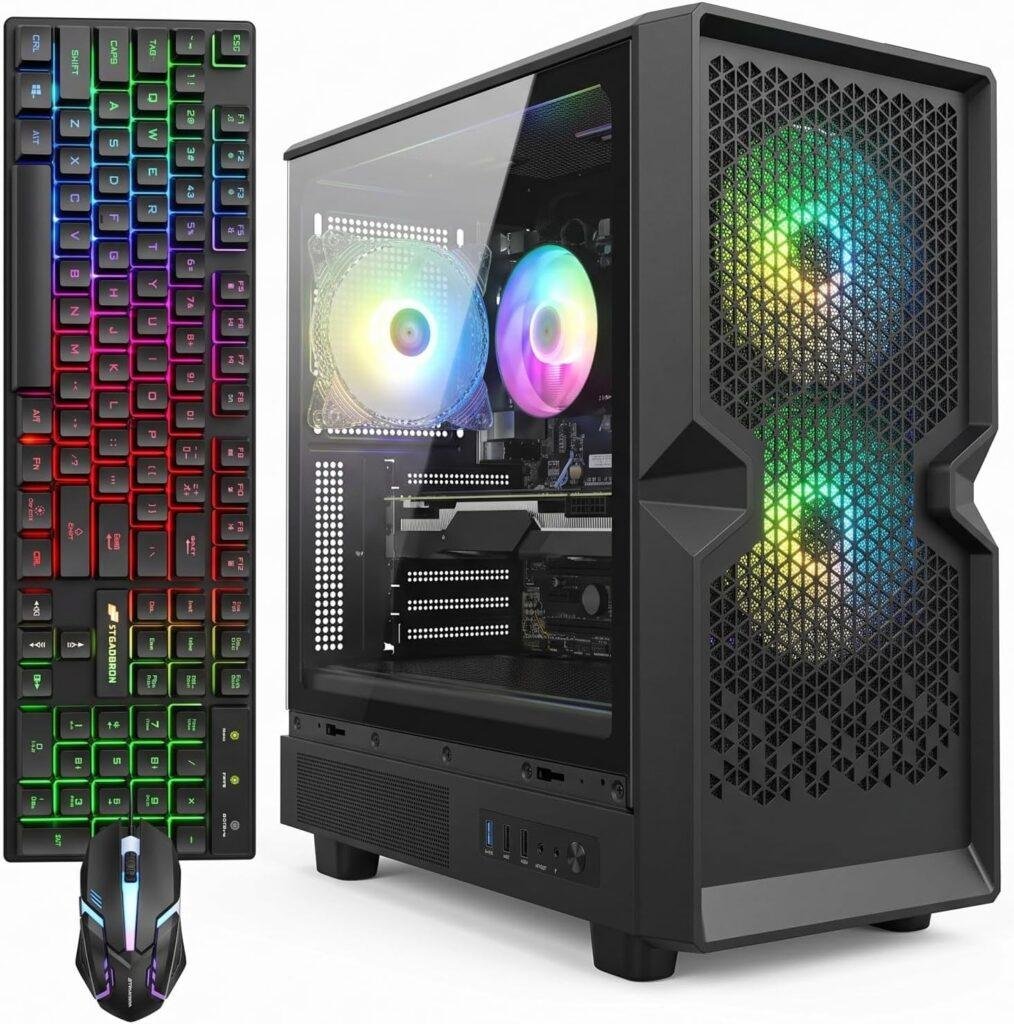
Key Details:
- Intel Core i5 processor with speeds up to 3.6GHz
- AMD Radeon RX 590 8GB GDDR5 dedicated graphics
- 16GB RAM and 1TB SSD storage
- Windows 11 Home operating system
- Wi-Fi 6, Bluetooth 5.0, HDMI, and DisplayPort
- Three RGB fans with gaming keyboard and mouse
If you’re looking for the best gaming PC under $500 with dedicated graphics, the STGAubron Gaming PC Desktop is worth considering. Its Intel Core i5 processor and Radeon RX 590 8GB GPU offer a practical setup for affordable 1080p gaming without building a PC yourself.
What we like most is the dedicated 8GB graphics card. It handles lighter games comfortably and can run older AAA titles at suitable settings. However, newer demanding games may require lower graphics quality to maintain playable frame rates.
The STGAubron Gaming PC Desktop also comes with 16GB RAM and a spacious 1TB SSD. You will find enough storage for a decent game library, while Wi-Fi 6 and Bluetooth make connecting accessories easier. Three RGB fans complete its gaming-style tower design.
In our opinion, this budget gaming desktop offers a good balance of graphics, storage, and everyday performance. The exact Core i5 generation needs checking, but it’s still an appealing prebuilt gaming PC for casual and entry-level gamers.
Pros:
- RX 590 8GB GPU supports affordable 1080p gaming
- Spacious 1TB SSD for games and applications
- 16GB RAM handles gaming and multitasking
- Includes RGB fans, gaming keyboard, and mouse
Cons:
- Older GPU struggles with demanding modern AAA games
- Exact Intel Core i5 generation remains unspecified
2. Best Compact Option: GMKtec M5 Ultra Gaming Mini PC Ryzen 7 7730U
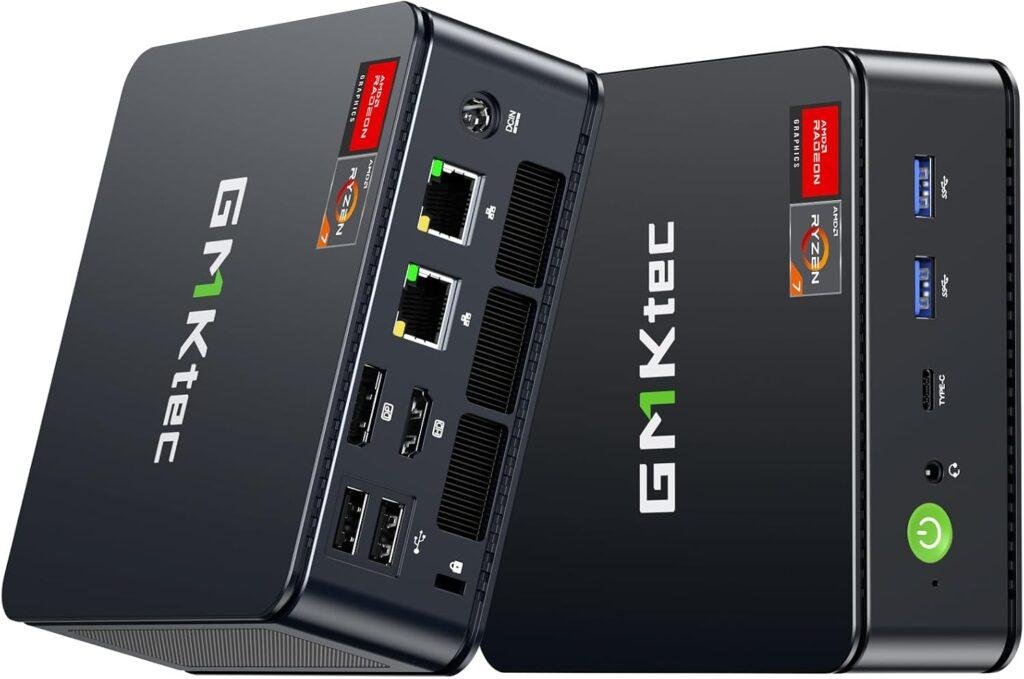
Key Details:
- AMD Ryzen 7 7730U processor with 8 cores and 16 threads
- Integrated AMD Radeon Graphics with 8 compute units
- 16GB DDR4 RAM, expandable up to 64GB
- 256GB PCIe SSD with storage expansion support
- Wi-Fi 6E, Bluetooth 5.2, and dual 2.5Gb Ethernet
- Windows 11 Pro with triple 4K display support
Not every budget gamer needs a bulky desktop tower. The GMKtec M5 Ultra Gaming Mini PC offers a compact solution with its Ryzen 7 7730U processor. If you want an affordable gaming computer for lighter games and everyday work, it’s a practical choice.
When it comes to gaming performance, the integrated Radeon graphics handle less demanding titles at suitable settings. However, this mini gaming PC isn’t intended for modern AAA gaming at high graphics presets. Its single-stick RAM configuration may also limit integrated GPU performance.
We like how the GMKtec M5 Ultra combines expandable memory with modern connectivity. You get Wi-Fi 6E, Bluetooth 5.2, dual Ethernet ports, and triple-display support. The compact design also makes it convenient for smaller gaming desks or shared workspaces.
From our perspective, this budget gaming mini PC is better suited to casual players who also need strong everyday multitasking. The Ryzen processor adds versatility, although the 256GB SSD may need upgrading as your game library grows.
Pros:
- Eight-core Ryzen processor supports smooth multitasking
- Compact design saves valuable desk space
- Expandable RAM and SSD storage
- Wi-Fi 6E and dual Ethernet provide flexible connectivity
Cons:
- Integrated graphics limit demanding AAA gaming
- 256GB SSD offers limited storage for large games
3. Best for 1080p Gaming: STGAubron Gaming PC Desktop Core I5 RX 5700 8G
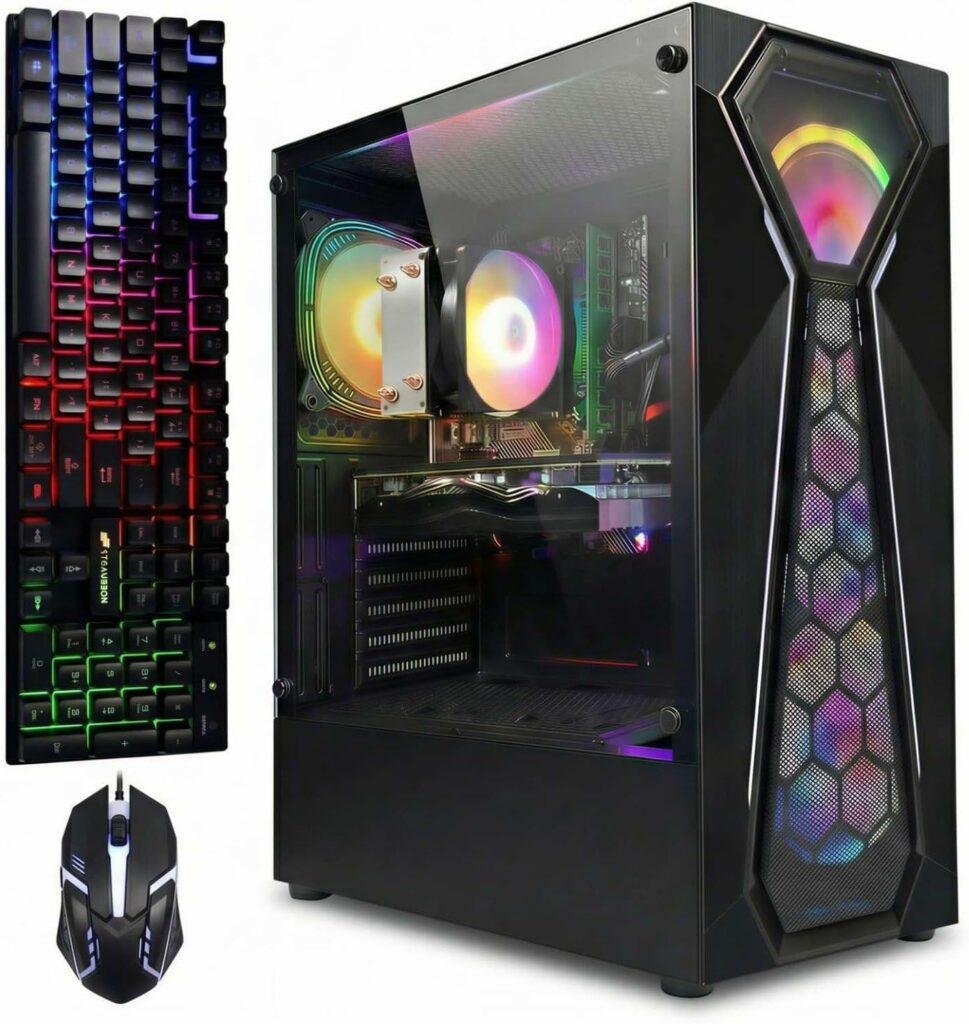
Key Details:
- Intel Core i5 processor with speeds up to 3.6GHz
- AMD Radeon RX 5700 8GB GDDR6 dedicated graphics
- 16GB RAM and 512GB SSD storage
- Windows 11 Home operating system
- Wi-Fi 6, Bluetooth 5.0, HDMI, and DisplayPort
- Four RGB fans with gaming keyboard and mouse
For gamers who care more about graphics performance, the STGAubron Gaming PC Desktop with RX 5700 is an interesting option. Its dedicated 8GB GDDR6 graphics card makes it a capable budget 1080p gaming PC, particularly compared with desktops relying on integrated graphics.
The Radeon RX 5700 provides enough power for lighter competitive games and many older AAA titles at suitable settings. When running demanding modern games, graphics adjustments may still be necessary. Actual frame rates also depend on the installed Core i5 generation.
Another thing we like about this STGAubron Gaming PC Desktop is its balanced hardware. The 16GB RAM helps with multitasking, while the 512GB SSD keeps loading times responsive. Four RGB fans, Wi-Fi 6, and bundled peripherals make this prebuilt gaming desktop convenient to set up.
In our view, it’s among the stronger affordable gaming PC configurations for buyers prioritizing GPU performance. You will find better graphics capabilities than many basic budget desktops, although the smaller SSD and unspecified processor generation are worth considering.
Pros:
- RX 5700 8GB delivers capable 1080p gaming performance
- GDDR6 graphics memory and stronger dedicated GPU
- 16GB RAM supports gaming and multitasking
- Four RGB fans and included gaming peripherals
Cons:
- 512GB SSD can fill quickly with large game installations
- Unspecified Core i5 generation affects performance expectations
4. Best for GPU Upgrades: MINISFOUM 895D7 8945HX Barebone Gaming PC
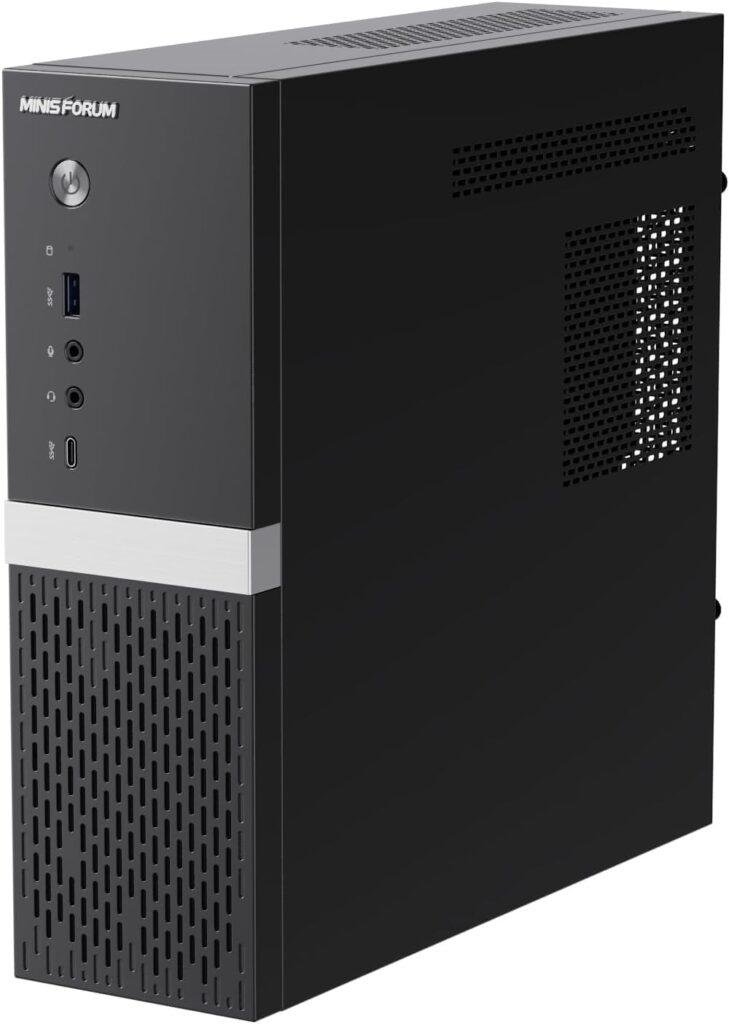
Key Details:
- AMD Ryzen 9 8945HX processor with 16 cores and 32 threads
- Boost clock up to 5.4GHz
- Integrated AMD Radeon 610M graphics
- PCIe 5.0 x16 slot for compatible dedicated GPUs
- Supports up to 96GB DDR5 RAM and dual M.2 SSDs
- Compact 8.47L chassis with built-in 400W power supply
The MINISFORUM 895D7 takes a different approach to affordable gaming desktops. Instead of offering powerful graphics immediately, it focuses on processor performance and upgrades. Its Ryzen 9 8945HX delivers 16 cores and 32 threads, making it useful for gaming-related workloads, streaming, and multitasking.
If you mainly want to play AAA games, the integrated Radeon 610M graphics will feel limited. However, the PCIe 5.0 x16 expansion slot allows you to install a compatible dedicated GPU later. That’s what makes this compact desktop interesting for a future gaming PC build.
We also like the MINISFORUM 895D7’s flexible hardware design. It supports up to 96GB DDR5 RAM and two M.2 SSDs, providing plenty of room for upgrades. The built-in 400W power supply and cooling system help keep everything within a relatively compact chassis.
In our opinion, this is more of an upgrade-focused gaming desktop than a ready-to-play budget gaming PC. Barebone configurations require additional components, which increase the total cost. Still, it’s worth considering if long-term hardware flexibility matters more than immediate gaming performance.
Pros:
- Powerful 16-core Ryzen 9 processor for demanding tasks
- PCIe 5.0 x16 slot supports compatible graphics upgrades
- Extensive RAM and SSD expansion potential
- Compact chassis with built-in power supply and cooling
Cons:
- Radeon 610M graphics are limited for modern AAA gaming
- Complete gaming-ready configuration may exceed the budget
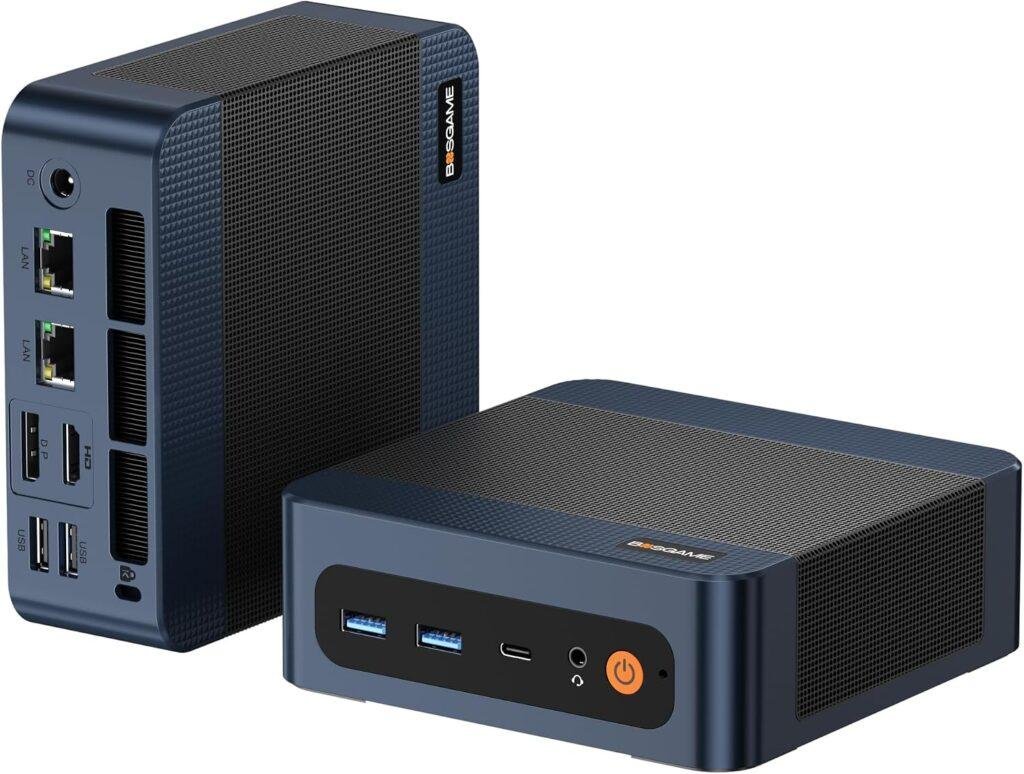
5. Best Affordable Mini PC: BOSGAME E7 Mini PC Intel Core 3 100U
Key Details:
- Intel Core 3 100U processor with 6 cores and 8 threads
- Intel integrated graphics for casual gaming
- 16GB dual-channel DDR4 RAM and 512GB PCIe SSD
- Supports Windows 11, Ubuntu, and Linux
- Wi-Fi 6, Bluetooth 5.2, and dual Gigabit Ethernet
- Triple 4K display support via HDMI, DisplayPort, and USB-C
If you’re looking for a cheap gaming PC that also handles everyday work, the BOSGAME E7 Mini PC is worth considering. Its Intel Core 3 100U processor offers six cores and eight threads, making it a practical option for casual gaming, studying, and regular multitasking.
When it comes to graphics performance, the integrated Intel GPU is better suited to lightweight games than demanding AAA titles. The 16GB dual-channel RAM helps with general responsiveness, although lower resolutions and graphics settings may be necessary for smoother gameplay.
We like how the BOSGAME E7 Mini PC combines 512GB SSD storage with useful connectivity options. You get Wi-Fi 6, Bluetooth 5.2, dual Ethernet ports, and support for three 4K displays. Its compact design also fits comfortably into smaller gaming or home office setups.
In our opinion, this budget mini gaming PC offers decent everyday performance without requiring a large desktop tower. You won’t get dedicated graphics power, but it’s an affordable choice if casual gaming, compact size, and general computing matter more than high-end visuals.
Pros:
- Efficient six-core Intel processor for everyday computing
- 16GB dual-channel RAM supports smooth multitasking
- Compact design with triple 4K display support
- Affordable configuration with useful connectivity options
Cons:
- Integrated graphics limit modern AAA gaming
- Limited potential for dedicated GPU upgrades
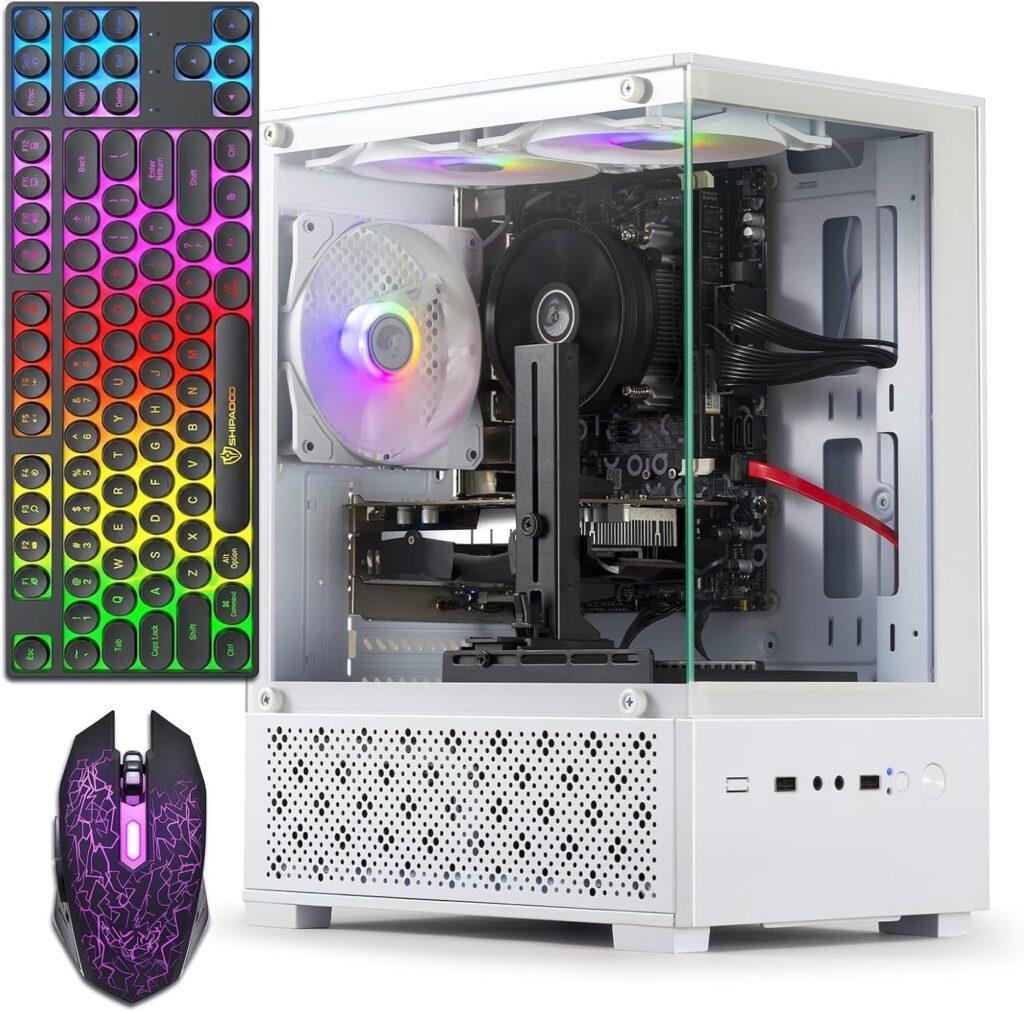
6. Best for Classic Gaming: ZER-LON Gaming PC Desktop Computer
Key Details:
- Intel Core i5 8th Gen processor, up to 4.0GHz
- NVIDIA GeForce GTX 960 4GB GDDR5 dedicated graphics
- 512GB SSD storage
- Windows 11 Home operating system
- HDMI, DisplayPort, DVI, USB, Ethernet, and Wi-Fi
- Three RGB fans with keyboard, mouse, and mouse pad
The ZER-LON Gaming PC Desktop brings a traditional tower design with dedicated NVIDIA graphics. Powered by an 8th Gen Intel Core i5 and GTX 960 4GB, it’s mainly suited to older PC games and casual gaming. If you prefer a prebuilt desktop over a compact mini PC, this configuration offers that familiar gaming setup.
With its dedicated GTX 960 graphics card, this gaming desktop can handle lighter games and older AAA titles at suitable settings. However, its aging GPU and 4GB video memory limit performance in demanding modern releases. Lower graphics settings are often necessary for playable results.
Another thing we like about the ZER-LON Gaming PC Desktop is its complete gaming package. You get a 512GB SSD, three RGB cooling fans, and essential gaming accessories. The tower also provides multiple display connections and USB ports for monitors and peripherals.
From our perspective, this is a reasonable entry-level gaming computer for someone interested in older games. However, its listed price exceeds the article’s budget limit, making it harder to recommend over more capable alternatives. A discount would improve its overall value.
Pros:
- Dedicated GTX 960 4GB GPU for classic PC gaming
- 8th Gen Core i5 supports everyday multitasking
- Includes RGB fans and gaming accessories
- Multiple display outputs and USB connections
Cons:
- Older GTX 960 struggles with demanding AAA titles
- Listed price exceeds the article’s budget limit
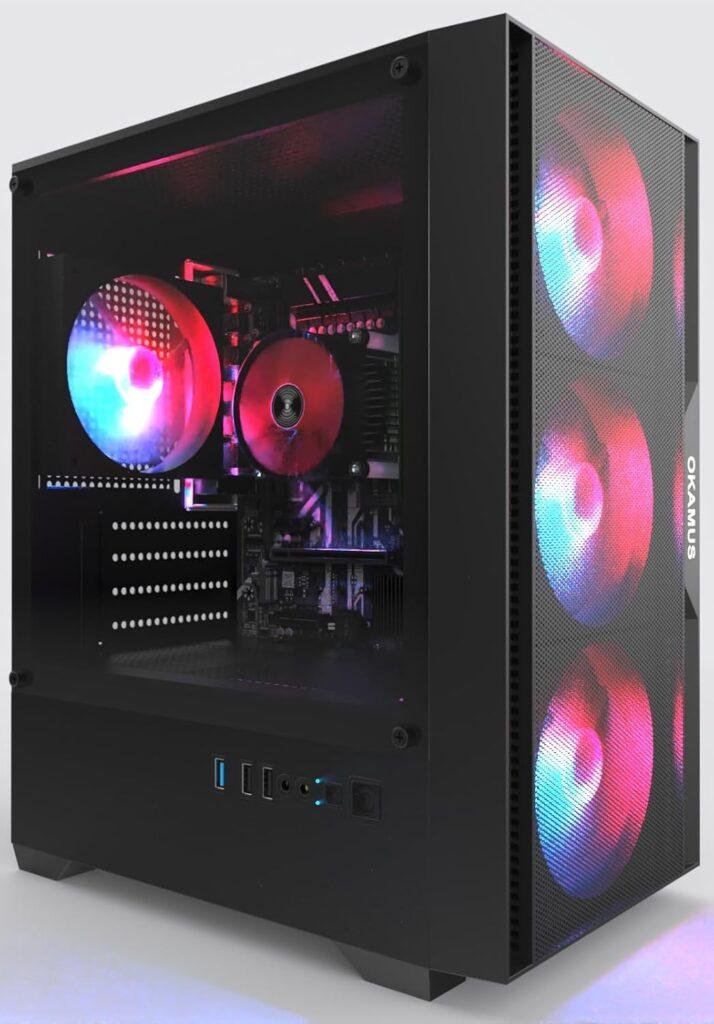
7. Best for Basic Gaming: OKAMUS Prebuilt Desktop Computer
Key Details:
- Intel Core i7 quad-core processor, up to 3.9GHz
- Integrated Intel HD Graphics 4600
- 16GB RAM and 256GB M.2 SSD storage
- Windows 11 Home operating system
- Wi-Fi 6, Bluetooth 5.3, and Ethernet
- Four RGB cooling fans with a 400W power supply
For casual users who want an affordable desktop with a gaming-style design, the OKAMUS Prebuilt Desktop Computer is another option. It comes with a quad-core Intel Core i7 processor and 16GB RAM. However, its older integrated graphics make it better suited to basic computing and very lightweight gaming.
When running less demanding games, the Intel HD Graphics 4600 may handle simple visuals at reduced settings. Don’t expect smooth modern AAA gaming, though, since there’s no dedicated graphics card. The older processor platform also raises compatibility concerns with the preinstalled Windows 11 system.
We like that the OKAMUS Prebuilt Desktop Computer includes a 256GB SSD, Wi-Fi 6, Bluetooth 5.3, and four RGB fans. Its traditional tower design leaves some room for hardware changes, although graphics upgrades depend on motherboard compatibility and power supply connections.
In our view, this cheap desktop PC is more suitable for studying, basic gaming, and everyday applications. It’s an affordable option, but the limited GPU performance makes it less attractive than similarly positioned computers with newer integrated graphics.
Pros:
- 16GB RAM supports everyday multitasking
- Affordable tower desktop with RGB cooling fans
- Wi-Fi 6 and Bluetooth 5.3 connectivity
- Traditional chassis offers some upgrade flexibility
Cons:
- Intel HD Graphics 4600 is very limited for gaming
- Older hardware raises Windows 11 compatibility concerns
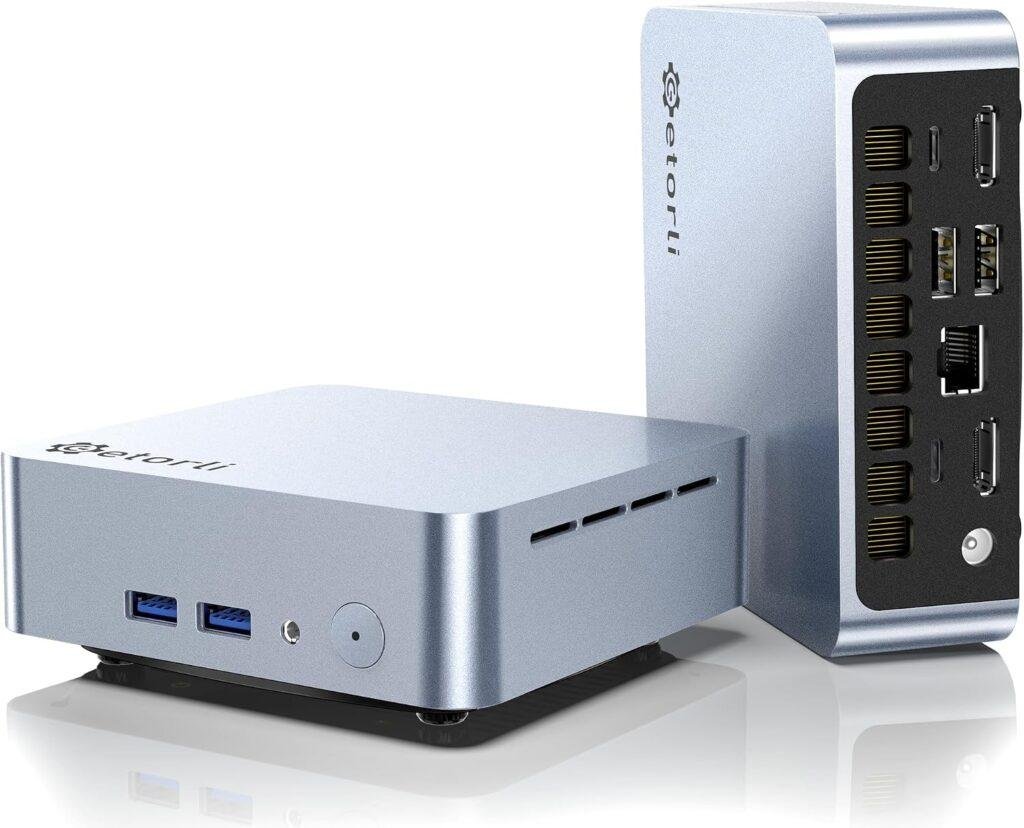
8. Best Budget Ryzen Mini PC: Getorli Mini PC AMD Ryzen 5 3501U
Key Details:
- AMD Ryzen 5 3501U processor with 4 cores and 8 threads
- Clock speeds from 2.1GHz to 3.7GHz
- Integrated AMD Radeon Vega 8 graphics
- 16GB DDR4 RAM, expandable up to 32GB
- 512GB NVMe SSD storage
- Wi-Fi 6, Bluetooth 5.3, and dual HDMI 4K outputs
The Getorli Mini PC is a compact option for anyone looking for an affordable Ryzen-powered gaming computer. Its AMD Ryzen 5 3501U processor combines four cores and eight threads with Radeon Vega 8 graphics. This setup works well for basic computing, casual gaming, and everyday entertainment.
If you mainly play lightweight PC games, the integrated Vega 8 graphics can be useful at modest settings. However, this budget gaming mini PC isn’t designed for demanding AAA titles. The older Ryzen processor also means performance falls behind newer gaming-focused hardware.
What we like about the Getorli Mini PC is its combination of 16GB RAM and a 512GB NVMe SSD. You get enough memory for everyday multitasking and useful storage space for applications. Dual HDMI outputs, Wi-Fi 6, and Bluetooth 5.3 also make connecting monitors and accessories convenient.
In our opinion, this affordable mini gaming PC makes sense for casual players who prefer a small and energy-efficient setup. It offers basic gaming capability without taking up much desk space. Just keep your graphics expectations realistic, especially with newer games.
Pros:
- Ryzen 5 processor with Radeon Vega 8 integrated graphics
- 16GB RAM and 512GB NVMe SSD for everyday tasks
- Compact and energy-efficient desktop design
- Dual 4K HDMI outputs with Wi-Fi 6 connectivity
Cons:
- Integrated Vega 8 graphics limit demanding AAA gaming
- Older Ryzen processor offers modest gaming performance
9. Best for Entry-Level Graphics: suevery Tower Desktop PC Ryzen5
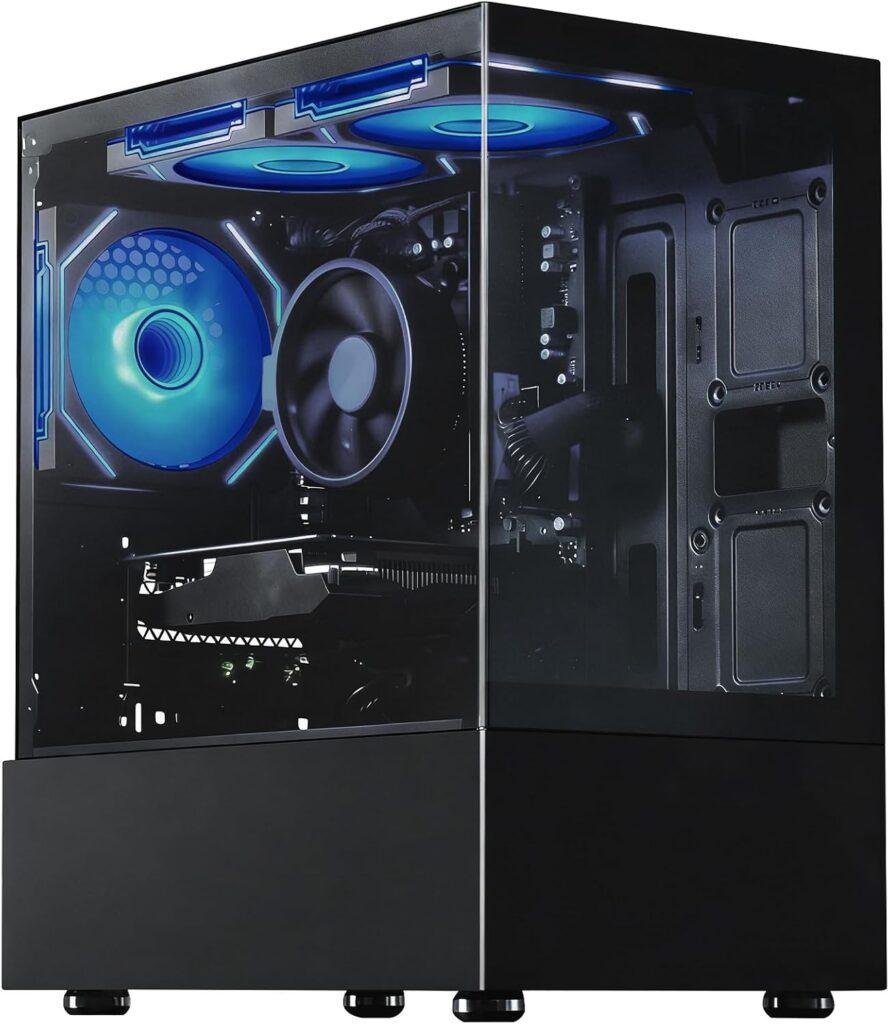
Key Details:
- AMD Ryzen 5 processor with 6 cores and 6 threads
- Clock speeds from 3.6GHz to 4.1GHz
- NVIDIA dedicated graphics card with 2GB VRAM
- 8GB DDR4 RAM and 256GB SSD storage
- Wi-Fi 6 connectivity and RGB cooling fans
- Tempered glass tower case with DOS operating system
The Suevery Ryzen 5 Tower Desktop PC is worth considering if you want an affordable computer with dedicated graphics. Its six-core Ryzen 5 processor and 2GB NVIDIA GPU provide a basic setup for casual gaming, studying, and everyday computing. However, the exact graphics card model isn’t specified.
When it comes to gaming performance, this budget desktop is better suited to lighter games and older AAA titles at reduced settings. The 8GB RAM is usable for basic tasks, but upgrading to 16GB would improve multitasking. Its 256GB SSD also feels limited for larger game installations.
We like the Suevery Ryzen 5 Tower Desktop PC’s clean tower design with a tempered glass panel and RGB fans. You also get Wi-Fi 6 connectivity and convenient access to peripheral ports. However, the listed DOS operating system means Windows isn’t included.
In our opinion, this affordable gaming PC makes more sense for casual users who also need a general-purpose desktop. It offers a dedicated GPU, although its limited memory and unspecified graphics hardware make the overall gaming value less convincing.
Pros:
- Six-core Ryzen 5 processor handles everyday multitasking
- Dedicated 2GB graphics card for basic visual tasks
- Tempered glass case with RGB cooling fans
- Wi-Fi 6 connectivity for wireless networking
Cons:
- 8GB RAM and 256GB SSD limit gaming flexibility
- Unspecified GPU model and DOS operating system reduce convenience
10. Best for Gaming and Multitasking: DeXwtzfn Gaming PC Desktop
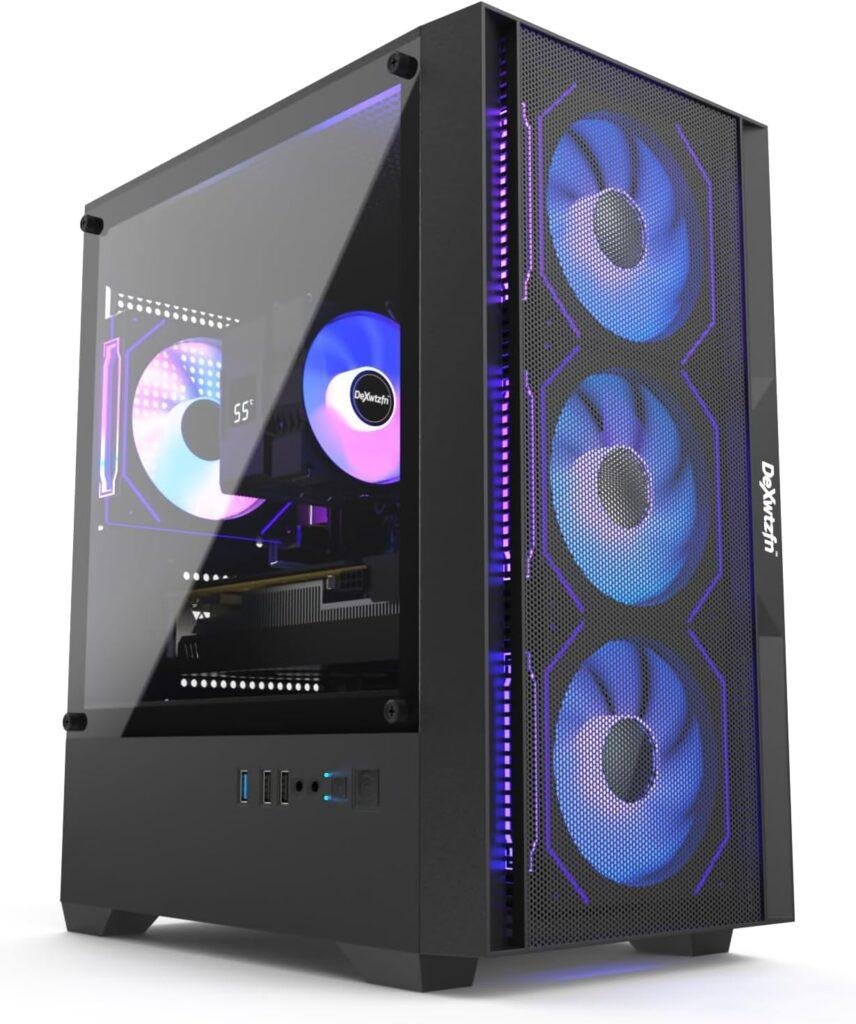
Key Details:
- Intel Core i7 processor with speeds up to 4.0GHz
- AMD Radeon RX 590 8GB GDDR5 dedicated graphics
- 16GB RAM and 512GB SSD storage
- Windows 11 Home operating system
- Wi-Fi 6, Bluetooth 5.3, and Ethernet connectivity
- Four ARGB fans with mesh-front airflow design
If you want a prebuilt gaming PC with dedicated graphics, the DeXwtzfn Gaming PC Desktop is another option. Its Intel Core i7 processor and Radeon RX 590 8GB GPU offer a reasonable combination for casual gaming, multitasking, and everyday entertainment.
The RX 590 provides enough graphics power for older AAA titles and less demanding games at 1080p with suitable settings. Its 8GB video memory is useful, although newer games may require reduced graphics quality. The unspecified Core i7 generation also makes exact gaming performance difficult to predict.
What we like about the DeXwtzfn Gaming PC Desktop is its balanced 16GB RAM and 512GB SSD configuration. Four ARGB fans and a mesh front panel support airflow, while Wi-Fi 6 and Bluetooth 5.3 add convenience. However, the graphics card requires installation before first use.
From our perspective, this affordable gaming desktop is suitable for buyers who prefer a traditional tower with dedicated graphics. It offers decent entry-level 1080p capabilities, but the older GPU and unclear processor generation are important considerations.
Pros:
- RX 590 8GB graphics support affordable 1080p gaming
- Core i7 processor and 16GB RAM for multitasking
- Four ARGB fans with airflow-focused mesh design
- Wi-Fi 6 and Bluetooth 5.3 connectivity
Cons:
- Older GPU and unspecified Core i7 generation
- Graphics card requires manual installation before use
11. Best White Gaming PC: GPVHOSO Gaming Desktop PC
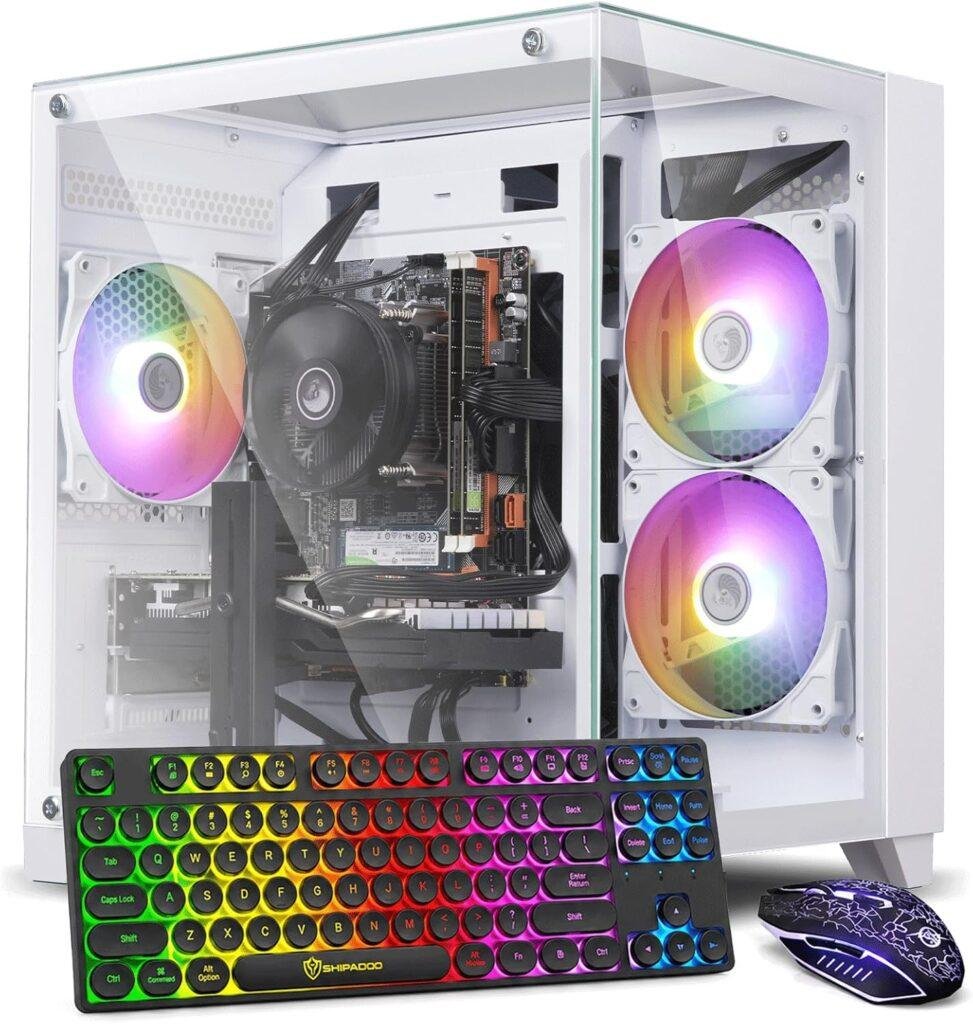
Key Details:
- Intel Core i5 quad-core processor at 3.2GHz
- AMD Radeon RX 550 4GB dedicated graphics
- 16GB RAM and 512GB SSD storage
- Windows 11 Home operating system
- White tower case with transparent side panel
- Five RGB cooling fans with gaming keyboard and mouse
A white gaming setup can look great without requiring an expensive desktop. The GPVHOSO Gaming Desktop PC combines a clean white tower with an Intel Core i5 processor and Radeon RX 550 4GB graphics card. It’s an appealing budget gaming computer for casual use and everyday entertainment.
When it comes to graphics performance, the RX 550 handles lightweight games and older titles at modest settings. However, modern AAA gaming is beyond its strengths, especially at higher resolutions. The 16GB RAM helps with general multitasking, while the 512GB SSD keeps applications responsive.
We particularly like the GPVHOSO Gaming Desktop PC’s white case with its transparent side panel and five RGB fans. It gives this affordable gaming desktop a more distinctive appearance. You will also find Windows 11 Home preinstalled, along with a matching gaming keyboard and mouse.
In our view, this budget gaming PC is better suited to casual gamers who also care about their desk setup. Its styling and included accessories are appealing, although stronger dedicated GPUs are available in competing configurations.
Pros:
- White transparent case with five RGB cooling fans
- Dedicated RX 550 4GB graphics for lightweight gaming
- 16GB RAM and 512GB SSD for everyday performance
- Includes matching gaming keyboard and mouse
Cons:
- RX 550 struggles with demanding modern AAA titles
- Older Core i5 processor limits overall performance
12. Best for Casual Gaming: STGAubron Gaming PC Desktop Core I5 RX 550 4G 16G
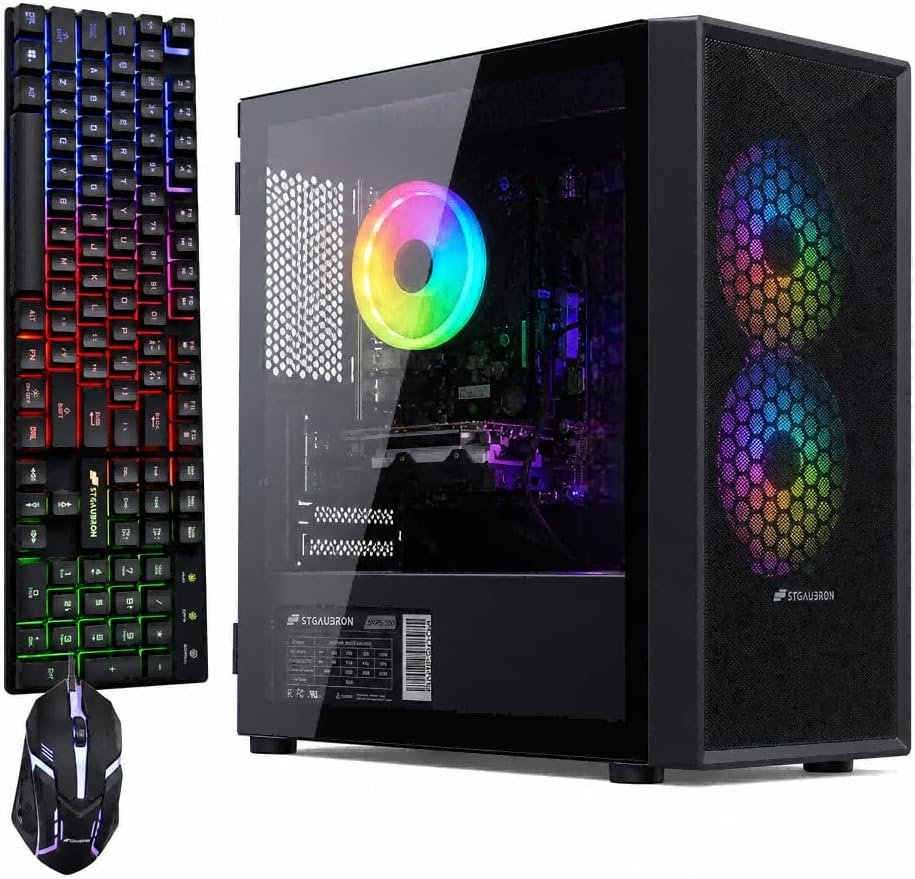
Key Details:
- Intel Core i5 processor with speeds up to 3.6GHz
- AMD Radeon RX 550 4GB GDDR5 dedicated graphics
- 16GB RAM and 512GB SSD storage
- Windows 11 Home operating system
- Wi-Fi 6, Bluetooth 5.0, HDMI, and DisplayPort
- Two RGB fans with gaming keyboard and mouse
The STGAubron Gaming PC Desktop offers a straightforward option for anyone entering PC gaming on a smaller budget. Its Intel Core i5 processor and Radeon RX 550 4GB graphics provide enough capability for basic gaming, media playback, and everyday desktop work.
If you mostly enjoy lightweight games, this affordable gaming PC can handle suitable titles at reduced graphics settings. However, the RX 550 isn’t powerful enough for demanding AAA gaming at high presets. Its dedicated 4GB video memory is useful, but overall GPU performance remains entry-level.
We like how the STGAubron Gaming PC Desktop comes with 16GB RAM and a 512GB SSD. This combination keeps everyday multitasking manageable and provides room for several smaller games. Wi-Fi 6, Bluetooth 5.0, two RGB fans, and included peripherals also make setup convenient.
In our opinion, this prebuilt gaming PC is a reasonable starting point for casual players. It offers dedicated graphics and a complete desktop package. However, buyers prioritizing stronger 1080p gaming performance should consider systems with more capable GPUs.
Pros:
- RX 550 4GB dedicated GPU for lightweight gaming
- 16GB RAM supports everyday gaming and multitasking
- 512GB SSD provides practical storage capacity
- Includes RGB fans, keyboard, mouse, and wireless connectivity
Cons:
- RX 550 graphics are limited for demanding AAA gaming
- Unspecified Core i5 generation makes performance harder to evaluate
What Can You Expect From a Gaming PC Under $500?
A gaming PC under $500 can deliver decent performance for casual gaming, competitive esports, and older AAA titles. However, you need realistic expectations about graphics quality and frame rates. Most budget gaming desktops are better suited to 720p or 1080p gaming than higher resolutions.
Here’s what you can generally expect from an affordable gaming computer:
- Competitive Esports: Many budget PCs can handle lightweight competitive games smoothly with optimized graphics settings.
- Older AAA Games: Desktops with capable dedicated GPUs can run older AAA titles at low or medium settings.
- 720p vs. 1080p Gaming: Lowering resolution to 720p improves performance, while 1080p offers sharper visuals with greater GPU demands.
- Modern AAA Games: Demanding releases may struggle on entry-level graphics cards, especially with limited VRAM.
- Integrated vs. Dedicated Graphics: Integrated GPUs suit casual gaming, while dedicated graphics generally deliver stronger performance.
- 1440p and 4K Gaming: High-resolution gaming and advanced ray tracing are generally beyond the capabilities of most budget PCs.
From our perspective, a budget gaming desktop makes sense when you prioritize smooth gameplay over maximum graphics quality. A capable GPU, 16GB RAM, and SSD storage can make a noticeable difference.
What Games Can You Play on a $500 Gaming PC?
You can enjoy several types of PC gaming on a $500 desktop, including casual games, competitive esports, and older AAA titles. However, gaming performance depends on the processor, graphics card, RAM, and selected settings. Dedicated GPUs like the Radeon RX 590 and RX 5700 generally offer better results than basic integrated graphics.
Here’s a general comparison of gaming capabilities across different hardware configurations.
| Game Category | Recommended GPU Class | Graphics Settings | Expected Performance |
| Competitive Esports | RX 590 / RX 5700 | 1080p Low–Medium | Generally smooth; high FPS possible |
| Older AAA Titles | RX 590 / RX 5700 | 1080p Low–Medium | Often playable at 30–60+ FPS |
| Modern AAA Games | RX 5700 or stronger | 1080p Low | Variable; demanding titles may struggle |
| Casual Multiplayer | RX 550 / Vega 8 class | 720p–1080p Low | Usually playable in lighter titles |
| Lightweight Indie Games | Integrated Radeon / Intel Graphics | 720p–1080p Low–Medium | Often smooth in less demanding games |
| Strategy and Simulation | RX 590 / RX 5700 | 1080p Low–Medium | Depends heavily on CPU and game complexity |
Performance Note: These are general performance expectations, not measured FPS results from the reviewed computers. Actual frame rates vary depending on CPU generation, memory configuration, game optimization, and graphics settings. Some demanding games may perform below the indicated ranges.
How We Selected the Best Gaming PCs Under $500
Finding the best gaming PC under $500 involves more than comparing processor names and RGB lighting. We evaluated the selected desktops based on advertised specifications, graphics capabilities, available benchmark information, and upgrade flexibility.
Here’s what mattered most during the selection process:
- Gaming Performance: Considered 1080p gaming capabilities and expected performance at lower resolutions.
- CPU and GPU Performance: Compared processor specifications and dedicated versus integrated graphics capabilities.
- RAM and Storage: Prioritized practical configurations with 16GB RAM and SSD storage.
- Cooling Efficiency: Examined fan configurations, case ventilation, and advertised cooling designs.
- Build Quality: Considered chassis construction, accessibility, ports, and connectivity.
- Upgrade Potential: Reviewed available information about RAM, SSD, GPU, and power supply upgrades.
- Price and Value: Compared included hardware with the listed configurations and overall gaming capabilities.
- Hardware Condition: Considered component age, seller information, and refurbished hardware concerns.
These selections are based on product specifications and available performance information rather than firsthand testing of every complete system. Before purchasing, check the exact processor model, graphics hardware, component condition, and current availability.
How to Choose the Best Gaming PC Under $500
Choosing the right gaming PC under $500 means focusing on the components that actually improve performance. You don’t necessarily need the newest processor or the most attractive case. Instead, look for capable graphics, sufficient memory, reliable storage, and practical upgrade options.
Processor Performance for Budget Gaming
The processor affects frame rates, game responsiveness, and overall multitasking performance. Intel Core i5 and AMD Ryzen 5 processors are often sensible options for budget gaming desktops, while higher-tier CPUs can offer additional processing power.
However, processor generation matters more than the Core i5 or i7 label alone. An older Core i7 may perform worse than a newer Core i5, so always check the exact CPU model.
Dedicated GPU vs. Integrated Graphics
A dedicated graphics card can make a noticeable difference in an affordable gaming computer. GPUs like the Radeon RX 590 and RX 5700 offer their own video memory and stronger gaming capabilities than most basic integrated solutions.
Integrated graphics are practical for casual gaming and everyday computing. However, if you want better 1080p performance in AAA titles, a capable dedicated GPU is generally the better choice.
RAM Requirements for Smooth Gaming
For a budget gaming PC, 16GB RAM is a practical starting point. It provides enough memory for many games, background applications, and everyday multitasking.
An 8GB system may still handle lighter games, but newer titles can require more memory. We also recommend checking dual-channel support, especially when choosing a mini PC with integrated graphics.
SSD Storage and Game Loading Speeds
Storage capacity matters because modern AAA games can take up considerable space. A 256GB SSD may work for basic gaming, but it can fill quickly.
A 512GB SSD offers a more balanced option, while 1TB provides additional room for larger game libraries. NVMe SSDs also deliver fast application loading and file transfers.
Cooling Performance and Airflow
Even an inexpensive gaming PC needs proper cooling to maintain stable performance. Poor airflow can increase temperatures, fan noise, and the risk of performance throttling during longer sessions.
Look for ventilated cases, appropriately positioned fans, and accessible cooling components. RGB lighting looks attractive, but it doesn’t automatically mean better cooling.
Upgrade Potential and Component Compatibility
A gaming desktop with upgradeable hardware can remain useful for longer. Ideally, you should be able to add RAM, expand SSD storage, or install a stronger graphics card later.
However, motherboard compatibility, power supply wattage, and available case space matter. Mini PCs and proprietary desktops often have more limited upgrade options.
Connectivity and Gaming Accessories
A good gaming PC under $500 should provide enough ports for monitors, keyboards, mice, headsets, and other peripherals. HDMI and DisplayPort are especially useful for connecting gaming monitors.
Ethernet offers stable wired networking, while Wi-Fi and Bluetooth add wireless convenience. Also, confirm that the PC supports your monitor’s preferred resolution and refresh rate.
Prebuilt vs. Refurbished vs. Custom Gaming PC Under $500
When shopping for an affordable gaming computer, you’ll come across prebuilt systems, refurbished desktops, and custom PC builds. Each offers different advantages depending on your gaming needs, technical experience, and upgrade plans.
| Factors | Prebuilt Gaming PC | Refurbished Gaming PC | Custom Gaming PC |
| Purchase Price | Varies by configuration | Often lower for older hardware | Depends on selected components |
| Gaming Performance | Depends on included GPU | Can offer stronger used graphics | Flexible hardware selection |
| Upgrade Potential | Moderate to good | Depends on component compatibility | Usually more flexible |
| Setup Convenience | Usually ready to use | Usually ready to use | Requires assembly |
| Hardware Condition | New or mixed-age parts | Previously used hardware | New or used components |
| Best For | Beginners and casual gamers | Value-focused buyers | DIY gaming enthusiasts |
If you prefer convenience, a prebuilt gaming PC is usually the easiest choice. Refurbished desktops can deliver better graphics performance for the money, although component condition matters.
Building your own PC gives you more control over the processor, GPU, storage, and cooling. However, you need to account for every component and ensure everything works together.
Is a $500 Gaming PC Worth Buying?
Yes, a $500 gaming PC can be worth buying if your expectations match its capabilities. For students, casual gamers, and first-time PC buyers, an affordable desktop can handle competitive esports, lightweight games, and everyday computing.
When choosing a budget gaming desktop, we recommend prioritizing graphics performance over appearance. A system with a capable dedicated GPU and 16GB RAM generally provides a better gaming experience than one relying on basic integrated graphics.
However, if you want to play demanding modern AAA games at high settings, spending more may be worthwhile. A carefully selected refurbished gaming computer can also offer better performance for the money.
In our opinion, the best gaming PC under $500 is one that handles your preferred type of gaming without requiring expensive upgrades immediately.
Common Mistakes to Avoid When Buying a Gaming PC Under $500
Buying a cheap gaming computer can be tricky, especially when product listings highlight processor speeds or colorful RGB lighting. Understanding the actual hardware can help you avoid disappointing performance.
- Ignoring GPU Performance: A powerful processor cannot compensate for a weak graphics card in demanding games.
- Choosing Outdated Graphics: Older GPUs may struggle with modern AAA titles and newer graphics features.
- Focusing on RGB Lighting: More RGB fans don’t automatically mean stronger gaming performance.
- Overlooking RAM Configuration: Check memory capacity, speed, and available upgrade slots.
- Buying Too Little Storage: A 256GB SSD may fill quickly after installing larger games.
- Ignoring Hardware Condition: Check component age, seller credibility, and return policies.
- Overlooking Power Supply Compatibility: Make sure the PSU supports any planned graphics upgrades.
- Expecting High-End AAA Gaming: Most budget gaming PCs are better suited to 1080p with adjusted graphics settings.
How to Improve Gaming Performance on a Budget PC
You don’t always need expensive upgrades to get better performance from an affordable gaming computer. A few simple adjustments can improve responsiveness, reduce unnecessary system load, and help maintain smoother gameplay.
- Update Graphics Drivers: Install compatible GPU drivers to improve performance and game compatibility.
- Adjust Graphics Settings: Lower shadows, reflections, anti-aliasing, and other demanding effects.
- Enable Supported Upscaling: Use compatible upscaling features to reduce graphics processing demands.
- Close Background Applications: Free up RAM and CPU resources before starting demanding games.
- Use Dual-Channel RAM: Install compatible memory modules where supported, particularly with integrated graphics.
- Maintain Proper Airflow: Remove dust buildup and keep ventilation areas unobstructed.
- Consider Hardware Upgrades: Add RAM, increase SSD storage, or upgrade the GPU when compatible.
Final Words
If you’re looking for the best gaming PC under $500 with a balanced configuration, the STGAubron Gaming PC Desktop Core I5 RX 590 8G with Radeon RX 590 is worth considering. Its 8GB dedicated GPU, 16GB RAM, and 1TB SSD provide a practical combination for affordable 1080p gaming.
For stronger graphics performance, the STGAubron Gaming PC Desktop Core I5 RX 5700 8G with Radeon RX 5700 stands out. Its 8GB GDDR6 graphics card makes it more suitable for demanding gaming workloads, although the 512GB SSD offers less storage.
If you prefer a compact gaming setup, the GMKtec M5 Ultra Gaming Mini PC Ryzen 7 7730U is another reasonable choice. Its Ryzen 7 processor, expandable memory, and modern connectivity make it useful for casual gaming and everyday multitasking.
Ultimately, choosing the right budget gaming PC depends on your graphics requirements, preferred resolution, and upgrade plans. Focus on a capable GPU, sufficient RAM, and reliable SSD storage. Always verify the exact hardware configuration before buying.
Related FAQs
Can You Get a Good Gaming PC for Under $500?
Yes, you can find a good gaming PC under $500 for casual gaming, competitive esports, and older AAA titles. Look for a capable dedicated GPU, 16GB RAM, and SSD storage for balanced performance.
Can a $500 Gaming PC Run Competitive Esports Smoothly?
Yes, many affordable gaming PCs can handle competitive esports at 1080p with optimized settings. However, actual frame rates depend on the processor, GPU, and memory configuration.
Is 8GB RAM Enough for a Gaming PC Under $500?
8GB RAM can handle lightweight gaming, but 16GB is a better choice for modern games and multitasking. It provides more memory for background applications and helps reduce performance limitations.
Can a $500 Gaming PC Run AAA Games?
Yes, a budget gaming PC with a capable dedicated GPU can run many older AAA titles at suitable settings. However, newer demanding AAA games may require lower resolutions, reduced graphics quality, or stronger hardware.
Is It Better to Build or Buy a Gaming PC Under $500?
Buying a prebuilt gaming PC is easier for beginners because the components are already assembled. Building your own provides more hardware flexibility and may deliver better value with carefully selected components.
Can You Upgrade a Cheap Gaming PC Later?
Yes, many budget gaming desktops support RAM, SSD, and graphics card upgrades. However, compatibility depends on the motherboard, power supply, case dimensions, and available expansion slots.
Is a Refurbished Gaming PC Worth Buying?
A refurbished gaming PC can offer good value if it includes a capable processor and dedicated graphics. Check the hardware condition, exact specifications, seller reputation, and return policy before purchasing.
Do You Need a Dedicated Graphics Card for Budget Gaming?
Not necessarily. Integrated graphics work for lightweight games and casual entertainment. However, a capable dedicated GPU generally delivers better performance for demanding 1080p gaming and AAA titles.

Justin has spent years learning how blogs, websites, hosting, and online income work in the real world. Along with blogging and SEO, he also covers desktops, laptops, PC parts, and everyday tech, sharing easy-to-understand advice for readers who want to build better websites and choose better tools.