If you are looking for the best gaming PC, choosing the right processor, graphics card, and memory makes all the difference. Whether you enjoy AAA gaming, competitive esports, or 4K visuals, a powerful gaming desktop can make your experience smoother and more enjoyable.
The Alienware Aurora Gaming Desktop RTX 5070 is a solid all-around choice, while the msi Codex R2 suits budget-conscious gamers. For demanding 4K gaming, the Skytech Gaming PC Desktop Ryzen 7 9850X3D stands out. Meanwhile, the iBUYPOWER Element suits gaming and streaming, and the Lenovo Legion Tower 5i offers excellent upgrade flexibility.
After reviewing the top gaming PCs based on hardware specifications, graphics performance, cooling, and overall value, we’ve narrowed the selection to 12 prebuilt gaming desktops. In this guide, we’ll cover their key features, pros, cons, and buying considerations to help you choose the right setup.
We’re reader-supported. When you buy through links on our site, we may earn an affiliate commission. As an Amazon Associate, we earn from qualifying purchases at no extra cost to you.
Best Gaming PC: Our Top Picks
- Best Overall: Alienware Aurora Gaming Desktop RTX 5070
- Best for Large Game Libraries: msi Codex Z2 Gaming Desktop AMD R7-8700F RTX 5070
- Best for 1080p Gaming and Multitasking: HP OMEN 45L Gaming Desktop 32GB RAM 1TB SSD
- Best Mid-Range Option: CyberPowerPC Gaming PC AMD Ryzen 7 8700F
- Best for Gaming and Video Editing: HP OMEN 45L Gaming PC 64GB DDR5 2TB PCIE
- Best for 4K Gaming: Skytech Gaming PC Desktop Ryzen 7 9850X3D
- Best for Gaming and Streaming: iBUYPOWER Element Gaming PC Desktop Computer
- Best Premium Option: Alienware Aurora Gaming Desktop RTX 5080
- Best for Everyday Gaming: YAWYORE Gaming PC AMD Ryzen 7 5700X
- Best for Upgrades: Lenovo Legion Tower 5i – AI-Powered Gaming PC
- Best Budget-Friendly Option: msi Codex R2 Gaming Desktop Intel i5-14400F
- Best for Modern Connectivity: KOTIN Gaming PC Desktop Ryzen 7 8700F
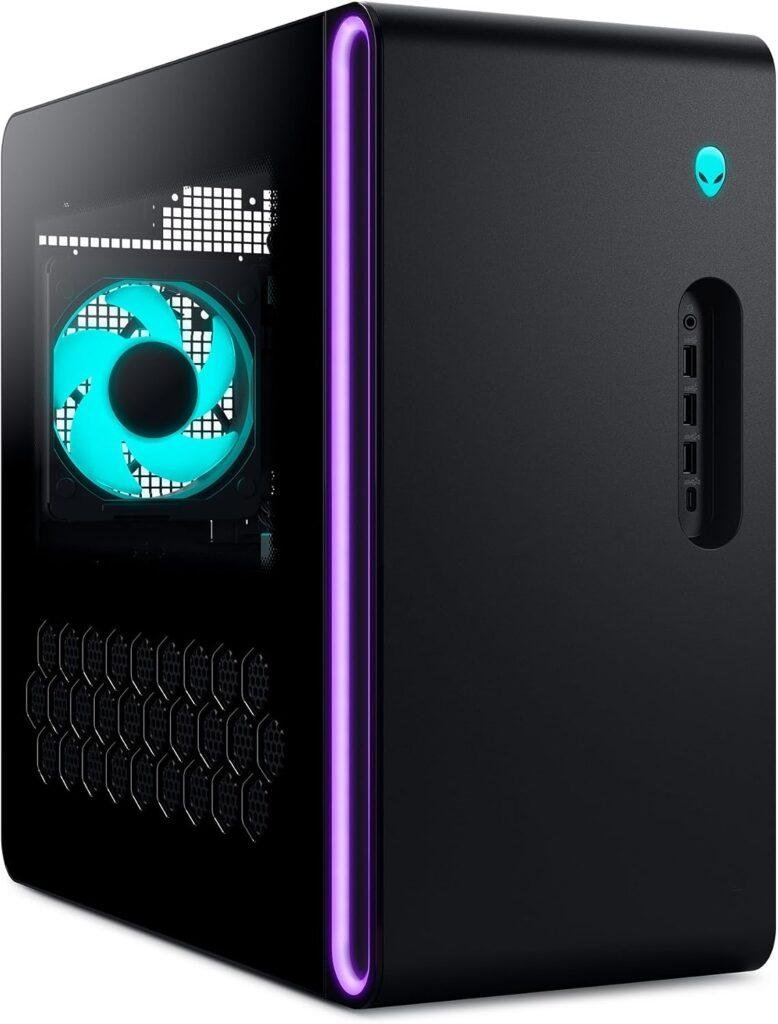
1. Best Overall: Alienware Aurora Gaming Desktop RTX 5070
Key Details:
- Intel Core Ultra 7 265F processor with speeds up to 5.3GHz
- NVIDIA GeForce RTX 5070 graphics with DLSS 4 support
- 32GB RAM for gaming, streaming, and multitasking
- Customizable AlienFX RGB lighting with basalt black chassis
- Alienware Command Center for performance and gaming profiles
- Windows 11 Home operating system
If you’re looking for one of the best gaming PCs for everyday gaming and demanding AAA titles, the Alienware Aurora Gaming Desktop is worth considering. Its Intel Core Ultra 7 265F processor and RTX 5070 graphics offer a strong combination for smooth 1440p gaming.
What we like most about this prebuilt gaming desktop is its 32GB RAM and modern NVIDIA graphics. You can enjoy detailed visuals, ray tracing, and DLSS 4 features in supported games while keeping streaming software and background applications running.
The Alienware Aurora Gaming Desktop also has a refined chassis with customizable RGB lighting. When adjusting your gaming setup, Alienware Command Center makes it easy to manage performance modes, lighting effects, and game profiles without complicated settings.
In our opinion, this RTX 5070 gaming PC strikes a good balance between performance, design, and everyday convenience. It’s particularly appealing for gamers who want a powerful, ready-to-use desktop, although the premium price may not suit everyone.
Pros:
- RTX 5070 graphics deliver strong 1440p gaming performance
- Intel Core Ultra 7 processor handles demanding multitasking
- 32GB RAM provides plenty of memory for modern games
- Customizable RGB lighting and convenient performance controls
Cons:
- More expensive than some similarly equipped gaming desktops
- Proprietary components may limit certain hardware upgrades
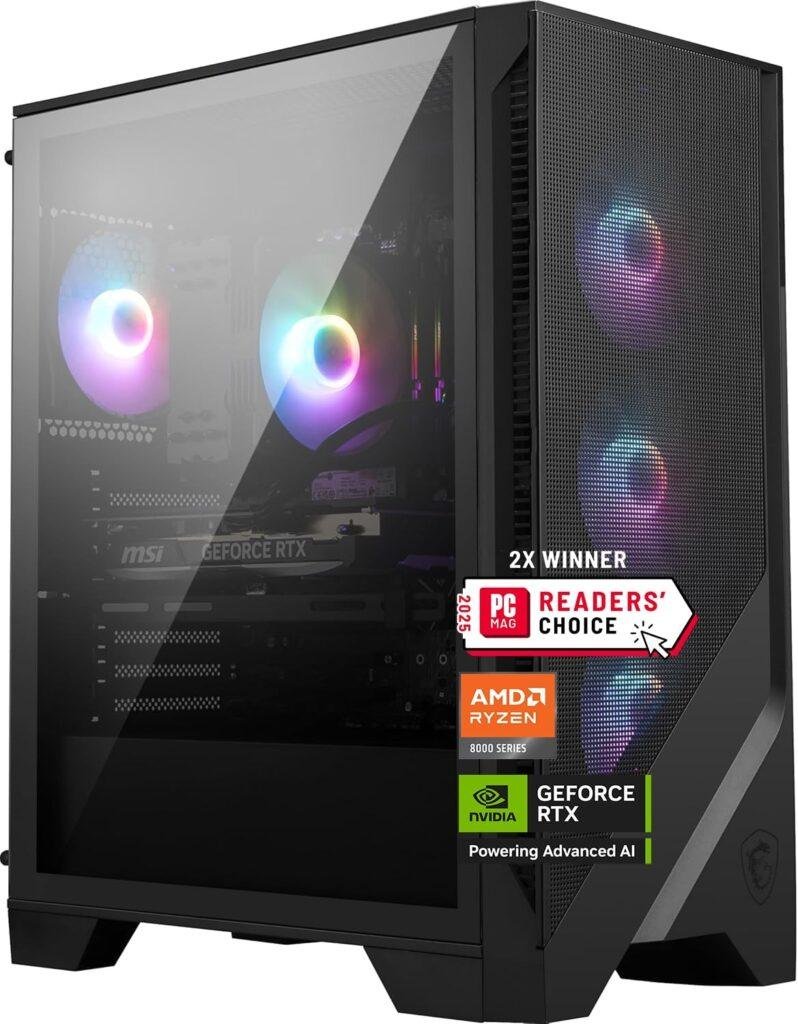
2. Best for Large Game Libraries: msi Codex Z2 Gaming Desktop AMD R7-8700F RTX 5070
Key Details:
- AMD Ryzen 7 8700F processor with 8 cores and 16 threads
- NVIDIA GeForce RTX 5070 graphics with Blackwell architecture
- 32GB DDR5 RAM for gaming and heavy multitasking
- 2TB SSD for large games, applications, and media files
- ARGB air cooling with customizable RGB lighting
- Windows 11 Home operating system
Running out of storage can be frustrating when you regularly install large AAA games. The MSI Codex Z2 Gaming Desktop addresses that problem with a 2TB SSD, Ryzen 7 8700F processor, and RTX 5070 graphics. It’s a capable prebuilt gaming PC for 1440p gaming.
What makes this RTX 5070 gaming desktop appealing is its combination of storage and memory. With 32GB DDR5 RAM, you can comfortably switch between games, streaming applications, and browser tabs. The spacious SSD also means fewer games need uninstalling.
When gaming for extended periods, proper airflow becomes important. The MSI Codex Z2 Gaming Desktop features an ARGB air-cooling setup designed to manage internal temperatures. You also get customizable RGB lighting through MSI Center for a more personalized gaming setup.
From our perspective, this gaming PC offers a practical balance of performance, storage, and everyday usability. Although the Ryzen 7 8700F isn’t AMD’s fastest gaming processor, it pairs well with the RTX 5070 for demanding games and multitasking.
Pros:
- RTX 5070 graphics provide strong 1440p gaming potential
- Spacious 2TB SSD accommodates larger game libraries
- 32GB DDR5 RAM supports gaming and multitasking
- ARGB cooling and customizable lighting improve the setup
Cons:
- Ryzen 7 8700F trails newer X3D processors in CPU-heavy gaming
- Full-sized tower requires considerable desk or floor space
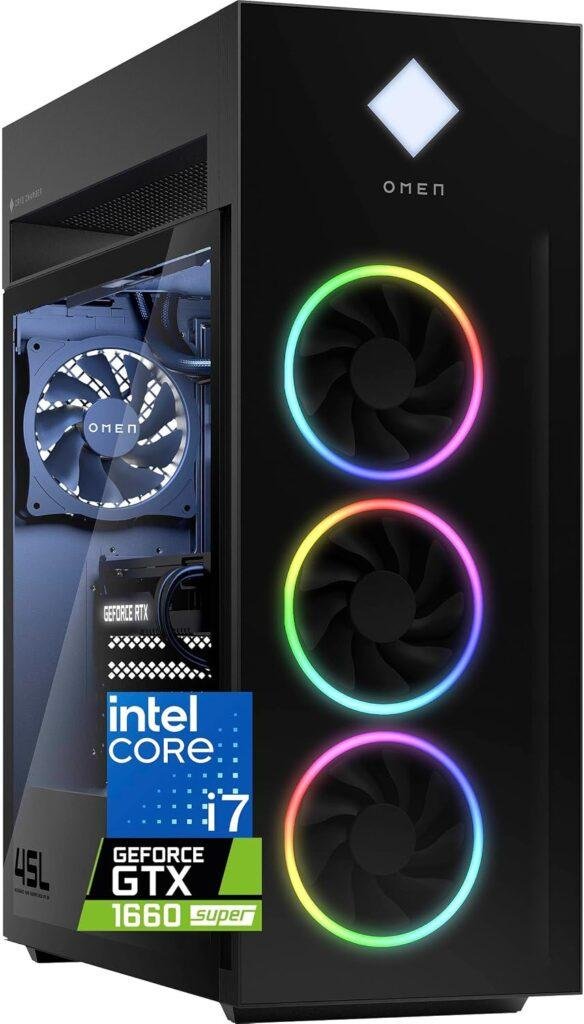
3. Best for 1080p Gaming and Multitasking: HP OMEN 45L Gaming Desktop 32GB RAM 1TB SSD
Key Details:
- Intel Core i7-12700KF processor with 12 cores and 20 threads
- NVIDIA GeForce GTX 1660 SUPER dedicated graphics
- 32GB DDR4 RAM and 1TB PCIe Gen4 NVMe SSD
- Advertised liquid-cooling configuration
- 800W 80 PLUS Gold power supply
- Windows 11 Home with OMEN RGB lighting controls
The HP OMEN 45L Gaming Desktop is an interesting option if you mainly enjoy 1080p PC gaming and need extra processing power. Its Intel Core i7-12700KF processor handles demanding multitasking, while the GTX 1660 SUPER graphics are better suited to esports and lighter AAA games.
For everyday gaming performance, this HP OMEN 45L Gaming Desktop benefits from its 32GB DDR4 RAM and 1TB NVMe SSD. You can run background applications comfortably, enjoy responsive game loading, and manage creative workloads without putting too much pressure on memory.
We also like the premium OMEN gaming tower design with customizable RGB lighting. The listed liquid-cooling system helps address CPU heat, while the 800W Gold-rated power supply offers potential headroom for future graphics upgrades, provided the new hardware is compatible.
In our opinion, this prebuilt gaming PC makes more sense for CPU-heavy tasks than demanding modern graphics workloads. The processor remains capable, but the older GTX 1660 SUPER limits its value as a high-performance gaming desktop at the listed price.
Pros:
- Intel Core i7-12700KF handles gaming and heavy multitasking
- 32GB RAM supports productivity and background applications
- Fast 1TB NVMe SSD provides responsive storage performance
- Premium chassis and 800W PSU offer upgrade potential
Cons:
- GTX 1660 SUPER struggles with demanding modern AAA games
- Relatively expensive for its older-generation graphics card
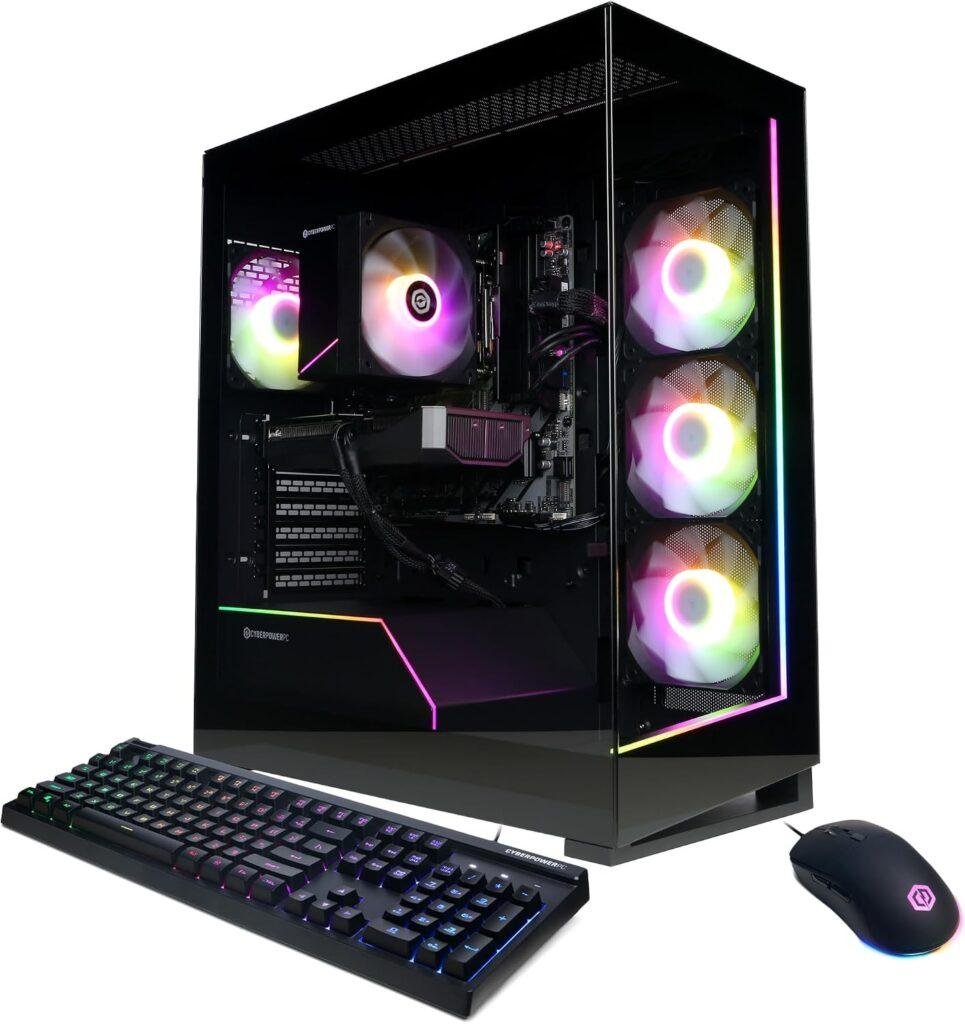
4. Best Mid-Range Option: CyberPowerPC Gaming PC AMD Ryzen 7 8700F
Key Details:
- AMD Ryzen 7 8700F processor with 8 cores
- NVIDIA GeForce RTX 5060 Ti with 8GB dedicated VRAM
- 16GB DDR5 RAM for gaming and everyday multitasking
- 1TB PCIe 4.0 NVMe SSD for faster game loading
- Wi-Fi 6, Bluetooth 5.3, USB-C, HDMI, and DisplayPort
- Windows 11 Home with RGB lighting and tempered-glass panel
Not every gamer needs an expensive desktop to enjoy modern PC games. The CyberPowerPC Gaming PC combines an AMD Ryzen 7 8700F processor with RTX 5060 Ti graphics, making it a reasonable mid-range gaming PC for 1080p and selected 1440p AAA titles.
What we like about this CyberPowerPC Gaming PC is its balanced hardware configuration. The eight-core Ryzen processor handles gaming and background tasks, while the RTX 5060 Ti supports ray tracing and DLSS 4 features for improved visuals and performance in compatible games.
You also get a 1TB PCIe 4.0 SSD for faster loading and 16GB DDR5 RAM for everyday gaming. When multitasking with demanding applications, upgrading to 32GB would be helpful. Wi-Fi 6, Bluetooth 5.3, and USB-C add convenient connectivity options.
From our standpoint, this RTX 5060 Ti gaming desktop is a practical choice for gamers who want modern graphics without flagship pricing. The RGB case looks appealing, and the included keyboard and mouse simplify setup. However, its 8GB VRAM may restrict higher graphics settings.
Pros:
- RTX 5060 Ti delivers capable 1080p gaming performance
- Eight-core Ryzen 7 processor handles everyday multitasking
- Fast 1TB PCIe 4.0 SSD improves game loading
- Wi-Fi 6, Bluetooth, and USB-C provide modern connectivity
Cons:
- 8GB VRAM limits demanding games at higher resolutions
- 16GB RAM may require upgrading for heavier workloads
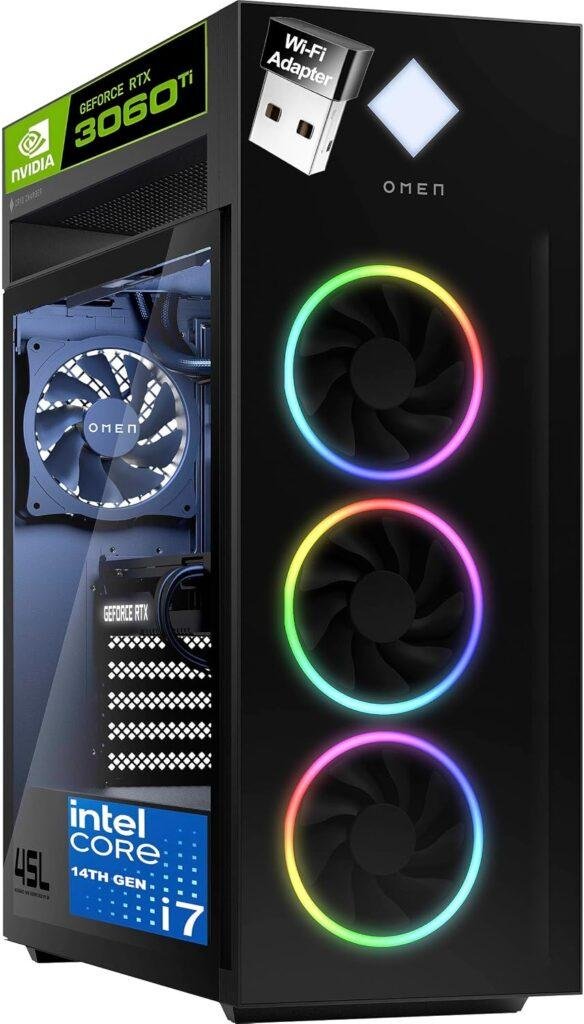
5. Best for Gaming and Video Editing: HP OMEN 45L Gaming PC 64GB DDR5 2TB PCIE
Key Details:
- Intel Core i7-14700F processor with 20 cores and 28 threads
- NVIDIA GeForce RTX 3060 Ti dedicated graphics
- 64GB DDR5 RAM for demanding multitasking and creative work
- 2TB PCIe NVMe SSD for games and large project files
- 240mm AIO liquid cooling with customizable RGB lighting
- 800W 80 PLUS Gold power supply and Windows 11
If you’re looking for a gaming PC that can also handle demanding creative work, the HP OMEN 45L Gaming PC is worth considering. Its Intel Core i7-14700F processor and 64GB DDR5 RAM provide plenty of processing power for gaming, video editing, and heavy multitasking.
What we like about this HP OMEN 45L Gaming PC is its generous memory and 2TB SSD. You can run editing software, manage large files, and keep background applications open comfortably. The RTX 3060 Ti also handles 1080p gaming well, although newer GPUs offer better performance.
When running demanding applications for extended periods, cooling becomes important. The 240mm AIO liquid cooler helps manage processor temperatures, while the OMEN chassis features customizable RGB lighting. An 800W Gold-rated power supply also provides potential headroom for compatible hardware upgrades.
In our opinion, this prebuilt gaming desktop makes more sense for gamers who also work with large creative projects. Its powerful processor and 64GB RAM are useful advantages, but the older RTX 3060 Ti makes the price harder to justify for gaming alone.
Pros:
- Intel Core i7-14700F handles demanding multitasking
- 64GB DDR5 RAM supports heavy creative workloads
- Spacious 2TB SSD accommodates games and large files
- Liquid cooling helps manage CPU temperatures
Cons:
- RTX 3060 Ti is outdated compared with newer gaming GPUs
- High price considering the graphics performance offered
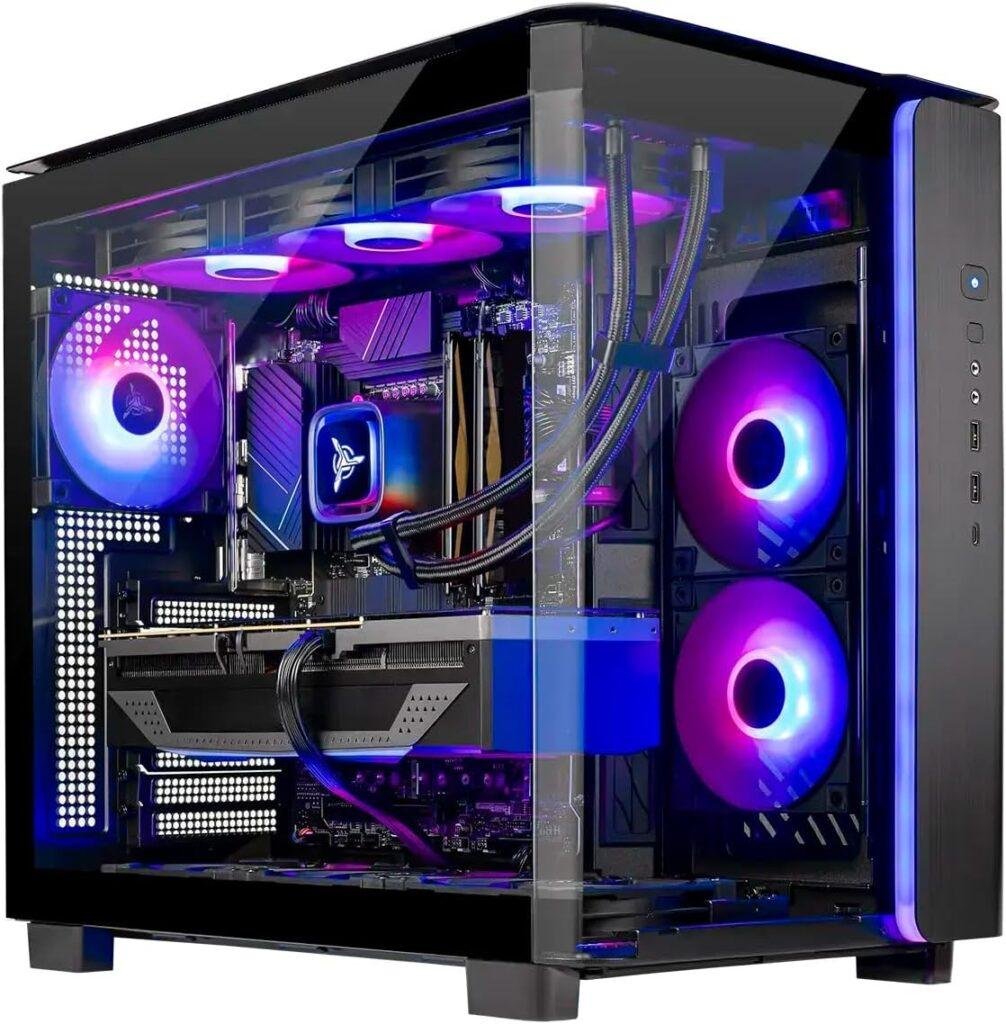
6. Best for 4K Gaming: Skytech Gaming PC Desktop Ryzen 7 9850X3D
Key Details:
- AMD Ryzen 7 9850X3D processor with speeds up to 5.6GHz
- NVIDIA GeForce RTX 5080 with 16GB GDDR7 VRAM
- 32GB DDR5 6000MHz RGB RAM for gaming and multitasking
- 2TB NVMe M.2 SSD for large AAA game libraries
- 360mm AIO liquid CPU cooler with ARGB fans
- Windows 11 Home with King 95 gaming tower chassis
For gamers who want serious 4K performance, the Skytech Gaming PC Desktop brings some impressive hardware. Its AMD Ryzen 7 9850X3D processor and NVIDIA RTX 5080 graphics make it a high-end gaming PC for demanding AAA titles, high-refresh-rate gaming, and graphics-heavy workloads.
What stands out about this RTX 5080 gaming desktop is its 16GB GDDR7 graphics memory and 32GB DDR5 RAM. You get strong hardware for detailed 4K visuals, ray tracing, and DLSS 4 features in supported games. The 2TB SSD also provides generous storage for modern titles.
Cooling is another important part of the Skytech Gaming PC Desktop. Its 360mm AIO liquid cooler is designed to handle processor heat during extended gaming sessions. The spacious King 95 chassis and ARGB fans also give this powerful gaming tower a premium appearance.
From our perspective, this prebuilt gaming PC is especially appealing for enthusiasts who prioritize graphics performance over budget. The hardware is well suited to demanding 4K gaming, although the premium price and older Wi-Fi 5 connectivity are worth considering.
Pros:
- RTX 5080 graphics provide excellent 4K gaming potential
- Ryzen 7 9850X3D is designed for demanding gaming workloads
- 32GB DDR5 RAM and 2TB SSD offer balanced capacity
- 360mm AIO liquid cooling supports high-performance hardware
Cons:
- Premium price makes it less accessible for casual gamers
- Wi-Fi 5 connectivity feels dated for a flagship gaming PC
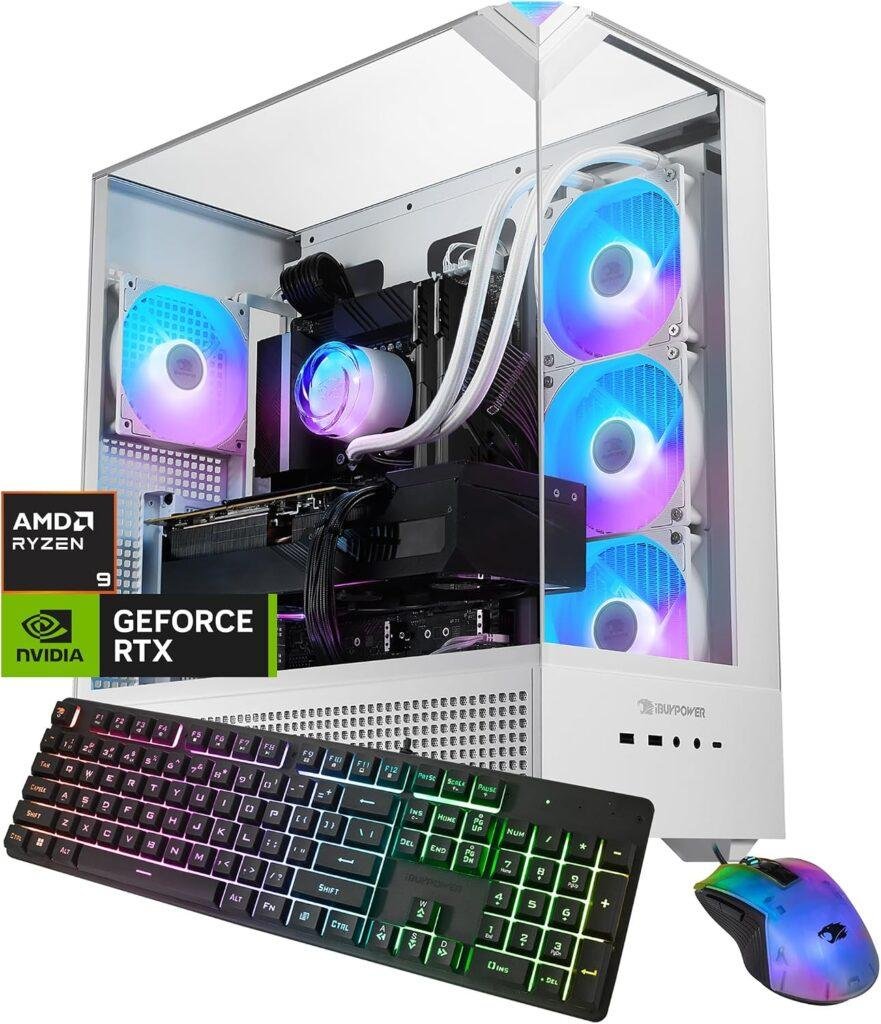
7. Best for Gaming and Streaming: iBUYPOWER Element Gaming PC Desktop Computer
Key Details:
- AMD Ryzen 9 7900X processor with 12 cores and 24 threads
- NVIDIA GeForce RTX 5070 with 12GB dedicated VRAM
- 32GB DDR5 4800MHz RGB RAM for multitasking
- 1TB NVMe SSD for games and everyday storage
- Tempered-glass gaming chassis with customizable RGB lighting
- Windows 11 Home with Wi-Fi and included gaming peripherals
Gaming and streaming on the same desktop requires a good balance of processing and graphics power. The iBUYPOWER Element Gaming PC Desktop combines an AMD Ryzen 9 7900X processor with RTX 5070 graphics, making it a capable choice for 1440p gaming, livestreaming, and content creation.
What we like about this prebuilt gaming PC is its 12-core processor and 32GB DDR5 RAM. You can play demanding AAA games while managing streaming software, voice chat, and background applications. The RTX 5070 also supports modern ray tracing and NVIDIA’s DLSS features.
The iBUYPOWER Element Gaming PC Desktop comes with a 1TB NVMe SSD for responsive loading and everyday storage. Its tempered-glass case features customizable RGB lighting, while the included keyboard and mouse make setup easier. However, frequent game recordings may fill the SSD quickly.
In our opinion, this Ryzen 9 gaming desktop is a practical option for gamers who also stream or create content. The powerful CPU provides useful multitasking headroom, although faster memory and additional storage would make the configuration more appealing at its price.
Pros:
- Ryzen 9 7900X delivers strong multitasking performance
- RTX 5070 graphics support demanding 1440p gaming
- 32GB DDR5 RAM accommodates gaming and streaming applications
- RGB gaming chassis and included peripherals simplify setup
Cons:
- 1TB SSD may fill quickly with large games and recordings
- DDR5 4800MHz memory is relatively slow for this price range
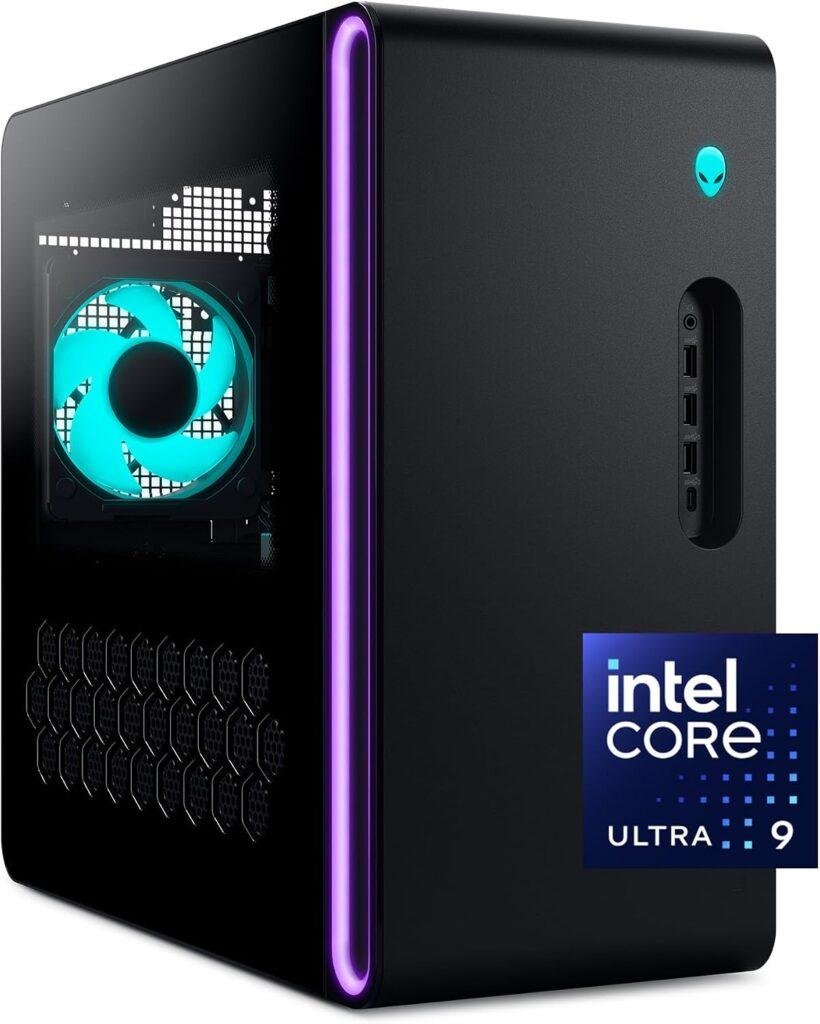
8. Best Premium Option: Alienware Aurora Gaming Desktop RTX 5080
Key Details:
- Intel Core Ultra 9 285 processor for demanding workloads
- NVIDIA GeForce RTX 5080 with 16GB GDDR7 graphics memory
- 32GB RAM for gaming, streaming, and multitasking
- Basalt black chassis with customizable AlienFX RGB lighting
- Alienware Command Center for performance and lighting controls
- Windows 11 Home with Dell wired keyboard and mouse
If you’re ready to invest in a premium gaming PC, the Alienware Aurora Gaming Desktop offers a powerful combination of Intel Core Ultra 9 processing and RTX 5080 graphics. It’s designed for demanding AAA gaming, detailed 4K visuals, and high-performance multitasking.
One thing we like about this RTX 5080 gaming desktop is its 16GB GDDR7 VRAM. It provides substantial graphics memory for demanding textures and modern visual effects. Combined with 32GB system RAM, the configuration also handles background applications and content creation workloads comfortably.
The Alienware Aurora Gaming Desktop features a refined basalt black chassis with customizable AlienFX lighting. Alienware Command Center makes it easy to adjust gaming profiles and performance settings. Optional liquid cooling is also available, although the exact cooling configuration should be confirmed before purchasing.
From our standpoint, this high-end gaming PC makes sense for enthusiasts who prefer a polished, ready-to-use desktop. Its RTX 5080 offers excellent 4K gaming potential, but the premium pricing and possible upgrade restrictions may encourage some buyers to consider alternatives.
Pros:
- RTX 5080 with 16GB GDDR7 offers powerful 4K gaming performance
- Intel Core Ultra 9 processor supports demanding multitasking
- 32GB RAM accommodates modern gaming and creative workloads
- Premium design with customizable AlienFX lighting
Cons:
- Expensive compared with many similarly equipped gaming PCs
- Proprietary chassis design may restrict some future upgrades
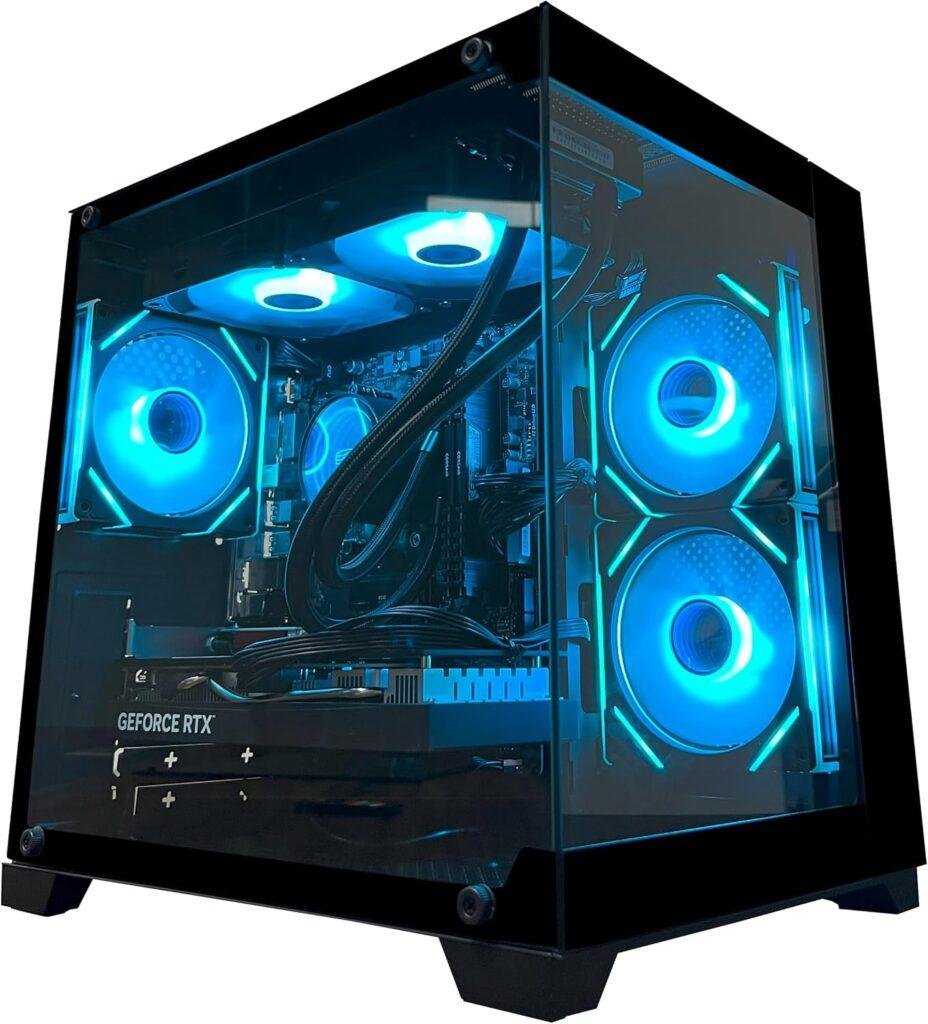
9. Best for Everyday Gaming: YAWYORE Gaming PC AMD Ryzen 7 5700X
Key Details:
- AMD Ryzen 7 5700X processor with 8 cores and 16 threads
- NVIDIA GeForce RTX 5060 with 8GB GDDR7 VRAM
- 32GB DDR4 3200MHz RAM for gaming and multitasking
- 1TB M.2 NVMe SSD with MSI B550M-A PRO motherboard
- 650W 80 PLUS Bronze certified power supply
- Built-in Wi-Fi, Bluetooth, and Windows 11
The YAWYORE Gaming PC is worth considering if you want a capable gaming desktop for everyday entertainment. Its AMD Ryzen 7 5700X processor and RTX 5060 graphics offer a practical combination for 1080p gaming, competitive esports, and modern AAA titles with suitable settings.
What we like about this YAWYORE Gaming PC is its 32GB DDR4 RAM and dedicated NVIDIA graphics. You can comfortably manage gaming, browsing, and background applications. The RTX 5060 also supports ray tracing and DLSS 4 features in compatible games for improved visuals and performance.
When it comes to storage and connectivity, this prebuilt gaming desktop keeps things fairly simple. The 1TB NVMe SSD provides responsive loading, while built-in Wi-Fi and Bluetooth make connecting accessories easier. Its 650W Bronze-rated power supply also supports the included hardware configuration.
From our perspective, this Ryzen 7 gaming PC makes sense for casual and competitive gamers who don’t need flagship components. However, its older DDR4 platform and 8GB GPU memory may feel limiting if you plan to upgrade extensively or play demanding games at higher resolutions.
Pros:
- RTX 5060 graphics provide capable 1080p gaming performance
- Ryzen 7 5700X handles gaming and everyday multitasking
- 32GB RAM offers generous memory for modern applications
- Built-in Wi-Fi, Bluetooth, and fast NVMe storage
Cons:
- Older DDR4 platform has limited CPU upgrade potential
- 8GB VRAM may restrict demanding games at higher settings
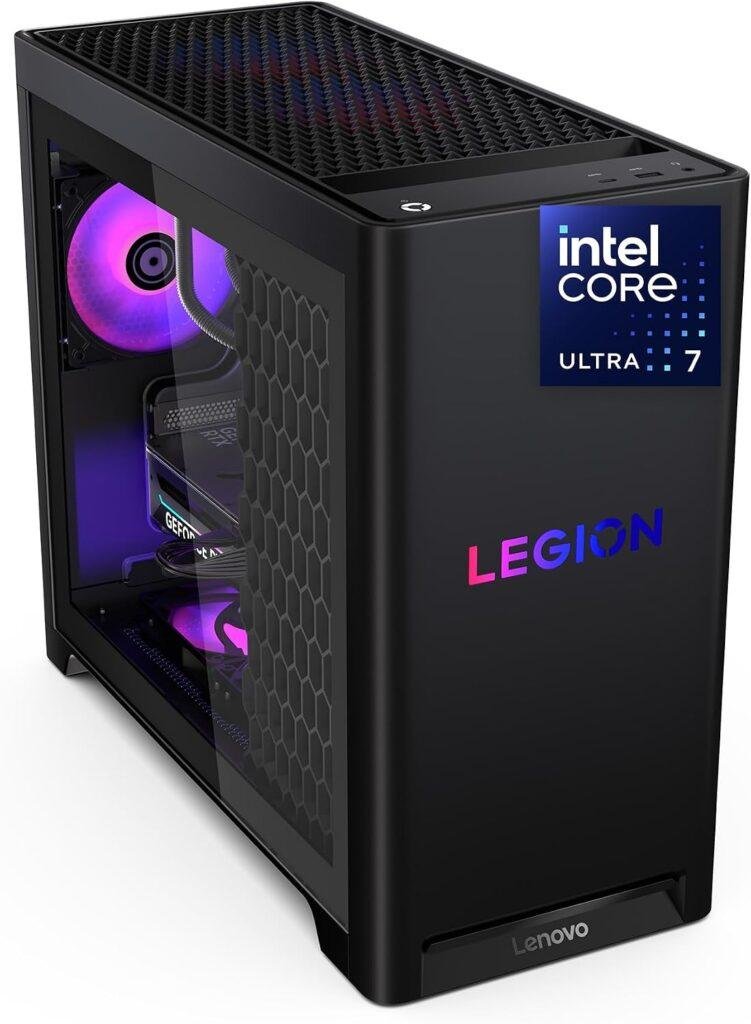
10. Best for Upgrades: Lenovo Legion Tower 5i – AI-Powered Gaming PC
Key Details:
- Intel Core Ultra 7 265F processor for gaming and multitasking
- NVIDIA GeForce RTX 5070 Ti dedicated graphics
- 32GB DDR5 5600MHz RAM, expandable up to 128GB
- 1TB SSD for games, applications, and everyday files
- Tool-less transparent side panel with customizable RGB lighting
- Wi-Fi 6E, 2.5G Ethernet, and optimized air cooling
If you’re looking for a powerful gaming desktop that can grow with your needs, the Lenovo Legion Tower 5i is an appealing option. Its Intel Core Ultra 7 265F processor and RTX 5070 Ti graphics deliver strong hardware for demanding AAA gaming, high-refresh-rate 1440p gameplay, and 4K gaming.
One thing we like about this Lenovo Legion Tower 5i gaming PC is its upgrade-friendly design. The 32GB DDR5 RAM is already generous, but you can expand it up to 128GB. Its tool-less side panel also makes accessing internal components more convenient.
When gaming for extended periods, the optimized air-cooling system helps manage internal heat. This prebuilt gaming tower also includes Wi-Fi 6E and 2.5G Ethernet for fast network connectivity. The customizable RGB lighting gives the desktop a modern appearance without making the design overly complicated.
In our opinion, this RTX 5070 Ti gaming PC offers a good combination of graphics power, expandability, and everyday convenience. The 1TB SSD may feel small for a large AAA game library, but the accessible chassis makes future storage upgrades easier to consider.
Pros:
- RTX 5070 Ti delivers strong 1440p and capable 4K gaming
- Intel Core Ultra 7 processor handles demanding multitasking
- Expandable DDR5 RAM supports future memory upgrades
- Tool-less chassis and modern network connectivity
Cons:
- 1TB SSD may fill quickly with large AAA games
- Premium price compared with some RTX 5070 Ti alternatives
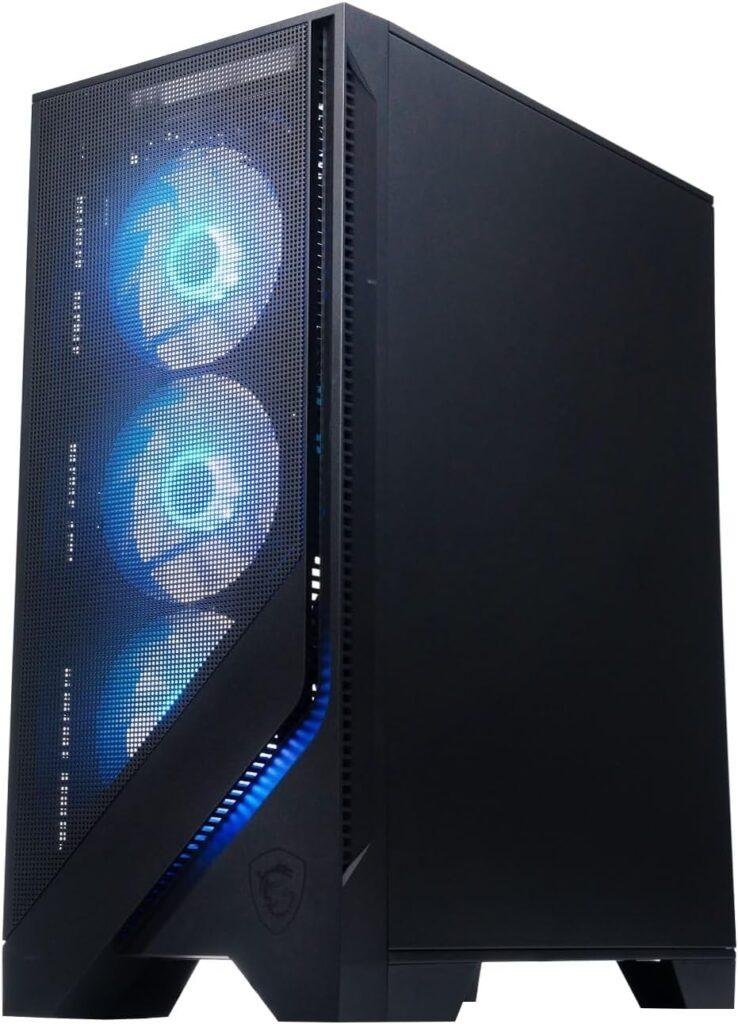
11. Best Budget-Friendly Option: msi Codex R2 Gaming Desktop Intel i5-14400F
Key Details:
- Intel Core i5-14400F processor with 10 cores and 16 threads
- NVIDIA GeForce RTX 5060 dedicated graphics
- 16GB DDR5 RAM for gaming and everyday multitasking
- 1TB SSD for games, applications, and media files
- RGB CPU air cooling with customizable lighting
- Windows 11 Home with MSI Center software
Not everyone wants to spend over $2,000 on a gaming desktop. The MSI Codex R2 Gaming Desktop offers a more affordable alternative with an Intel Core i5-14400F processor and RTX 5060 graphics. It’s a reasonable choice for 1080p gaming, competitive esports, and everyday PC use.
What makes this MSI Codex R2 Gaming Desktop appealing is its balanced hardware configuration. The Intel Core i5 processor handles gaming and background applications, while the RTX 5060 supports modern ray tracing and DLSS features. Its 16GB DDR5 RAM is also sufficient for many mainstream gaming workloads.
Cooling and design are other useful aspects of this prebuilt gaming PC. The advertised RGB air-cooling system helps manage processor heat, while MSI Center provides lighting customization. You also get a 1TB SSD, which keeps game loading and everyday desktop performance responsive.
From our standpoint, this budget-friendly gaming PC is suitable for beginners who want modern NVIDIA graphics without paying premium prices. However, upgrading to 32GB RAM would provide more flexibility, and the RTX 5060 isn’t intended for demanding 4K gaming.
Pros:
- RTX 5060 graphics deliver capable 1080p gaming performance
- Intel Core i5-14400F offers balanced processing power
- DDR5 memory and 1TB SSD support everyday gaming
- Customizable RGB lighting adds gaming-focused styling
Cons:
- 16GB RAM may need upgrading for heavier multitasking
- RTX 5060 has limited performance headroom for demanding 4K gaming
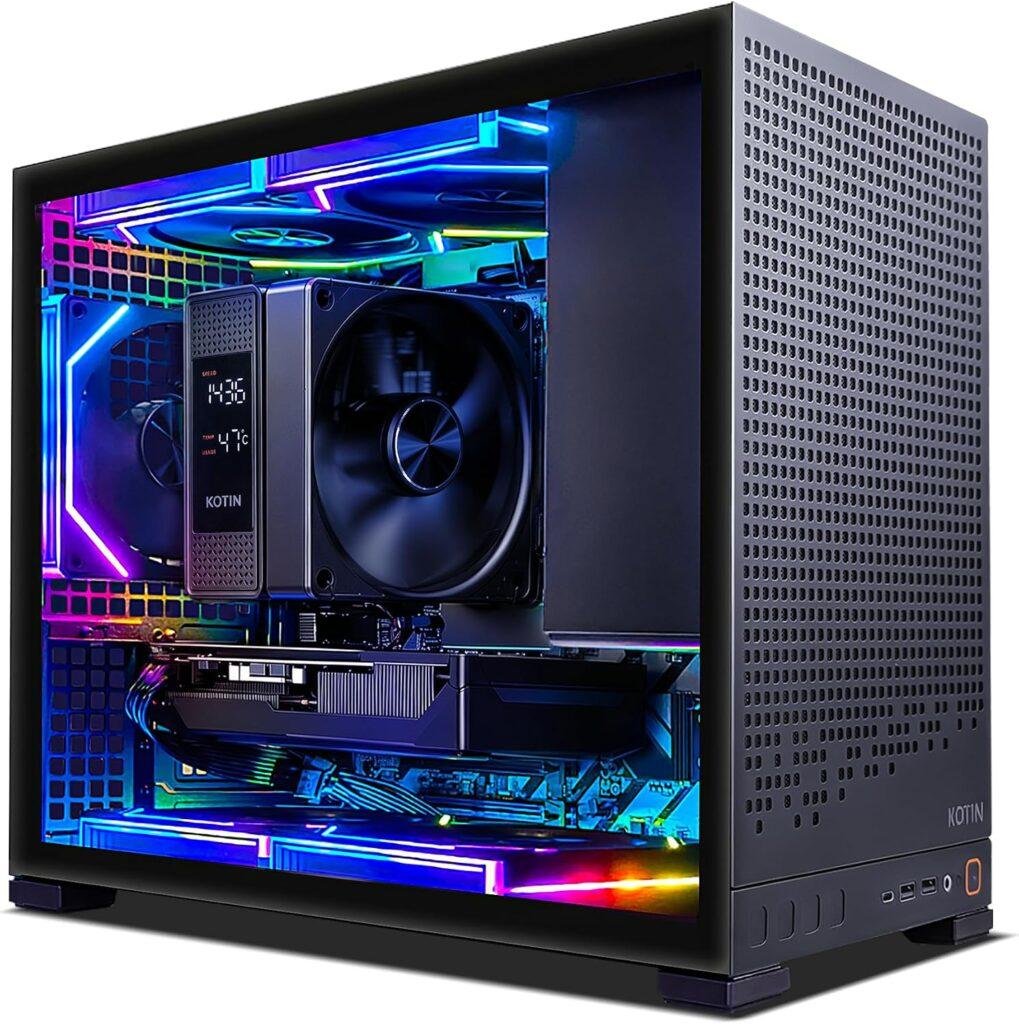
12. Best for Modern Connectivity: KOTIN Gaming PC Desktop Ryzen 7 8700F
Key Details:
- AMD Ryzen 7 8700F processor with 8 cores and 16 threads
- NVIDIA GeForce RTX 5060 Ti with 8GB dedicated VRAM
- 16GB DDR5 RAM and 1TB PCIe Gen4 NVMe SSD
- Six-heat-pipe CPU air cooler with digital temperature display
- Five 120mm ARGB fans for chassis airflow
- Wi-Fi 7, Bluetooth, and 650W 80 PLUS Gold power supply
The KOTIN Gaming PC Desktop is a practical option if you want modern graphics and fast wireless connectivity in one system. Its AMD Ryzen 7 8700F processor and RTX 5060 Ti graphics make this prebuilt gaming PC suitable for 1080p gaming and many 1440p AAA titles with adjusted settings.
What we like about this KOTIN Gaming PC Desktop is its combination of hardware and upgrade flexibility. The 16GB DDR5 RAM handles mainstream gaming, while the 1TB Gen4 SSD offers responsive storage. Four memory slots and three M.2 slots also provide room for future upgrades.
When running demanding games, good airflow becomes especially important. This RTX 5060 Ti gaming desktop features a six-heat-pipe CPU cooler and five ARGB fans to help manage heat. The digital temperature display is a useful touch, while Wi-Fi 7 and Bluetooth add modern connectivity options.
In our opinion, this Ryzen 7 gaming tower offers a reasonable balance of performance, cooling, and expandability. The 650W Gold-rated power supply is another welcome feature. However, its 16GB RAM and 8GB GPU memory may become restrictive for heavier gaming workloads.
Pros:
- RTX 5060 Ti provides capable 1080p and 1440p gaming
- Ryzen 7 8700F supports gaming and everyday multitasking
- Five ARGB fans and a six-heat-pipe cooler support airflow
- Wi-Fi 7 and multiple expansion slots add flexibility
Cons:
- 8GB VRAM can limit demanding games at higher resolutions
- 16GB RAM may require upgrading for heavier multitasking
What Is a Gaming PC?
A gaming PC is a desktop computer designed to run video games smoothly, especially demanding AAA titles. Unlike regular office computers, gaming desktops usually include dedicated graphics cards, powerful processors, faster memory, and advanced cooling systems.
The graphics card (GPU) handles game visuals, while the processor (CPU) manages calculations, game physics, and background tasks. Meanwhile, proper cooling helps maintain stable performance during extended gaming sessions.
The biggest difference between a gaming PC and an office desktop is graphics performance. Office computers are primarily built for productivity, whereas gaming PCs prioritize higher frame rates, detailed visuals, and demanding graphics workloads.
How We Selected the Best Gaming PCs
Choosing the best gaming PCs involves more than comparing processors and graphics cards. For this roundup, we evaluated the 12 selected gaming desktops using their listed hardware specifications, features, upgrade options, and prices.
These recommendations are based on specifications and hardware capabilities rather than hands-on testing of each complete system. Actual frame rates, temperatures, and noise levels can vary by configuration.
Our Evaluation Criteria:
- GPU Performance: Compared graphics capabilities for 1080p, 1440p, and 4K gaming.
- CPU Performance: Considered processor architecture, gaming capability, and multitasking performance.
- RAM and Storage: Evaluated memory capacity, DDR4 versus DDR5, and SSD configurations.
- Cooling and Noise: Reviewed advertised airflow designs, fan configurations, and cooling systems without assuming measured noise levels.
- Build Quality: Considered chassis design, component compatibility, and accessibility.
- Upgradability: Checked available information about RAM expansion, storage slots, and hardware access.
- Price-to-Performance: Compared gaming hardware and practical features against listed prices.
How to Choose the Best Gaming PC
Finding the right gaming PC depends on your budget, gaming resolution, and performance expectations. You don’t necessarily need flagship hardware for smooth gameplay. However, choosing balanced components makes a noticeable difference in long-term usability.
Processor (CPU) and Gaming Performance
The processor handles game calculations, physics, and background applications. For most gaming desktops, a modern Intel Core i5 or AMD Ryzen 5 is a good starting point. Core i7 and Ryzen 7 processors provide additional performance for demanding gaming and multitasking.
If you stream or edit videos alongside gaming, higher-end Core i9, Core Ultra 9, or Ryzen 9 processors may be worth considering. However, gaming performance also depends on processor generation, architecture, and cache, not just core count.
Graphics Card (GPU) and VRAM
The graphics card is one of the most important components in a gaming PC. It determines how well your system handles detailed textures, ray tracing, and higher gaming resolutions.
For 1080p gaming, an RTX 5060-class GPU is a reasonable starting point. RTX 5070-class graphics are better suited to demanding 1440p gaming, while RTX 5080-class hardware targets higher-end 4K performance.
Also consider VRAM. An 8GB graphics card can handle many games, but 12GB or 16GB offers more flexibility for demanding AAA titles and higher-resolution textures.
RAM Capacity and Memory Speed
Most modern gaming PCs come with 16GB or 32GB RAM. For everyday gaming, 16GB remains usable, although 32GB is a better target for newer AAA titles, streaming, and heavy multitasking.
DDR5 memory also offers higher bandwidth than DDR4. When comparing gaming desktops, check both memory speed and available expansion slots, especially if you plan to upgrade later.
SSD Storage and Game Loading Speed
A fast SSD helps Windows boot quickly, reduces loading times, and improves overall responsiveness. We recommend at least 1TB of SSD storage for a modern gaming PC.
However, if you install several large AAA games, a 2TB NVMe SSD is more practical. PCIe Gen4 drives offer strong performance, although faster storage doesn’t necessarily improve actual gaming frame rates.
Gaming Resolution and Refresh Rate
Your monitor resolution determines how much graphics power you need. A 1080p gaming PC generally requires less GPU performance than a 1440p or 4K system.
For competitive gaming, a 144Hz or higher refresh-rate monitor can make gameplay feel more responsive. If you prefer detailed graphics and demanding AAA games, prioritize a stronger GPU that matches your monitor’s resolution.
Cooling System and Airflow
Gaming components generate considerable heat, particularly under sustained workloads. Good airflow helps maintain stable operating temperatures and reduces the risk of thermal throttling.
Look for gaming desktops with properly positioned intake and exhaust fans. Air cooling works well for many systems, while liquid cooling can be useful for powerful processors. Actual cooling performance depends on the complete design, not simply fan count.
Power Supply and Future Upgradability
A quality power supply is essential for supporting your gaming hardware. Choose a desktop with sufficient wattage, suitable GPU power connectors, and a reputable PSU design.
Also consider future upgrades. If you plan to install a stronger graphics card, check power capacity, motherboard compatibility, and available space inside the case.
PC Case Size and Build Quality
Gaming desktops come in full-sized towers, mid-towers, and compact cases. Larger towers generally offer more room for cooling and hardware upgrades, while smaller gaming PCs fit better in limited spaces.
We recommend looking for durable panels, accessible dust filters, organized internal wiring, and good ventilation. RGB lighting looks appealing, but practical airflow and component accessibility matter more.
Connectivity, Ports, and Networking
A modern gaming PC should provide enough USB-A and USB-C ports for accessories, external drives, and gaming peripherals. HDMI and DisplayPort connections are also important for high-resolution monitors.
For online gaming, wired Ethernet provides a stable connection. Wi-Fi 6, Wi-Fi 6E, and Wi-Fi 7 offer convenient wireless options, while Bluetooth helps connect compatible peripherals.
Budget and Price-to-Performance Value
The most expensive gaming PC isn’t always the best choice. A balanced CPU and GPU combination usually provides better value than overspending on one component.
For example, if you mainly play at 1080p, an RTX 5060 gaming desktop may be sufficient. However, investing in an RTX 5070 or higher-tier GPU makes more sense for demanding 1440p gaming and longer-term graphics performance.
What Gaming PC Specs Do You Need for 1080p, 1440p, and 4K Gaming?
The ideal gaming PC specifications depend on your preferred resolution, graphics settings, and gaming habits. Higher resolutions require more GPU processing power and often benefit from additional video memory.
Here’s a practical comparison of recommended hardware tiers for modern PC gaming.
| Specification | 1080p Gaming | 1440p Gaming | 4K Gaming |
| CPU | Modern Core i5 / Ryzen 5 or better | Modern Core i5/i7 or Ryzen 5/7 | Modern Core i7 / Ryzen 7 or better |
| GPU | RTX 5060-class or equivalent | RTX 5070-class or equivalent | RTX 5080-class or equivalent |
| VRAM | 8GB starting point | 12GB–16GB preferred | 16GB or more preferred |
| RAM | 16GB–32GB | 32GB recommended | 32GB recommended |
| SSD | 1TB NVMe | 1TB–2TB NVMe | 2TB NVMe |
| Experience | Smooth mainstream gaming with suitable settings | Detailed AAA gaming at high resolutions | High-detail gaming with demanding GPU workloads |
These recommendations are general guidelines, not fixed requirements. Actual gaming performance depends on the title, graphics settings, ray tracing, cooling, and whether upscaling technologies are enabled.
Prebuilt vs. Custom-Built Gaming PC: Which Is Better?
Both prebuilt and custom-built gaming PCs have advantages. A prebuilt gaming desktop arrives assembled and ready for setup, while building your own PC gives you greater control over the individual components.
| Features | Prebuilt Gaming PC | Custom-Built Gaming PC |
| Initial Cost | Varies by brand and promotions | Depends on individual component prices |
| Ease of Setup | Usually ready to use | Requires assembly and installation |
| Component Selection | Limited to available configurations | Full control over compatible parts |
| Hardware Upgrades | Depends on chassis and motherboard | Generally more flexible |
| Troubleshooting | Manufacturer support may help | Requires more personal troubleshooting |
| Technical Knowledge | Minimal required | Moderate knowledge recommended |
| Manufacturer Support | Often centralized through system seller | Usually handled by individual component manufacturers |
If you want a gaming PC without dealing with assembly, a prebuilt desktop is more convenient. However, custom building makes sense when you want specific components, greater control over upgrades, or a personalized cooling setup.
How Much Should You Spend on a Gaming PC?
Gaming PC prices vary depending on graphics performance, processor generation, memory, and storage. Before choosing a desktop, consider what resolution you want to play at and whether you need additional performance for streaming or creative work.
Entry-Level Gaming PCs Under $1,000
An entry-level gaming PC is suitable for beginners, casual gaming, and many competitive titles at 1080p. Expect modest hardware configurations that may require reduced graphics settings in demanding AAA games.
At this budget, prioritize a capable dedicated GPU, at least 16GB RAM, and SSD storage rather than decorative features.
Mid-Range Gaming PCs Between $1,000 and $1,500
For most casual and mainstream gamers, this is a practical price range. You can find prebuilt gaming PCs with modern Core i5 or Ryzen 7 processors, RTX 5060-class graphics, and 16GB DDR5 RAM.
These systems generally target 1080p gaming, with some configurations capable of 1440p gaming at adjusted settings.
Performance Gaming PCs Between $1,500 and $2,500
If you enjoy demanding AAA titles at 1440p, spending within this range provides access to stronger graphics cards and more memory.
Look for RTX 5070-class graphics or better, 32GB RAM, and at least 1TB SSD storage. These configurations also suit gaming, streaming, and occasional content creation.
Premium Gaming PCs Above $2,500
Premium gaming desktops are designed for enthusiasts who prioritize high-resolution graphics, demanding AAA gaming, and powerful multitasking.
At this level, RTX 5080-class graphics, high-performance processors, advanced cooling, and generous memory configurations become more common.
Keep in mind that prices change frequently. A PC’s value depends on its exact hardware configuration, not simply its brand or price tag.
Can You Upgrade a Prebuilt Gaming PC?
Yes, many prebuilt gaming PCs support hardware upgrades, although some manufacturers use proprietary components that restrict compatibility. Before purchasing, check the motherboard, power supply, chassis dimensions, and available expansion slots.
Here are the main upgrades worth considering:
- RAM Upgrades: Adding memory can improve multitasking and support demanding games.
- SSD Expansion: Additional NVMe or SATA storage provides more room for large game libraries.
- GPU Upgrades: A stronger graphics card can improve gaming performance, provided it fits the case and power budget.
- CPU Compatibility: Processor upgrades depend on the motherboard socket, chipset, and BIOS support.
- Power Supply: Higher-end GPUs may require additional wattage and compatible power connectors.
- Proprietary Components: Some branded desktops use custom motherboards, cases, or connectors that limit upgrades.
Common Mistakes to Avoid When Buying a Gaming PC
Buying a gaming desktop involves more than choosing the fastest processor or the most attractive RGB case. A few common mistakes can result in unnecessary spending or disappointing gaming performance.
- Prioritizing RGB Lighting: Choose strong CPU and GPU performance before decorative lighting.
- Ignoring GPU Balance: A powerful processor cannot fully compensate for a weak graphics card.
- Overlooking VRAM: Insufficient graphics memory can restrict textures and higher-resolution gaming.
- Choosing Too Little RAM: Consider 32GB if you play demanding AAA games or multitask heavily.
- Ignoring Storage Capacity: A small SSD fills quickly with modern game installations.
- Overlooking Cooling: Poor airflow can increase temperatures, fan noise, and thermal throttling.
- Ignoring PSU Quality: Check power capacity, efficiency, and connector compatibility.
- Paying for Unnecessary Hardware: Match components to your gaming resolution and actual workload.
- Forgetting Upgrade Options: Check motherboard compatibility and available expansion slots before buying.
How to Maintain Your Gaming PC for Long-Term Performance
Even the best gaming PCs need occasional maintenance to maintain reliable performance. Dust buildup, outdated drivers, and poor airflow can affect temperatures and system responsiveness over time.
Here are a few practical maintenance tips:
- Clean Dust Filters: Remove accumulated dust from intake filters and cooling fans regularly.
- Maintain Airflow: Keep the tower away from blocked vents and tightly enclosed spaces.
- Update Graphics Drivers: Install suitable GPU driver updates for compatibility and performance improvements.
- Keep Windows Updated: Apply important security and system stability updates.
- Monitor Temperatures: Check CPU and GPU temperatures during demanding gaming sessions.
- Manage SSD Storage: Keep enough free space for game updates, temporary files, and system operations.
- Remove Background Apps: Close unnecessary applications that consume system memory and processing power.
- Check Fan Performance: Investigate unusual fan noise, overheating, or unexpected performance drops.
- Inspect Cooling Components: Check fans and liquid-cooling systems periodically for signs of problems.
Final Words
Choosing the best gaming PC comes down to finding the right balance between graphics performance, processor capability, storage, and budget. Each gaming desktop in this roundup offers different advantages depending on how you plan to use it.
For the best overall gaming PC, the Alienware Aurora Gaming Desktop RTX 5070 is our top pick. Its Intel Core Ultra 7 processor, 32GB RAM, and modern graphics make it a well-rounded option for demanding 1440p gaming.
If you prefer a budget-friendly gaming PC, the msi Codex Z2 Gaming Desktop is worth considering. Its Intel Core i5-14400F processor and RTX 5060 graphics offer a practical combination for 1080p gaming without the cost of flagship hardware.
For high-performance 4K gaming, the Skytech Gaming PC Desktop Ryzen 7 9850X3D and RTX 5080 stands out. Its powerful CPU, 16GB graphics memory, and liquid cooling make it especially appealing for enthusiasts.
Ultimately, choose a gaming PC based on your monitor resolution, preferred graphics settings, cooling requirements, and future upgrade plans. The right configuration will offer better everyday value than simply buying the most expensive desktop available.
Related FAQs
What Is the Best Gaming PC for Beginners?
A prebuilt gaming PC with a modern Core i5 or Ryzen 5 processor, dedicated graphics, and at least 16GB RAM is a good starting point. The MSI Codex R2 is one option for beginners interested in 1080p gaming.
How Much Does a Good Gaming PC Cost?
A good gaming PC typically costs around $1,000 to $1,500 for mainstream 1080p performance. More powerful gaming desktops designed for demanding 1440p or 4K gaming often cost $1,500 to $3,000 or more.
Is 16GB or 32GB RAM Better for Gaming?
16GB RAM remains sufficient for many games, but 32GB is generally the better choice for demanding AAA titles and multitasking. It also provides additional memory for streaming software, browsers, and background applications.
Which Is Better for Gaming, Intel or AMD?
Both Intel and AMD offer powerful gaming processors. Intel Core and AMD Ryzen CPUs perform well, although AMD’s X3D processors are particularly competitive in many gaming workloads. The best choice depends on the specific processor, budget, and graphics card.
What Graphics Card Do I Need for 1440p Gaming?
An NVIDIA RTX 5070-class graphics card is a strong option for demanding 1440p gaming. Lower-tier GPUs can also handle many games at this resolution with adjusted settings, while 12GB or more VRAM provides extra flexibility.
Can a Gaming PC Run Games at 4K Resolution?
Yes, a gaming PC with a powerful GPU, such as an RTX 5080, can handle demanding games at 4K resolution. Actual performance depends on graphics settings, ray tracing, upscaling, and the game’s hardware requirements.
Is It Cheaper to Build or Buy a Gaming PC?
Building a gaming PC can be cheaper when individual components are competitively priced. However, prebuilt gaming desktops sometimes offer better overall value during promotions, especially when assembly and included software are considered.
How Long Does a Gaming PC Typically Last?
A well-maintained gaming PC can remain useful for five years or longer, depending on its components and performance expectations. Upgrading the graphics card, RAM, or storage can extend its usability as newer games become more demanding.

Justin has spent years learning how blogs, websites, hosting, and online income work in the real world. Along with blogging and SEO, he also covers desktops, laptops, PC parts, and everyday tech, sharing easy-to-understand advice for readers who want to build better websites and choose better tools.