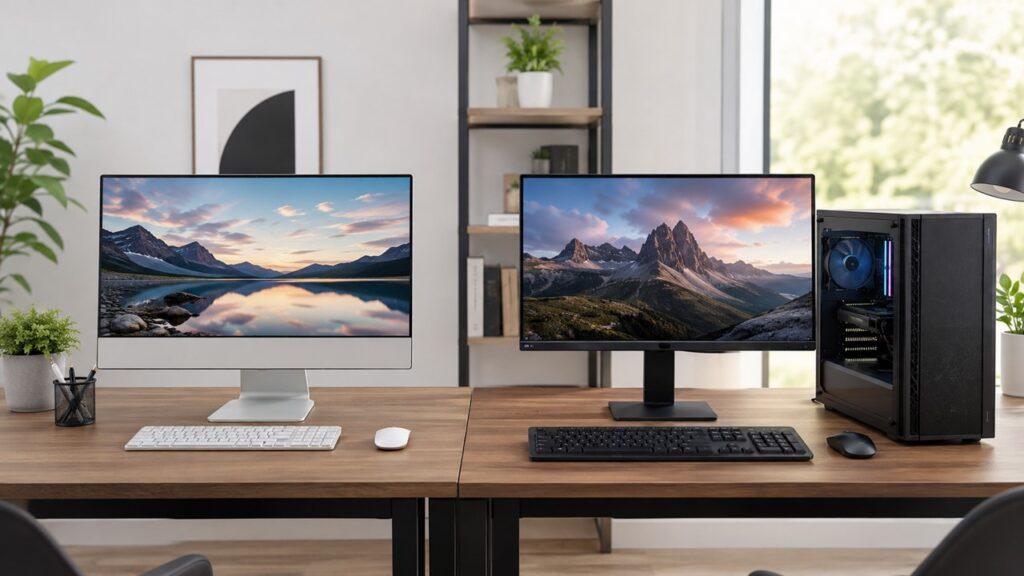
An All-in-One PC is better if you want a clean, compact, and easy-to-set-up computer for everyday use. A desktop PC is better if you want stronger performance, easier upgrades, better repair options, and better long-term value.
In this article, we’ll compare All-in-One PC vs Desktop PC in terms of design, performance, price, gaming, upgradeability, repairability, lifespan, workspace, and real user needs so you can choose the right one with confidence.
Key Takeaways
- All-in-One PCs save space because the computer and monitor are built into one unit.
- Desktop PCs offer better performance for the money, especially for gaming and heavy workloads.
- AIO PCs are easier to set up and usually need fewer cables.
- Desktop PCs are easier to upgrade, repair, clean, and customize over time.
- All-in-One PCs are ideal for home offices, students, families, and basic office work.
- Desktop PCs are better for gamers, creators, professionals, and long-term users.
- Neither is perfect for everyone because the best choice depends on your space, budget, and performance needs.
All-in-One PC vs Desktop PC: Quick Comparison Table
Both All-in-One PCs and desktop PCs can handle normal computer tasks. However, they are built for different priorities. One focuses on simplicity and space-saving, while the other focuses on performance and flexibility.
| Feature | All-in-One PC | Desktop PC |
| Basic Design | Monitor and computer combined | Separate tower and monitor |
| Desk Space | Takes less space | Needs more space |
| Setup | Very simple | Requires more cables and setup |
| Cable Management | Minimal cables | More cables |
| Performance | Good for daily tasks | Better for demanding tasks |
| Gaming | Limited on most models | Much better for gaming |
| Upgradeability | Limited | Excellent |
| Repairability | Harder and often costlier | Easier and usually cheaper |
| Monitor Choice | Built-in display | Flexible monitor options |
| Portability | Easier to move than a full desktop | Harder to move |
| Price-to-Performance | Usually lower | Usually better |
| Best For | Simple, clean, compact setups | Power, upgrades, gaming, and value |
What Is an All-in-One PC?
An All-in-One PC, often called an AIO PC, is a computer where the monitor and main hardware are built into one unit. Instead of having a separate tower sitting under or beside your desk, the processor, RAM, storage, speakers, webcam, and other internal parts are placed behind the display.
So, when you look at an All-in-One computer, it usually looks like a slightly thicker monitor. You connect the power cable, keyboard, and mouse, and the setup is almost ready to use. Many modern AIO computers also include built-in microphones, webcams, speakers, Wi-Fi, Bluetooth, and sometimes touchscreens.
That makes an All-in-One PC very appealing if you want a simple desk setup. It is especially useful for people who do not want to deal with too many cables, separate parts, or complicated installation steps.
However, the clean design comes with a trade-off. Since everything is packed into one slim body, upgrading or repairing an AIO PC is usually much harder than upgrading or repairing a traditional desktop PC.
What Is a Desktop PC?
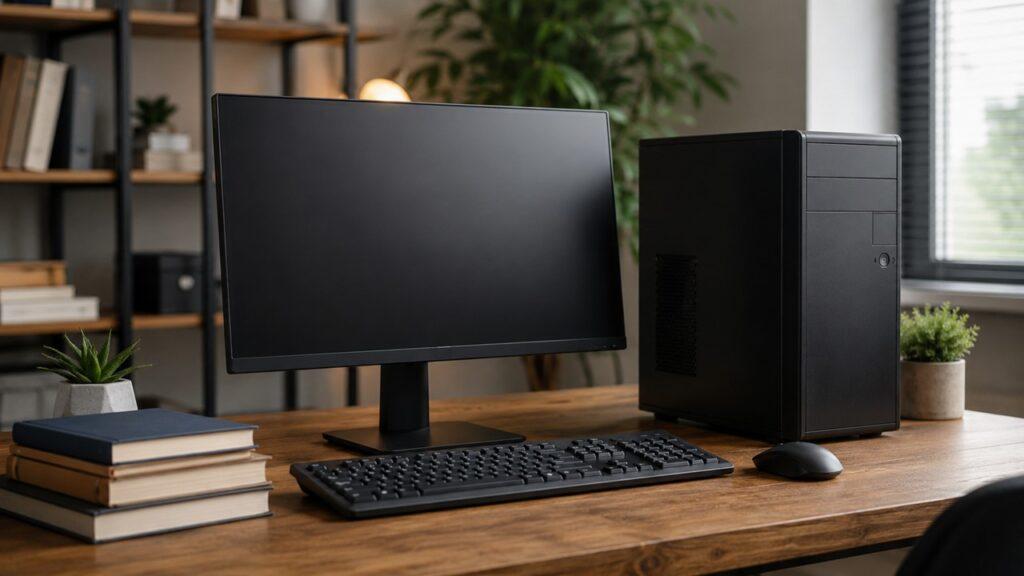
A desktop PC is a traditional computer setup with separate parts. It usually includes a tower, monitor, keyboard, mouse, and sometimes separate speakers, webcam, or other accessories. The tower holds the main computer hardware, including the motherboard, CPU, RAM, storage drive, power supply, cooling fans, and graphics card.
Desktop PCs can be bought as prebuilt systems, or they can be custom-built from individual parts. This is one of their biggest strengths. You can choose the monitor size, graphics card, storage capacity, cooling system, case size, and other components based on your needs.
A desktop PC usually takes up more space and needs more cables than an All-in-One PC. But in return, you get more flexibility, better performance options, easier repairs, and stronger long-term upgrade potential.
That is why desktop PCs are still very popular among gamers, video editors, designers, programmers, office users, and anyone who wants a computer that can be improved over time.
Main Differences Between All-in-One PCs and Desktop PCs
The biggest difference between an All-in-One PC and a desktop PC is not just how they look. Their design affects performance, cooling, price, repairs, upgrades, lifespan, and even how your desk feels every day.
Design and Desk Space
An All-in-One PC is designed to keep your workspace clean. Since the monitor and computer are combined, you do not need a separate tower. This makes it a good choice for small desks, bedrooms, home offices, reception counters, classrooms, and shared family spaces.
A desktop PC needs more room because the tower and monitor are separate. You may place the tower on the desk, under the desk, or beside the desk. Either way, it uses more physical space than an AIO.
However, that extra space is not always a bad thing. A separate tower gives desktop PCs more room for better airflow, larger parts, stronger graphics cards, and more storage drives.
So, if space is your biggest concern, an All-in-One PC wins. But if internal space, performance, and flexibility matter more, a desktop PC has the advantage.
Setup and Cable Management
An All-in-One PC is usually very easy to set up. In many cases, you only need to connect the power cable, keyboard, and mouse. If the keyboard and mouse are wireless, your desk can look extremely clean.
A desktop PC setup usually needs more cables. You may need a power cable for the tower, a power cable for the monitor, a display cable, keyboard cable, mouse cable, speaker cable, webcam cable, Ethernet cable, and other accessory connections.
Of course, you can still make a desktop setup look neat with good cable management. But it takes more effort.
For beginners or people who want a simple plug-and-play experience, an All-in-One PC feels easier. For users who do not mind setting things up properly, a desktop PC offers more freedom.
Performance
Desktop PCs usually offer better performance than All-in-One PCs at the same price. This happens because desktop towers have more room for powerful CPUs, dedicated graphics cards, bigger cooling systems, and stronger power supplies.
An All-in-One PC can still be fast. Many AIOs are perfectly capable of handling browsing, video calls, Microsoft Office, streaming, email, schoolwork, accounting software, and light photo editing.
But when the workload becomes heavy, desktops usually pull ahead. Gaming, 4K video editing, 3D rendering, animation, coding with virtual machines, and professional creative work benefit from the extra power and cooling that desktop PCs can provide.
Not every desktop is faster than every AIO, though. A high-end All-in-One can outperform a very cheap desktop. But when comparing similar budgets, a desktop PC usually gives you more raw performance.
Upgradeability
This is one of the clearest wins for desktop PCs. A desktop computer is much easier to upgrade because the parts are separate and accessible. Depending on the system, you may be able to upgrade the RAM, storage, graphics card, power supply, cooling fans, CPU cooler, and sometimes even the processor.
An All-in-One PC is much more limited. Some models allow RAM or storage upgrades, but many important parts are hard to access or not practical to replace. The CPU, GPU, display, motherboard, and cooling system are usually built around the compact design.
That means an AIO can feel convenient at first, but it gives you less room to improve the system later.
If you want a computer that can grow with your needs, a desktop PC is the safer choice.
Repairability
Desktop PCs are usually easier and cheaper to repair. If your monitor fails, you can connect another monitor. If your keyboard breaks, you can replace it. If your storage drive fails, it can often be swapped. If your graphics card stops working, you may replace only the graphics card.
With an All-in-One PC, things are more connected. If the screen fails, the entire computer becomes harder to use. If an internal component fails, opening the machine and replacing the part can be more difficult. Some repairs may need professional service.
This does not mean All-in-One PCs are unreliable. Many work well for years. But when something does go wrong, desktops are usually easier to diagnose and fix.
Cost and Long-Term Value
All-in-One PCs often cost more for the same level of performance because you are paying for the slim design, built-in display, integrated speakers, webcam, and compact engineering.
Desktop PCs usually offer better price-to-performance. Even after adding a monitor, keyboard, and mouse, a desktop can still be a better value, especially if you need power.
The long-term value is also stronger with desktop PCs. Instead of replacing the whole computer, you may upgrade the RAM, add a larger SSD, replace the graphics card, or change the monitor later.
With an AIO, the monitor and computer are tied together. So, if the internal hardware becomes outdated but the screen is still fine, you may still need to replace the whole unit.
Pros and Cons of All-in-One PCs
All-in-One PCs are built for people who want a clean, simple, and modern computer setup. They are not the most flexible machines, but they are very convenient for the right type of user.
Pros of All-in-One PCs
- Clean and modern appearance
- Takes up less desk space
- Fewer cables to manage
- Very easy to set up
- Built-in monitor, speakers, webcam, and microphone
- Good for basic productivity and everyday use
- Easier to move than a full desktop setup
- Great for home offices, students, and family use
- Some models include touchscreens
- Good choice for reception desks and front-office areas
Cons of All-in-One PCs
- Limited upgrade options
- Harder to repair than desktop PCs
- Usually weaker cooling than tower desktops
- Not ideal for serious gaming
- Often costs more for similar performance
- Display and computer are connected as one unit
- Fewer customization options
- Internal parts may be harder to access
- May have a shorter practical lifespan if major parts fail
Pros and Cons of Desktop PCs
Desktop PCs are better for users who care about performance, flexibility, repairability, and long-term value. They are not as compact as AIOs, but they give you much more control.
Pros of Desktop PCs
- Better performance for the money
- Easier to upgrade over time
- Easier to repair and maintain
- Better airflow and cooling
- Supports more powerful graphics cards
- Better choice for gaming
- Better choice for content creation
- Flexible monitor options
- Longer practical lifespan
- Easier to customize for specific needs
- Can support more storage drives and expansion cards
Cons of Desktop PCs
- Takes up more space
- More cables to manage
- Less clean-looking without cable management
- Harder to move from place to place
- Requires separate monitor and peripherals
- Setup can feel confusing for beginners
- Custom builds require compatibility knowledge
- May need more planning before buying
All-in-One PC vs Desktop PC for Different Users
The better choice depends heavily on who will use the computer. A student, gamer, remote worker, family, and business owner may all need something different from their setup.
For Students
An All-in-One PC can be a great choice for students who need a clean and simple computer for online classes, assignments, research, browsing, video calls, and streaming. It saves space and does not require much setup.
However, a desktop PC is better if the student also plays games, edits videos, studies design, learns programming, or wants a system that can be upgraded later.
For basic school and college work, an AIO is convenient. For long-term performance and flexibility, a desktop is better.
For Home Office Users
An All-in-One PC works very well for home office users who want a neat desk. It is great for email, documents, spreadsheets, Zoom calls, project management tools, browsing, and general office work.
The built-in webcam and speakers also make it simple for remote meetings. You do not need to buy as many accessories separately.
A desktop PC is better if your work involves multiple monitors, large spreadsheets, video editing, coding, design software, or heavy multitasking. It gives you more power and more upgrade options.
For Gamers
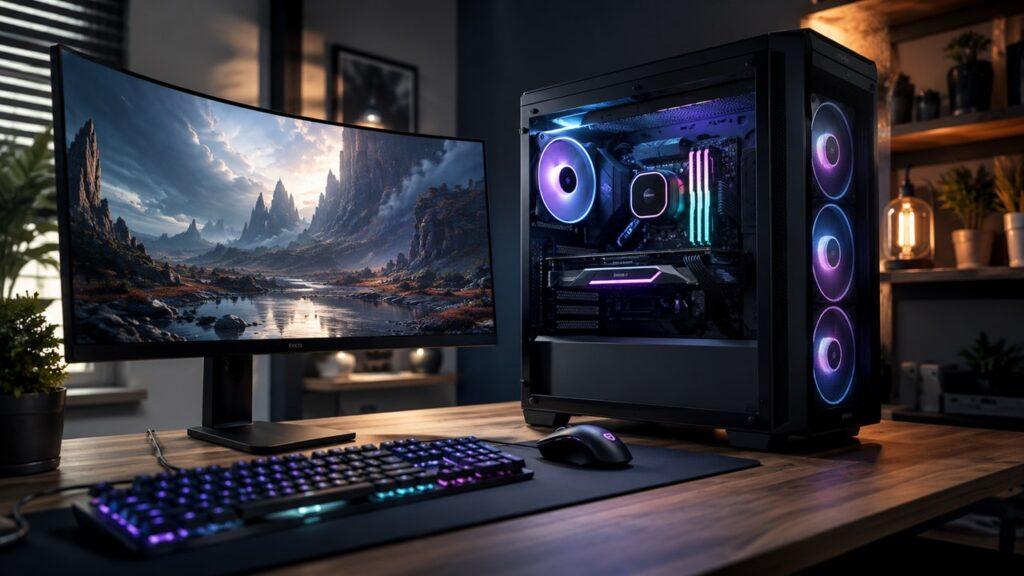
A desktop PC is usually the better choice for gaming. It can support stronger graphics cards, better cooling, higher-wattage power supplies, faster storage, and future GPU upgrades.
Most All-in-One PCs are not made for serious gaming. Many use integrated graphics or compact mobile-style components. They may handle browser games, older games, cloud gaming, or light esports titles, but they are not ideal for modern AAA gaming.
If gaming matters to you, especially high-FPS gaming, a desktop PC is the smarter choice.
For Content Creators
Desktop PCs are better for content creators who edit videos, create animations, work with 3D software, produce music, design graphics, or manage large creative files. These tasks benefit from stronger CPUs, dedicated GPUs, more RAM, faster SSDs, and better cooling.
An All-in-One PC can still work for light creative tasks. Basic photo editing, Canva design, simple video editing, and social media work are fine on many modern AIOs.
But if creative work is part of your income or daily routine, a desktop PC is usually the better long-term investment.
For Families
An All-in-One PC is a nice family computer because it is simple, clean, and easy to place in a shared space. It works well for browsing, schoolwork, video calls, online shopping, streaming, and basic tasks.
It also looks less messy in a living room, study corner, or kitchen desk.
A desktop PC is better if the family computer will also be used for gaming, media storage, editing, or heavier school projects. It is also easier to repair if one part fails.
For Businesses
All-in-One PCs are useful for businesses that care about space, appearance, and simple deployment. They work well in reception areas, clinics, classrooms, small offices, retail counters, and customer-facing desks.
They also reduce cable clutter, which can make workstations look cleaner and more professional.
Desktop PCs are better for businesses that need easier repairs, stronger performance, custom configurations, multi-monitor setups, or longer hardware life. For technical teams, design teams, finance departments, and production work, desktops are often more practical.
Performance Comparison: Which One Is Faster?
Performance depends on the exact specs, but desktop PCs usually have the advantage. Their larger cases allow stronger components, better cooling, and more power delivery.
AIO PCs can be fast for normal use, especially if they include a modern processor, enough RAM, and SSD storage. For daily tasks, many users may not notice a big difference.
However, for demanding work, a desktop PC is usually faster and more stable.
Important performance areas include:
- CPU performance
- Graphics performance
- Cooling performance
- Multitasking ability
- Gaming performance
- Storage expansion
- Heavy professional workloads
The easiest way to think about it is this: an All-in-One PC is usually fast enough for everyday work, while a desktop PC is better when performance really matters.
Upgradeability: Can You Upgrade an All-in-One PC or Desktop PC?
Upgradeability is one of the most important differences between these two computer types. If you plan to keep your computer for many years, this section matters a lot.
Can You Upgrade an All-in-One PC?
You can upgrade some All-in-One PCs, but the options are usually limited. In many models, you may be able to upgrade the RAM or storage drive. However, this depends on the exact brand and model.
The CPU, GPU, display, motherboard, and cooling system are usually not practical to upgrade. Some AIOs are also difficult to open without special tools.
Before buying an All-in-One PC, check whether the RAM and storage are upgradeable. Also check whether the parts are soldered or replaceable. This small step can save you frustration later.
Can You Upgrade a Desktop PC?
Desktop PCs are much easier to upgrade. Depending on the system, you can often upgrade the RAM, SSD, hard drive, graphics card, power supply, case fans, CPU cooler, and sometimes the processor.
This makes desktops a better choice for users who want to improve performance over time. For example, you can start with a basic desktop today and add more RAM or a better GPU later.
This is one reason desktops often last longer in practical use. You do not always need to replace the whole computer when your needs change.
Repair and Maintenance: Which One Is Easier to Fix?
Desktop PCs are usually easier to clean, repair, and maintain. Their parts are separate, accessible, and easier to replace. If one component fails, you can often replace only that part.
For example, if a desktop monitor fails, the tower may still work fine with another monitor. If the keyboard, mouse, RAM, SSD, or graphics card fails, those parts can usually be replaced separately.
All-in-One PCs are more compact. That makes them cleaner on the desk, but harder to repair inside. If the display, motherboard, cooling system, or power board fails, the repair can become more expensive.
Dust cleaning is also easier on many desktop towers. You can open the side panel, clean the fans, remove dust filters, and improve airflow. With an AIO, internal cleaning is usually more limited and may require professional help.
So, if you want a computer that is easy to maintain for years, a desktop PC is the better option.
Price Comparison: Which One Gives Better Value?
Price depends on the brand, processor, RAM, storage, display quality, and included accessories. Still, desktops usually give better performance for the same money, while AIOs give better simplicity and design.
| Budget Level | Better Choice | Why |
| Low Budget | Desktop PC | Usually offers better specs for the money |
| Mid-Range | Depends on use | AIO for simplicity, desktop for power |
| High-End | Desktop PC | Better performance and upgrade options |
| Office Setup | All-in-One PC | Cleaner desk and easier setup |
| Gaming Setup | Desktop PC | Stronger GPU and better cooling |
| Family Computer | All-in-One PC | Simple, neat, and easy to use |
| Long-Term Value | Desktop PC | Easier to repair and upgrade |
If you only need a basic computer and want a neat setup, an All-in-One PC can feel worth the price. But if you want the strongest performance per dollar, a desktop PC usually wins.
Also remember that desktop pricing can be tricky. A tower may look cheaper at first, but you may still need to buy a monitor, keyboard, mouse, webcam, and speakers. So always compare the full setup cost, not just the tower price.
Lifespan: Which One Lasts Longer?
Both All-in-One PCs and desktop PCs can last for several years with proper care. However, desktop PCs usually have a longer practical lifespan because they are easier to upgrade and repair.
An All-in-One PC may continue working for many years if used for light tasks. But once the internal parts become outdated, your upgrade options may be limited. If the screen or motherboard fails, replacing the entire unit may make more sense than repairing it.
A desktop PC gives you more ways to extend its life. You can add more RAM, install a faster SSD, replace a weak graphics card, improve cooling, or upgrade the monitor separately.
That flexibility makes desktops better for people who want to keep their computer useful for a long time.
Space, Design, and Portability
All-in-One PCs clearly win when it comes to clean design and space-saving. They are easy to place on small desks, and they make a room look less cluttered. If you care about a modern, minimal setup, an AIO is attractive.
Desktop PCs need more planning. You have to place the tower, route the cables, connect the monitor, and manage accessories. The setup can still look beautiful, but it takes more effort.
For portability, neither option is truly portable like a laptop. However, an All-in-One PC is usually easier to move from one room to another because it has fewer parts. A desktop PC is more awkward to move because the tower, monitor, and accessories are separate.
So, if you want a clean setup that is easier to shift around the house, choose an AIO. If you want a powerful setup that stays in one place, choose a desktop.
Gaming: Is an All-in-One PC Good for Gaming?
Most All-in-One PCs are not the best choice for serious gaming. They are usually designed for productivity, browsing, video calls, and entertainment, not high-performance gaming.
The main limitation is graphics power. Many AIOs use integrated graphics or compact graphics solutions that cannot match full desktop graphics cards. They also have less space for cooling, which can affect performance during long gaming sessions.
That does not mean you cannot play any games on an AIO. You may be able to play browser games, older titles, casual games, cloud gaming, or lighter esports games, depending on the specs.
But if you want modern AAA games, high frame rates, better graphics settings, or future GPU upgrades, a desktop PC is the better choice.
Which One Is Better for Work and Productivity?
Both All-in-One PCs and desktop PCs can be good for work. The better choice depends on whether your work is simple, visual, heavy, or multi-screen.
Basic Office Work
For basic office work, both options are good. If you mainly use email, documents, spreadsheets, browsing, video calls, and cloud apps, an All-in-One PC can be an excellent choice.
It keeps your desk clean and gives you everything in one package. This is especially useful for remote workers, teachers, students, reception staff, and general office users.
Heavy Professional Work
For heavy professional work, a desktop PC is usually better. Tasks like video editing, programming, CAD, 3D design, data analysis, animation, and virtual machine work need more power and better cooling.
A desktop also allows you to add more RAM, upgrade storage, and use stronger graphics cards. That makes it more suitable for users whose work demands performance.
Multi-Monitor Setups
Desktop PCs are usually better for multi-monitor setups. They often have more display outputs, stronger graphics support, and more flexibility with monitor size and placement.
Some All-in-One PCs can connect to a second monitor, but it depends on the model and available ports. Before buying an AIO for multi-monitor use, check the HDMI, DisplayPort, USB-C, or Thunderbolt support carefully.
If you know you want two or three monitors, a desktop PC is usually the safer option.
All-in-One PC vs Desktop PC: Which Should You Buy?
The best choice depends on your priorities. Think about how you actually use your computer, not just how the setup looks in product photos.
Choose an All-in-One PC If:
- You want a clean and modern desk setup.
- You have limited space.
- You want fewer cables.
- You mainly browse, stream, email, and use office apps.
- You want easy setup with less confusion.
- You do not plan to upgrade major parts.
- You want a simple family or student computer.
- You need a neat computer for a reception desk or office.
- You prefer convenience over customization.
Choose a Desktop PC If:
- You want the best performance for your money.
- You play games.
- You edit videos or use creative software.
- You want to upgrade parts later.
- You want easier repairs.
- You use multiple monitors.
- You need better cooling and airflow.
- You want more storage options.
- You want a computer that can grow with your needs.
Common Mistakes to Avoid When Choosing Between an AIO and Desktop
Many people choose based only on appearance or price. That can lead to regret later, especially if the computer cannot handle future needs.
- Buying an All-in-One PC for serious gaming without checking the GPU
- Choosing a desktop tower without including monitor and accessory costs
- Ignoring upgrade limits before buying an AIO
- Buying based only on looks
- Choosing too little RAM or storage
- Forgetting about repair costs
- Not checking available ports
- Ignoring cooling and fan noise
- Assuming every desktop is faster than every AIO
- Assuming every AIO is weak or slow
- Not thinking about future software needs
- Forgetting about desk space and cable management
- Buying a cheap system that cannot handle your daily workload
A good computer should fit your work today and still feel useful a few years from now. So, always think beyond the first week of use.
Final Verdict
An All-in-One PC is the better choice if you want simplicity, style, and space-saving convenience. It is great for everyday computing, home offices, students, families, video calls, browsing, and basic productivity.
A desktop PC is the better choice if you want performance, value, gaming power, repairability, and long-term upgrade options. It is the smarter option for gamers, content creators, professionals, and users who want more control over their computer.
So, the answer is not that one is always better than the other. The real question is what you value more. If you want a clean and easy setup, go with an All-in-One PC. If you want power, flexibility, and better long-term value, choose a desktop PC.
Related FAQs
Is an All-in-One PC Better Than a Desktop?
An All-in-One PC is better if you want a compact, clean, and easy-to-use setup. A desktop PC is better if you want stronger performance, easier upgrades, and better long-term value.
What Is the Main Difference Between an All-in-One PC and a Desktop PC?
The main difference is design. An All-in-One PC combines the monitor and computer into one unit, while a desktop PC uses a separate tower and monitor.
Do All-in-One PCs Last as Long as Desktops?
All-in-One PCs can last for years, but desktops usually have a longer practical lifespan. That is because desktops are easier to upgrade, repair, and maintain.
Can You Upgrade an All-in-One PC?
Some All-in-One PCs allow RAM or storage upgrades, but many parts are difficult or impossible to upgrade. Always check the specific model before buying.
Are All-in-One PCs Good for Gaming?
Most All-in-One PCs are not ideal for serious gaming. They can handle light games, older games, or cloud gaming, but a desktop PC is much better for modern gaming.
Is a Desktop PC Cheaper Than an All-in-One PC?
A desktop PC usually gives better performance for the money. However, you may need to buy a monitor, keyboard, mouse, speakers, or webcam separately.
Which Is Better for a Home Office?
An All-in-One PC is often better for a simple and clean home office. A desktop PC is better if you use heavy software, multiple monitors, or need more power.
Which Is Better for Students?
An All-in-One PC is good for students who need a simple setup for classes, assignments, and browsing. A desktop PC is better for gaming, editing, coding, or long-term upgrades.
Can an All-in-One PC Use a Second Monitor?
Many All-in-One PCs can use a second monitor, but it depends on the available ports. Check for HDMI, DisplayPort, USB-C, or Thunderbolt support before buying.
Should I Buy an All-in-One PC or a Desktop PC?
Buy an All-in-One PC if you want a clean, simple, space-saving computer. Buy a desktop PC if you want better performance, easier repairs, gaming power, and upgrade options.

Justin has spent years learning how blogs, websites, hosting, and online income work in the real world. Along with blogging and SEO, he also covers desktops, laptops, PC parts, and everyday tech, sharing easy-to-understand advice for readers who want to build better websites and choose better tools.