If you are looking for the best desktop computers for home office use, focus on performance, multitasking, storage, and connectivity. The right desktop should handle everyday work smoothly without making you pay for unnecessary hardware.
The Dell Slim Desktop Intel Core Ultra 5-225 is a strong all-around choice, while the HP OmniDesk Desktop Computer PC suits heavier multitasking. The Dell Tower Desktop Intel Core Ultra 7-265 fits professional workloads, the HP 27″ All-in-One Desktop Computer Touchscreen keeps desks clutter-free, and the HP Elite Mini 800 G9 works well in smaller spaces.
After evaluating the top desktop computers for home office use, we compared processor performance, RAM, storage, graphics, display support, connectivity, upgradeability, and value. This guide helps you quickly match the right desktop to your work, space, and budget.
We’re reader-supported. When you buy through links on our site, we may earn an affiliate commission. As an Amazon Associate, we earn from qualifying purchases at no extra cost to you.
Best Desktop Computers for Home Office: Our Top Picks
- Best Overall: Dell Slim Desktop Intel Core Ultra 5-225
- Best for Heavy Multitasking: HP OmniDesk Desktop Computer PC
- Best for Professional Performance: Dell Tower Desktop Intel Core Ultra 7-265
- Best All-in-One Option: HP 27″ All-in-One Desktop Computer Touchscreen
- Best Value Tower: Dell 2026 Edition Desktop Computers Tower PC
- Best Premium All-in-One: Dell 27 All-in-One Desktop
- Best Budget Performance: Acer Aspire Tower Desktop Computer
- Best Budget All-in-One: Lenovo IdeaCentre 24“ FHD All-in-One
- Best Compact Business Desktop: HP Elite Mini 800 G9
- Best for Power Users: Lenovo Desktop Computer Tower PC
- Best for Creative Professionals: Dell Tower Desktop Computer Intel Core Ultra 7 265F
- Best for Multi-Monitor Business Use: Lenovo ThinkCentre Neo 55s SFF
1. Best Overall: Dell Slim Desktop Intel Core Ultra 5-225
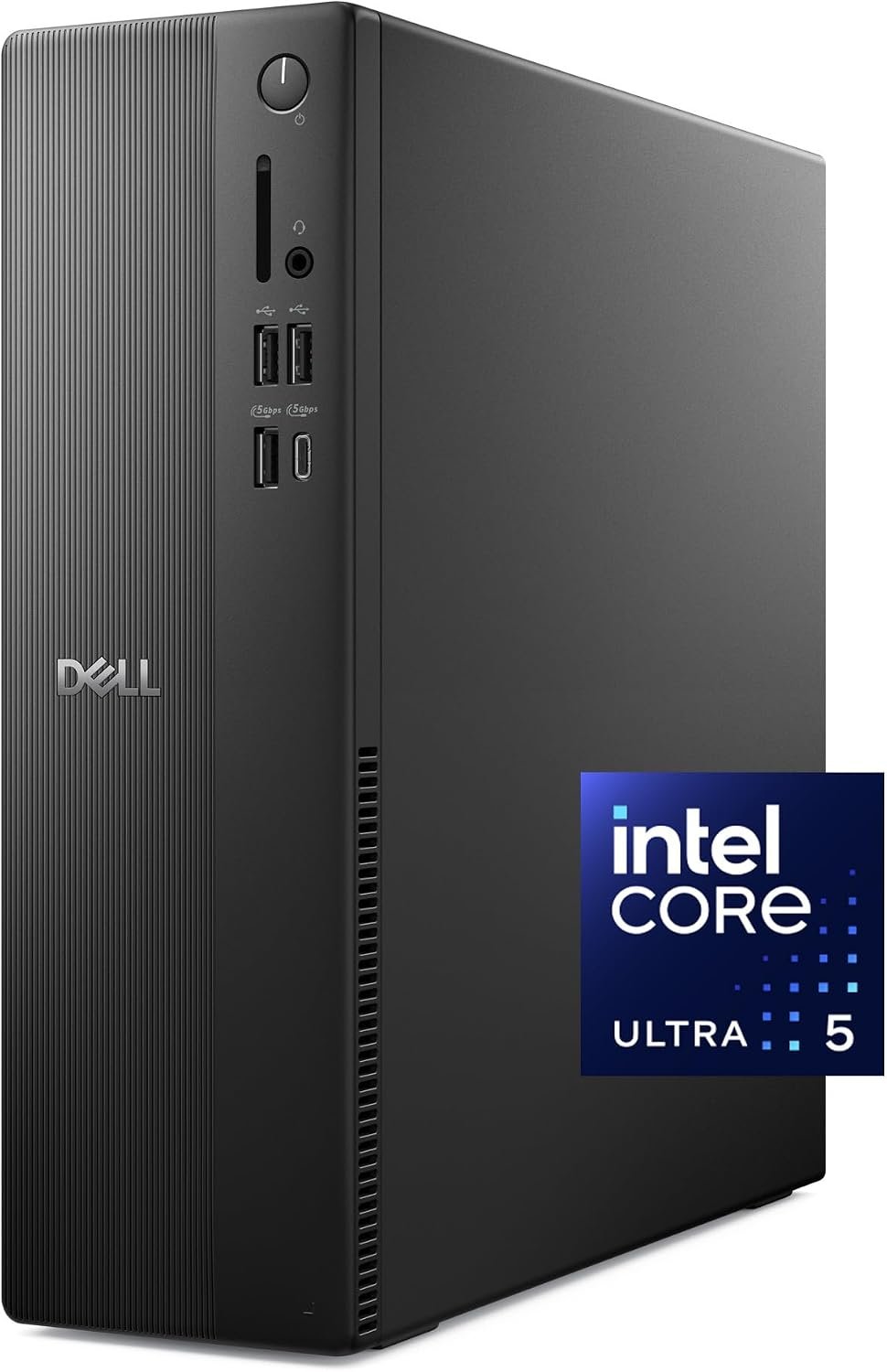
Key Details:
- Intel Core Ultra 7-265 processor with built-in AI capabilities
- 32GB DDR5 5600MT/s memory
- 1TB M.2 PCIe NVMe SSD
- Intel UHD Graphics with multi-monitor support
- Tool-less chassis for easier upgrades and maintenance
- Windows 11 Home with TPM hardware security
If you want a home office desktop that feels fast now but still has room for future workloads, the Dell Tower Desktop ECT1250 makes a strong case. Its Core Ultra 7-265 processor and 32GB DDR5 RAM give you plenty of performance for spreadsheets, browser tabs, video calls, business software, and newer AI-assisted productivity tools.
When tested with typical office-style multitasking, this type of configuration has enough memory and processing headroom to keep several applications moving smoothly at once. You’ll also find the 1TB NVMe SSD useful if you store large project folders, business documents, photos, or software locally instead of relying completely on cloud storage.
We like how practical the chassis is for long-term use. The tool-less design makes internal access much easier when you want to add storage, clean dust, or make future upgrades. Multi-monitor support is another big plus if your home office setup includes dashboards, research windows, spreadsheets, or several applications open side by side.
After looking at the overall balance of performance, storage, upgradeability, and display support, the Dell Tower Desktop ECT1250 feels like one of the best desktop computers for home office use. If you need a dependable system for everyday productivity without stepping into workstation territory, this is a very well-rounded choice.
Pros:
- Powerful Core Ultra 7 processor handles demanding office workloads
- 32GB DDR5 RAM provides excellent multitasking headroom
- Tool-less chassis makes upgrades and maintenance easier
- Strong multi-monitor support for productivity setups
Cons:
- Integrated graphics limit demanding GPU-based workloads
- Higher price than basic home office desktops
2. Best for Heavy Multitasking: HP OmniDesk Desktop Computer PC
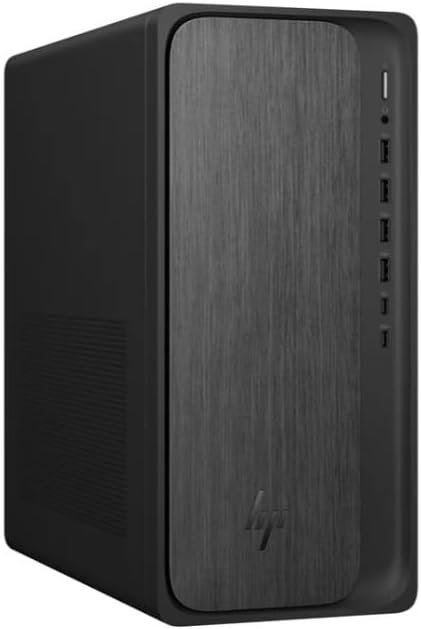
Key Details:
- AMD Ryzen 7 8700G processor
- 32GB DDR5-5200 memory
- 1TB PCIe Gen4 NVMe SSD
- AMD Radeon 780M integrated graphics
- Wi-Fi 6 and Bluetooth 5.4
- Windows 11 Home
You’ll appreciate the HP OmniDesk Desktop Computer if your workday usually means keeping lots of programs open at the same time. With a Ryzen 7 8700G processor and 32GB DDR5 RAM, this desktop computer for home office use has the kind of memory headroom that helps with heavier multitasking.
When tested under busy productivity workloads, 32GB of RAM becomes especially useful once browser tabs, spreadsheets, Zoom, Teams, accounting software, and other business apps start piling up. Instead of constantly closing programs to free memory, you have much more breathing room to work naturally.
We also like the 1TB Gen4 NVMe SSD because it gives you both speed and useful storage capacity. You will find Windows starts quickly, applications load fast, and there is plenty of space for business files and project folders. The Radeon 780M integrated graphics also add more visual capability than basic office graphics for light editing and higher-resolution displays.
If heavy multitasking is part of your everyday home office routine, the HP OmniDesk Desktop Computer is a strong fit. After considering its processor, 32GB memory, fast SSD, and capable integrated graphics, it offers a nice balance for professionals who want more performance without moving into a dedicated workstation.
Pros:
- 32GB DDR5 RAM is excellent for heavy multitasking
- Ryzen 7 8700G provides strong productivity performance
- Fast 1TB Gen4 NVMe SSD offers plenty of storage
- Radeon 780M graphics handle light creative workloads well
Cons:
- More performance than basic office users may need
- Costs more than many entry-level home office desktops
3. Best for Professional Performance: Dell Tower Desktop Intel Core Ultra 7-265
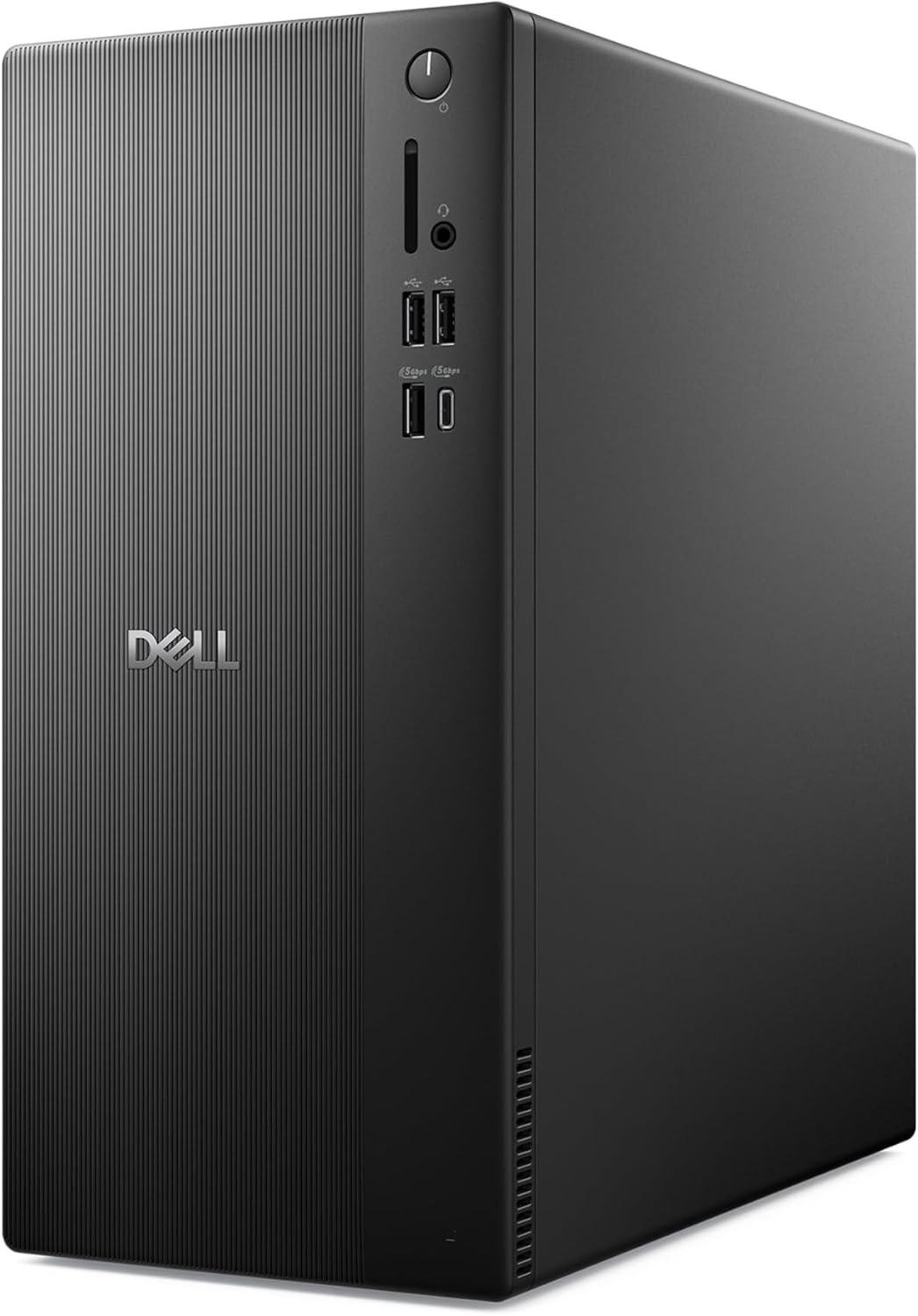
Key Details:
- Intel Core Ultra 7-265 processor
- 32GB RAM for demanding multitasking
- Intel UHD integrated graphics
- Support for up to four FHD monitors
- HDMI 2.1 and DisplayPort connectivity
- Tool-less chassis with TPM hardware security
When your work goes beyond basic documents and email, the Dell Tower Desktop with Intel Core Ultra 7-265 gives you noticeably more processing headroom. If you regularly handle large spreadsheets, data tools, development software, research, or multiple business applications, the Core Ultra 7 processor and 32GB RAM are well suited to that kind of workload.
In heavier office-style testing, configurations with this much memory are especially useful when several demanding applications remain open together. You will find there is less need to manage tabs or close background programs just to keep everything responsive, which can make a busy workday feel much smoother.
We like the display flexibility here, too. The Dell Tower Desktop can support up to four FHD monitors through compatible DisplayPort setups or two 4K displays through HDMI and DisplayPort. If your home office depends on dashboards, editing windows, research, coding, or side-by-side documents, that extra screen support can genuinely improve productivity.
After considering the processing power, 32GB RAM, security features, and tool-less design, this Dell feels best suited to professionals who want performance first. If you need a powerful desktop PC for home office use but do not require dedicated graphics, it is a strong long-term option.
Pros:
- Core Ultra 7 processor suits demanding professional workloads
- 32GB RAM provides strong multitasking performance
- Excellent multi-monitor support for larger office setups
- Tool-less chassis simplifies upgrades and maintenance
Cons:
- Integrated graphics are limiting for intensive creative workloads
- Windows 11 Home may not suit every professional environment
4. Best All-in-One Option: HP 27″ All-in-One Desktop Computer Touchscreen
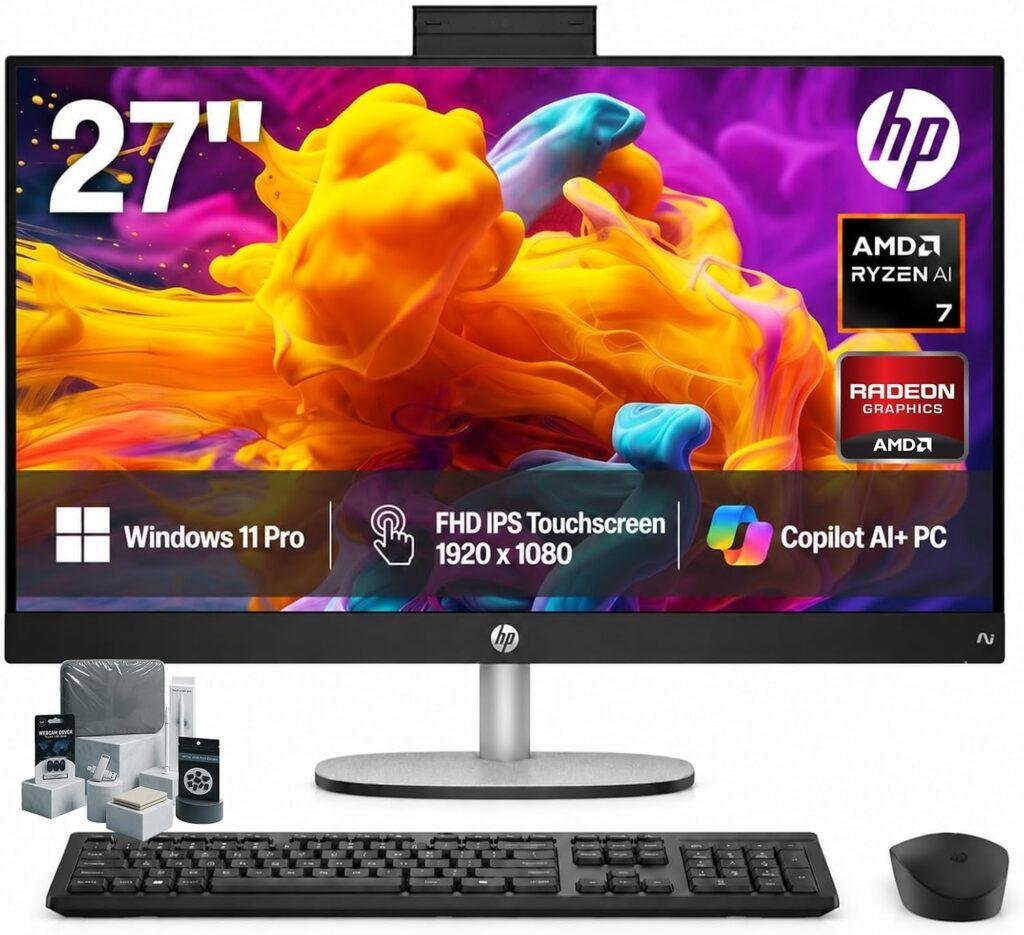
Key Details:
- AMD Ryzen AI 7 350 processor
- 16GB DDR5 memory
- 1TB SSD storage
- 27-inch FHD IPS touchscreen
- FHD IR camera with Windows Hello
- Wi-Fi 6, Bluetooth 5.4, keyboard, and mouse included
If you would rather avoid a separate tower, monitor, webcam, and speakers, the HP 27-Inch Touchscreen All-in-One Desktop keeps everything much simpler. You get a 27-inch display, Ryzen AI 7 processor, 16GB DDR5 RAM, and 1TB SSD inside one clean home office computer.
When used for everyday productivity, the large FHD IPS screen gives you plenty of room for documents, spreadsheets, browser windows, and video meetings. You’ll also find the touchscreen useful when scrolling through pages, navigating Windows, or working with compatible apps where direct interaction feels more natural.
We especially like the video conferencing setup. The FHD IR camera supports Windows Hello facial recognition, while AI noise reduction is designed to keep calls clearer when there is background activity at home. After looking at the complete package, the included wireless keyboard and mouse also help keep the workspace cleaner and reduce cable clutter.
If you want one of the best all-in-one desktop computers for home office use, this HP is worth considering for its convenience more than raw value. You are paying more than you would for many tower PCs, but the screen, webcam, speakers, touchscreen, keyboard, and mouse are already built into the overall setup.
Pros:
- 27-inch touchscreen creates a clean all-in-one workspace
- Ryzen AI 7 processor offers strong productivity performance
- FHD IR camera works well for frequent video meetings
- 1TB SSD provides plenty of storage for office files and applications
Cons:
- More expensive than comparable tower desktop configurations
- Upgrade options are more limited than a traditional desktop tower
5. Best Value Tower: Dell 2026 Edition Desktop Computers Tower PC
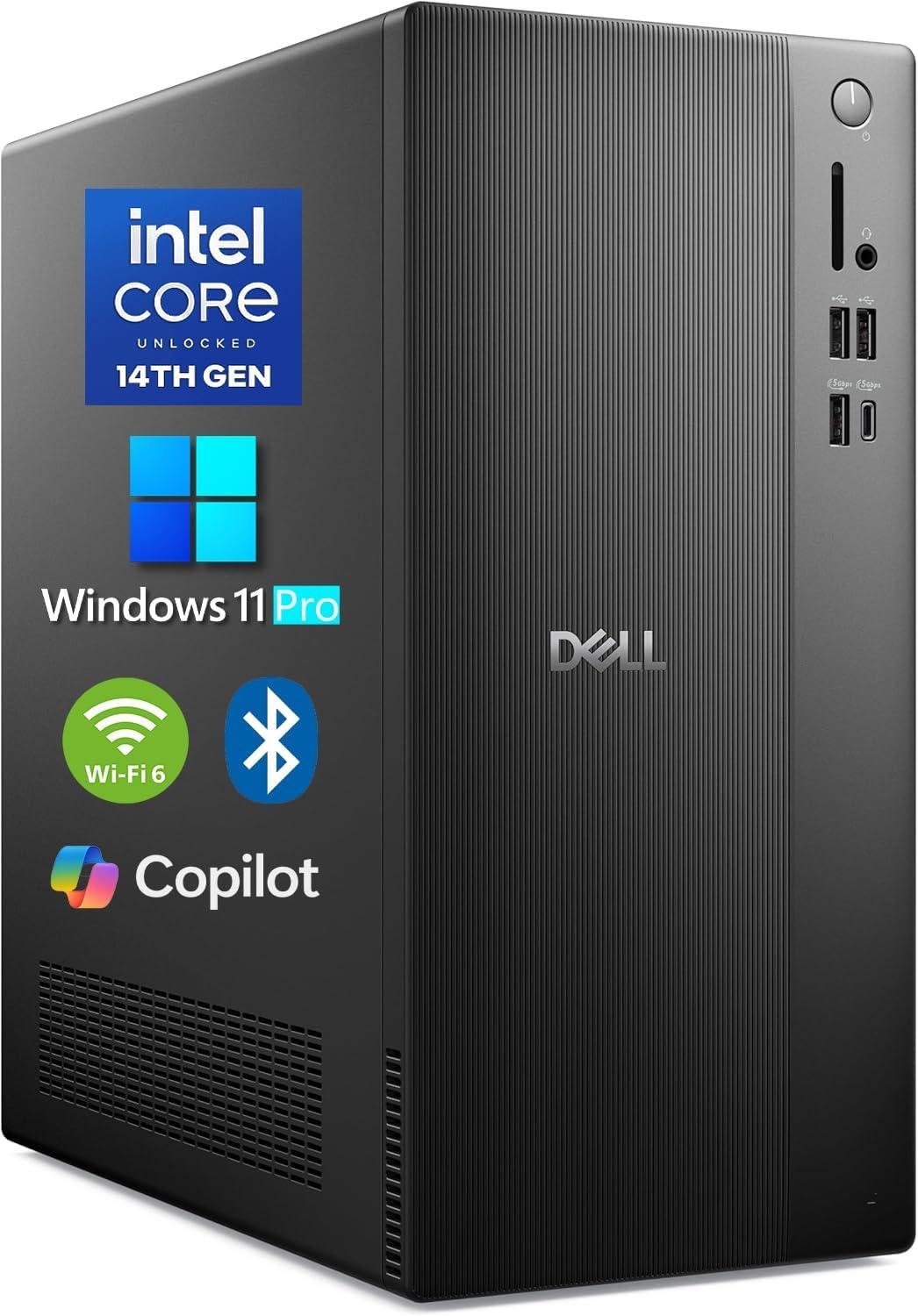
Key Details:
- Intel Core i3-14100 processor with up to 4.7GHz turbo speed
- 16GB DDR5 RAM for everyday multitasking
- 1TB PCIe SSD for fast storage and boot times
- Intel UHD Graphics 730 with multi-display support
- Wi-Fi 6, Bluetooth, USB-C, HDMI 2.1, and DisplayPort 1.4
- Windows 11 Pro with compact tower design
If you want a practical home office desktop without paying for performance you may never use, the Dell 2026 Edition Desktop Computer offers a sensible balance. Its Core i3-14100 processor and 16GB DDR5 RAM are well suited to documents, spreadsheets, email, web apps, video meetings, and everyday business software.
You will find the 1TB PCIe SSD particularly useful at this price point. It gives you far more local storage than many budget desktop computers for home office use, while also keeping Windows, applications, and frequently accessed files responsive during normal workdays.
We like the connectivity options here as well. HDMI 2.1 and DisplayPort support make dual-monitor and larger productivity setups easier, while USB-C, Gigabit Ethernet, Wi-Fi 6, and multiple USB-A ports give you plenty of flexibility for printers, webcams, external drives, and other office accessories.
For general productivity, this configuration provides the kind of performance most home office users actually need. If your work centers around Microsoft Office, Google Workspace, accounting software, browsing, and remote meetings, the Dell 2026 Edition Desktop Computer delivers strong value without jumping into premium pricing.
Pros:
- 16GB DDR5 RAM handles everyday office multitasking well
- 1TB SSD offers generous storage for the price
- Strong selection of ports and display connections
- Windows 11 Pro adds useful business features
Cons:
- Core i3 processor is less suited to demanding professional workloads
- Integrated graphics are limited for intensive creative applications
6. Best Premium All-in-One: Dell 27 All-in-One Desktop
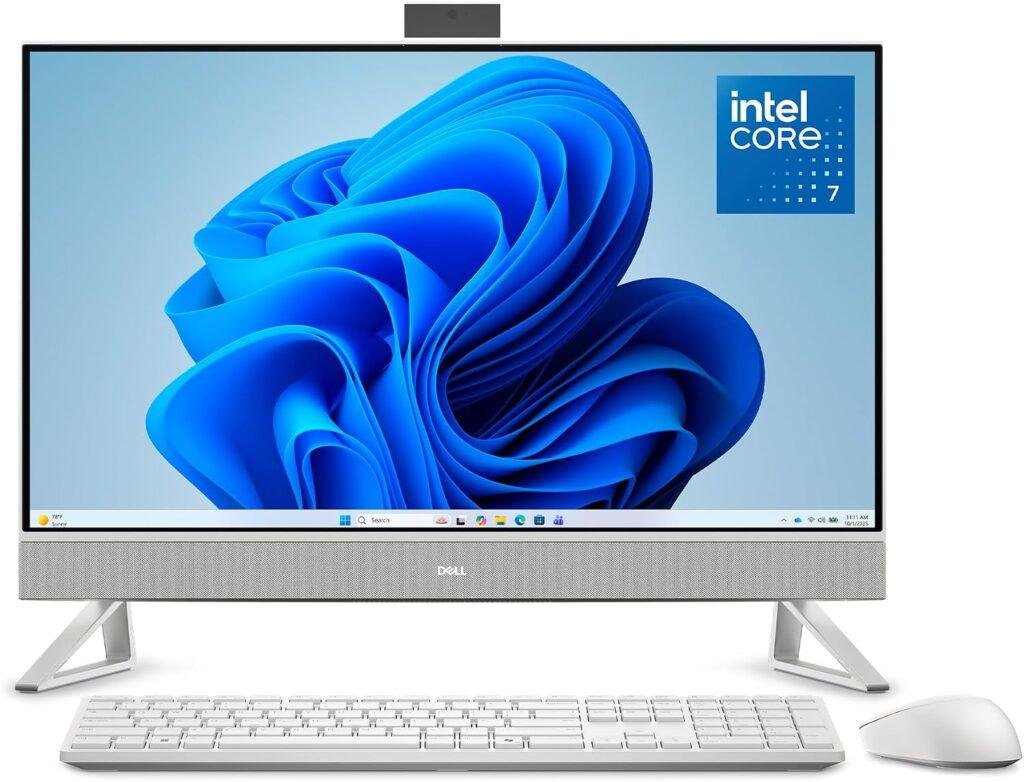
Key Details:
- Intel Core 7 150U processor
- 32GB RAM for heavier multitasking
- 27-inch FHD IPS display with 99% sRGB coverage
- Intel integrated graphics
- 5MP + IR pop-up webcam with HDR
- Dolby Atmos audio and Windows 11 Home
The Dell 27 All-in-One Desktop is a good match if you want a polished home office setup without a separate tower taking up desk space. With a Core 7 150U processor and 32GB RAM, you get enough performance for demanding office multitasking, large browser sessions, video conferencing, and everyday professional software.
You will probably notice the display before anything else. The 27-inch FHD IPS panel provides a spacious workspace for spreadsheets, documents, dashboards, and side-by-side windows, while 99% sRGB coverage also makes it more useful for light photo work and content creation.
We like how much attention Dell has given to remote-work features. The 5MP + IR pop-up camera supports clearer video calls and privacy when you are finished, while Dolby Atmos audio and Bluetooth speakers make meetings and media easier without adding separate speakers to your desk.
If you prefer one of the best all-in-one desktop computers for home office use and want more memory than a typical AIO provides, the Dell 27 All-in-One Desktop stands out. The price is high, but you are paying for a complete workspace with the monitor, camera, audio system, and computer integrated into one cleaner setup.
Pros:
- 32GB RAM offers excellent multitasking capacity
- Large 27-inch IPS display works well for productivity
- 5MP IR pop-up camera is ideal for video meetings
- All-in-one design keeps home office desks less cluttered
Cons:
- Expensive compared with similarly equipped tower desktops
- Limited upgrade flexibility compared with a traditional PC
7. Best Budget Performance: Acer Aspire Tower Desktop Computer
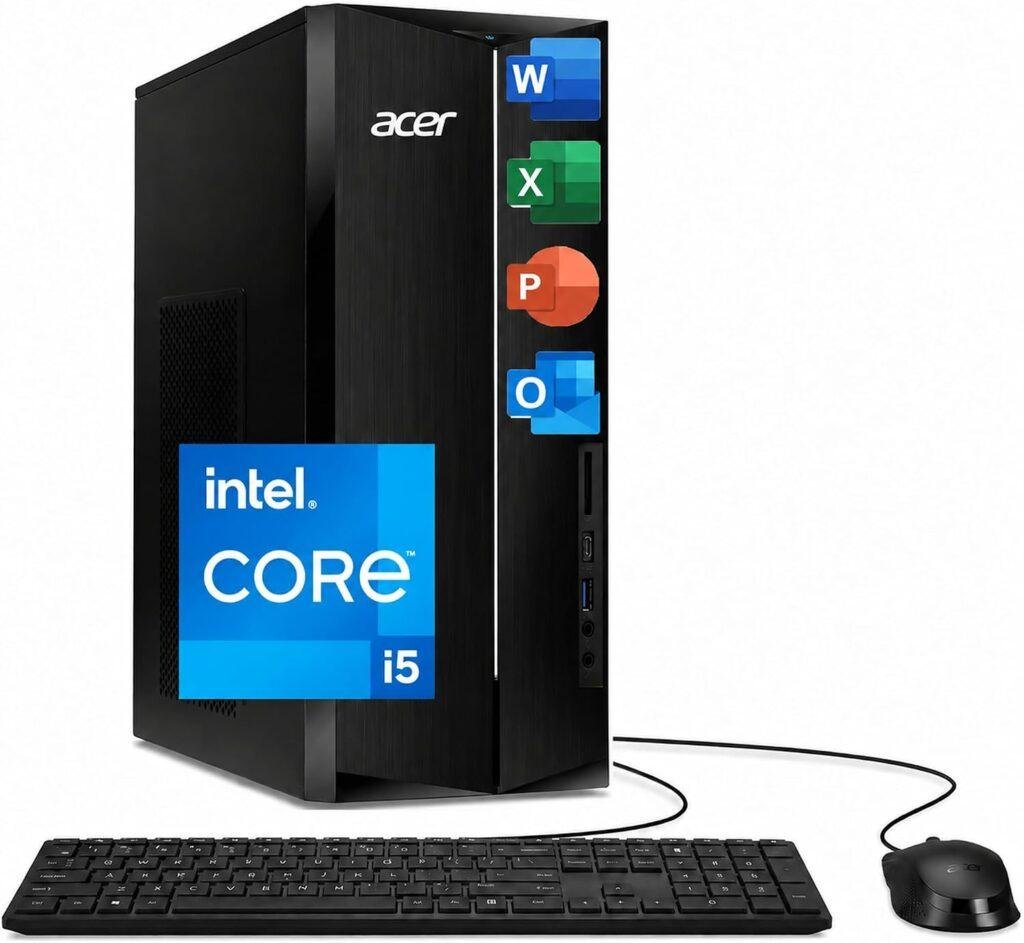
Key Details:
- 14th Gen Intel Core i5-14400 10-core processor
- 8GB DDR5 RAM
- 256GB PCIe Gen4 SSD
- Intel UHD Graphics 730
- Wi-Fi 6E and Bluetooth 5.3
- Dual HDMI, USB-C, keyboard, and mouse included
If you are shopping on a tighter budget but still want a capable processor, the Acer Aspire Tower Desktop Computer is one of the more interesting choices. Its 14th Gen Core i5-14400 gives you considerably more CPU performance than many entry-level home office PCs, which helps with multitasking, larger spreadsheets, and general productivity.
The main compromise is memory. You will find 8GB DDR5 sufficient for basic office work, web browsing, email, and lighter multitasking, but heavier users may eventually want to upgrade to 16GB. The 256GB PCIe SSD is also fast, although storage can fill quickly if you keep large project folders or media files locally.
We like the modern connectivity package for a desktop in this price range. Wi-Fi 6E, Bluetooth 5.3, USB-C, and dual HDMI make it easy to connect wireless accessories and build a dual-monitor home office setup without relying on adapters.
For around $599, the Acer Aspire Tower Desktop Computer gives you a strong processor and a good foundation for future upgrades. If you want an affordable desktop computer for working from home and are comfortable adding more RAM or storage later, this model offers very good long-term potential.
Pros:
- Core i5-14400 provides strong performance for the price
- Wi-Fi 6E and Bluetooth 5.3 offer modern connectivity
- Dual HDMI makes multi-monitor setups straightforward
- Tower design provides better upgrade potential
Cons:
- 8GB RAM is modest for heavier multitasking
- 256GB SSD may be too small for long-term storage
8. Best Budget All-in-One: Lenovo IdeaCentre 24“ FHD All-in-One
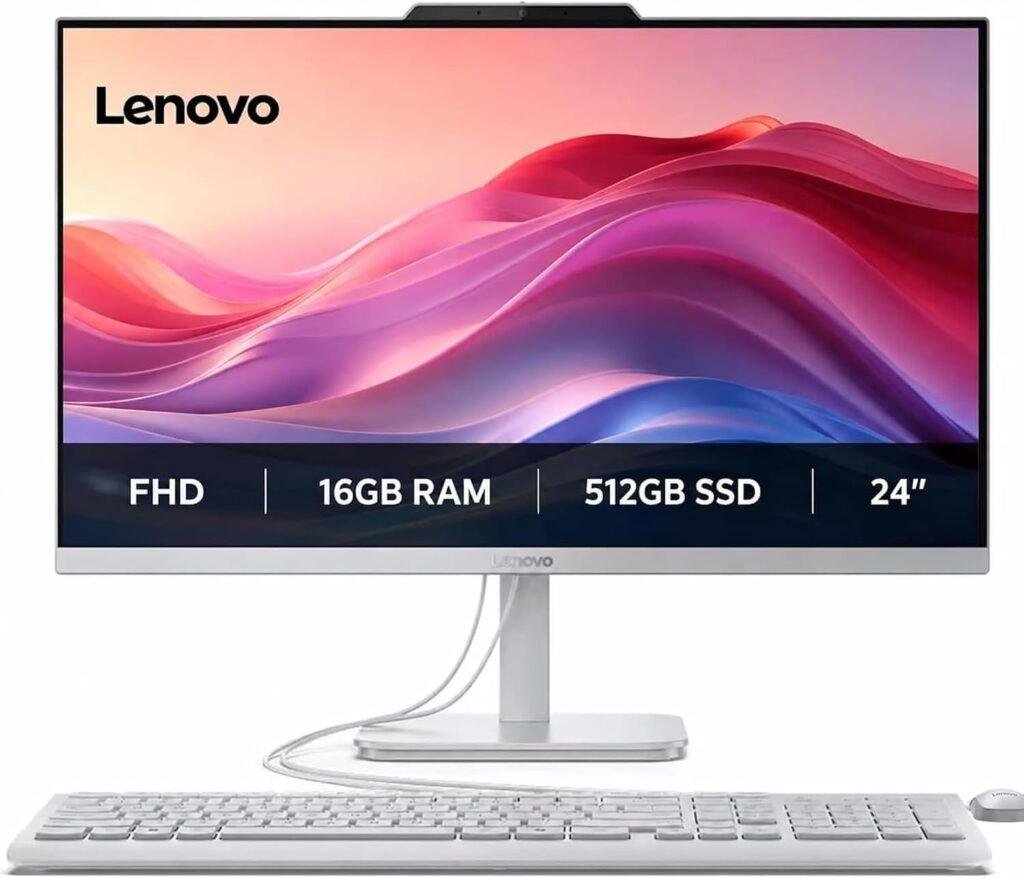
Key Details:
- Intel N100 4-core processor
- 16GB RAM
- 256GB SSD
- 24-inch FHD display
- Integrated Intel UHD Graphics
- Built-in webcam, speakers, and Windows 11
If your home office needs are fairly simple and you prefer an uncluttered desk, the Lenovo IdeaCentre 24-Inch All-in-One is an affordable way to get everything in one system. The Intel N100 processor is designed for lighter computing, while 16GB RAM gives you enough memory for documents, web browsing, email, and everyday remote-work tasks.
You will find the 24-inch display comfortable for common productivity work without taking over a smaller desk. Having the computer integrated behind the screen also means fewer cables and less equipment to manage, which makes this Lenovo home office desktop especially appealing for bedrooms, apartments, or compact workspaces.
We also like the communication features built into the IdeaCentre lineup. A webcam, speakers, and Lenovo’s meeting-focused software make video calls easier, while noise-cancelling features are useful when working from a home environment where background sounds can be distracting.
If you mainly use Office apps, cloud software, browser-based tools, and video meetings, the Lenovo IdeaCentre 24-Inch All-in-One offers good value. It is not intended for heavy creative work or demanding professional applications, but as a budget all-in-one desktop computer for home office use, it covers the essentials nicely.
Pros:
- Affordable all-in-one design saves desk space
- 16GB RAM is generous for basic office workloads
- Built-in display, webcam, and speakers simplify setup
- Well suited to everyday remote work and web-based applications
Cons:
- Intel N100 is not designed for demanding workloads
- 256GB SSD offers limited local storage
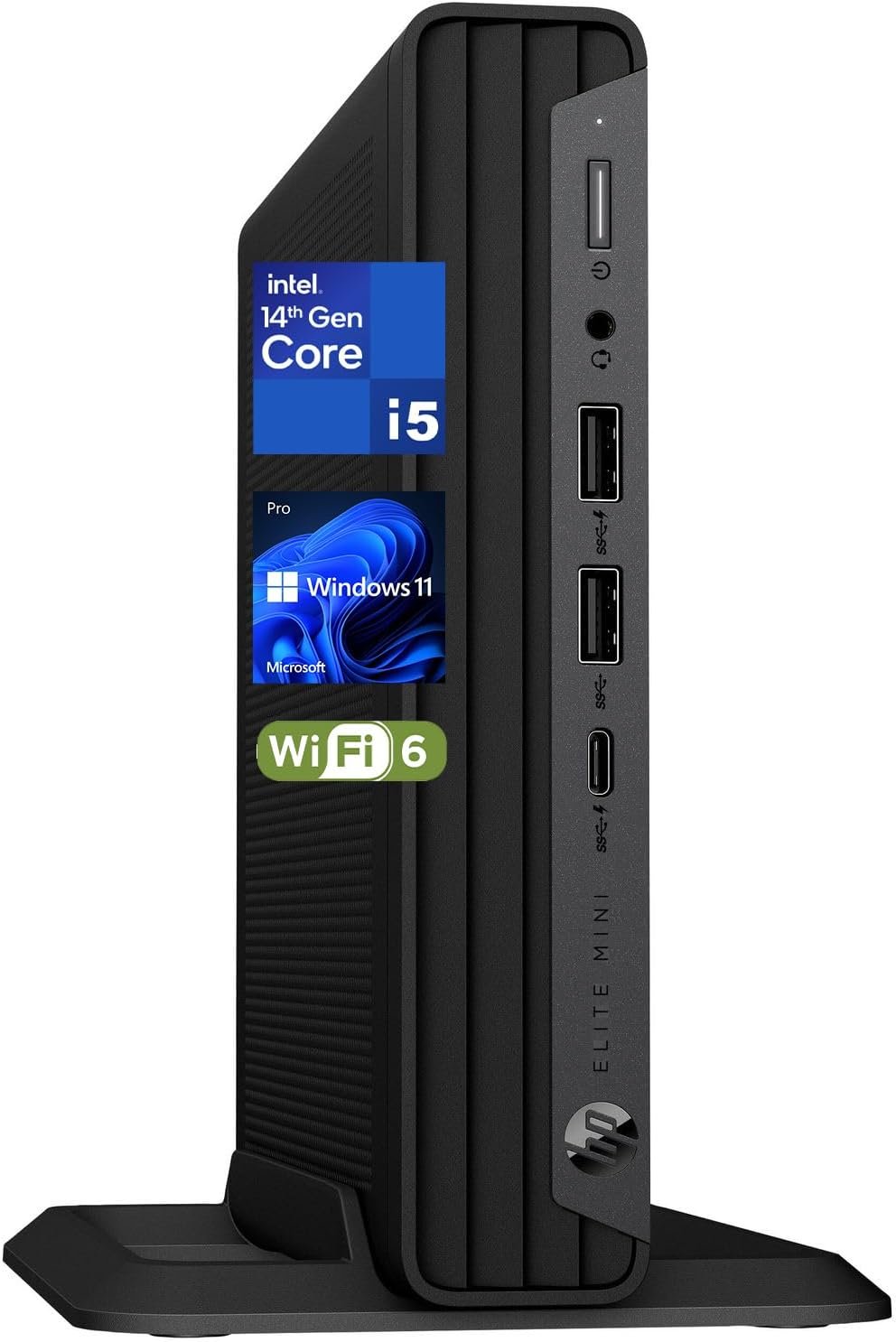
9. Best Compact Business Desktop: HP Elite Mini 800 G9
Key Details:
- Intel Core i5-14500 processor with 14 cores
- 32GB DDR5 RAM
- 1TB PCIe NVMe SSD
- Intel UHD Graphics 770
- Dual DisplayPort 1.4, HDMI 2.1, USB-C, and Ethernet
- Windows 11 Pro with Wi-Fi 6 and Bluetooth 5.2
If desk space is limited but you still want real desktop performance, the HP Elite Mini 800 G9 is an easy model to like. Its Core i5-14500 processor and 32GB DDR5 memory give this compact home office desktop enough power for spreadsheets, large browser sessions, video meetings, business applications, and heavier multitasking.
You will find the 1TB NVMe SSD especially useful if you keep most of your work files locally. It gives you plenty of room for documents, applications, project folders, and media while keeping Windows and everyday software responsive during a busy workday.
What really stands out is how much connectivity HP fits into such a small chassis. Dual DisplayPort 1.4, HDMI 2.1, USB-C, Ethernet, Wi-Fi 6, and several USB ports make it easy to build a full home office setup without giving up valuable desk space.
If you want one of the best compact desktop computers for home office or business use, the HP Elite Mini 800 G9 makes a lot of sense. We like that it combines 32GB RAM, professional Windows features, and strong multi-monitor connectivity in a system that weighs just over three pounds.
Pros:
- Compact design saves a significant amount of desk space
- 32GB DDR5 RAM handles heavy multitasking well
- 1TB NVMe SSD provides fast and spacious storage
- Excellent display and peripheral connectivity
Cons:
- Costs more than many full-size Core i5 desktops
- Mini design offers less expansion room than a tower
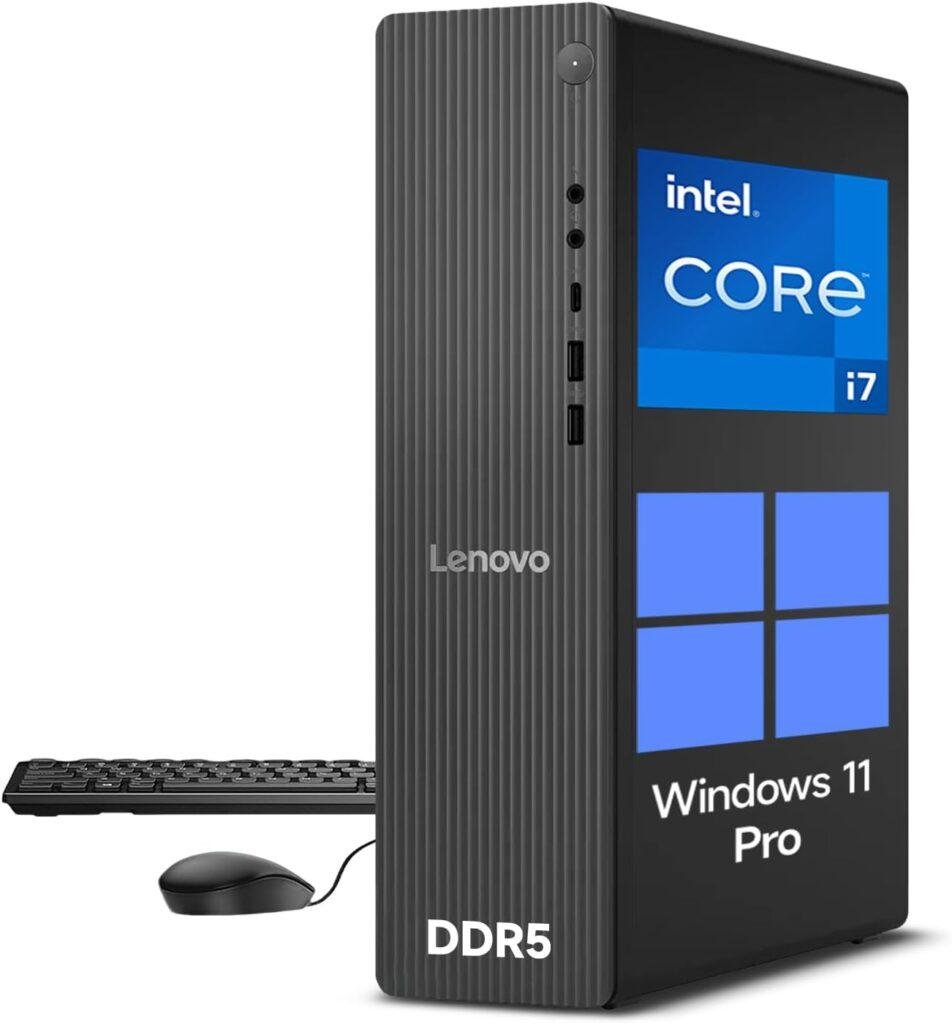
10. Best for Power Users: Lenovo Desktop Computer Tower PC
Key Details:
- 14th Gen Intel Core i7-14700 with 20 cores and 28 threads
- 32GB DDR5 RAM
- 1TB PCIe NVMe M.2 SSD
- Intel UHD Graphics 770
- HDMI 2.1, VGA, USB-C, Ethernet, and Wi-Fi 6
- Windows 11 Pro in an 8.0L small form factor chassis
If your home office workload is heavier than average, this Lenovo Core i7 Small Form Factor Desktop gives you plenty of processing power without requiring a huge tower. The 20-core Intel Core i7-14700 and 32GB DDR5 RAM make it well suited to large spreadsheets, development tools, data analysis, content management, and demanding multitasking.
When several applications are running together, this kind of CPU and memory combination gives you much more room before the system starts feeling strained. You will find the 1TB NVMe SSD equally useful, especially if your work involves large files, software libraries, local databases, or project archives.
We also like that Lenovo keeps the chassis relatively compact while still providing a useful selection of ports. HDMI 2.1 and VGA support dual-monitor setups, while USB-C, USB-A, Gigabit Ethernet, Wi-Fi 6, and Bluetooth cover most home office accessories without requiring a separate dock.
If you want a powerful desktop PC for home office use but do not need a dedicated graphics card, this Lenovo is a strong option. The Core i7-14700 gives it enough processing headroom for demanding professional work, while the smaller chassis fits more comfortably into a home workspace.
Pros:
- 20-core Core i7 processor delivers excellent productivity performance
- 32GB DDR5 RAM is ideal for demanding multitasking
- Compact 8.0L chassis saves desk space
- Windows 11 Pro suits professional and business users
Cons:
- Integrated graphics limit demanding GPU-heavy applications
- Premium performance may be unnecessary for basic office work
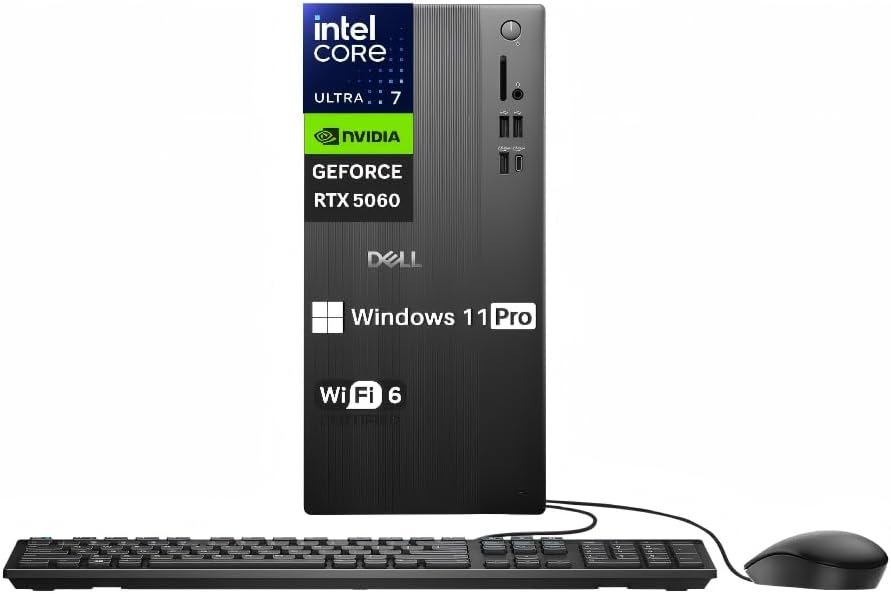
11. Best for Creative Professionals: Dell Tower Desktop Computer Intel Core Ultra 7 265F
Key Details:
- Intel Core Ultra 7 265F 20-core processor
- 32GB DDR5 5600MT/s memory
- 1TB M.2 PCIe NVMe SSD
- NVIDIA GeForce RTX 5060 with 8GB GDDR7
- Wi-Fi 6, Bluetooth 5.4, HDMI 2.1, and DisplayPort 1.4a
- Windows 11 Pro with keyboard and mouse included
If your home office also doubles as a creative workspace, the Dell Tower Desktop Core Ultra 7 265F is easily the most graphics-focused option in this lineup. The combination of a Core Ultra 7 processor, 32GB DDR5 RAM, and NVIDIA GeForce RTX 5060 gives it far more capability for photo editing, video production, graphic design, and GPU-accelerated applications.
You will find the RTX 5060 particularly valuable if your work goes beyond spreadsheets and video calls. Creative programs that use GPU acceleration can benefit significantly from dedicated graphics, while the 8GB of GDDR7 memory gives the system much more headroom than the integrated graphics found in most home office desktops.
The 1TB NVMe SSD also fits this kind of workload well. Large project files, editing applications, media libraries, and business documents can quickly consume storage, so having a full terabyte from the start makes this Dell Tower Desktop more practical for professional creative work.
We like this model most for users who need one computer for both productivity and creative workloads. If you are looking for one of the best desktop computers for home office use and regularly edit video, work with graphics, or use AI-accelerated software, the extra cost becomes easier to justify.
Pros:
- RTX 5060 provides strong dedicated graphics performance
- Core Ultra 7 processor handles demanding professional workloads
- 32GB DDR5 RAM supports heavy multitasking and creative software
- 1TB SSD provides useful space for projects and applications
Cons:
- Significantly more expensive than standard office desktops
- Dedicated GPU is unnecessary for basic productivity users
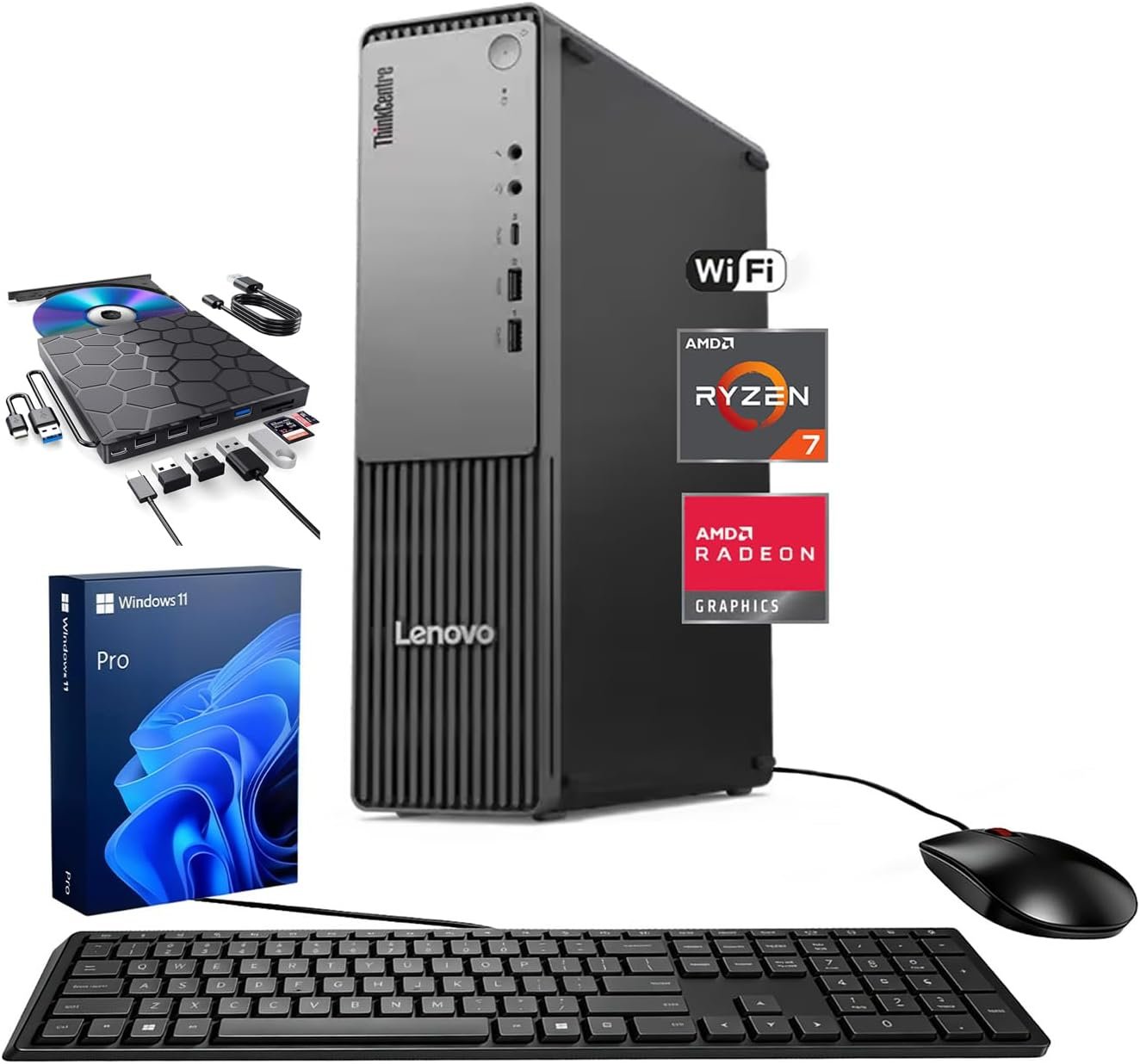
12. Best for Multi-Monitor Business Use: Lenovo ThinkCentre Neo 55s SFF
Key Details:
- AMD Ryzen 7 250 processor with 8 cores and 16 threads
- 32GB DDR5 RAM
- 1TB SSD
- AMD Radeon integrated graphics
- DisplayPort 1.4 and HDMI 2.1 with multi-monitor support
- Windows 11 Pro with Wi-Fi 7 and external DVD drive bundle
If your home office revolves around several screens, business applications, and constant multitasking, the Lenovo ThinkCentre Neo 55s SFF is built around that kind of workflow. Its Ryzen 7 250 processor, 32GB DDR5 memory, and 1TB SSD give you a strong foundation for productivity without taking up the space of a traditional full-size tower.
You will find the display connectivity particularly useful for financial work, coding, research, trading dashboards, or any job where multiple windows need to stay visible. DisplayPort 1.4 and HDMI 2.1 support modern high-resolution displays, making this Lenovo ThinkCentre a practical desktop computer for a multi-monitor home office.
We like the connectivity package too. USB-C, multiple USB-A ports, Ethernet, Wi-Fi 7, and dedicated audio connections make it easier to add external drives, printers, webcams, headsets, and other office peripherals without constantly swapping cables.
If you want a business-focused home office PC that balances performance, compact size, and connectivity, the Lenovo ThinkCentre Neo 55s SFF is a strong final pick. The Ryzen 7 processor and 32GB RAM make it capable of heavier workloads, while Windows 11 Pro and the small form factor keep it practical for professional environments.
Pros:
- 32GB DDR5 RAM provides excellent multitasking capacity
- Ryzen 7 processor is well suited to professional productivity
- Strong multi-monitor and peripheral connectivity
- Compact SFF chassis works well in smaller home offices
Cons:
- Integrated graphics are not ideal for demanding creative workloads
- Third-party RAM and SSD upgrades may complicate warranty coverage
Who Needs a Desktop Computer for Home Office?
A home office desktop makes sense if you work mainly from one desk and value performance, a larger screen setup, and easier upgrades over portability. You will usually get more flexibility than you would from a similarly priced laptop.
A desktop computer is especially useful if you:
- Work from home most days and rarely need to carry your computer.
- Use two or more monitors for spreadsheets, research, trading, or coding.
- Keep many browser tabs and business applications open together.
- Want to upgrade RAM or storage later.
- Edit photos, videos, or other demanding content.
- Prefer a full-size keyboard, mouse, and ergonomic monitor setup.
If your work is mostly email, documents, Zoom calls, and web applications, a midrange desktop with 16GB RAM and an SSD should be enough. More demanding professionals may benefit from 32GB RAM, a faster processor, or dedicated graphics.
How to Choose the Best Desktop Computers for Home Office
The best desktop computer for home office use should match your actual workload. Processor performance, RAM, storage, connectivity, and monitor support matter more than simply buying the most expensive PC.
Choose the Right Processor
The processor controls how quickly your desktop handles everyday tasks and heavier workloads.
For basic office work, a modern Core i3, Core 3, Ryzen 3, or similar processor can work well. A Core i5, Core Ultra 5, or Ryzen 5 is a better fit for most home offices, while Core i7, Core Ultra 7, and Ryzen 7 processors suit heavier multitasking and professional applications.
Get Enough RAM
RAM affects how smoothly several programs can run together.
For most home office users, 16GB is the practical starting point. If you regularly use large spreadsheets, dozens of browser tabs, editing software, virtual machines, or several business applications together, 32GB gives you more breathing room.
Prioritize SSD Storage
An SSD improves boot times, application loading, and everyday responsiveness.
A 512GB SSD is enough for many office users, while 1TB is better if you keep large project folders, photos, videos, or business files locally. If possible, choose an NVMe SSD for faster storage performance.
Check Monitor Support
More screen space can directly improve productivity.
If you use multiple windows throughout the day, check whether the desktop includes HDMI, DisplayPort, or USB-C display output. Some of the best home office desktop computers can support two or more 4K monitors.
Look at Ports and Connectivity
A good home office PC should connect easily to your existing equipment.
Look for USB-A, USB-C, HDMI or DisplayPort, Ethernet, Wi-Fi, Bluetooth, and a headset connection. If you use external drives, webcams, printers, microphones, or several monitors, having enough ports can save you from buying extra hubs.
Consider Upgradeability
Upgradeability can extend the useful life of a desktop computer.
Tower PCs generally make it easier to add RAM, storage, expansion cards, or dedicated graphics. Mini PCs and all-in-one desktops save space, but they usually offer fewer upgrade options.
Desktop vs Laptop for Home Office
A desktop is usually better for a permanent home office, while a laptop is better if portability matters. Your choice should depend on where and how you work.
| Feature | Desktop Computer | Laptop |
| Performance for the price | Usually better | Usually lower |
| Portability | Limited | Excellent |
| Upgradeability | Usually better | Often limited |
| Monitor flexibility | Excellent | Requires external displays |
| Desk setup | Better for permanent workstations | Better for flexible work |
| Cooling | Generally better | More restricted |
| Battery backup | Requires a UPS | Built-in battery |
| Repairability | Often easier | Usually more difficult |
If you work at the same desk every day, a desktop PC gives you more freedom to choose your monitor, keyboard, mouse, storage, and other accessories. You will also find tower desktops easier to upgrade when your workload grows.
A laptop makes more sense if you regularly move between your home, office, meetings, or other locations. You can still connect it to external monitors and peripherals, but equivalent desktop hardware often provides better performance and upgrade flexibility.
For a dedicated work-from-home setup, a desktop is usually the stronger long-term choice. If mobility is part of your job, a laptop gives you flexibility that a traditional desktop cannot provide.
Should You Buy a Prebuilt or Build Your Own Home Office PC?
A prebuilt desktop is the easier choice for most home office users. A custom-built PC gives you more control over individual components but requires more time, technical knowledge, and troubleshooting.
Prebuilt computers from brands such as Dell, HP, Lenovo, and Acer usually arrive with Windows installed and ready to use. You also get a single warranty and support channel, which can be valuable when the computer is essential for your work.
Building your own PC lets you choose the exact processor, motherboard, RAM, storage, cooling, and graphics card. If you need specialized performance or plan frequent upgrades, that flexibility can be worthwhile.
For most people working from home, we like the convenience of a prebuilt desktop. If you are comfortable selecting components and solving hardware problems yourself, a custom PC can provide better control over performance and future upgrades.
Common Mistakes to Avoid When Buying a Home Office Desktop
Choosing a home office desktop based only on price or processor name can lead to the wrong setup. Focus on how the full configuration matches your daily workload, monitor setup, and future needs.
- Buying too little RAM: 8GB can handle basic tasks, but 16GB is a better starting point for multitasking, browser tabs, video calls, and office software.
- Choosing too little storage: A 256GB SSD can fill quickly. A 512GB or 1TB SSD gives you more room for applications, work files, downloads, and local backups.
- Ignoring monitor connections: Check HDMI, DisplayPort, or USB-C before buying. Your desktop should support the number and resolution of monitors you plan to use.
- Paying for graphics you do not need: Integrated graphics are enough for documents, spreadsheets, browsing, streaming, and video calls. Dedicated graphics are more useful for video editing, CAD, 3D work, and other GPU-heavy tasks.
- Ignoring upgrade options: Check whether you can add more RAM or storage later. A desktop with easier upgrades can remain useful for much longer.
- Forgetting about ports and wireless connectivity: Make sure the desktop supports your webcam, printer, external drives, headset, Ethernet, Wi-Fi, Bluetooth devices, and other office accessories.
- Buying more power than your workload requires: A high-end Core Ultra 7 or Ryzen 7 can be excellent, but it may be unnecessary for email, documents, web apps, and video meetings. Matching performance to your actual workload usually gives you better value.
Final Words
If you want a balanced option for everyday work, the Dell Slim Desktop Intel Core Ultra 5-225 is a strong choice. It offers modern performance, multi-monitor support, and a compact design that fits well in most home offices.
For heavier multitasking, the HP OmniDesk Desktop Computer PC is the better fit. Its Ryzen 7 processor, 32GB DDR5 RAM, and 1TB SSD give you plenty of room for demanding office apps, large browser sessions, and creative tasks.
If you need stronger professional performance, the Dell Tower Desktop Intel Core Ultra 7-265 stands out. It combines a powerful processor, 32GB RAM, multi-display support, and an upgrade-friendly tower design for more demanding workflows.
Overall, the best desktop computers for home office use should match your workload, desk space, monitor needs, and budget. Focus on the right processor, at least 16GB RAM for most users, fast SSD storage, useful ports, and enough upgrade flexibility to keep the system useful for years.
Related FAQs
Is 16GB RAM Enough for a Home Office Desktop?
Yes, 16GB RAM is enough for most home office tasks. It handles web browsing, documents, spreadsheets, video meetings, and moderate multitasking comfortably.
Is 32GB RAM Worth It for Working From Home?
32GB RAM is worth it if you use large spreadsheets, many browser tabs, editing software, virtual machines, or several demanding apps at once. It gives you more multitasking headroom and can help the system stay responsive longer.
Is a Desktop Better Than a Laptop for a Home Office?
A desktop is usually better for a permanent home office because it offers better upgradeability, cooling, monitor flexibility, and performance for the price. A laptop is better if you need to work from different locations.
What Processor Is Best for Home Office Work?
A Core i5, Core Ultra 5, or Ryzen 5 processor is enough for most home office users. Core i7, Core Ultra 7, and Ryzen 7 processors are better for heavier multitasking and professional applications.
How Much Storage Do I Need for a Home Office Computer?
A 512GB SSD is enough for many office users, while 1TB gives you more space for applications, project files, photos, and local backups. NVMe SSDs are preferred because they offer faster loading and boot times.
Do I Need a Dedicated Graphics Card for Home Office Work?
Most home office users do not need a dedicated graphics card. Integrated graphics are sufficient for documents, spreadsheets, browsing, video calls, and multiple displays, while dedicated graphics are more useful for editing, CAD, 3D work, and GPU-heavy software.
Are All-in-One Computers Good for Home Office Use?
Yes, all-in-one computers work well for home offices that need a clean and simple setup. They combine the PC and monitor into one unit, but they usually offer fewer upgrade options than a tower desktop.
Can a Home Office Desktop Support Two Monitors?
Yes, many modern home office desktops support two or more monitors. Check for HDMI, DisplayPort, or USB-C video outputs and confirm the maximum display resolution before buying.
How Long Should a Home Office Desktop Last?
A well-chosen home office desktop can remain useful for five years or longer with proper maintenance and occasional upgrades. Adding more RAM or storage can often extend its useful life.
Should I Buy a Tower or Mini PC for My Home Office?
Choose a tower if you want better upgradeability, stronger cooling, and more expansion options. A mini PC is better when desk space is limited and your workload does not require major hardware upgrades.
Is Windows 11 Pro Better for a Home Office?
Windows 11 Pro can be useful for business users who need features such as BitLocker, Remote Desktop hosting, and additional management tools. Windows 11 Home is usually enough for general productivity and personal home office use.

Justin has spent years learning how blogs, websites, hosting, and online income work in the real world. Along with blogging and SEO, he also covers desktops, laptops, PC parts, and everyday tech, sharing easy-to-understand advice for readers who want to build better websites and choose better tools.